


Image compressor alternatives

Image compressor alternatives, read on each tool’s own pages: 11 tools set beside Blinkimg, from web compressors to offline apps. Each one is shown for the job it does best, with its limits, its price and what it does well.

  • 11 tools reviewed
  • 7 side-by-side comparisons
  • Our figures measured, not estimated

By Sahadat Husain, who builds Blinkimg.Every tool's facts checked on its own pages on 29 September 2026.

Output format
– / –

Drop images or browse

JPEG · PNG · WEBP · AVIF · HEIC · up to 50 at once · max 30 MB each

HEIC
PNG
JPEG
AVIF
WEBP
Advanced settings
SmallerAutoBetter

Auto tunes each image.

A hard cap for the number your form demands.

A floor for forms that refuse small files.

Max resolution

Empty side keeps the ratio. Never enlarges.

Image compressor, before: the original photograph, 9.8 MBOriginal · 9.8 MB
Image compressor, after: the same photograph as AVIF, 97.1 KBAVIF · 97.1 KB
−99%
A real result from the engine above: the same photograph, 9.8 MB in, 97.1 KB out as AVIF. Run one file through any tool on this page and compare the two.

The short list

Pick by the job you have

No compressor wins every job. Start from yours: each pick names the tool whose own pages show it does that job, and why.

  • A file under an exact size

    BlinkimgOur pick

    Set a target in KB or MB and the file comes back at or under it, as JPG, PNG, WebP or AVIF. TinyPNG, iLoveIMG and compressjpeg.com state no target size.

  • iPhone HEIC photos

    BlinkimgOur pick

    HEIC becomes JPG, PNG, WebP or AVIF, 10 conversions a free run. TinyPNG always turns HEIC into JPG.

  • Code, scripts and AI agents

    BlinkimgorKraken.ioOur pick

    Blinkimg's API starts with 500 free credits a month and an MCP server for Claude, ChatGPT and Cursor. Kraken.io's API is billed by data volume.

  • A WordPress site

    ShortPixelorTinyPNG

    Both offer a WordPress plugin. ShortPixel also generates WebP and AVIF copies; TinyPNG adds a Figma plugin and an image CDN.

  • Photos that must stay on your device

    Squooshorcompressjpeg.com

    Both compress in your browser, so nothing uploads. Squoosh takes one image at a time; compressjpeg.com takes 20 JPGs.

  • Offline, on your own computer

    ImageOptimorCaesium

    ImageOptim is a free Mac app, lossless by default. Caesium batches whole folders on Windows and macOS.

  • Upscaling or background removal

    iLoveIMG

    iLoveIMG adds AI upscaling and background removal, and its Premium plan lists 2,000 AI credits.

  • SVG and GIF files

    Compressor.io

    Compressor.io compresses SVG and GIF beside JPEG, PNG and WebP, lossy or lossless.

  • Hundreds of formats, RAW included

    XnConvert

    XnConvert reads more than 500 formats, RAW and HEIC among them, on Windows, Mac and Linux. Free for private use.

12 tools

All image compressor alternatives at a glance

Where each tool runs, how many files it takes, its largest file and its price, as each vendor states them. “Not stated” means the vendor publishes no figure; we never guess one.

All image compressor alternatives at a glance: where each runs, its batch, its largest file and its price, read on 29 September 2026
ToolBest forRunsBatchLargest filePrice
BlinkimgOne drop that compresses, converts and resizesOn our servers50 images30 MBFree; Pro $2.50/mo
TinyPNGWordPress sites and animated PNGOn its servers20 images5 MB$3.25/mo, yearly
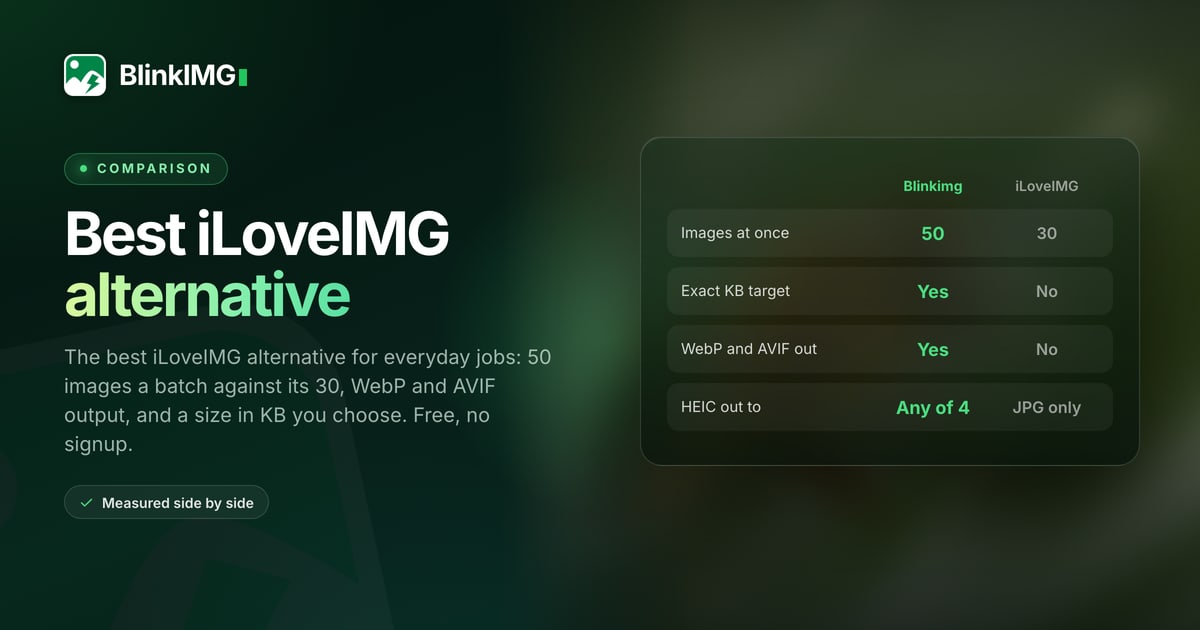
iLoveIMGAI upscaling and one-job toolsOn its servers30 files a task200 MB a task$7/mo or $48/yr
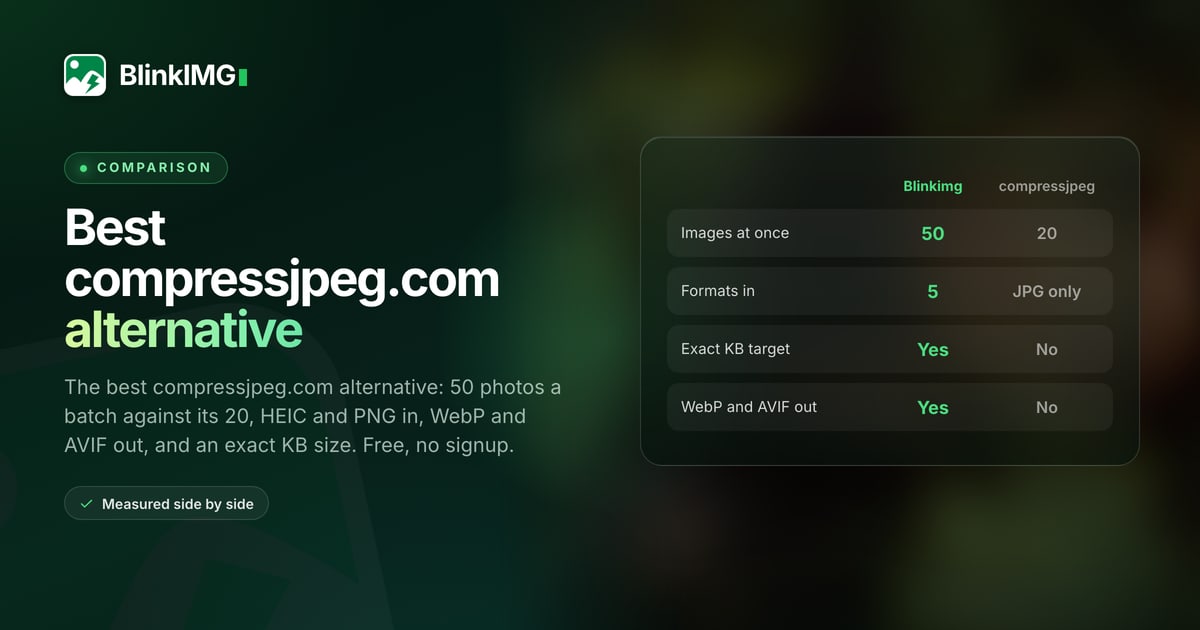
compressjpeg.comJPEGs that must stay on your deviceIn your browser20 JPGsNot statedFree
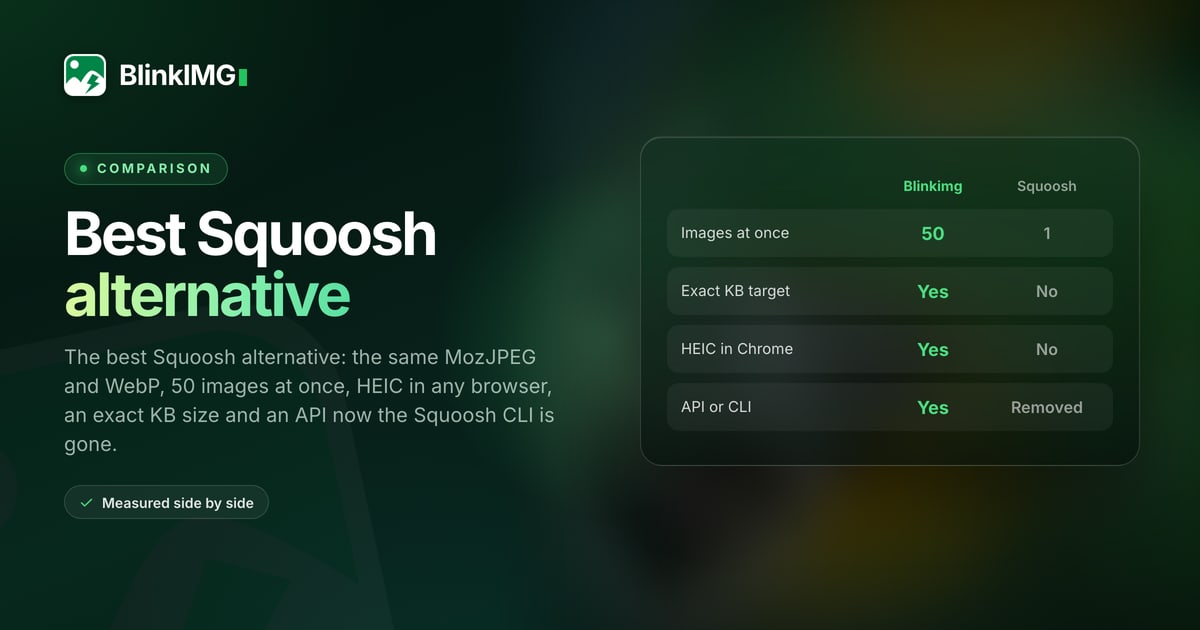
SquooshTuning one image by eyeIn your browserOne image at a timeNot statedFree, open source
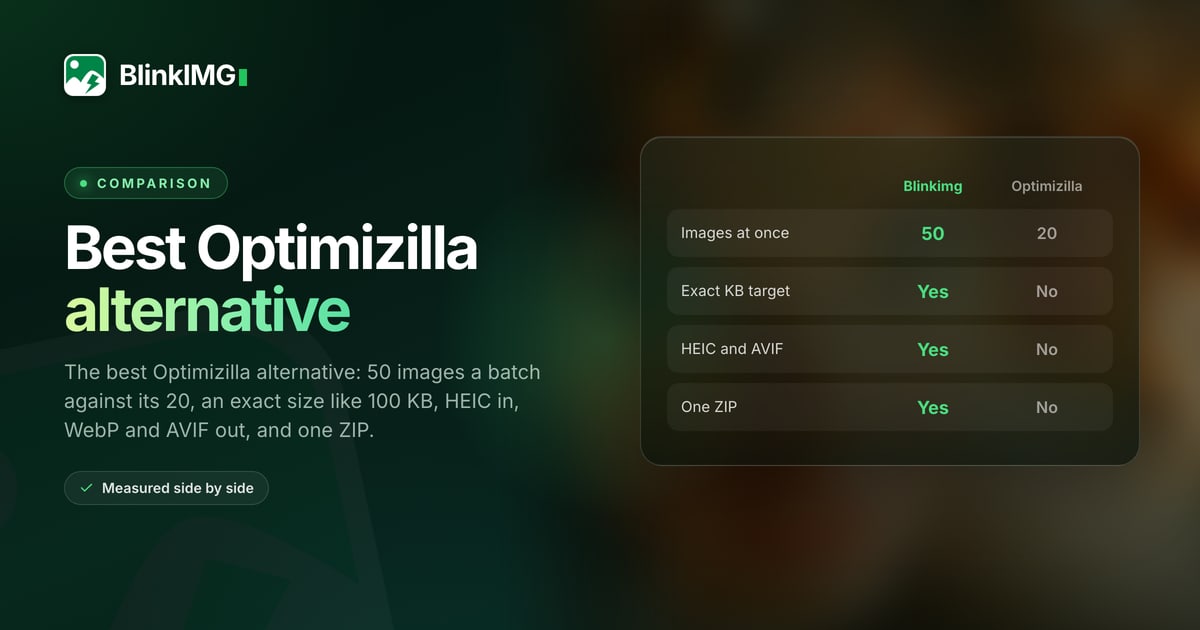
OptimizillaA quality slider on every imageIn your browserNot statedNot statedFree
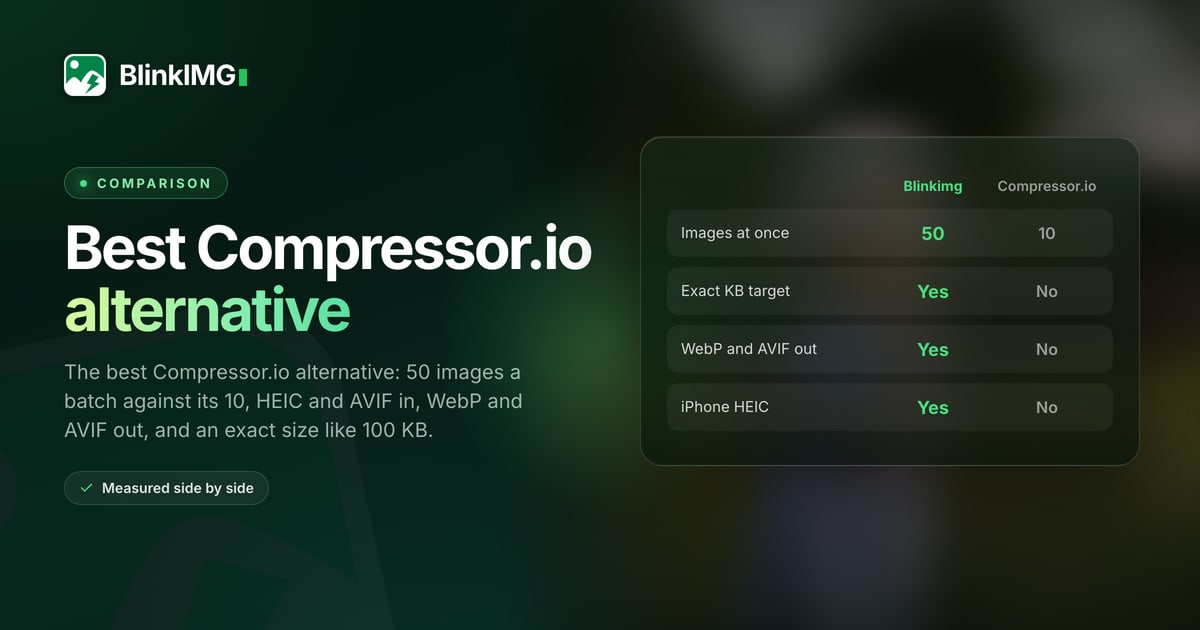
Compressor.ioSVG and GIF filesOn its servers50 compressions a day10 MB$50 a year
ShortPixelWordPress sites that want a pluginOn its serversNot stated10 MB signed out100 credits a month
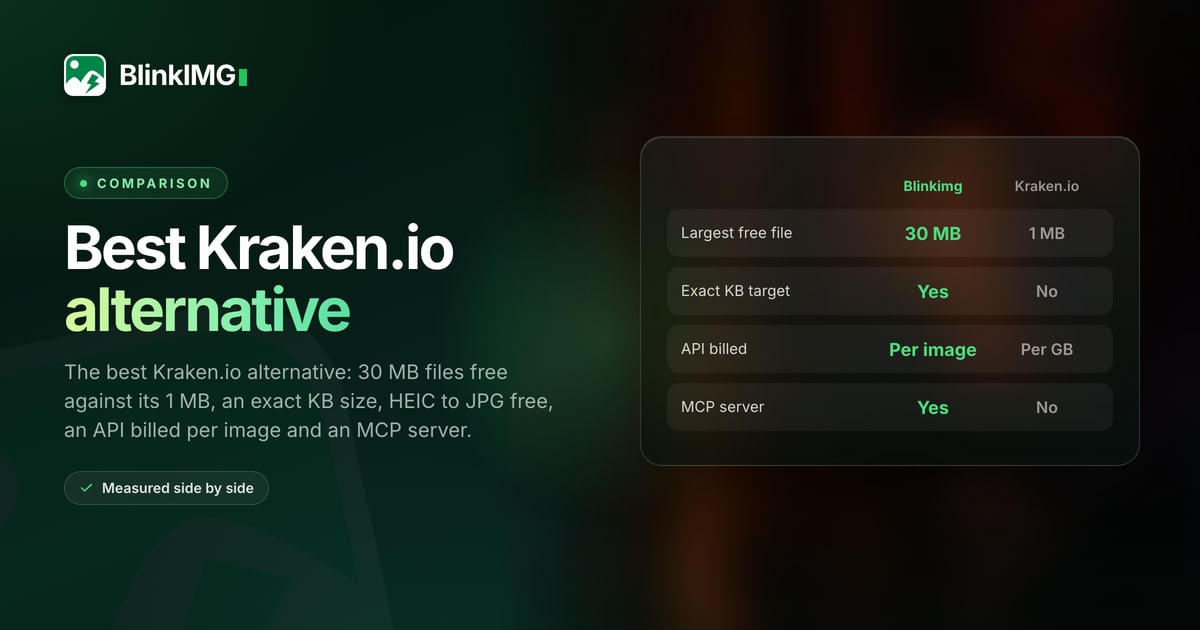
Kraken.ioAn API billed by data volumeOn its servers20 files1 MBFrom $5/mo
ImageOptimAn offline Mac workflowOn your MacNot statedNot statedFree (GPL)
CaesiumFree offline batches on WindowsWindows, macOSYes, with foldersNot statedFree (GPL-3.0)
XnConvertHundreds of formats offlineWindows, Mac, LinuxNot statedNot statedFree for private use

7 comparisons

Side by side, one tool at a time

The tools people most often leave for Blinkimg each have a full page: every limit beside ours, our measurements, what the other tool does better, and how to switch.

TinyPNG

Why people leave TinyPNG, figure by figure

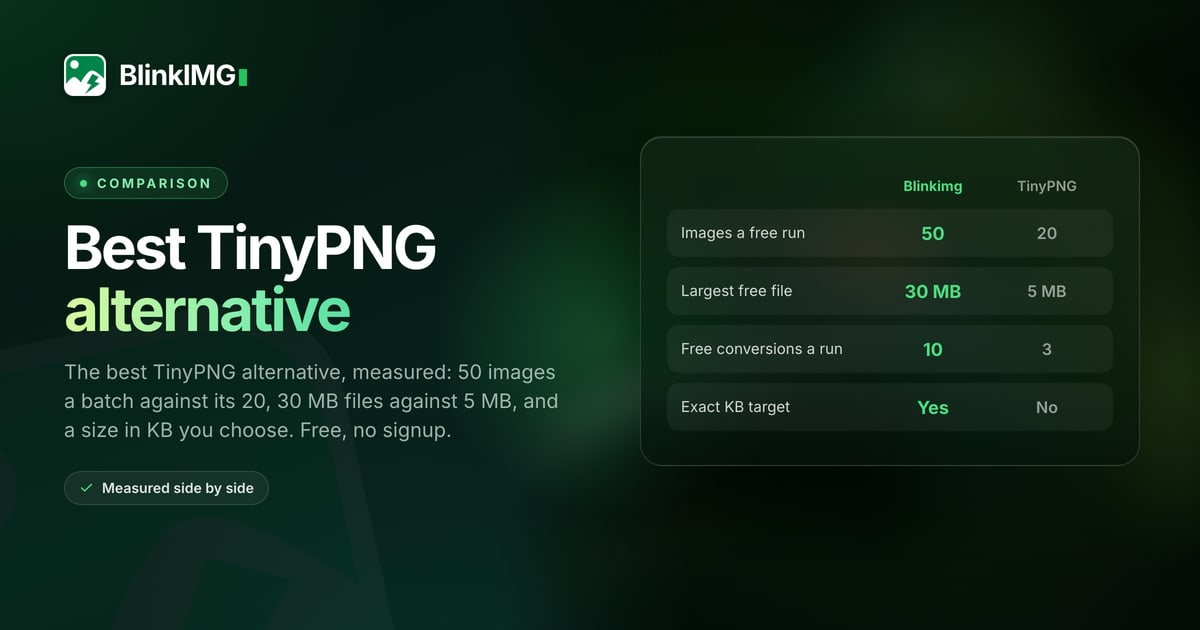
TinyPNG is the best-known web compressor, and its free tool is good at what it does. People leave it at its limits. Here are its free web figures beside ours, and the two paid web plans.

  1. 01Free batch

    50TinyPNG: 20

    More images in one drop

    TinyPNG's free tool takes 20 images a run. Blinkimg takes 50, so a folder of product photos goes in once.

  2. 02Largest free file

    30 MBTinyPNG: 5 MB

    Camera files fit

    TinyPNG's free tool stops at 5 MB a file. Blinkimg's free plan takes files up to 30 MB, room for a full-size camera photo.

  3. 03Free conversions

    10TinyPNG: 3

    More format changes

    TinyPNG converts 3 images free, and its Web Pro plan keeps the 3. Blinkimg converts 10 a free run.

  4. 04Exact size

    KB targetTinyPNG: none

    A size you choose

    Forms and job portals ask for a file under 50 KB or 2 MB. Blinkimg aims at the number you set; TinyPNG chooses the size for you.

  5. 05HEIC out

    4 formatsTinyPNG: JPG

    iPhone photos, your way

    TinyPNG always turns HEIC into JPG. Blinkimg turns it into JPG, PNG, WebP or AVIF.

  6. 06Paid web plan

    $2.50/moTinyPNG: $3.25/mo

    Pro costs less, API included

    TinyPNG's Web Pro is $3.25 a month, billed yearly, with no API credits. Blinkimg Pro is $2.50 a month and includes 1,500 API credits.

Every limit, our measurements and how to switch are on the full TinyPNG alternative comparison.

Privacy and speed

Where each tool does the work

Every compressor here works in one of three places. Where it runs decides whether your file uploads, how big a batch stays fast, and whether it works offline.

  • On the tool’s servers

    The file uploads, a server compresses it, and you download the result. Big batches and heavy formats such as HEIC and AVIF stay fast on any device. Each tool states how long it keeps your files.

    • Blinkimg
    • TinyPNG
    • iLoveIMG
    • Compressor.io
    • ShortPixel
    • Kraken.io
  • In your browser

    The page compresses the file on your own device, so nothing uploads. Your computer does the work, so large batches are slower, and each tool reads only the formats your browser can decode.

    • compressjpeg.com
    • Squoosh
    • Optimizilla
  • On your computer

    An app you install. It works offline and on whole folders, with no upload and no daily cap. You install and update it yourself, and it runs only on the systems it ships for.

    • ImageOptim
    • Caesium
    • XnConvert

Measured

What our engine did with real files

Our side of every comparison is a file, not a promise: a 576.8 KB JPEG photo, 1920 × 1280 and a 343 KB photo saved as HEIC, each saved by the engine behind the tool above. Run the same files through any alternative and compare.

  • Use the same file

    Run one original through every tool. A copy saved from a chat app or a screenshot is already compressed and makes every tool look worse.
  • Compare at the same quality

    A smaller file is only better if it looks the same. Open both results at 100% and check skies, skin and text before you read the size.
  • Check the format that comes out

    An AVIF beside a JPG is not a fair size test. Compare the same output format, or compare against the size limit you actually have.

Every byte count is the size of the actual file our engine produced from the named source, the same bytes you would download, not an estimate. The reference photo is one of our own photographs, an iguana on a branch, and the camera photo is a real one too. Drop your own file into the tool above to rerun any of them. How we measure names the sources and the settings.

Test it yourself

How to test an alternative in one minute

A fair test needs one original file, the same output format on both sides and a look at the result, not only the size.

  1. HEICPNGJPEG50 to compress, 10 to convert

    Drop the same files

    Take one original photo, straight from the camera or phone, and drop it here and into the tool you are weighing.

  2. JPEG2.3 MBWEBP369.8 KB−84%4500×3000 → 2000×1333 px

    Pick a format or a size

    Keep each tool on its default, or set the same output format on both. Type a Max file size here if a form sets a limit.

  3. Download all (3) as ZIP

    Download and compare

    Open both results at 100% and check skies, skin and text first. Then read the two sizes.

12 tools

Every tool, what it does well and where it stops

One card per tool, ours first: the job it serves best, the facts that decide it, three things it does well and three places it stops. Each links to the tool’s own site.

  1. 01 · Best for one drop that compresses, converts and resizes

    BlinkimgOur pick

    Blinkimg compresses and converts JPG, PNG, WebP, AVIF and HEIC, 50 images at 30 MB each on the free plan, to an exact KB or MB target when you set one. The same engine runs the API and the MCP server.

    Batch
    50 images
    Largest free file
    30 MB
    Writes
    JPG, PNG, WebP, AVIF
    Price
    Free; Pro $2.50/mo
    • A target in KB or MB, in every output format
    • HEIC to JPG, PNG, WebP or AVIF
    • An API with 500 free credits a month, and an MCP server
    • Uploads to our servers; nothing runs offline
    • 10 format conversions a free run
    • No GIF, SVG or JPEG XL output

    Use it at the top of this page

  2. 02 · Best for WordPress sites and animated PNG

    TinyPNG

    TinyPNG is the best-known web compressor. Its free tool takes 20 images at 5 MB each and converts 3, and its plugins cover WordPress and Figma.

    Runs
    On its servers
    Batch
    20 images
    Largest free file
    5 MB
    Paid web plan
    $3.25/mo, yearly
    • Compresses JPEG XL and animated PNG
    • WordPress and Figma plugins, and an image CDN
    • An API that resizes, converts and keeps chosen metadata
    • No target size in KB
    • HEIC always becomes JPG
    • 3 free conversions, and Web Pro keeps the 3

    Visit TinyPNG

  3. 03 · Best for AI upscaling and one-job tools

    iLoveIMG

    iLoveIMG is a toolbox: compress, resize, crop, convert, upscale, remove backgrounds and more, one tool per task, 30 files and 200 MB a task on the free plan.

    Runs
    On its servers
    Batch
    30 files a task
    Largest free upload
    200 MB a task
    Paid plan
    $7/mo or $48/yr
    • AI upscaling and background removal
    • Compresses GIF and SVG
    • Deletes files within two hours
    • No WebP or AVIF output
    • No target size in KB
    • One tool, one task at a time

    Visit iLoveIMG

  4. 04 · Best for JPEGs that must stay on your device

    compressjpeg.com

    compressjpeg.com compresses up to 20 JPGs in your browser with MozJPEG, so nothing uploads, and lets you set the quality of each photo by hand.

    Runs
    In your browser
    Batch
    20 JPGs
    Largest file
    Not stated
    Price
    Free
    • Nothing leaves your device
    • A quality slider on each photo
    • No registration
    • JPEG only; PNG and GIF are separate sites
    • No target size in KB
    • No conversion to WebP or AVIF

    Visit compressjpeg.com

  5. 05 · Best for tuning one image by eye

    Squoosh

    Squoosh is the open-source app from Google Chrome Labs. It compresses one image at a time in your browser, with a live before-and-after and codecs such as AVIF, MozJPEG, OxiPNG and JPEG XL.

    Runs
    In your browser
    Batch
    One image at a time
    Largest file
    Not stated
    Price
    Free, open source
    • Nothing leaves your device
    • The widest codec choice, JPEG XL included
    • A live before-and-after preview
    • No batch: its own FAQ answers "Not yet"
    • No HEIC decoder among its codecs
    • Its command-line version was removed in 2023

    Visit Squoosh

  6. 06 · Best for a quality slider on every image

    Optimizilla

    Optimizilla, now at imagecompressor.com, compresses JPEG, PNG, WebP, GIF and SVG in your browser and lets you adjust each image before you save it. It states no daily limit.

    Runs
    In your browser
    Batch
    Not stated
    Largest file
    Not stated
    Price
    Free
    • Nothing leaves your device, by its own page
    • A quality slider on each image
    • Strips EXIF and GPS automatically
    • No target size in KB
    • Converting to WebP or AVIF is a separate site
    • PNGs become 256-colour PNG8

    Visit Optimizilla

  7. 07 · Best for SVG and GIF files

    Compressor.io

    Compressor.io compresses JPEG, PNG, SVG, GIF and WebP with lossy or lossless modes. The free tool takes 10 MB files and 50 compressions a day.

    Runs
    On its servers
    Per day
    50 compressions
    Largest free file
    10 MB
    Paid plan
    $50 a year
    • Compresses SVG and GIF
    • Lossy or lossless
    • Deletes each image after compressing, by its FAQ
    • Resizing and quality settings are Pro only
    • 50 compressions a day on free
    • Compresses only; no conversion between formats

    Visit Compressor.io

  8. 08 · Best for WordPress sites that want a plugin

    ShortPixel

    ShortPixel is a WordPress-first optimizer with Lossy, Glossy and Lossless levels. Its online tool takes JPG, GIF and PNG up to 10 MB, more once you log in.

    Runs
    On its servers
    Batch
    Not stated
    Largest file
    10 MB signed out
    Free plan
    100 credits a month
    • A Glossy level between lossy and lossless
    • Generates WebP and AVIF copies
    • Compresses PDF files too
    • 10 MB cap until you log in
    • No target size in KB
    • Its pages disagree on retention: 30 minutes or 2 hours

    Visit ShortPixel

  9. 09 · Best for an API billed by data volume

    Kraken.io

    Kraken.io offers lossy, lossless and expert modes, and an API that reads HEIC, AVIF and PDF. Its free web interface is small: 1 MB files, 20 per batch.

    Runs
    On its servers
    Batch
    20 files
    Largest free file
    1 MB
    Paid plans
    From $5/mo
    • Expert mode for fine control
    • API reads HEIC, AVIF, PDF and animated WebP
    • Plans billed by data volume
    • 1 MB free file limit
    • Resizing and conversion are paid
    • Free downloads last 12 hours, API results 1

    Visit Kraken.io

  10. 10 · Best for an offline Mac workflow

    ImageOptim

    ImageOptim is a free, open-source Mac app. It compresses without losing quality by default, strips EXIF and GPS, and handles JPEG, PNG, SVG and animated GIF.

    Runs
    On your Mac
    Mode
    Lossless by default
    Price
    Free (GPL)
    Web API
    From $12/mo
    • Works offline
    • Lossless by default, lossy optional
    • Removes GPS and camera serial
    • Mac only
    • WebP and AVIF not stated for the app
    • No target size in KB

    Visit ImageOptim

  11. 11 · Best for free offline batches on Windows

    Caesium

    Caesium is a free, open-source desktop app for Windows and macOS that compresses JPG, PNG, WebP and TIFF in batches. Its online version takes 10 files of 20 MB.

    Runs
    Windows, macOS
    Batch
    Yes, with folders
    Formats
    JPG, PNG, WebP, TIFF
    Price
    Free (GPL-3.0)
    • Works offline
    • Keeps your folder structure
    • Reads TIFF
    • HEIC, AVIF, GIF and SVG not stated
    • No current Linux build
    • A desktop install

    Visit Caesium

  12. 12 · Best for hundreds of formats offline

    XnConvert

    XnConvert is a batch converter for Windows, Mac and Linux. It reads more than 500 formats, RAW and HEIC included, with over 80 operations and watch folders.

    Runs
    Windows, Mac, Linux
    Formats in
    More than 500
    Price
    Free for private use
    Company licence
    From €15
    • RAW, JPEG XL, HEIC and EXR
    • Watch folders and a command line
    • Over 80 operations
    • Companies must buy a licence
    • A desktop install
    • Many settings to learn

    Visit XnConvert

Method

How each image compressor comparison is made

The same three rules for every tool, so the cards read alike and you can check any line yourself.

  • Their figures, from their pages

    Every limit and price was read on the vendor's own site on 29 September 2026. When a vendor publishes no figure, the card says "Not stated".

  • Our figures, from our engine

    Every Blinkimg number is a file the engine wrote, measured in decimal kilobytes. The method is on how we measure.

  • A job for every tool

    Each card names what the tool does well, and the short list names when to pick it over Blinkimg.

Questions, answered

What people ask when they weigh one image compressor against another.

What is the best free image compressor?

The one that fits the job you have. For a file under an exact size, 50 images at once or HEIC from an iPhone, Blinkimg is free. For photos that must not upload, Squoosh or compressjpeg.com. For WordPress, ShortPixel or TinyPNG. Each limit is listed above.

Is TinyPNG free to use?

Yes. Its web tool takes 20 images a run at 5 MB each and converts 3 for free. Web Pro costs $3.25 a month, billed yearly. Blinkimg's free tool takes 50 images at 30 MB each.

Is TinyPNG safe to use?

TinyPNG's FAQ says only you can access your uploads and that it deletes them after 48 hours at most. Like Blinkimg, it compresses on its servers, so the file does leave your device. Blinkimg deletes files within 24 hours and strips GPS from every output.

What is the best lossless image compression tool?

ImageOptim, a free Mac app, is lossless by default, and Compressor.io offers a lossless mode online. Blinkimg keeps every pixel only at quality 100; its Auto setting is lossy by design, for a smaller file.

Is there a free PNG compressor?

Yes. Blinkimg, TinyPNG, Optimizilla and Compressor.io all compress PNG for free. Blinkimg at Auto and Optimizilla both write a 256-colour PNG, which keeps a logo exact and changes the pixels of a photo slightly.

Which image compressor works offline?

ImageOptim on a Mac, Caesium on Windows and macOS, and XnConvert on Windows, Mac and Linux. Squoosh and compressjpeg.com run in your browser without uploading, but they need the page open.

How are these comparisons made?

We read every competitor figure on the competitor's own pages, on 29 September 2026 for the current set, and link each one. Every Blinkimg figure is a file our engine produced. Each tool's card also says what it does well.

Still have a question?

Ask us. A person reads it.

Contact us

Page updated

Try the alternative on your own files

50 images at 30 MB each, free and with no account. Set a KB target or convert a HEIC, then compare the result with any tool above.

Compress images