Drop a photo and it opens straight in the editor. Drag the corner handles for a freeform crop. Lock a ratio (1:1, 4:3, 3:2, 16:9, 9:16, 2:3), or pick an exact social size like Instagram post or YouTube thumbnail. Saving also optimises the file, so your crop leaves smaller than it arrived. One of the image tools.
Output format
– / –
Drop images or browse
JPEG · PNG · WEBP · AVIF · HEIC · up to 50 at once · max 30 MB each
HEIC
PNG
JPEG
AVIF
WEBP
Advanced settings1 on
SmallerAutoBetter
Auto tunes each image.
A hard cap for the number your form demands.
KB
A floor for forms that refuse small files.
Max resolution
×
Empty side keeps the ratio. Never enlarges.
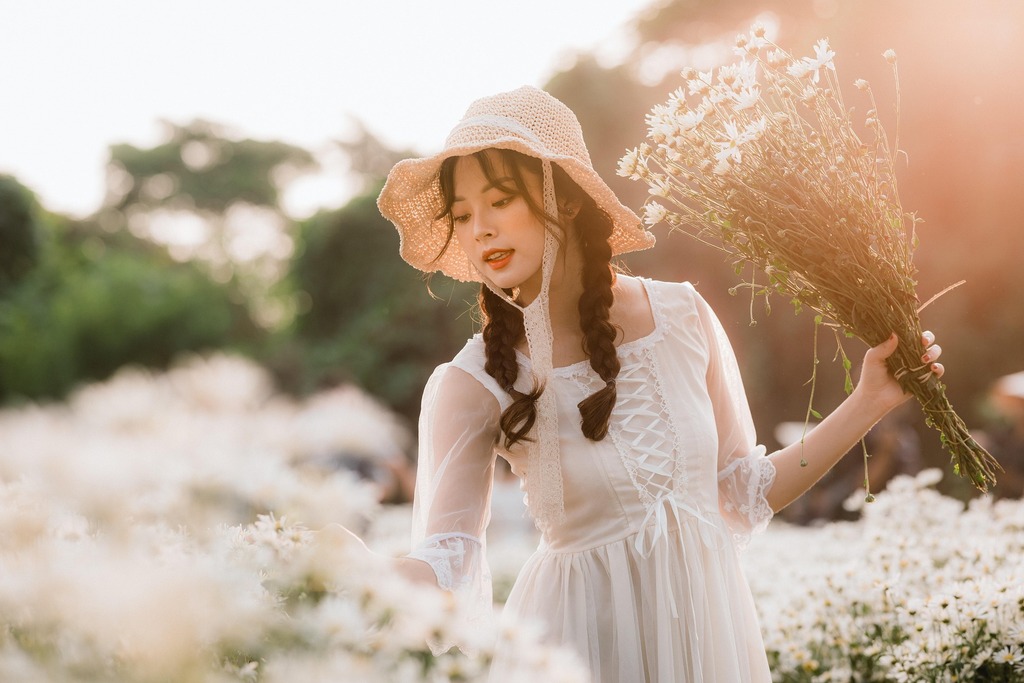
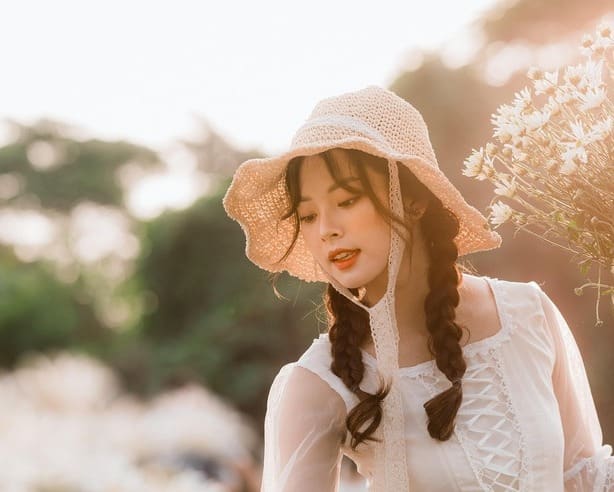
A real crop, before and after
Original · 145.9 KB
Cropped 614×492 · 31 KB
−79%
One of our photographs, actually cropped in the editor and saved by our engine; the sizes are the real files'. Drop your own image and do the same.
How it works
Drop, crop, save
Three steps, no account. The file leaves smaller than it arrived.
01
Drop
Drop an image and the editor opens on it instantly.
02
Crop
Drag the handles, lock a ratio, or pick an exact social size.
03
Save
The crop comes out optimised and ready to download.
Crop, then hit an exact file size, in one pass
Upload forms actually require this combination, and no page-one cropper offers either half of it: crop to the demanded frame, and land under the demanded kilobytes. Here it is one workflow. Frame the crop in the editor, set Max file size (50/100/200 KB presets or any number), and save. The engine searches for the highest quality that fits under the cap, never over it. Passport portals, exam forms, marketplace listings: one pass, both validators green.
Crop an image to an exact pixel size: every preset, one table
The same numbers ship as one-tap presets inside the crop tool. The table is here for reference and for bookmarking. Where a platform now recommends more pixels than the preset exports, the row says so with the platform’s own number.
Image cropper, photo cropper, circle crop: what this page does
Image cropper, picture cropper, photo cropper, crop image online: one tool, the one above. A PNG with transparency comes back a PNG here, still see-through; to keep any PNG a PNG, the crop PNG page opens with the output set to PNG. Circle crop is the one job this editor does not do yet, because a circle needs an alpha channel around it; until that tool ships, crop to a square here and the platform that wants a circle (Discord, Instagram, WhatsApp) will mask it for you, which is what those platforms do with every square they are given.
Passport, visa and exam-form photos: the full recipe
Document portals validate three things: frame (2×2" / 600×600 px for US, 35×45 mm for most of Europe; both are presets), composition (head 50–69% of the frame height, eyes level, plain light background; the editor's grid helps you line it up), and usually bytes (commonly 50–240 KB). Crop here with the right preset, set the portal's KB cap as Max file size, and one save satisfies all three. Signature uploads follow the same recipe at 140×60 px and 10–20 KB.
Why the crop itself costs no quality, and what does
1
A crop is a selection, not a transformation
The pixels inside your crop box stay exactly as they are: no resampling, no interpolation. What you framed is what you get, at native detail.
2
The save: one new file
One optimised file per session, whether you cropped alone or cropped, straightened and resized together. The editor sends a lossless PNG, or the best JPEG that fits your plan’s limit. The engine encodes the file once at Auto per save, never once per operation.
3
The one real trap: cropping tiny, displaying big
Crop a 300px face out of a 4000px group photo and display it at 1080px, and it will look soft. That's upscaling, not cropping. Frame generously when the destination is large.
When cropping isn't the answer
The whole image should stay, just smaller?
That is resizing. Scale it down without losing any of the frame.
Fitting a ratio without losing edges?
Padding beats cropping there, or reframe the shot. Cropping always spends pixels.
Making a circle avatar?
Crop the square; let the platform draw the circle. Pre-cut circles get re-cropped and look worse.
Short answers specific to this tool. Try it above and the editor settles the rest.
Q:Does cropping an image reduce its quality?
The crop itself does not: it keeps a region of the original pixels and resamples nothing, up to 32 megapixels. The saved JPEG is one new encode at Auto, so it loses a little. The editor's upload before it is lossless when a PNG fits your plan's limit. The compare view shows the result at full zoom before you download.
Q:Does cropping reduce the file size?
Usually, but not in proportion to the area. Bytes follow detail: we split our 9.8 MB camera photo down the middle, and at Auto the left half kept 59.7% of the full frame's bytes and the right half 39.9%. Cropping tighter to the subject is still one of the simplest ways to shrink an image without losing what matters.
Q:How do I crop to an exact size in pixels?
Use the editor's custom width × height input. Type the exact pixels, say 1080×1350, and the crop box locks to that ratio. The save resamples to precisely those dimensions. For platform sizes, the presets carry the exact numbers, so you never type them at all.
Q:What aspect ratio should I use for Instagram, YouTube or Facebook?
Instagram: 1:1 square (1080×1080), 4:5 portrait (1080×1350), 9:16 story (1080×1920). YouTube thumbnail: 16:9, the 1280×720 preset (YouTube's help page recommends 3840×2160). Facebook Page cover: 851×315 under 100 KB, on Meta's help page. X header: 1500×500. All of these exist as one-tap presets in the crop tool: pick the platform, drag to frame, save.
Q:How do I crop a photo to 2×2 inches for a passport?
A US passport/visa photo is 2×2 inches at 300 DPI: exactly 600×600 pixels, available as a preset. Frame it per the official guidance (head 50–69% of height, eyes level, plain background) and save. If the portal also caps kilobytes, add a Max file size in the same pass.
Q:How do I circle crop an image?
Crop to a 1:1 square: the editor does not cut circles, and a square is all a circle needs. Every profile-picture system (WhatsApp, Slack, LinkedIn, Instagram) takes your square and renders the circle itself. A pre-cut circular PNG actually works worse: platforms re-crop it inside their own circle and the corners double up.
Q:Can I crop several images to the same ratio at once?
The editor crops one image at a time for precise framing. A batch crop that guesses the framing usually guillotines someone's head. Run photos through in sequence: each opens instantly, the preset holds your last ratio, and each save lands in the same download list.
Q:Can I crop a HEIC photo straight from my iPhone?
HEIC needs one conversion step first, because the editor does not open HEIC yet. Convert HEIC to JPG (one drop, up to 10 at once), then crop the result. The converter link appears automatically when you drop a HEIC on the crop tool.
Q:How do I crop an image on a Mac?
Open the crop tool in Safari or Chrome and drag the photo in from Finder, or click the drop zone to pick it. The editor opens on Crop: press a ratio tile or drag the frame freely, then Save. The editor runs in the browser, so nothing is installed on the Mac, and no account is needed.
Q:What is the difference between cropping and resizing?
Cropping changes what is in the frame: it cuts a region at full detail. Resizing changes how big the whole frame is. Portrait-to-square for Instagram is a crop. 4000px-to-1080px is a resize. Most social workflows are both, and the editor does them in one save.
Q:Can I crop and cap the file size in one pass?
Yes, and no other cropper offers the combination. Crop to your ratio in the editor, and set Max file size so the saved result lands under 50/100/200 KB, guaranteed. One pass produces a file that fits both the frame and the upload form's validator.
Q:Do you keep my photos after I crop them?
No, we keep nothing. Photos are processed and wiped automatically, never archived, never used for anything else. The editor redraws the cropped picture, so the saved copy carries none of the photo's EXIF metadata, GPS location included, and the crop you post carries no record of where it was taken. No account is required, and there is no watermark.