Compress PNG

Compress PNG files online and keep them as PNG. A 256-colour palette cuts the size and keeps the transparency; a logo comes through pixel for pixel, and quality 100 keeps every pixel of a photo. Part of the image compressor.

Output format
– / –

Drop images or browse

JPEG · PNG · WEBP · AVIF · HEIC · up to 50 at once · max 30 MB each

HEIC
PNG
JPEG
AVIF
WEBP
Advanced settings
SmallerAutoBetter

Auto tunes each image.

A hard cap for the number your form demands.

A floor for forms that refuse small files.

Max resolution

Empty side keeps the ratio. Never enlarges.
More image tools

Keep working on this image

Browse all image tools

One real file, before and after

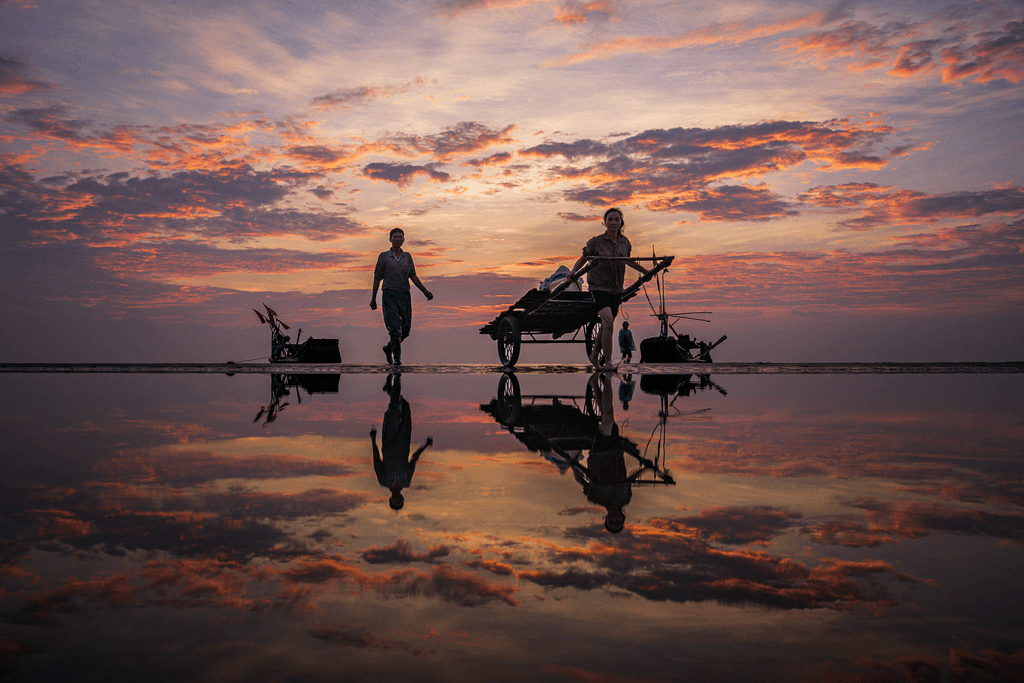
Compress PNG, before: two people pulling a cart across a mirror-wet beach at sunset, PNG, 1.8 MBPNG · 1.8 MB
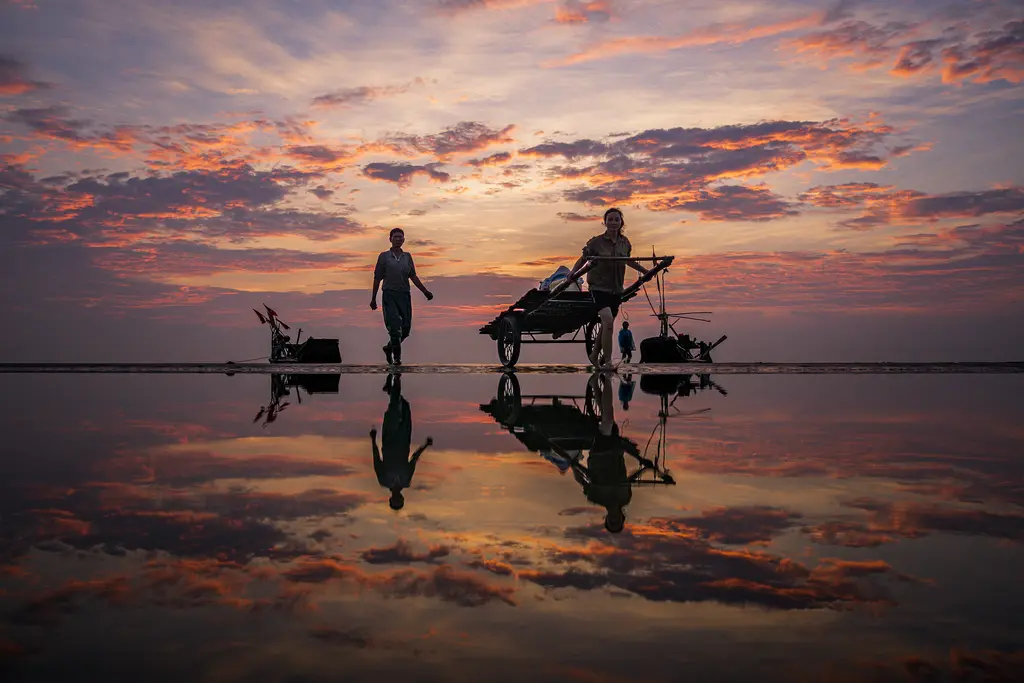
Compress PNG, after: the same picture, PNG, 337.4 KBPNG · 337.4 KB
−81%
A real result from this exact operation: 1.8 MB in, 337.4 KB out. Drop your own file and the meter reports yours. The left half is a preview render; the byte counts are the real files’.

What PNG image compression actually saves, by content type

SourceOriginalCompressedSaved
Screenshot of our pricing page1121.1 KB213.1 KB−81%
Our reference photo, saved as PNG4096.3 KB994.3 KB−76%

Auto quality on a screenshot and on a photo saved as PNG. Both shrink, but the photo still weighs 3.6 times its JPEG. Photos don't belong in PNG at all.

Every byte count is the size of the actual file our engine produced from the named source, the same bytes you would download, not an estimate. The reference photo is one of our own photographs, an iguana on a branch, and the camera photo is a real one too. Drop your own file into the tool above to rerun any of them. How we measure names the sources and the settings.

The trick with a name: palette quantization, explained

A 1121.1 KB truecolour PNG screenshot of our pricing page rebuilt from a palette of up to 256 colours: 213.1 KB on Auto. Full alpha survives in PNG-8 and dithering hides the seams; it is technically lossy, so smooth gradients are worth a check.

A truecolour PNG can address 16.7 million colours. Most real images use a fraction of them well. Quantization rebuilds the image from up to 256 expertly-chosen colours, with dithering to hide the seams. It is the technique behind every "smart PNG" service, and we run it with tuned settings. Competitors bury two facts. First, quantization is technically lossy even though PNG-the-format is lossless. On screenshots and flat art you almost never see it. On subtle gradients you sometimes do, which is what the compare view is for. Second, PNG-8 keeps full alpha, so "quantized" never means "lost my transparency".

PNG compressor, PNG optimizer, PNG image size reducer: one page

The 8 names people search for this one job, from compress PNG and PNG compressor to optimize PNG, PNG image size reducer and make a PNG file smaller, all arriving at one tool whose output stays a PNG.

Compress PNG, PNG compressor, compress a PNG image, reduce PNG size, optimize PNG, PNG optimizer, PNG image size reducer, make a PNG file smaller: the same job under different names, and this page is all of them.

Optimize PNG or compress a PNG image: is there a difference?

No. What changes the file is the palette work described above, not the word on the button. The output stays a PNG, transparency included.

How to make a PNG file smaller still

Fewer pixels first: a PNG shown at half its width is carrying three quarters it does not need, and the PNG resizer takes it to the size it is shown at, transparency kept. Past that, the answer is a format change, and the section below says when.

If your PNG is a photograph, stop: convert it instead

One photograph measured four ways: 4096.3 KB as the original PNG, 994.3 KB as our best compressed PNG, 273.9 KB as a JPEG and 123.9 KB as an AVIF. Converting beats compressing several times over.

The most valuable byte advice on this page: PNG spends its bytes guaranteeing pixel-exactness that photographs don't need. We measured our reference photo, saved as PNG: 4096.3 KB as original PNG, 994.3 KB as our best compressed PNG, but 273.9 KB as JPEG and 123.9 KB as AVIF at matched viewing quality. Converting beats compressing several times over: PNG to JPG for universal compatibility, PNG to AVIF for the web. Keep PNG for what needs it: transparency, screenshots, art with hard edges.

Transparency: preserved, and provable

A transparent PNG logo on a checkerboard, compressed into a PNG with the same transparency: full and semi-transparency, soft shadows and anti-aliased edges all survive, with no fringing at the edge.

Every output keeps the alpha channel: full and semi-transparency, soft shadows, anti-aliased edges. The compare view renders your image over a checkerboard exactly so you can check this claim instead of taking our word for it. Drag the wipe across a logo's edge and watch for fringing. You won't find any. If a downstream tool shows white corners, that tool flattened the alpha. The file we gave you still has it.

When not to compress a PNG

  • It is a design master or archival file?

    Keep it truecolour and untouched. Quantize the copies you ship, never the source.

  • Print-bound graphics?

    Print magnifies banding that screens hide. Send the printer the unquantized file.

  • A photograph?

    Convert, don't compress. JPEG/WebP/AVIF beat any PNG by an order of magnitude on photos.

Questions, answered

Short answers specific to this page. The tool above settles most of them in a second.

Does compressing a PNG damage transparency?

No. The alpha channel survives palette quantization intact, including semi-transparent pixels like drop shadows and anti-aliased edges. You can check every result against a checkerboard in the compare view, so you verify the transparency instead of trusting a promise.

Is PNG compression lossless or lossy?

The PNG format is lossless, but the big savings tool is subtly lossy. That tool is palette quantization, the TinyPNG technique we also use. It reduces the palette to 256 or fewer expertly-chosen colours. On screenshots and graphics the difference is usually invisible. The slider lets you check.

Why is my PNG file so large?

Usually because it holds a photograph. PNG stores pixels faithfully, and photographs have millions of subtly-different colours. Our reference photo weighs 4096.3 KB saved as PNG and 273.9 KB as an equivalent JPEG. PNG earns its bytes on graphics, screenshots and transparency. Photos belong in JPEG, WebP or AVIF.

How much can I realistically reduce PNG size?

Measured, not promised: our reference photo, saved as PNG, dropped −76% on Auto (4096.3 → 994.3 KB). A screenshot of our pricing page dropped −81% (1121.1 → 213.1 KB). Flat-colour art compresses hardest. Photos vary most, so each row in the tool shows your own file's saving.

What is the difference between PNG-8, PNG-24 and PNG-32?

Bit depth. PNG-8 stores up to 256 palette colours (small), PNG-24 stores full truecolour (big), and PNG-32 is truecolour plus an alpha channel. Quantization converts 24/32-bit images toward 8-bit territory. That conversion is where the savings live.

Does converting to 8-bit keep the alpha channel?

Yes. Unlike GIF, PNG-8 supports full alpha per palette entry, so quantized output keeps real transparency, including soft edges. This misconception keeps people on heavyweight PNG-32 exports. The compare view will show you the alpha survived.

How do I get a PNG under 50 KB or 100 KB?

Set Max file size in Advanced settings. The cap is hard: we meet it by tightening quantization and, if needed, dimensions, and we never overshoot. For photographic content a cap that tight usually means the honest answer is switching format. The tool will tell you rather than deliver mush.

Can I compress the same PNG twice?

You can, but a second pass through quantization compounds palette reduction. It usually saves little and can band gradients. Better: keep your original and compress once per destination. If a re-run would grow the file, our never-larger guard returns your original untouched.

Why did my PNG get BIGGER after optimising elsewhere?

Common causes: a tool that re-encoded truecolour with heavier filtering, added metadata, or "optimised" an already-quantized file back to 24-bit. With us, same-format compression that would grow the file returns your original bytes untouched and says so.

Should this image even be a PNG?

Screenshots, UI, logos, anything transparent: yes. Photographs: almost never. The same photo measured 994.3 KB as optimised PNG but 123.9 KB as AVIF. If your PNG is a photo, converting beats compressing several times over.

Can I compress many PNGs at once?

Yes, up to 50 per batch at 30 MB each. You get one ZIP with filenames preserved, free, with no signup and a 300-image daily allowance. Each row shows its measured before/after size, so a screenshot-heavy docs folder shows exactly where the bytes went.

What happens to my PNG files after compression?

We keep nothing. We process your files, then wipe them automatically. We never archive them or use them for anything else. We strip metadata from outputs by default, and you need no account.

Still have a question?

Ask us. A person reads it.

Contact us

Page updated

Related conversions

Every route in and out runs on the same engine and the same rules. Each card is its own page.

What people say

Every rating counts in the average, low ones too. We remove only spam, abuse and fakes.

Average rating

5.0

15 ratings, 6 written

  • 515
  • 40
  • 30
  • 20
  • 10

How did it go?

One tap. No account needed.

Filter:

Written reviews

    Ready when your file is

    Drop it in above. The meter reports the exact saving before you download anything.

    Get Pro