Passport size photo: resize to your country's exact size
A passport size photo is an ID photo cut to the frame a form states: 35 × 45 mm in the UK, France and India. Pick another size below and the editor opens on it, with that country's rule.
Passport size photo dimensions by country (pixels at 300 DPI)
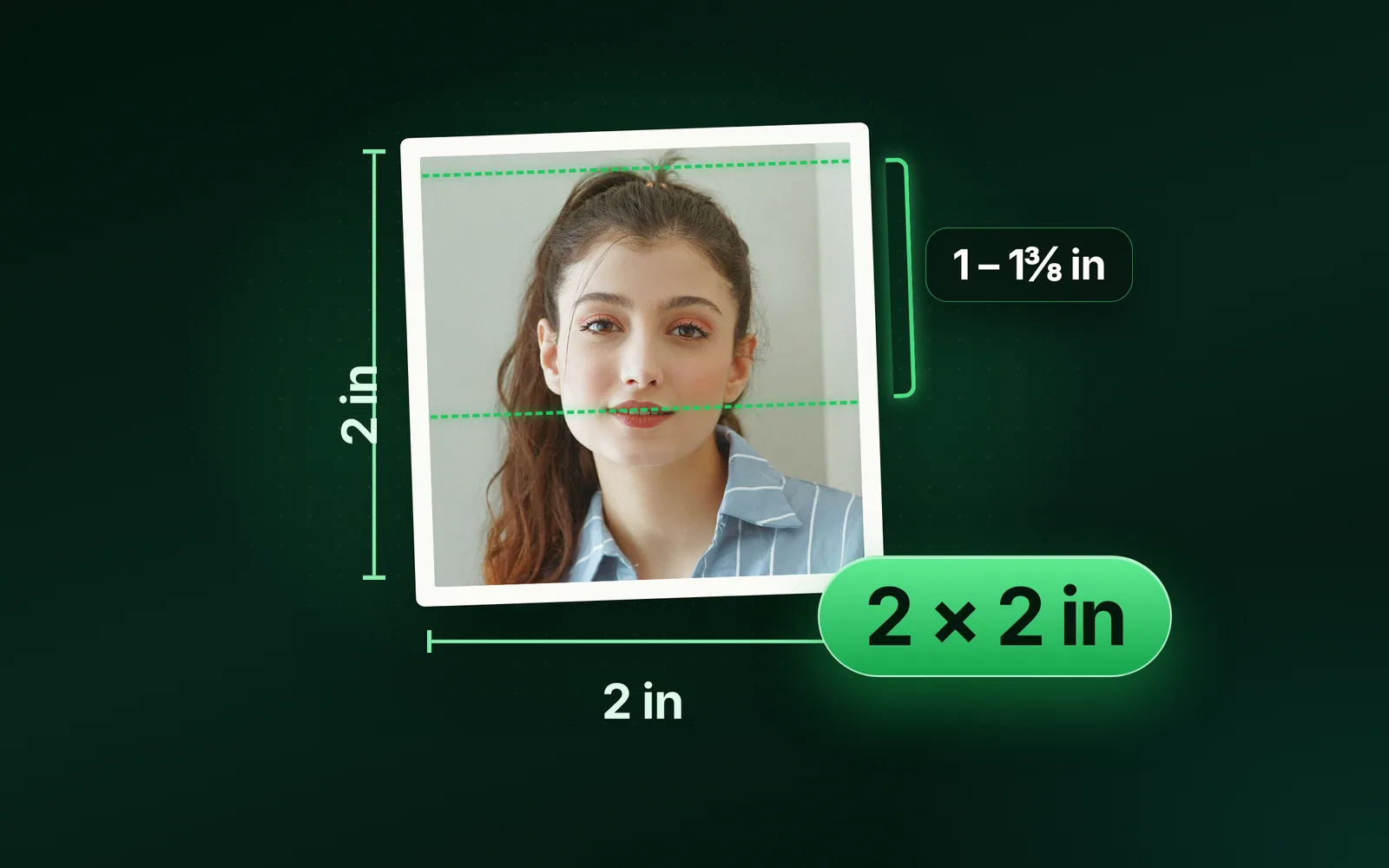
US passport
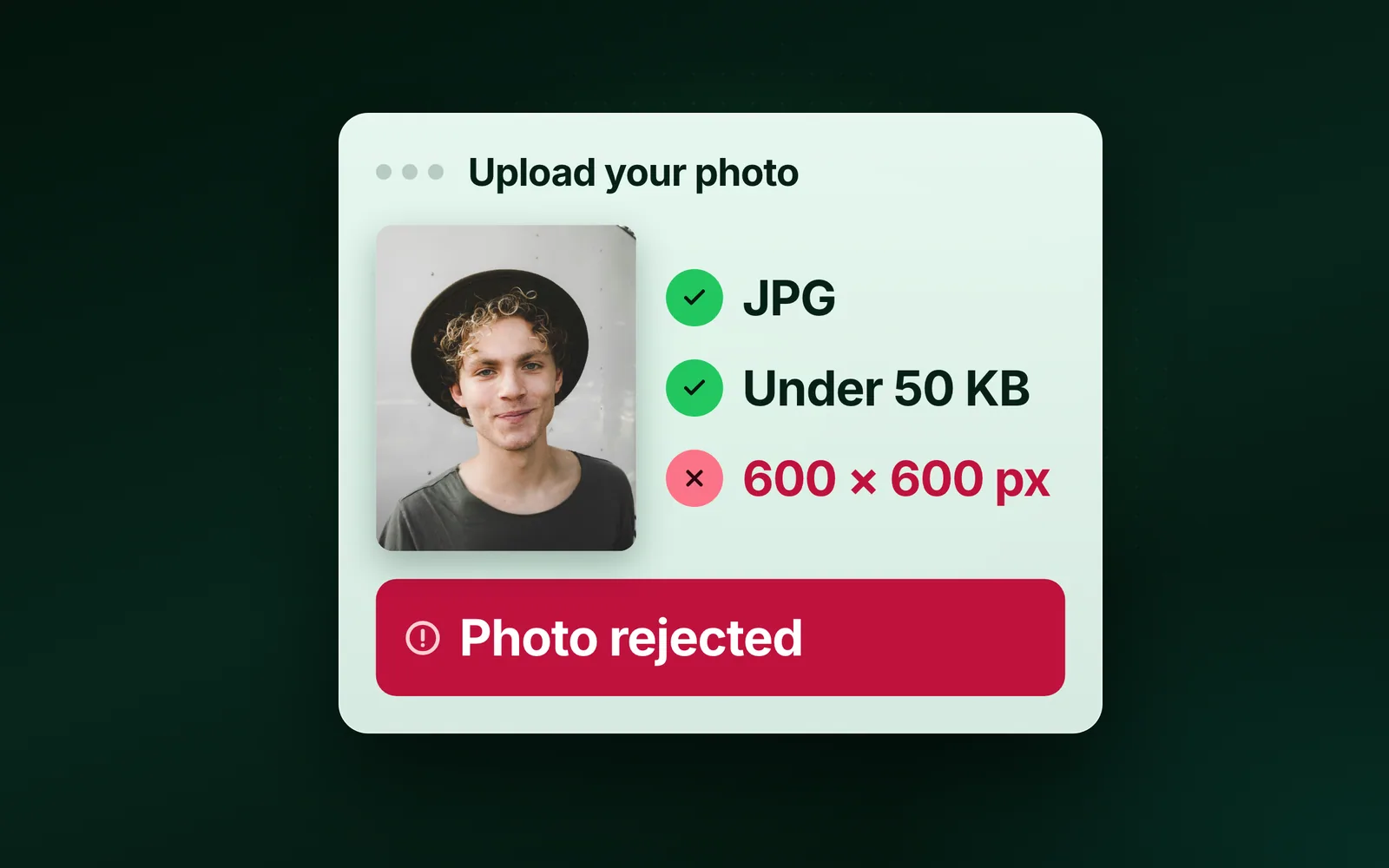
2 × 2 in (600 × 600 px)pl.usembassy.gov
UK passport
35 × 45 mm (413 × 531 px)gov.uk
Canada
50 × 70 mm (591 × 827 px)canada.ca
France, passport and ID card
3.5 × 4.5 cm (413 × 531 px)service-public.gouv.fr
Hong Kong passport
40 × 50 mm (472 × 591 px)Hong Kong Immigration Department
NEET and JEE Main 2026
no size stated; JPG 10 to 200 KBNTA bulletins 2026
Output format
– / –
Drop images or browse
JPEG · PNG · WEBP · AVIF · HEIC · up to 50 at once · max 30 MB each
HEIC
PNG
JPEG
AVIF
WEBP
Advanced settings1 on
SmallerAutoBetter
Auto tunes each image.
A hard cap for the number your form demands.
KB
A floor for forms that refuse small files.
Max resolution
×
Empty side keeps the ratio. Never enlarges.
Presets
Every named size, one editor
The same editor, the size already pressed. Pick the document or the platform.
Source: photo.jpg, 576.8 KB at 1920×1280, through the preset this page opens on (the centre cropped to the ratio and scaled to the size), then the engine at its defaults. The row is the real output.
Every byte count is the size of the actual file our engine produced from the named source, the same bytes you would download, not an estimate. The reference photo is one of our own photographs, an iguana on a branch, and the camera photo is a real one too. Drop your own file into the tool above to rerun any of them. How we measure names the sources and the settings.
By document
What size is a passport size photo?
It depends on the country: 2 × 2 inches in the US, 35 × 45 mm in the UK and France, 50 × 70 mm in Canada.
On India’s NTA exam forms it is a “passport size” with no figure at all, only a file-size window. The editor above opens on 35 × 45 mm, the frame the UK, France and Indian forms share. Each row below is the authority’s own wording, from the page named beside it.
Document
Size, in its words
Pixels at 300 DPI
Stated by
US passport, printed
2 × 2 inches (51 × 51 mm)
600 × 600
pl.usembassy.gov (State Department rules)
US visa, DS-160 upload
a square, in pixels; the range is on the State Department's page
600 × 600 as the preset
travel.state.gov
UK passport, printed
45 mm high by 35 mm wide
413 × 531
gov.uk
UK passport, digital
at least 600 wide by 750 tall, 50 KB to 10 MB, not cropped by you
uncropped: gov.uk crops it
gov.uk
France, passport and ID card
3.5 cm wide by 4.5 cm high
413 × 531
service-public.gouv.fr
Canada, printed
50 mm wide by 70 mm high
591 × 827
canada.ca
Hong Kong passport, printed
40 mm wide by 50 mm high
472 × 591
Hong Kong Immigration Department
Canada, online renewal
3:2 portrait, at least 1200 wide by 1800 high, from a commercial photographer
1200 × 1800
canada.ca
India, NEET and JEE Main 2026
passport size, no figure; JPG 10 to 200 KB
413 × 531 as the default
NTA bulletins 2026
Each rule as it read on the page named in its row when we checked it in September 2026. The authority's page wins over this table; the Indian passport's guideline on Passport Seva was not read from the portal, so its numbers are not here.
Passport size photo width and height: which comes first?
The width, by convention: 35 × 45 mm is 35 mm wide and 45 mm high, a portrait. gov.uk writes the same frame height first, 45 mm high by 35 mm wide, so read the words beside the numbers. Swap them and you get a landscape frame of a different shape.
Answered
What is passport size in pixels?
413 × 531 pixels for a 35 × 45 mm photo, 600 × 600 for 2 × 2 inches and 591 × 827 for 50 × 70 mm, all at 300 DPI.
35 mm
the form says
÷ 25.4
mm per inch
× 300
dots per inch
413
pixels
The arithmetic is the same every time: millimetres times 300, divided by 25.4, each side rounded (35 ÷ 25.4 × 300 = 413.4).
35 × 45 mm
413 × 531
2 × 2 in
600 × 600
50 × 70 mm
591 × 827
35 × 45 mm at 600 DPI
827 × 1063
Three hundred dots per inch is the print resolution, the one a portal or a print counter assumes when it states a size in millimetres and says nothing about pixels. Double the DPI and the pixels double: 827 × 1063 for 35 × 45 mm at 600 DPI, 1200 × 1200 for 2 × 2 inches. The Custom size box under the presets takes mm, cm or inches and prints the pixels it becomes, at 300 DPI, before you apply it. A form that states pixels outright checks those pixels and nothing else; type them in as px.
Passport size photo in mm and inches
35 × 45 mm is 1.38 × 1.77 inches, and 50 × 70 mm is 1.97 × 2.76 inches. The other way, the US 2 × 2 inches is 51 × 51 mm. Inches times 25.4 give millimetres, and the pixels follow from either at 300 DPI.
Answered
How do I resize a photo to passport size without stretching it?
Press the size and drag the frame; nothing is stretched, because the preset locks the frame to the size’s ratio and the export resamples only the part inside it.
Stretched and cropped, side by side
Both examples start from the same photo and export at 413 × 531 px. The stretched one squeezes the whole picture into 35 × 45 mm, so the head comes out narrow. The cropped one keeps only the window over the face, so the head keeps its shape.
A stretched passport photo is what you get from a resize box that takes any width and any height and forces the picture into them. Here the width and height belong to the frame, not the picture: 35 × 45 mm draws a 7:9 frame, 2 × 2 inches a square, 50 × 70 mm a 5:7, and you move it over the face. The Custom size box works the same way, in px, mm, cm or inches, and shows the pixel size before Apply. What comes out is the region you framed, resampled to the size, with the proportions it had in the photo.
Compared
Which rules are the same in every country, and which are not?
A recent photo, a plain background, the head inside a stated band and a neutral face: every authority asks for those four. The numbers differ, and so does the background colour, which is where a photo taken for one country fails another.
Country
Head or face height
Background
Taken within
Glasses
US
1 to 1 3/8 in (25 to 35 mm), chin to top of head
plain white or off-white
6 months
not acceptable unless needed for medical reasons
UK
29 to 34 mm crown to chin, on the printed photo
plain cream or light grey printed; plain and light-coloured digital
1 month
not unless you have to; never sunglasses or tinted
France
3.2 to 3.6 cm face, 70 to 80% of the photo
plain and light; a white background is forbidden
6 months
thin frames only, eyes visible, no tint, no reflection
Canada
31 to 36 mm chin to crown printed; 45 to 50% of the height online
plain white or light-coloured
6 months
accepted if the eyes are clearly visible and there is no glare
India, NTA exams
80% of the image area is the face, ears visible
white
recent
not stated in the bulletins
The US column is pl.usembassy.gov restating the State Department's rules; the UK's is gov.uk's photo requirements and digital photo rules; France's is service-public.gouv.fr (updated 11 March 2026); Canada's is canada.ca's passport photo page; India's is the NTA's NEET (UG) and JEE (Main) 2026 information bulletins.
File size
What does a passport size photo weigh?
39.6 KB to 79.5 KB as a plain JPEG, on our reference photo, across the three document sizes.
Small enough for every window a portal states, and the readout under each result prints your own figure.
Size
Preset
Result
Dimensions
35 × 45 mm
413 × 531
39.6 KB
413×531
2 × 2 in
600 × 600
59 KB
600×600
50 × 70 mm
591 × 827
79.5 KB
591×827
Source: photo.jpg, our reference photo, one of our own photographs, 576.8 KB at 1920×1280, cropped at the centre to each size's ratio and scaled down to the size, exported as a JPEG at 0.92, then encoded by the engine at its defaults. Quality 0.92 was the editor's step before 5 October 2026. Each row is the file the engine produced.
Every byte count is the size of the actual file our engine produced from the named source, the same bytes you would download, not an estimate. The reference photo is one of our own photographs, an iguana on a branch, and the camera photo is a real one too. Drop your own file into the tool above to rerun any of them. How we measure names the sources and the settings.
A portal that states a window gets it in the same save: type the ceiling into Max file size in Advanced settings and the file lands at or under it. The floor is yours to check against the readout. The UK’s digital route, at 50 KB and 600 × 750 pixels, takes the uncropped original instead, because gov.uk crops it for you.
Answered
How do I make a passport size photo from a selfie on my phone?
For a form that accepts a photo you supply, open this page in the phone’s browser, tap the drop zone and pick the photo; the editor opens on 35 × 45 mm with the frame ready to drag, and Save puts the JPEG in the phone’s downloads. A passport photo often cannot be a selfie: the UK needs a helper, Ireland refuses selfies, Canada wants a commercial photographer, and France an approved professional or booth.
Two things the official pages ask for that no tool fixes afterwards: a plain background in the colour your country states, and a face straight to the camera with a neutral expression and open eyes.
Shoot against a plain wall in even light, at eye level, with room around the head. Let the head take about two thirds of the frame when you crop, then check the exact band your country states in the table.
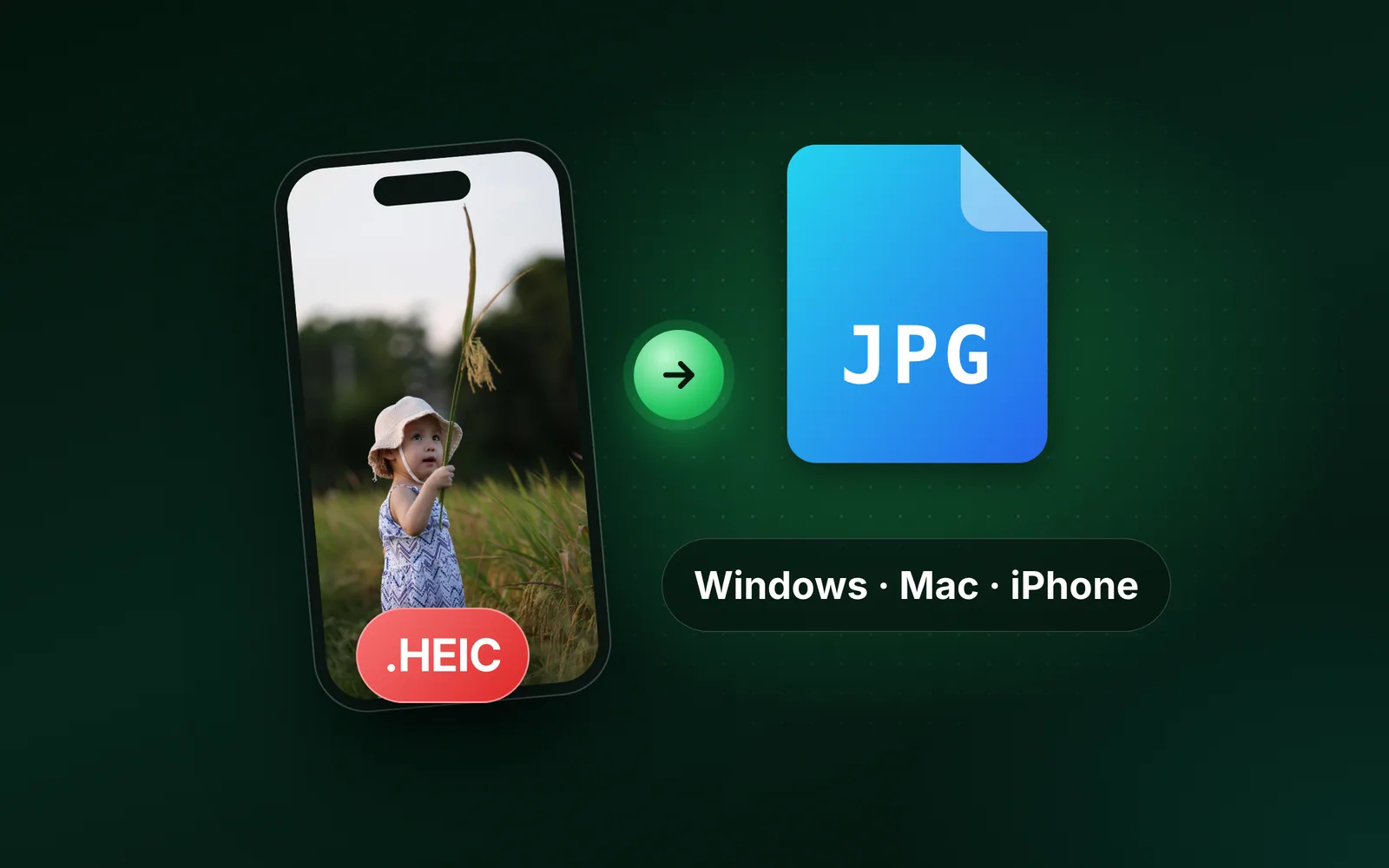
An iPhone photo in HEIC needs one pass through the HEIC to JPG converter first, because the editor does not open HEIC yet; the link appears when you drop one.
Be sure first
When this passport size photo maker is the wrong tool
Four cases where you need another step or another tool.
A background that is not plain?
We frame and size; we do not remove or replace backgrounds. Shoot again against a plain wall in the colour your country states.
A verdict on compliance?
The authority's own check is the last word: the State Department's photo tool, the UK's check on upload, the portal's rejection message.
A size that is not in the row?
Unlink the sides and type it into Custom size in mm, cm, inches or pixels; a physical unit converts at 300 DPI and prints the pixels before Apply.
An iPhone HEIC?
Convert it to JPG first; the editor works on JPEG, PNG, WebP and AVIF, and the converter link appears under the zone.
The size is already pressed above. One drop settles most of these.
Q:What is the passport size photo dimension?
There is no single one. The US passport photo is 2 × 2 inches (51 × 51 mm) on the State Department's rules. The UK's is 45 mm high by 35 mm wide, France's 3.5 × 4.5 cm and Canada's 50 mm wide by 70 mm high, each on its official page. India's NTA bulletins say passport size and set only a file-size window. Press your country's chip and the editor opens on that size.
Q:What is passport size photo in pixels?
413 × 531 pixels for 35 × 45 mm, 600 × 600 for 2 × 2 inches and 591 × 827 for 50 × 70 mm, all at 300 DPI. The formula is millimetres times 300 divided by 25.4, each side rounded. At 600 DPI the numbers double: 827 × 1063 and 1200 × 1200. A form that states pixels checks the pixels; the DPI figure is the print resolution the millimetre sizes assume.
Q:How do I resize a photo to passport size online?
Drop the photo into the passport photo tool. The editor opens on Crop with 35 × 45 mm pressed, 413 × 531 pixels, the frame locked to that shape. Drag it over the face, tap Save, and a JPEG at exactly that size lands in the download list with EXIF stripped. For another size, press its tile in the ID & print list, or unlink the sides and type it into Custom size in mm, cm or inches.
Q:Is passport size 2x2 or 35x45?
Both, in different countries. 2 × 2 inches is the US passport and visa photo. 35 × 45 mm is the UK's and France's, and the same frame written as 3.5 × 4.5 cm on Indian forms. The two are different shapes, a square and a 7:9 portrait, so one cannot be cut from the other without losing the head band. Each has its own page here.
Q:What is the passport size photo ratio?
It depends on the size. 35 × 45 mm is 7:9, a portrait; 2 × 2 inches is 1:1, a square; and 50 × 70 mm is 5:7. The ratio is what a stretched photo gets wrong. Press a size and the crop frame locks to its ratio. You drag it over the face, and Save crops the photo to that shape without squeezing it.
Q:How do I make a passport size photo with a white background?
Shoot it against a plain white wall or sheet in even light; the tool frames and sizes, and does not replace backgrounds. Check first that white is what your country wants. The US rules and the NTA bulletins say white, gov.uk says plain cream or light grey, and France forbids a white background on its official page. A background in the wrong colour fails whatever the size.
Q:Can I make a passport size photo from a selfie?
It depends on the country. gov.uk says you need someone to help you take a UK digital photo, and Ireland's passport service says you cannot take a selfie. Canada wants a commercial photographer, and France an approved professional or booth. For a form that accepts a photo you supply, a phone photo works when it meets that form's rules: face straight to the camera, a plain background, taken recently.
Q:How many passport photos fit on a 4x6 sheet?
6 photos at 2 × 2 inches, 8 at 35 × 45 mm or 4 at 50 × 70 mm, on a 4 × 6 inch sheet at 300 DPI, which is 1800 × 1200 pixels. That is arithmetic on the sheet, not a feature: the editor exports one photo at its size, and your printer's app or the print counter lays the copies out on the sheet. Print on photo paper; the US rules ask for it.
Q:What is the Indian passport size photo size in cm?
3.5 × 4.5 cm on most Indian forms, the same frame as 35 × 45 mm and 413 × 531 pixels at 300 DPI. The NTA's 2026 NEET and JEE Main bulletins say passport size with no centimetre or pixel figure; they check the format and the file size, a JPG between 10 and 200 KB with 80% face on white. The Indian passport's own guideline is on Passport Seva; read the size there.
Q:Can I wear glasses in a passport photo?
Mostly no, and it depends on the country. The State Department's rules say glasses are not acceptable unless needed for medical reasons, with a certificate. gov.uk says not unless you have to, and never sunglasses or tinted glasses. France allows thin frames that do not hide the eyes, untinted and without reflection. Canada accepts glasses if the eyes are clearly visible and there is no glare.
Q:How recent must a passport photo be?
Within six months for the US, France and Canada, and within one month for the UK, each on its official page. The date matters as much as the size: a photo from an older passport fails on age before anyone measures the head. Take a new one, from a booth or a studio where the country asks for one, and check the country's other rules on its official page before you upload or print.
Q:Does this passport photo generator check my photo against the rules?
No. It sets the size and the frame; the authority's own check is the last word. That is the State Department's photo tool, the UK's check on upload or the portal's rejection message. Before you upload or print, compare the head size, the background colour and the photo's age with your country's official page. A photo at the exact size still fails on the wrong background.
Q:What size is a digital passport photo?
It depends on the portal. The UK's is at least 600 pixels wide by 750 tall, 50 KB to 10 MB, on gov.uk, which crops the photo for you, so upload it uncropped. Canada's online renewal wants at least 1200 wide by 1800 high, straight from a commercial photographer's camera, on canada.ca. Neither takes an edited file. For other portals, type the pixels into Custom size and set Max file size.
Q:Will the file be small enough for the portal upload?
At these sizes a plain JPEG is small: our reference photo weighs 39.6 KB at 413 × 531 and 59 KB at 600 × 600. When a portal states a window, type its ceiling into Max file size and the file lands at or under it; the readout under the result shows where it sits against the floor. The UK's digital route wants at least 50 KB and 600 × 750 pixels, uncropped, so upload the original photo there.
Q:Do you keep my passport photo?
No. We keep nothing: files are processed and wiped automatically, never archived and never used for anything else. Saving strips EXIF metadata, including the GPS location a phone writes into the photo, so the file you upload carries no record of where it was taken. There is no account, no watermark and no charge for the passport size.