The image resizer takes a photo to the exact size you name. Type a width and height with a ratio lock, or one-tap a preset like Instagram story or OG image. The resize happens at full source quality, and the saved file comes out compressed: the two jobs a "resize for web" search actually wants done.
Output format
– / –
Drop images or browse
JPEG · PNG · WEBP · AVIF · HEIC · up to 50 at once · max 30 MB each
HEIC
PNG
JPEG
AVIF
WEBP
Advanced settings1 on
SmallerAutoBetter
Auto tunes each image.
A hard cap for the number your form demands.
KB
A floor for forms that refuse small files.
Max resolution
×
Empty side keeps the ratio. Never enlarges.
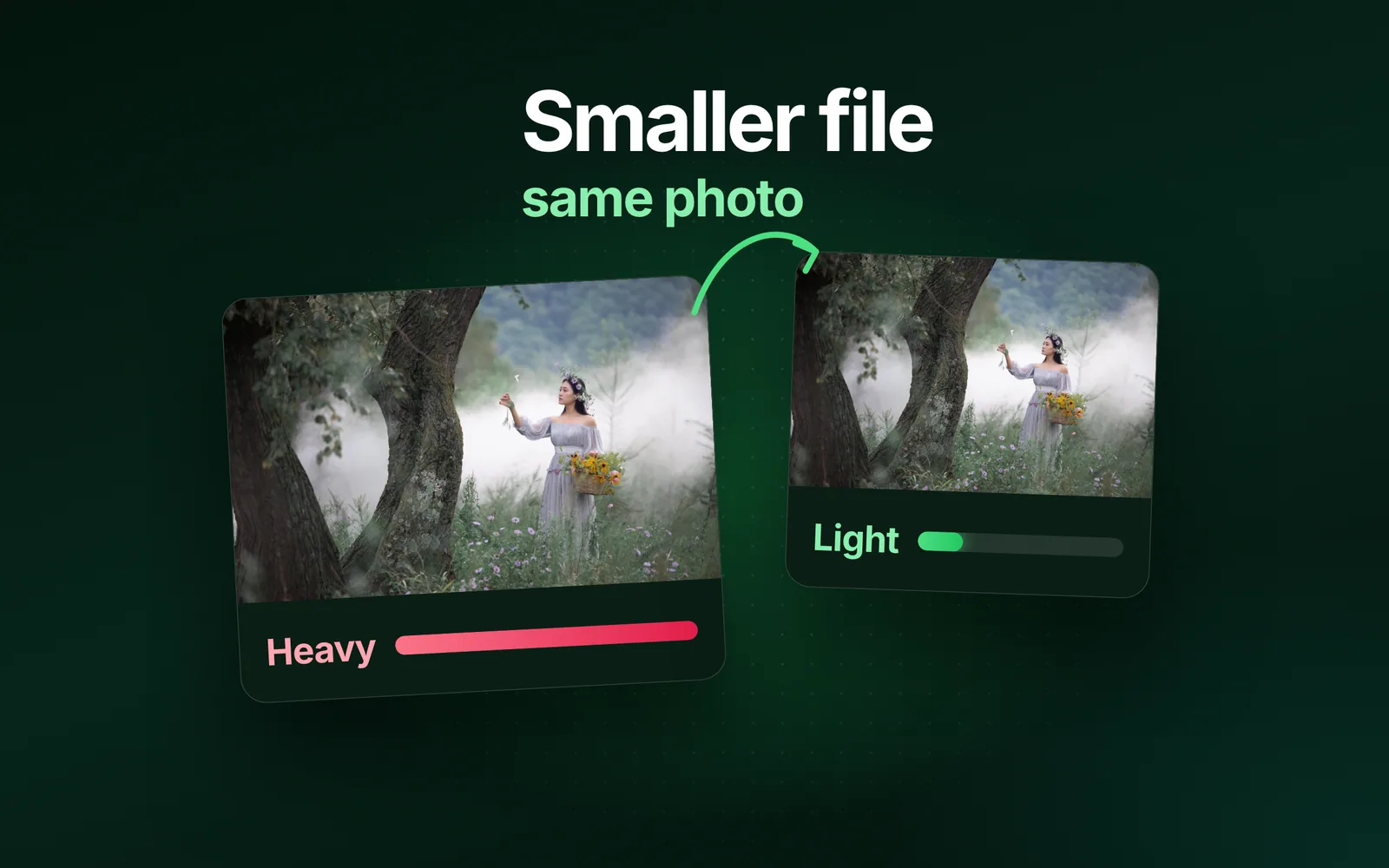
A real resize, before and after
Original · 152.5 KB
Resized to 512px · 23.1 KB
−85%
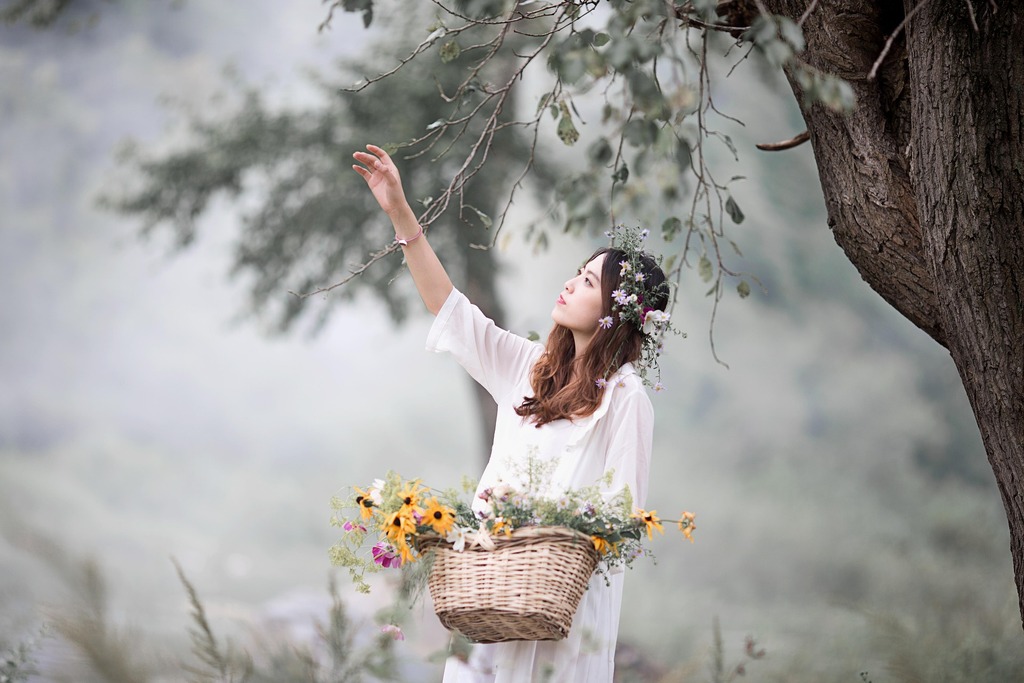
One of our photographs, actually resized in the editor and saved by our engine; the sizes are the real files'. Drop your own image and do the same.
How it works
Drop, resize, save
Three steps, no account. The file leaves smaller than it arrived.
01
Drop
Drop an image and the editor opens on it instantly.
02
Resize
Type an exact width × height (ratio-linked) or tap a preset.
03
Save
The resized file comes out compressed and ready to download.
One tool
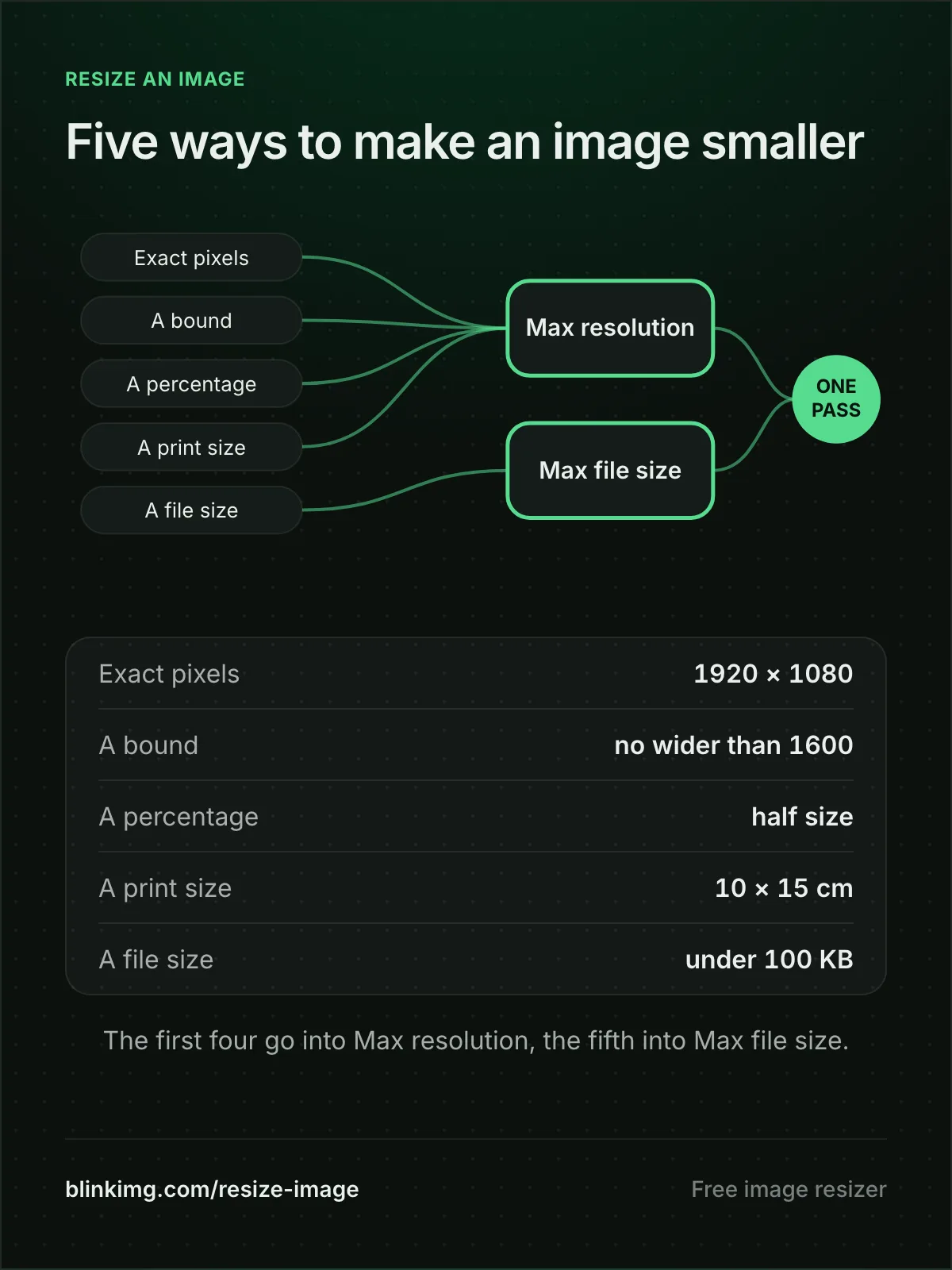
Five ways to make an image smaller
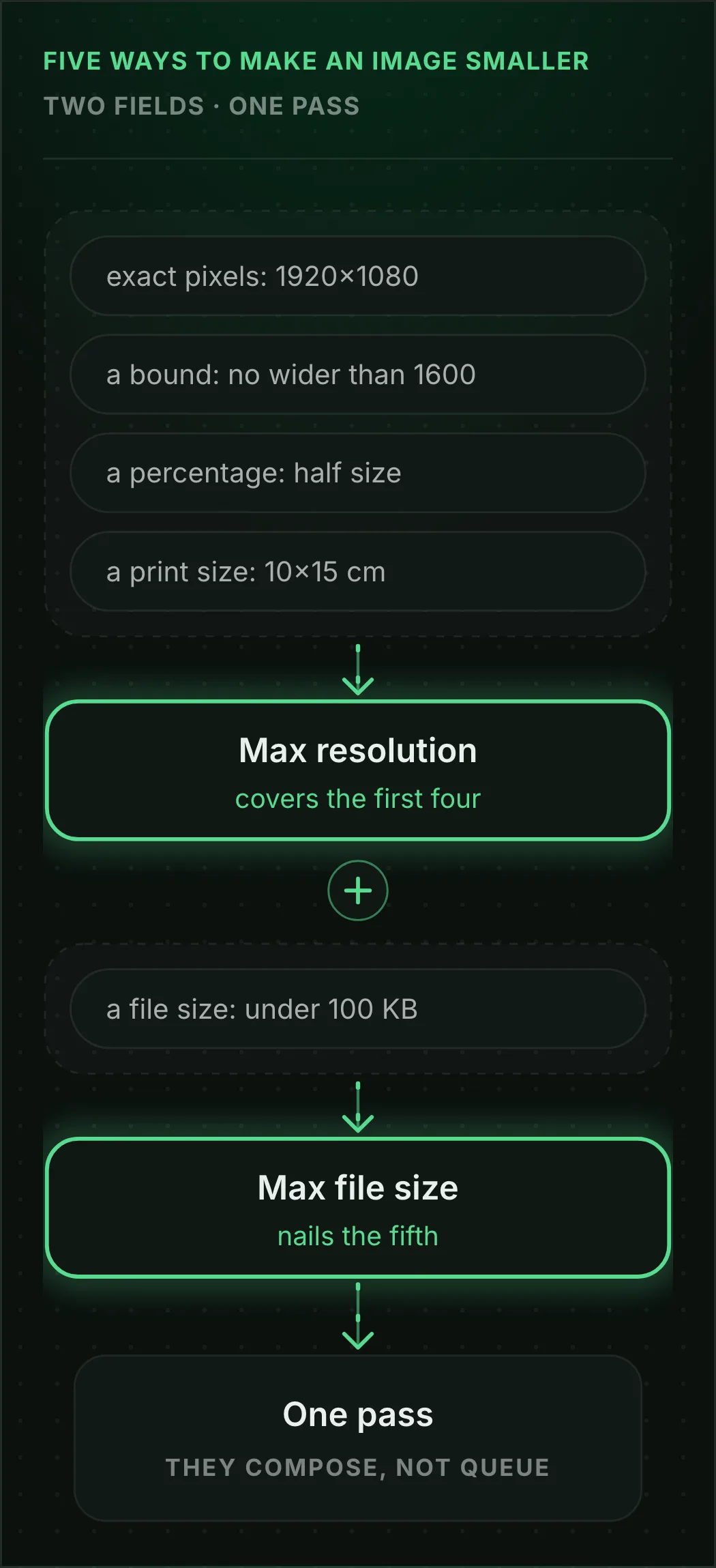
Every resize request is one of five: exact pixels, a bound, a percentage, a print size, or a file size. Other resizers split these across separate pages. Here they are two fields in Advanced settings.
Five ways to make an image smallerTwo fields · one pass
Resize an image’s dimensions in pixels, by width and height
Type the width and height into the Custom size box, in pixels, or in mm, cm or inches at 300 DPI. Apply, then Save: the file lands on exactly those pixels.
Does the image dimension changer keep height and width in proportion?
Yes, while the link between the two fields is on: type one side and the other follows. Unlink them for a new shape, and the picture is cropped to it, or fitted whole on a fill with Fit. It is never stretched.
Shrink or downsize an image without cropping
Set Max resolution, say 1600 wide with the height left empty. The whole picture scales down inside that bound, its shape kept and nothing cut. A photo already smaller passes through untouched.
Resize a PNG or a JPG and keep its format
Two pages open with the output already set: the PNG resizer for a logo or screenshot that must stay see-through, and resize JPEG for a photo that must stay a JPG.
Free, in the browser
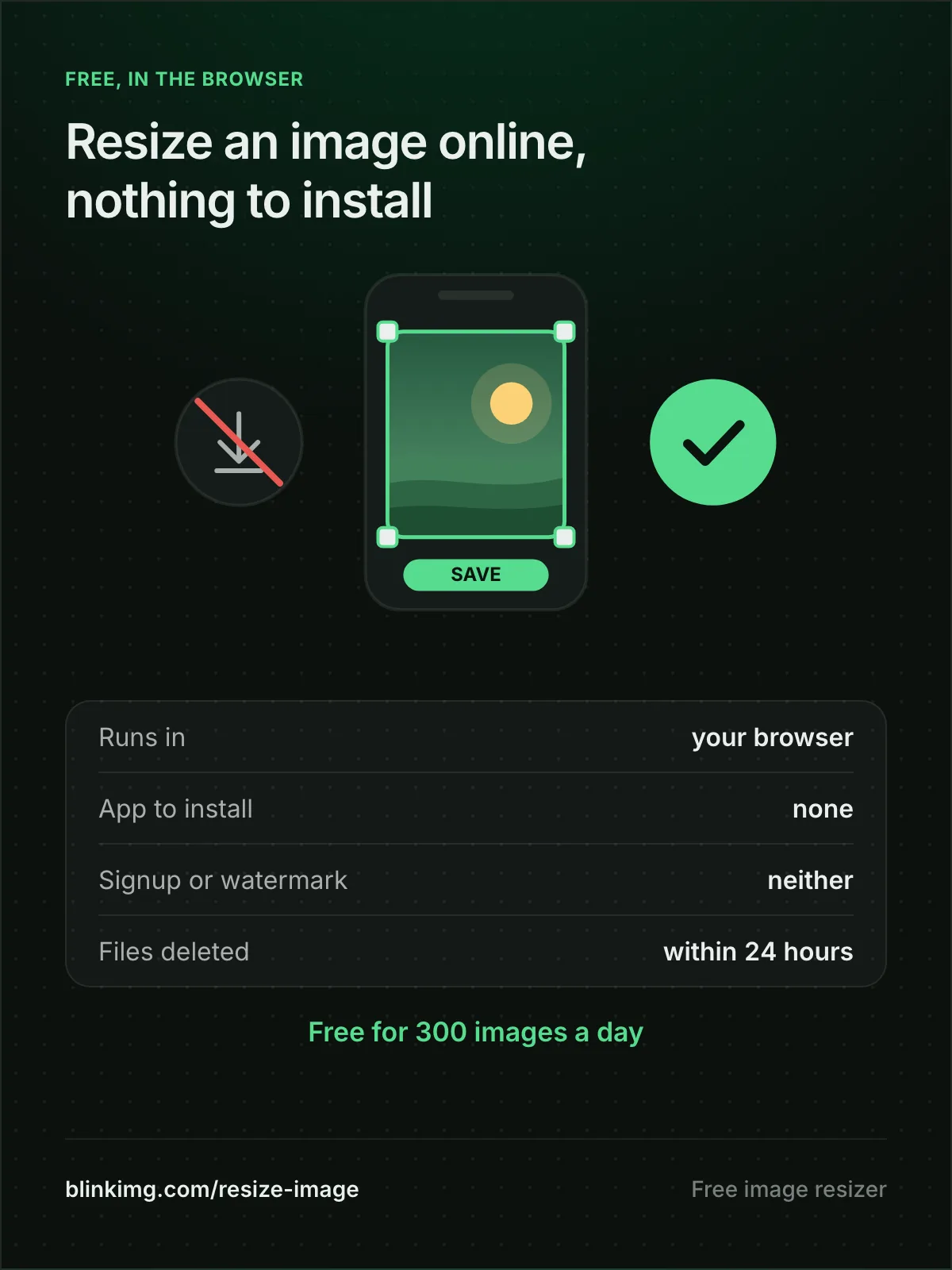
Resize an image online for free, with nothing to install
This page resizes an image online for free, in the browser you already have, on a phone, a tablet or a computer. Nothing to install, no account to open, and 300 images a day on the free tier.
Runs in your browser
On a phone, a tablet or a computer: the browser you already have does the work.
300
images a day, free
No: An app to installnone needed
No: Signup or watermarkneither
Yes: Files wiped automaticallydeleted within 24 hours
Resize drawn on device
The new size is drawn on your screen; the upload waits until you tap Save.
Does the online photo resizer work on a phone?
Yes. Open this page in your phone’s browser and tap browse to pick a photo from your library. Type a width and height into Custom size and tap Apply, or tap a preset. Then tap Save, and Download the resized copy.
Is it safe to resize a photo online?
The editor draws the new size on your device, so your photo does not upload while you work. The upload starts when you tap Save and carries only the resized copy, which the engine compresses for your download. Files are deleted within 24 hours.
Dimensions are the biggest size lever there is
Halving both dimensions quarters the pixel count, and the bytes fall with it, though not as far. On our 4964 × 2782 camera photo at the same Auto quality, half the width came out at 209.6 KB against 605.5 KB at full size, 65.4% smaller. The table shows the same lever on our reference photo, saved as a PNG:
Reference file4096.3 KBphoto.png
Treatment
Relative to source
Size
vs source
Full size, compressed
273.9 KB
−93%
Resized to 400px wide
18.3 KB
−100%
Source: photo.png, 4096.3 KB PNG. JPEG output at Auto quality.
The practical rule: pick the dimensions the destination actually displays, then let compression do the rest. A 4000-pixel photo in a 400-pixel avatar slot wastes 99% of its pixels.
Every byte count is the size of the actual file our engine produced from the named source, the same bytes you would download, not an estimate. The reference photo is one of our own photographs, an iguana on a branch, and the camera photo is a real one too. Drop your own file into the tool above to rerun any of them. How we measure names the sources and the settings.
Print
Print sizes: the cm-to-pixels arithmetic, done for you
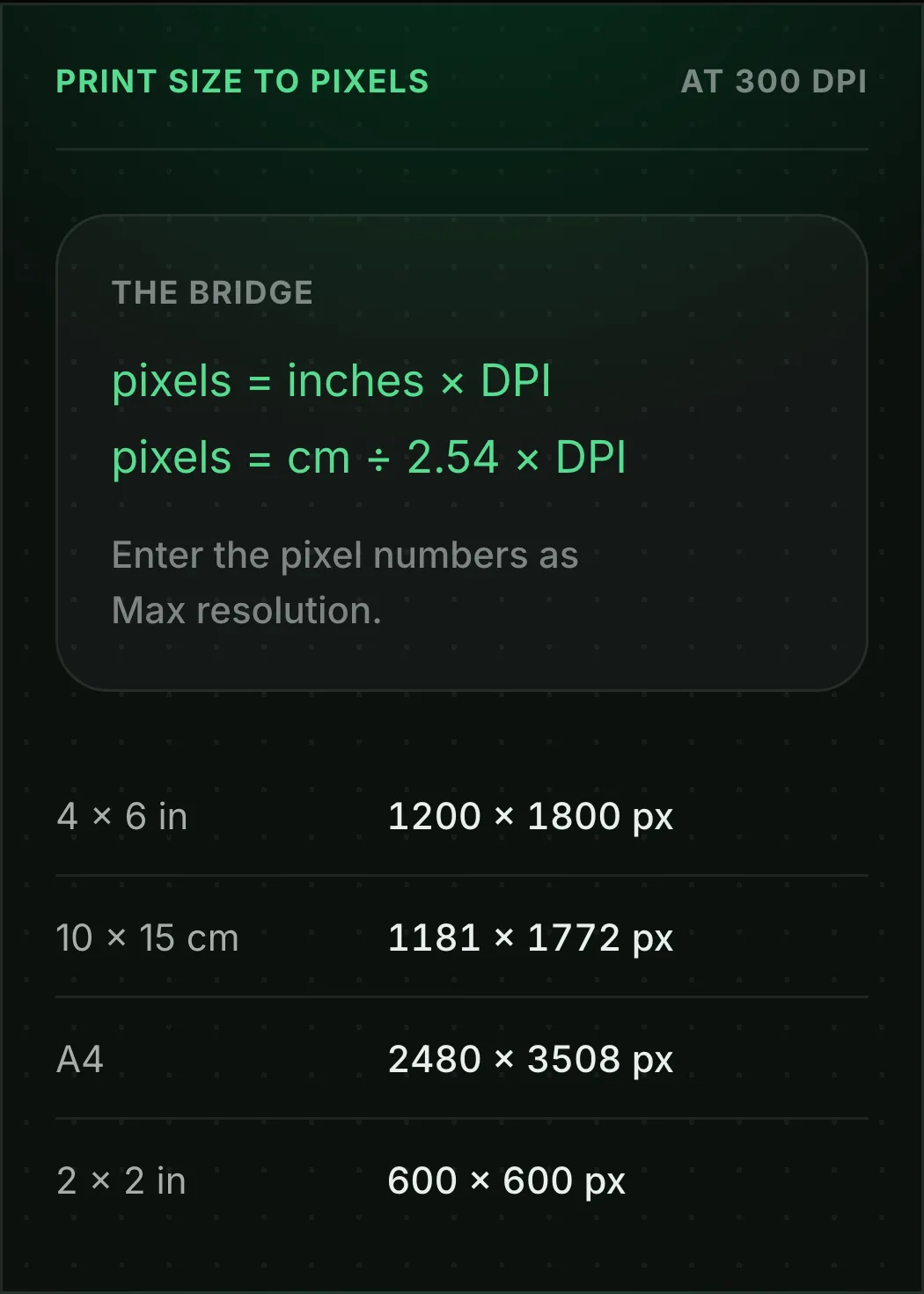
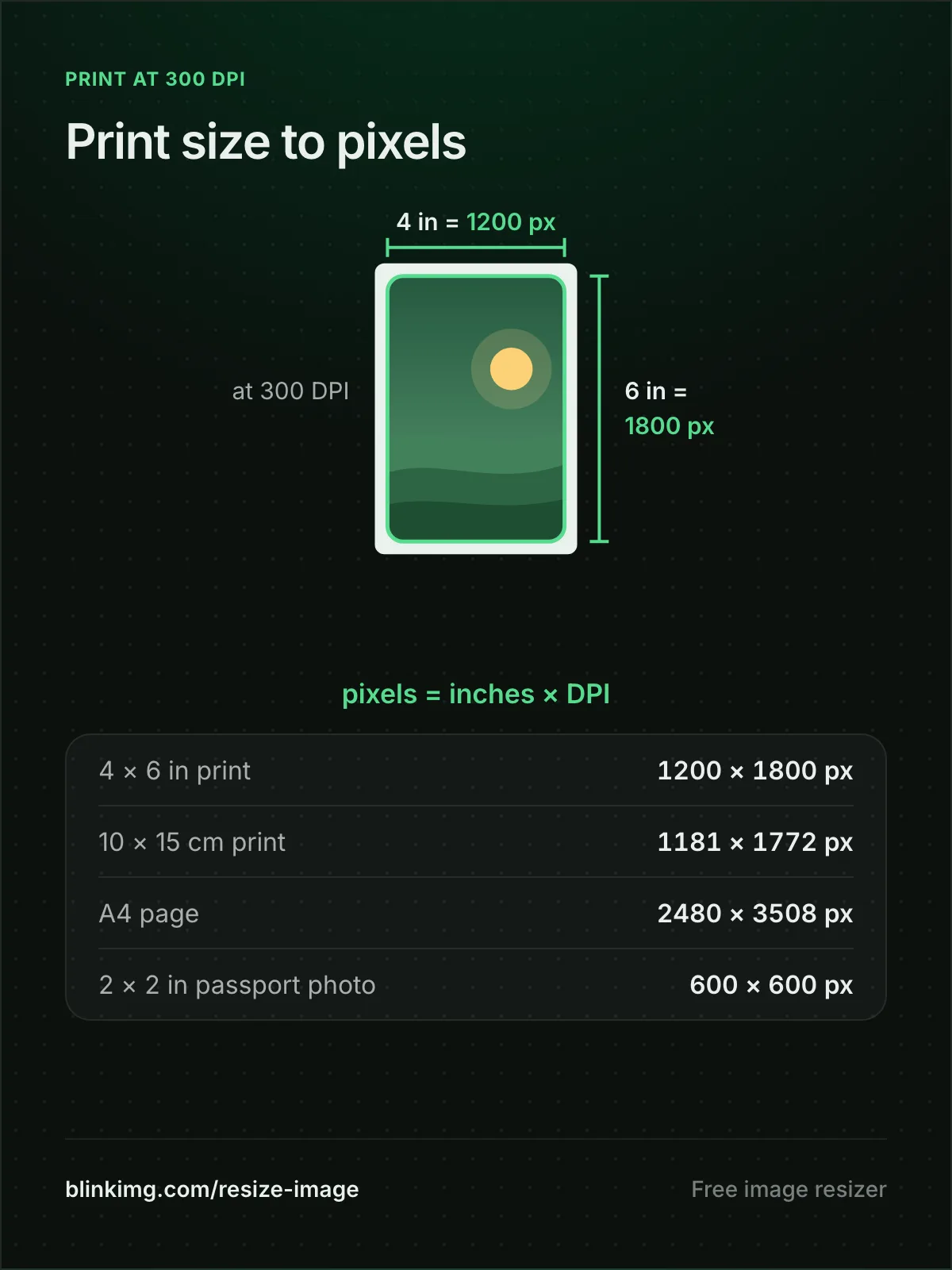
Printers think in physical units at a density; images are just pixels. One formula bridges them, and at the standard 300 DPI the four sizes people ask for come out like this.
Print size to pixelsAt 300 DPI
The bridge
pixels = inches × DPI
pixels = cm ÷ 2.54 × DPI
Enter the pixel numbers as Max resolution.
Print sizes in pixels at 300 DPI
4 × 6 in
1200 × 1800 px
the standard photo print
10 × 15 cm
1181 × 1772 px
the same print, metric
A4
2480 × 3508 px
a full page
2 × 2 in
600 × 600 px
a US passport photo
If your original has fewer pixels than the target, print smaller
Upscaling to hit a DPI number adds blur, not detail. Print shops rarely say so.
A resolution changer should change pixels, not DPI
A file’s DPI only tells a printer how large to print its pixels, so changing that number alone leaves the picture exactly as sharp as it was. Change the pixels instead; the print size follows from them.
Social
The social sizes, as content and as one-click presets
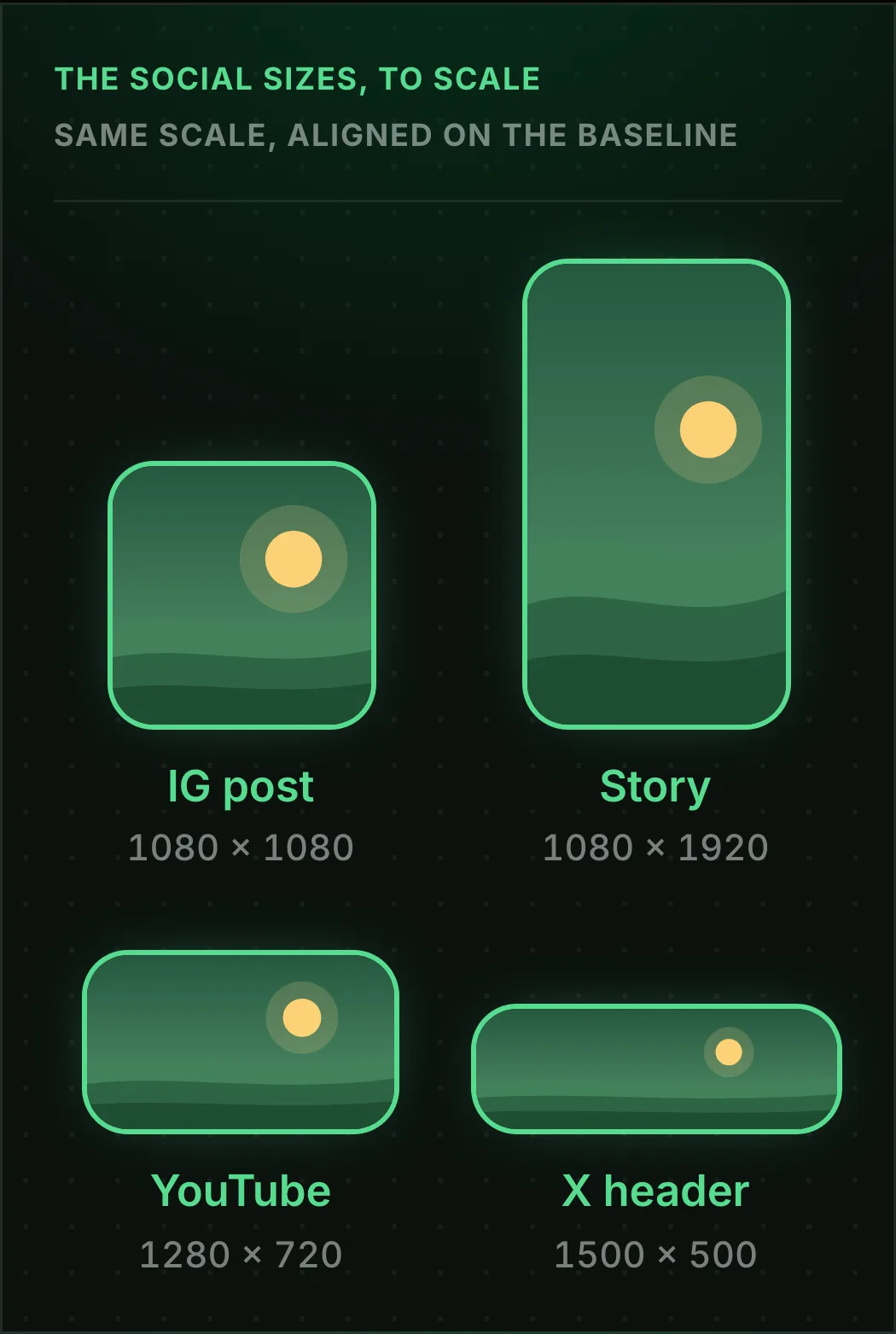
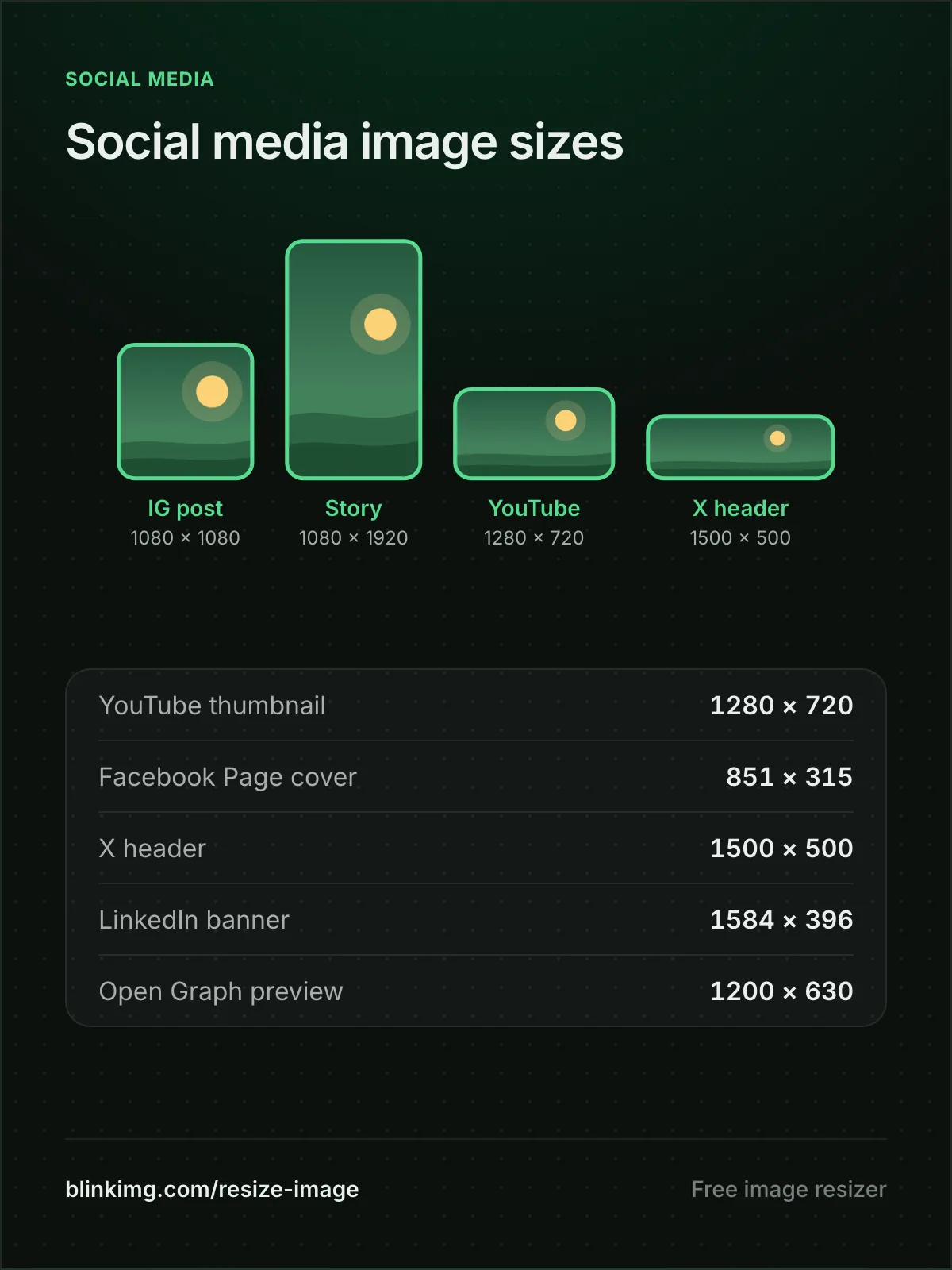
Every number below is a one-tap preset in the image cropper. Crop to the ratio there, and the save comes out resized and optimised in the same pass.
The social sizes, to scaleSame scale, aligned on the baseline
IG post
1080 × 1080
Story
1080 × 1920
YouTube
1280 × 720
X header
1500 × 500
Social image sizes in pixels
Platform
Pixels
Worth knowing
Instagram post
1080 × 1080
portrait 1080 × 1350, story or reel 1080 × 1920
YouTube thumbnail
1280 × 720
640 px minimum width; 3840 × 2160 recommended
Facebook Page cover
851 × 315
under 100 KB on Meta's help page
X header
1500 × 500
a 3:1 banner
LinkedIn banner
1584 × 396
a 4:1 banner
Open Graph preview
1200 × 630
the link preview card
Image too small to upload? Increase the image size
Uploads set minimums as well as maximums: YouTube wants a thumbnail at least 640 px wide. Type the minimum into the editor’s Custom size box, tap Apply, and Save scales the picture up to it. The upload passes, though fine detail looks a little softer.
File size
Resizing to a KB number: stop guessing dimensions
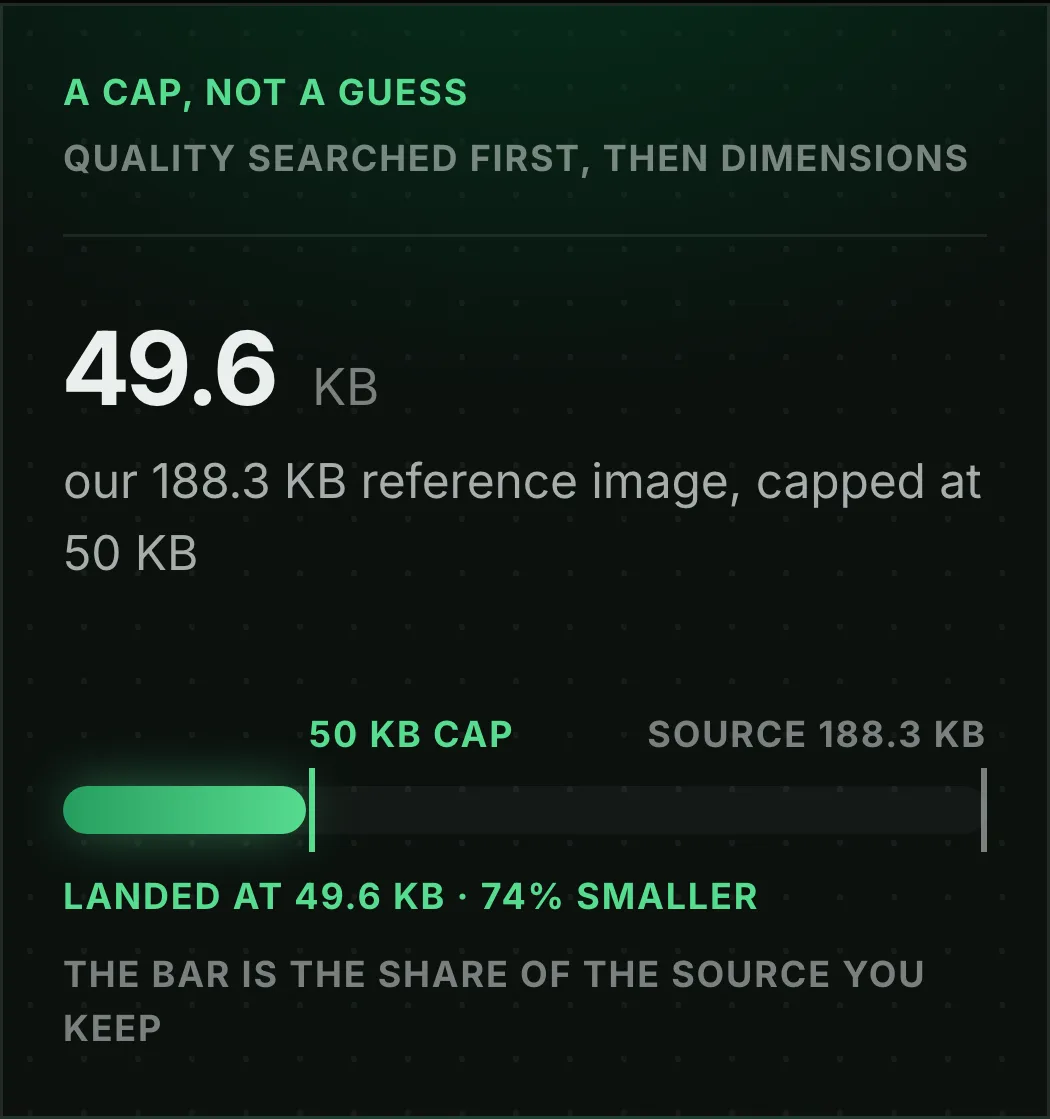
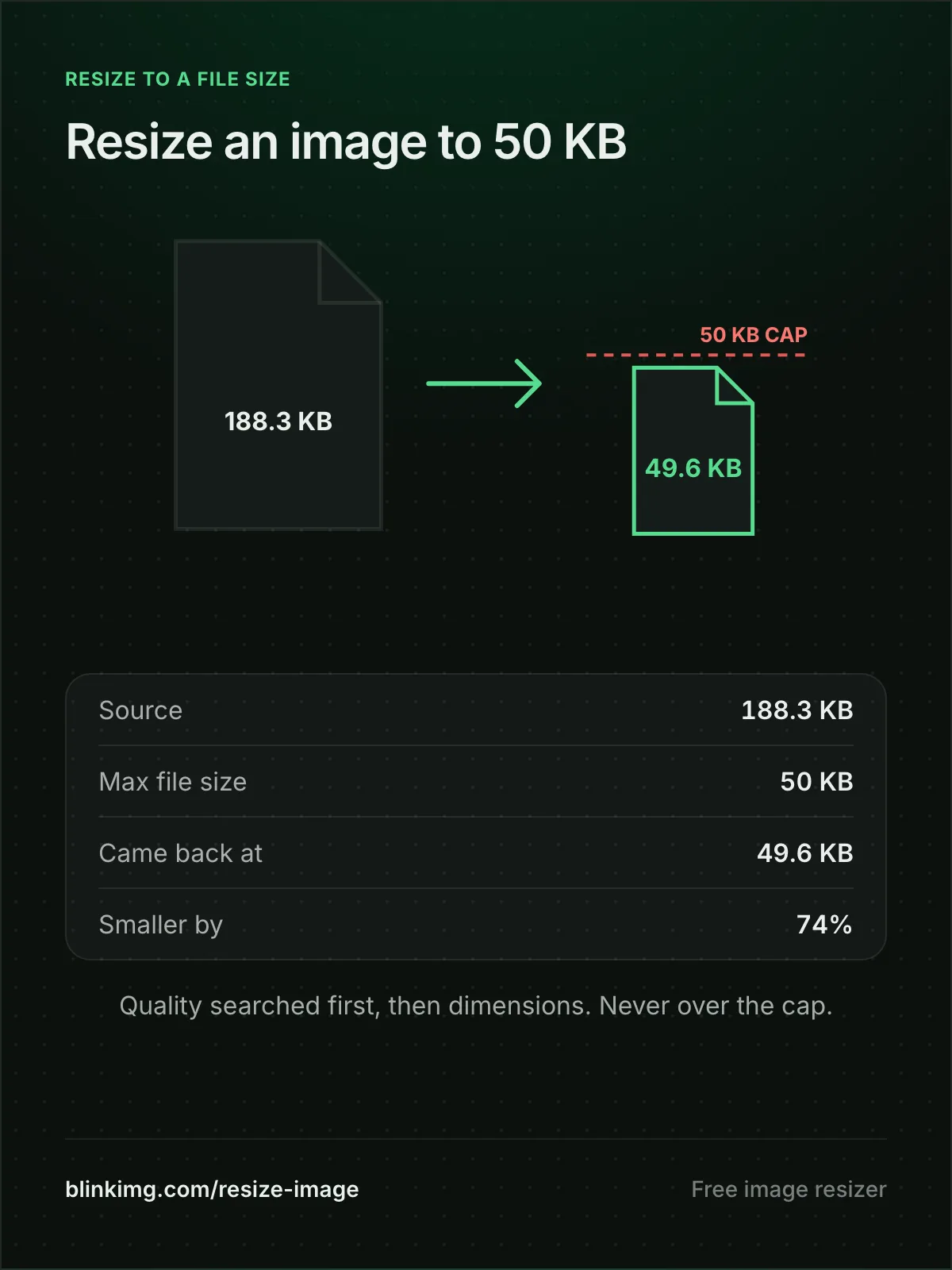
“Resize image to 50 KB” is a compression problem wearing a resize costume. Set Max file size and the engine searches quality, and dimensions when needed, for the best image that fits under your cap. It never overshoots.
A cap, not a guessQuality searched first, then dimensions
48.7KBour 576.8 KB reference image, capped at 50 KB
50 KB capSource 576.8 KB
Landed at 48.7 KB · 92% smallerThe bar is the share of the source you keep
A bulk image resizer for a set of uploads
On the compressor, Max file size and Max resolution apply to every photo in a drop, up to 50 at once. A set of exam or listing photos comes back under one cap in one run. The editor opens one image at a time.
When a portal demands exact pixels and a KB limit
Set both fields. Max resolution fixes the dimensions and Max file size holds the ceiling. One pass satisfies both validators, with no guess-and-check round trip.
Infographics
Image resizer infographics to save or pin
Each section above as one picture, with the same numbers. Tap one to open it full size, then save it, share it or pin it.
Five ways to make an image smallerResize an image online, nothing to installPrint size to pixels at 300 DPISocial media image sizesResize an image to 50 KB
When resizing is the wrong tool
The image is the right size but the file is too big?
That is compression, not resizing. Compress JPEG or Compress PNG will shrink bytes without touching dimensions.
You want a different framing, not a smaller photo?
That is cropping. Cut the region you want at full detail, then resize if needed.
You need it BIGGER?
Resampling cannot invent detail. Max resolution refuses to upscale, and a bigger Custom size only spreads the same pixels. AI upscaling is a different craft.
Questions, answered
Short answers specific to this tool. Try it above and the editor settles the rest.
Q:How do I change the size of an image?
Drop it and the editor opens. For exact pixels, tap a size preset, or type a width and height into Custom size and tap Apply, then Save. For a limit instead, open Advanced settings under the drop zone and set Max resolution or Max file size before you save. Either way the resized copy comes back optimised.
Q:Does resizing an image reduce its quality?
Yes, a little, by design: a single downscale drops detail, because fewer pixels hold less of it, and the result looks clean at its new size. Bigger quality problems come from upscaling, which invents pixels, and from repeated resize-and-save cycles. Resize once, from the original, to the size you need.
Q:How do I resize an image to exactly 50 KB or 100 KB?
Use the Max file size setting rather than guessing dimensions: it hard-caps the output at your number, never overshooting. Dimensions and size interact, and the tool searches that space for you. Our 4096.3 KB reference photo PNG dropped to just 18.3 KB at 400px wide.
Q:What is the difference between resizing, cropping and compressing?
Resizing scales the whole image to new dimensions. Cropping cuts a region out at full detail. Compressing re-encodes the same pixels in fewer bytes. They compose: crop to the subject, resize to the destination, and every save compresses automatically.
Q:How do I resize an image without losing quality?
Three rules cover it: only downscale, resize from the original rather than from an already-resized copy, and save once. Here your browser draws the new size and uploads a lossless PNG when one fits your plan's limit. The engine then encodes the picture once, at Auto. Max resolution in Advanced settings resizes inside the engine's one encode and never enlarges.
Q:Can I batch resize images or resize in bulk?
Yes, in the compressor: the editor opens one image at a time. Set Max resolution (and optionally a size cap) in Advanced settings, then drop up to 50 images. Every one resizes to the same bounds, never enlarged, and the set downloads as one ZIP. Several popular resizers cap free batches at 3 files. Ours is 50, free, no signup.
Q:How do I resize in centimetres or inches for printing?
Convert physical size to pixels: centimetres ÷ 2.54 × DPI. A 10×15 cm print at 300 DPI needs 1181×1772 px; a US 4×6" needs 1200×1800 px. Enter those pixels as the Max resolution. If your original has fewer pixels, print smaller rather than upscaling.
Q:How do I adjust the resolution of a picture?
Change its pixel count, because resolution is the number of pixels across and down. Type the new width and height into the editor's Custom size box, in pixels, or in cm, mm or inches at 300 DPI, tap Apply, then Save. Lowering the resolution is safe. Raising it spreads the same detail over more pixels, so it looks softer.
Q:What size should social media images be?
From the platforms' own pages: Instagram 1080 wide at 1.91:1 to 3:4, so 1080×1080 or 1080×1350 (Instagram's help page); YouTube thumbnail 3840×2160 recommended, 640 px minimum width, 2 MB from a phone and 50 MB from a computer (YouTube's help page); Facebook Page cover 851×315 under 100 KB (Meta's help page); LinkedIn banner 1584×396 (LinkedIn's help page); X header 1500×500, the guides' figure. The editor's presets carry these sizes built in.
Q:Can I enlarge an image without it going blurry?
Not with resampling alone. Enlarging spreads the same information over more pixels, which reads as blur. The editor will still scale a picture up when you type a bigger Custom size, and the result looks softer. Max resolution never upscales: a bound larger than the image leaves it untouched. True enlargement needs AI upscaling, a different tool with different trade-offs.
Q:Does resizing strip EXIF and GPS data?
Yes. The editor redraws the resized picture, so the saved copy carries none of the original's EXIF metadata: no GPS location, capture time or device model. That is the safe choice for anything you post publicly. To keep capture dates on a smaller copy, use the compressor instead: set Max resolution in Advanced settings and switch Keep EXIF metadata on.
Q:Can I resize a HEIC photo from my iPhone?
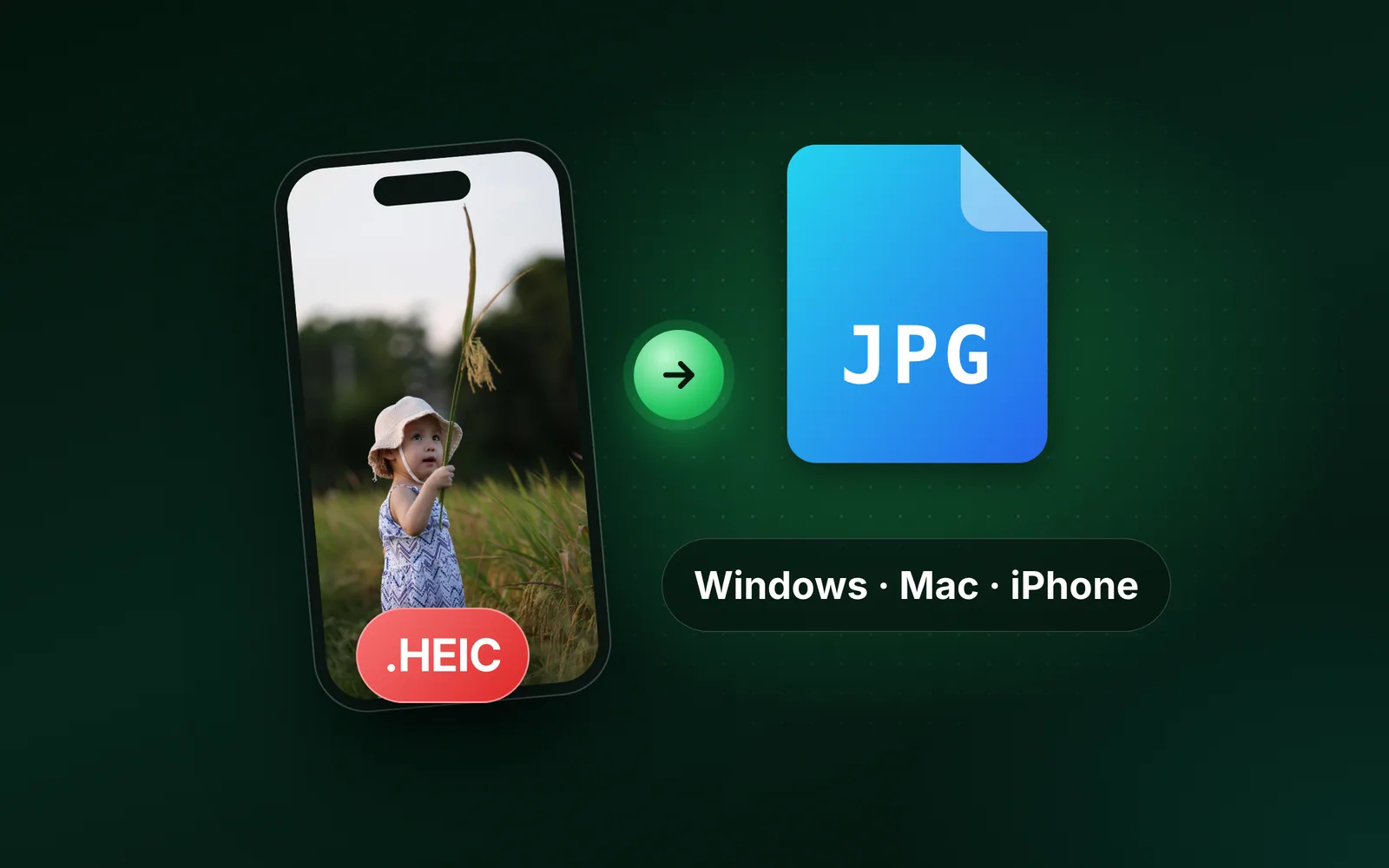
Yes, after one step. The editor does not open HEIC yet, so this page asks you to convert it first. The HEIC to JPG converter does that on our server, up to 10 photos at a time, and the JPG then opens here at the exact size you type. Or set Max resolution on the image compressor, which resizes HEIC photos in the same pass.
Q:What dimensions do exam and government forms require?
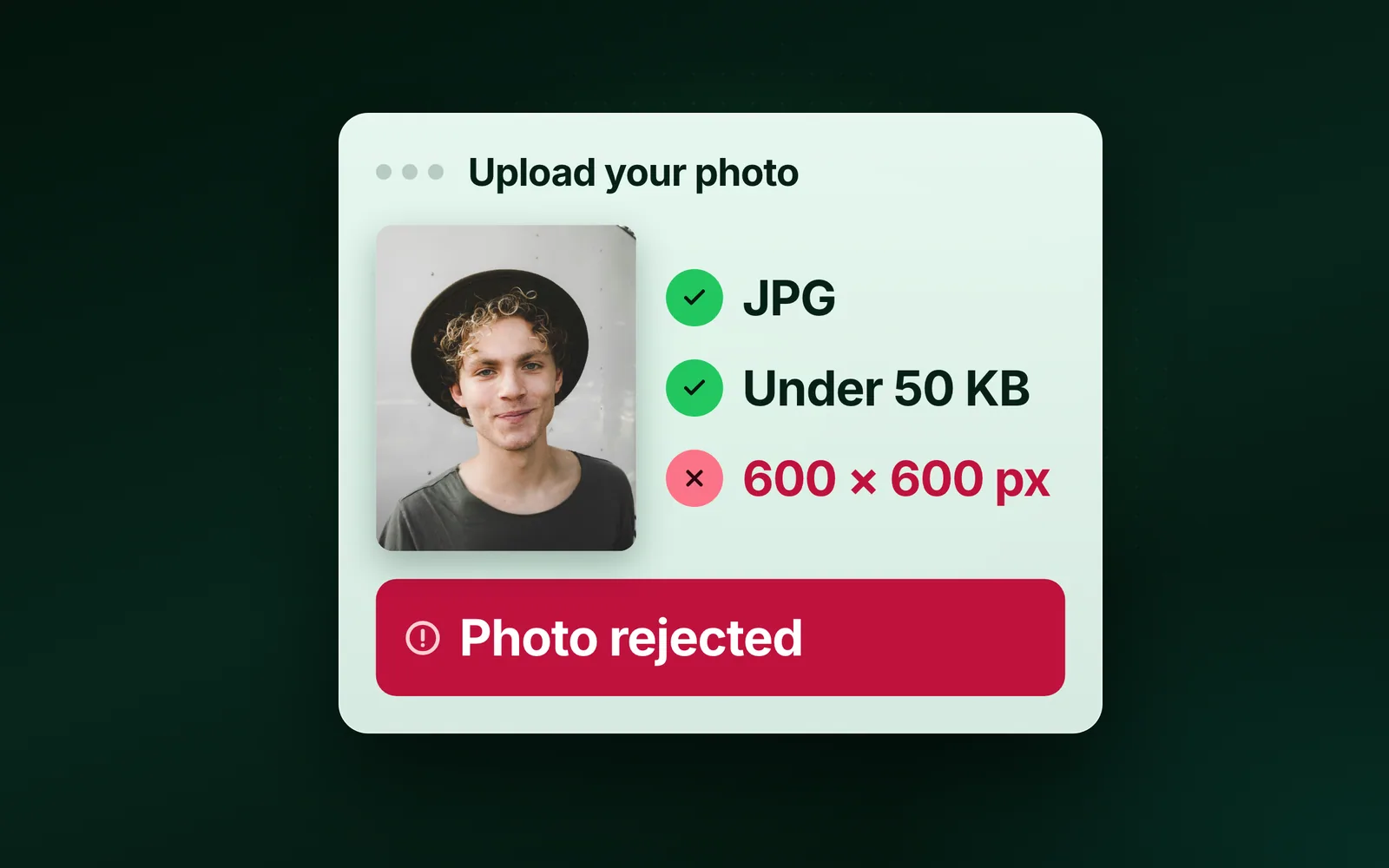
Most portals cap both dimensions and bytes. Common numbers: 200×230 px photos and 140×60 px signatures at 20–50 KB for Indian exam portals, and 600×600 px for US visa photos. Set both Max resolution and Max file size, and the output passes both validators in one pass.
Q:Is this online image resizer free, and what happens to my photos?
Free, no signup, no watermark, a 300-image daily allowance. And we keep nothing: files are processed and wiped automatically, never archived, never used for anything else. The resized copies you download are yours. The uploads are gone.