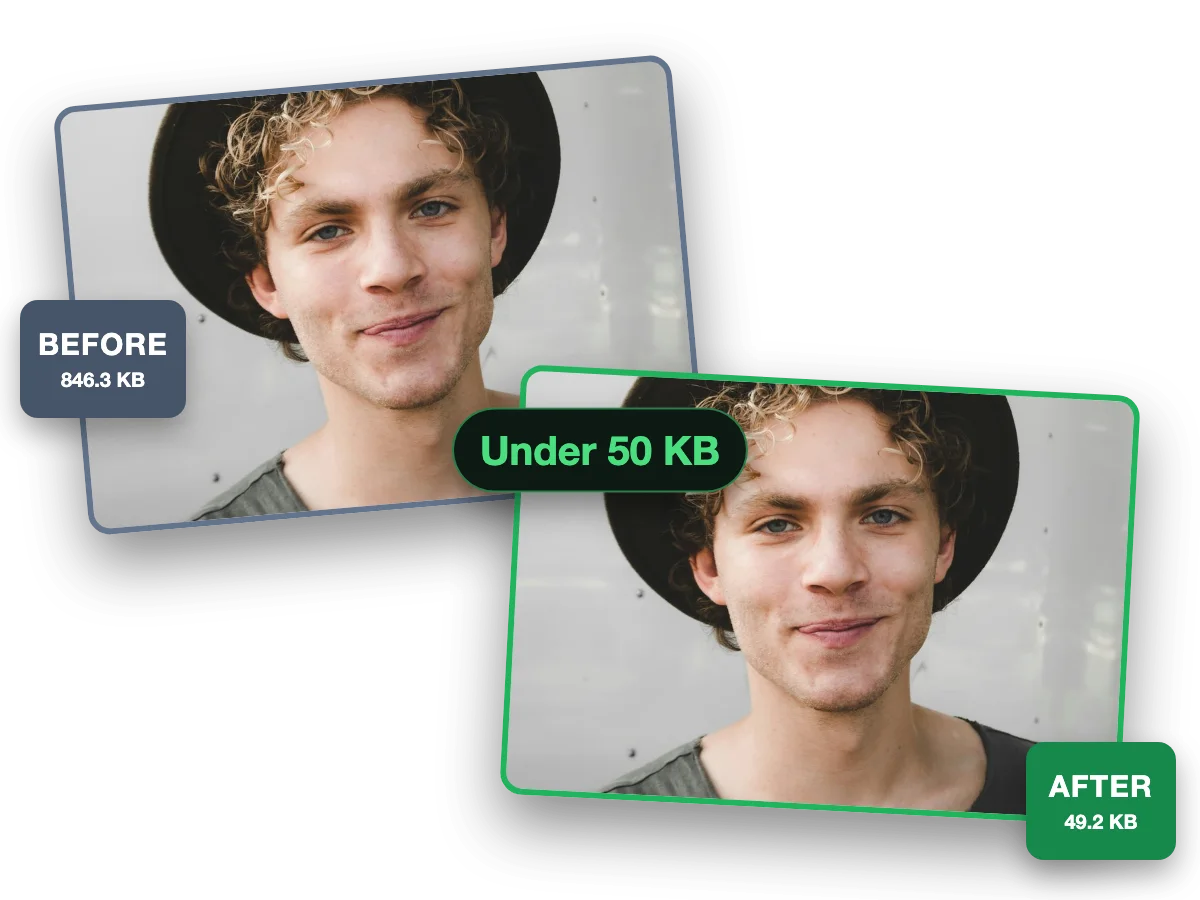
The 50 KB cap is already set. Drop your image and it comes back at or under the number, guaranteed, with the most quality the budget allows. Built for passport photos, visa forms and exam portals. Part of the image compressor, with your number as the hard ceiling.
Output format
– / –
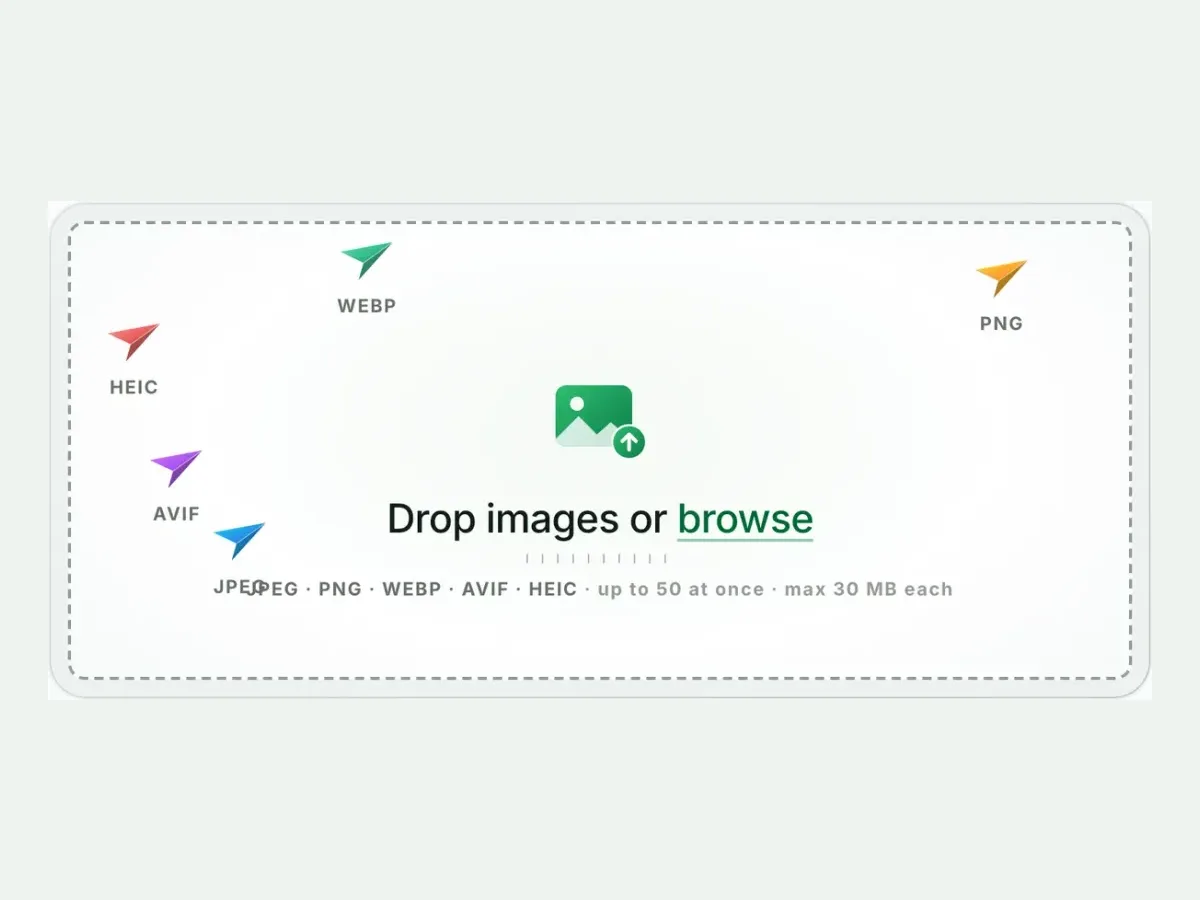
Drop images or browse
JPEG · PNG · WEBP · AVIF · HEIC · up to 50 at once · max 30 MB each
HEIC
PNG
JPEG
AVIF
WEBP
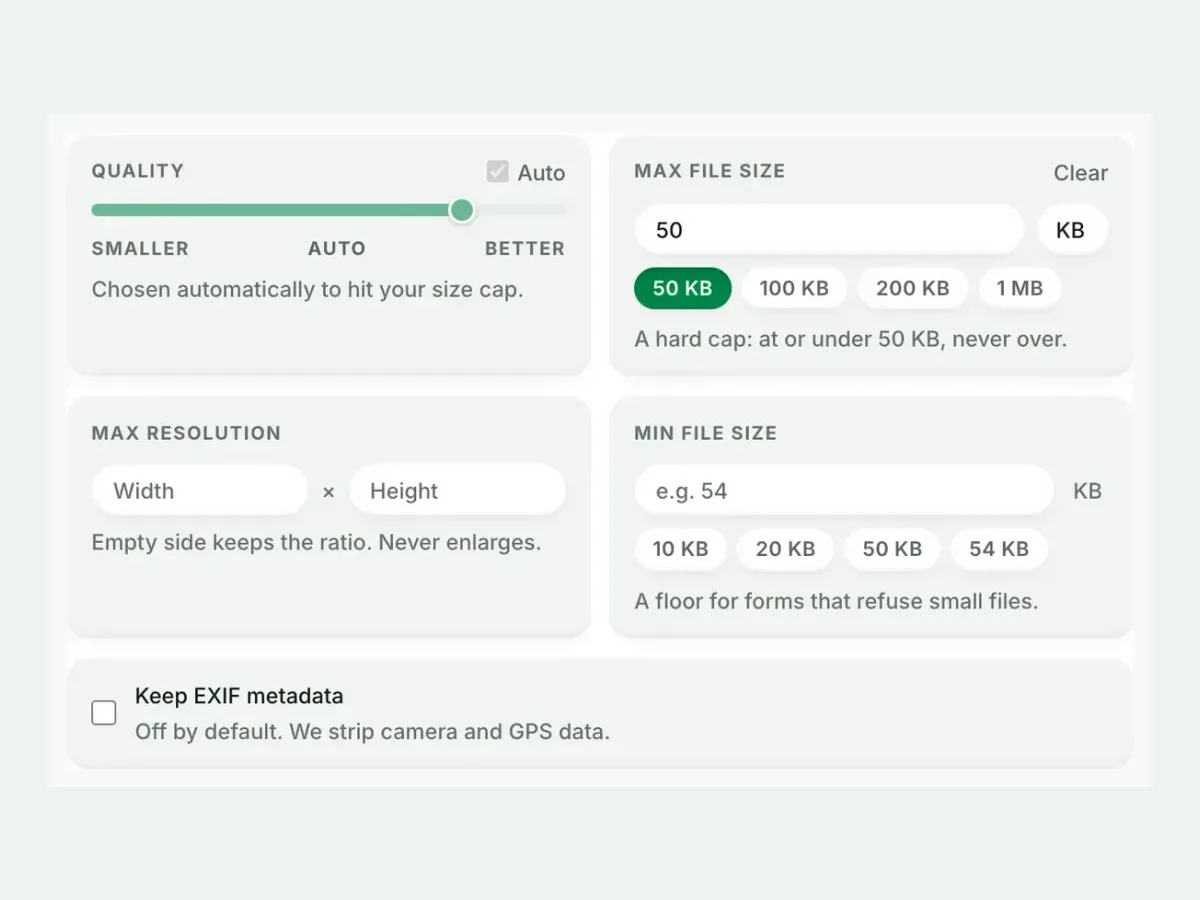
Advanced settings1 on
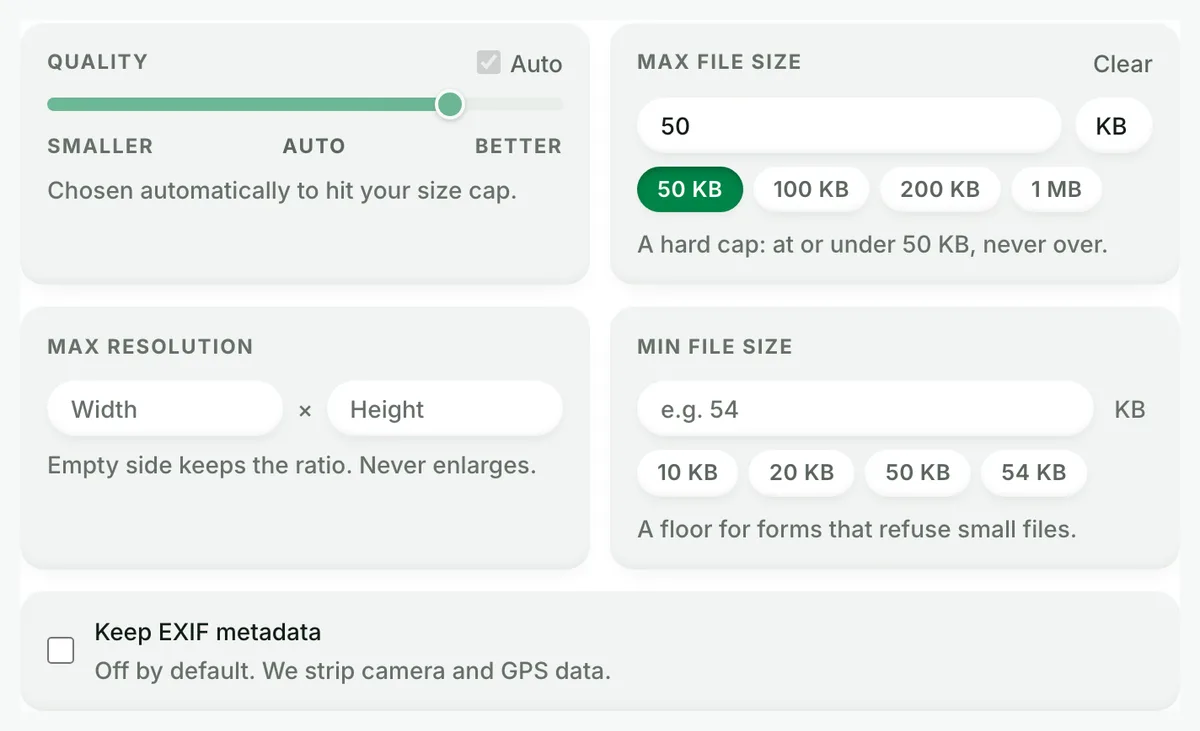
SmallerAutoBetter
Chosen automatically to hit your size cap.
A hard cap: at or under 50 KB, never over.
KB
A floor for forms that refuse small files.
Max resolution
×
Empty side keeps the ratio. Never enlarges.
Every size target, one guarantee
A page for each number, arriving with the cap already armed. Under it, or a clear error, and never over.
How to compress an image to 50 KB, at or under the number
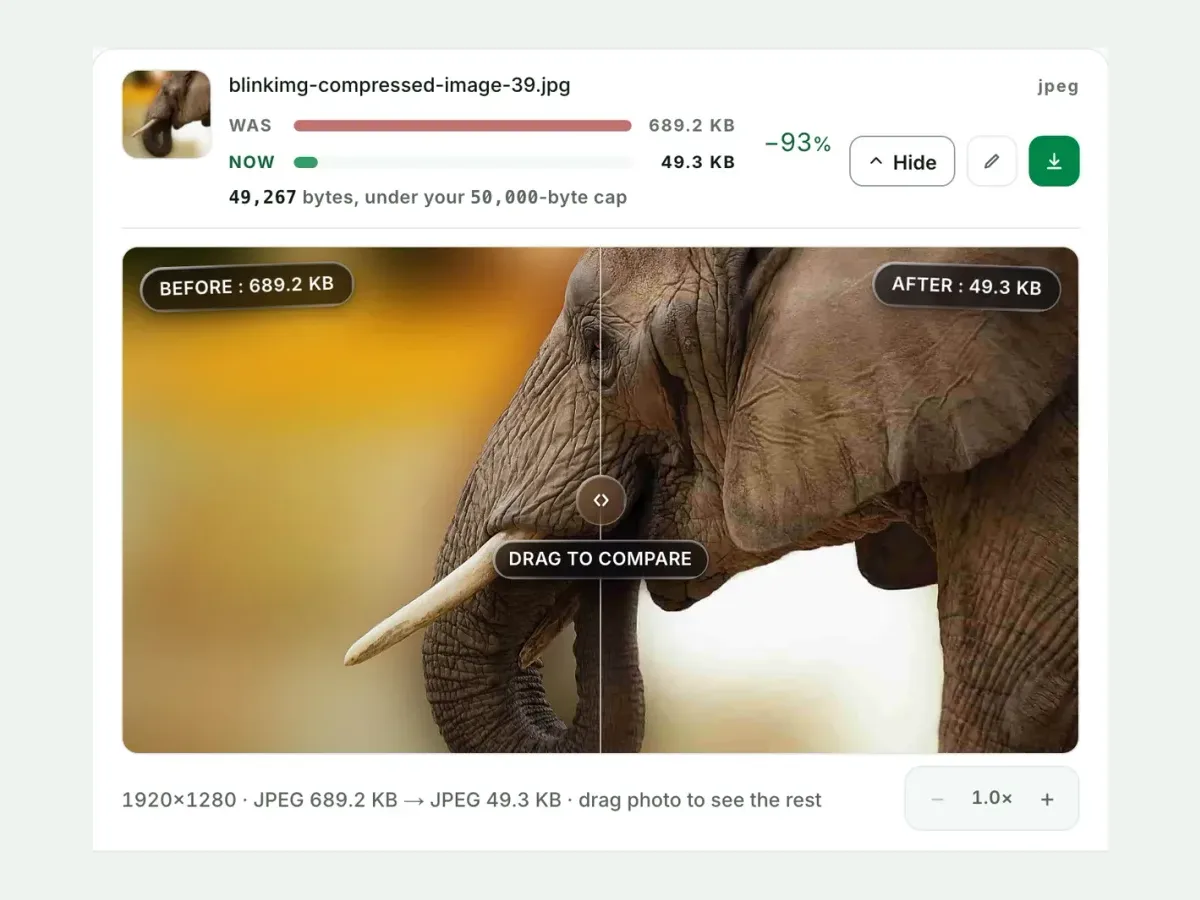
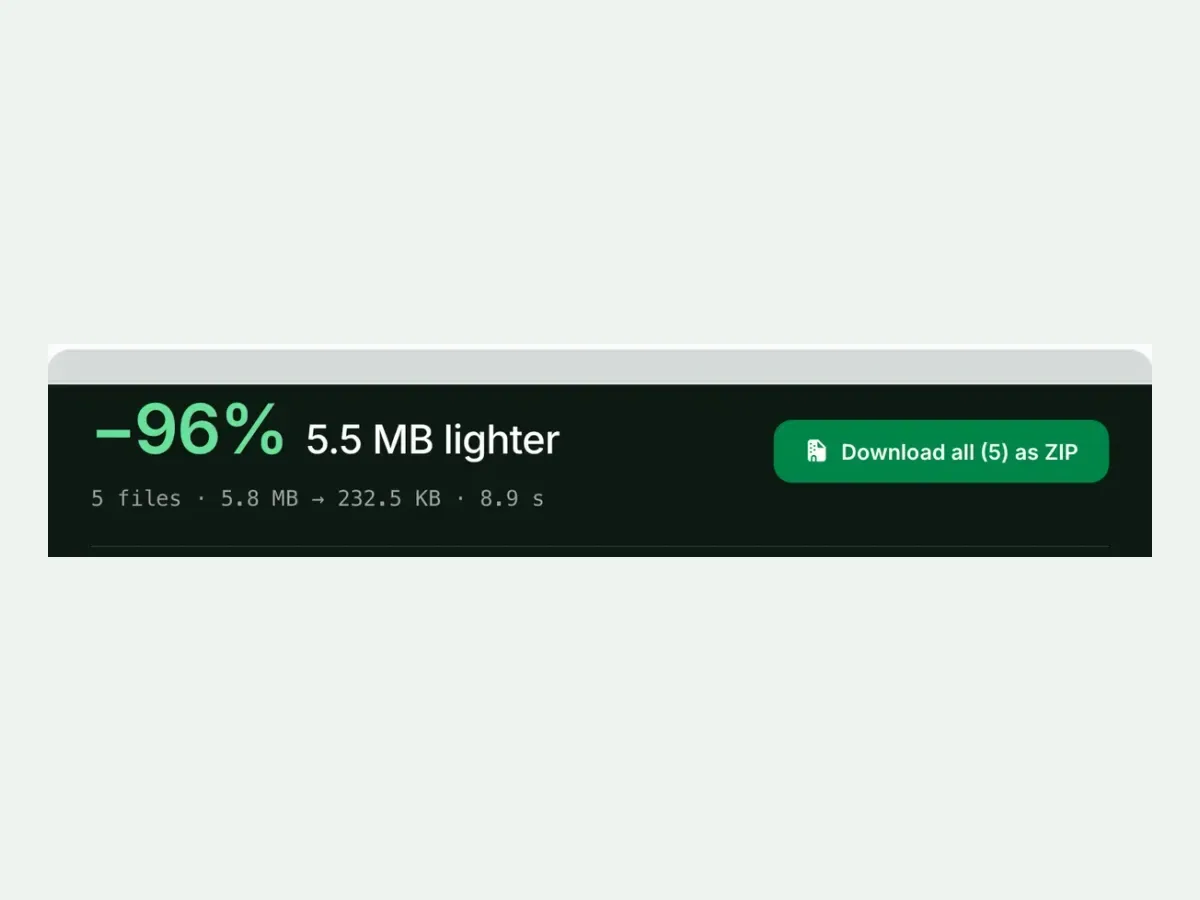
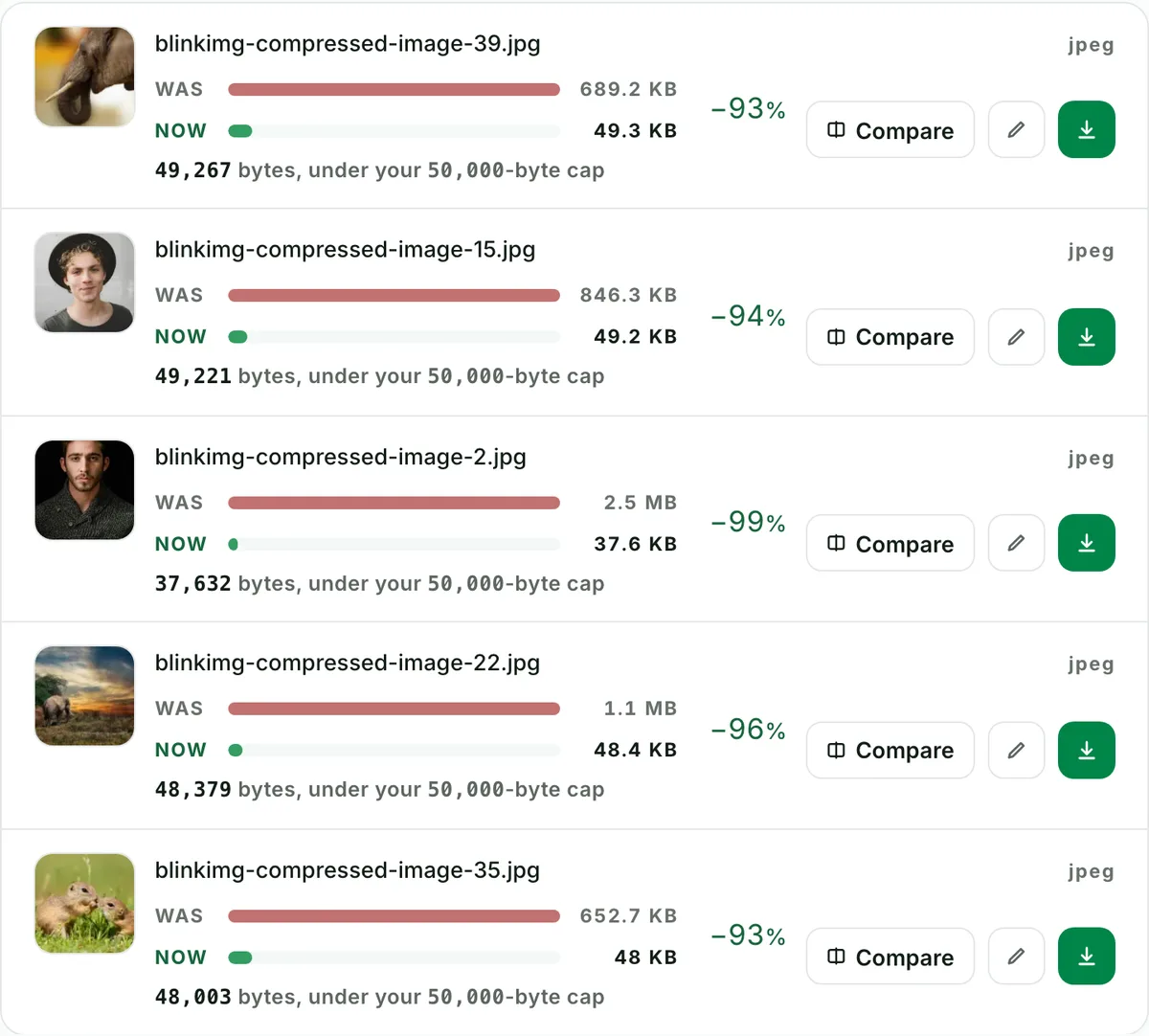
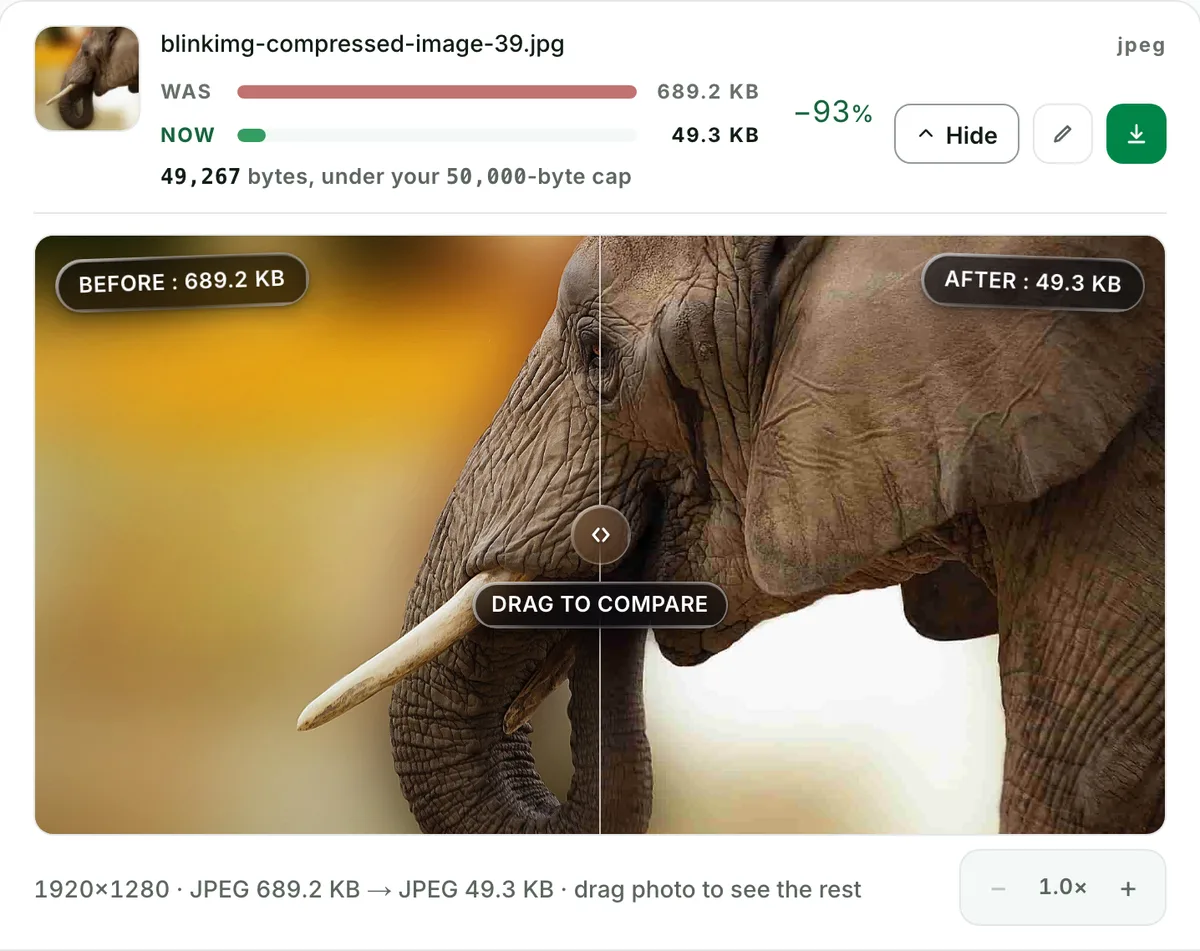
Drop your image: the 50 KB cap is already armed, and the engine binary-searches quality for the most detail that fits at or under 50,000 bytes. If no quality fits, it shrinks dimensions, down to a 64-pixel floor, before it ever gives up. A target that truly can’t be met fails with a clear error instead of a silently overweight file. The tools ranking for this search hand you a quality slider and hope: results land near the number and routinely over it, so you re-run until it happens to fit. Here the cap is the input, not the outcome. Never over the limit is the whole promise, and we have not found a page ranking for this search that makes it.
Compress an image under 50 KB: two real files, measured
Source
Cap
Result
Dimensions
Note
Reference photo
50 KB
48.7 KB
1920×1280
quality search alone
Camera photo
50 KB
39.7 KB
1371×768
quality search, then a downscale
4.1 MB PNG
50 KB
48.7 KB
1920×1280
converted to JPEG on the way under the cap
Sources: photo.jpg, 576.8 KB at 1920×1280, and source.jpeg, 9.8 MB at 4964×2782. Where the quality search alone could not fit, the engine shrank the dimensions.
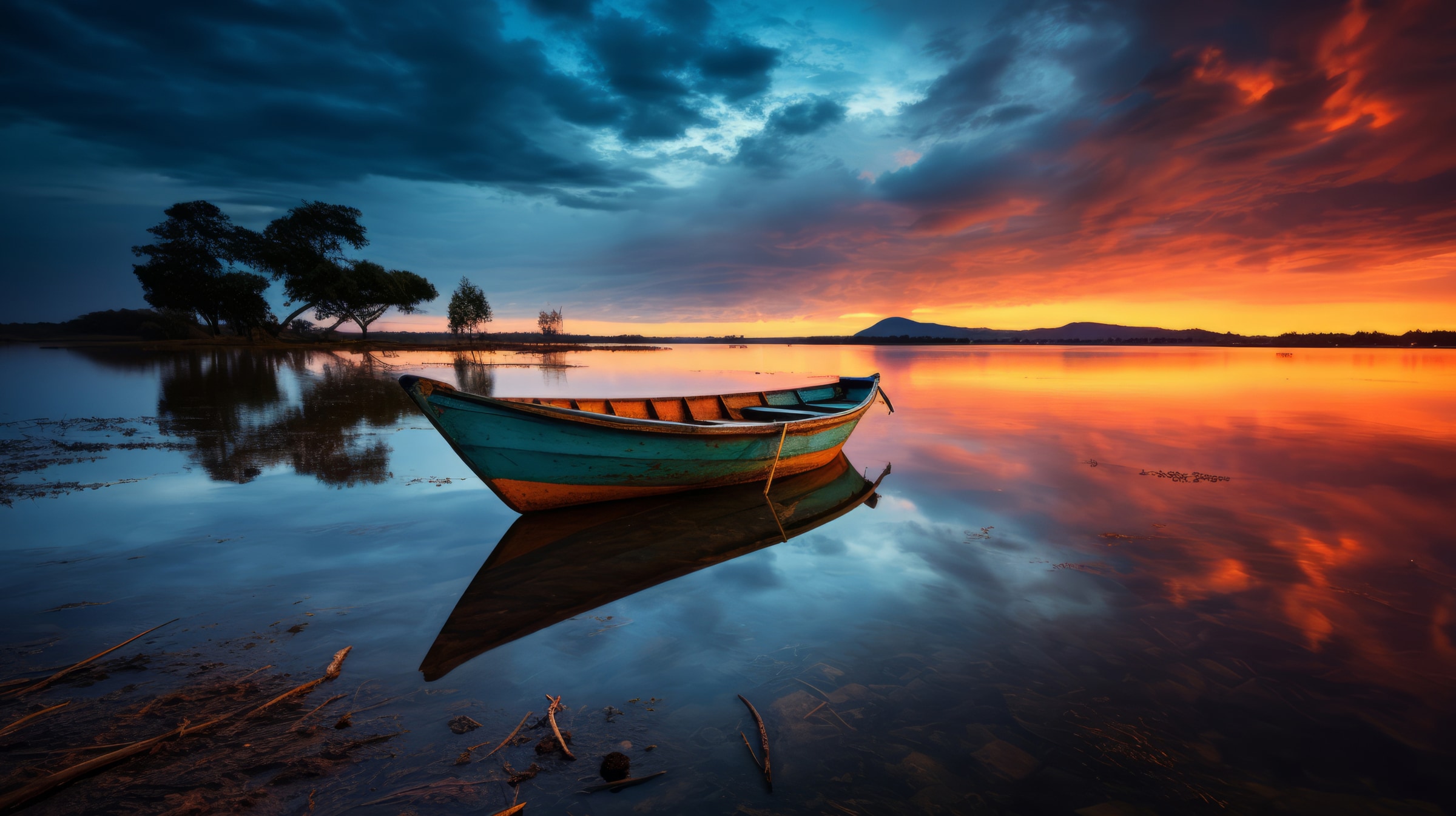
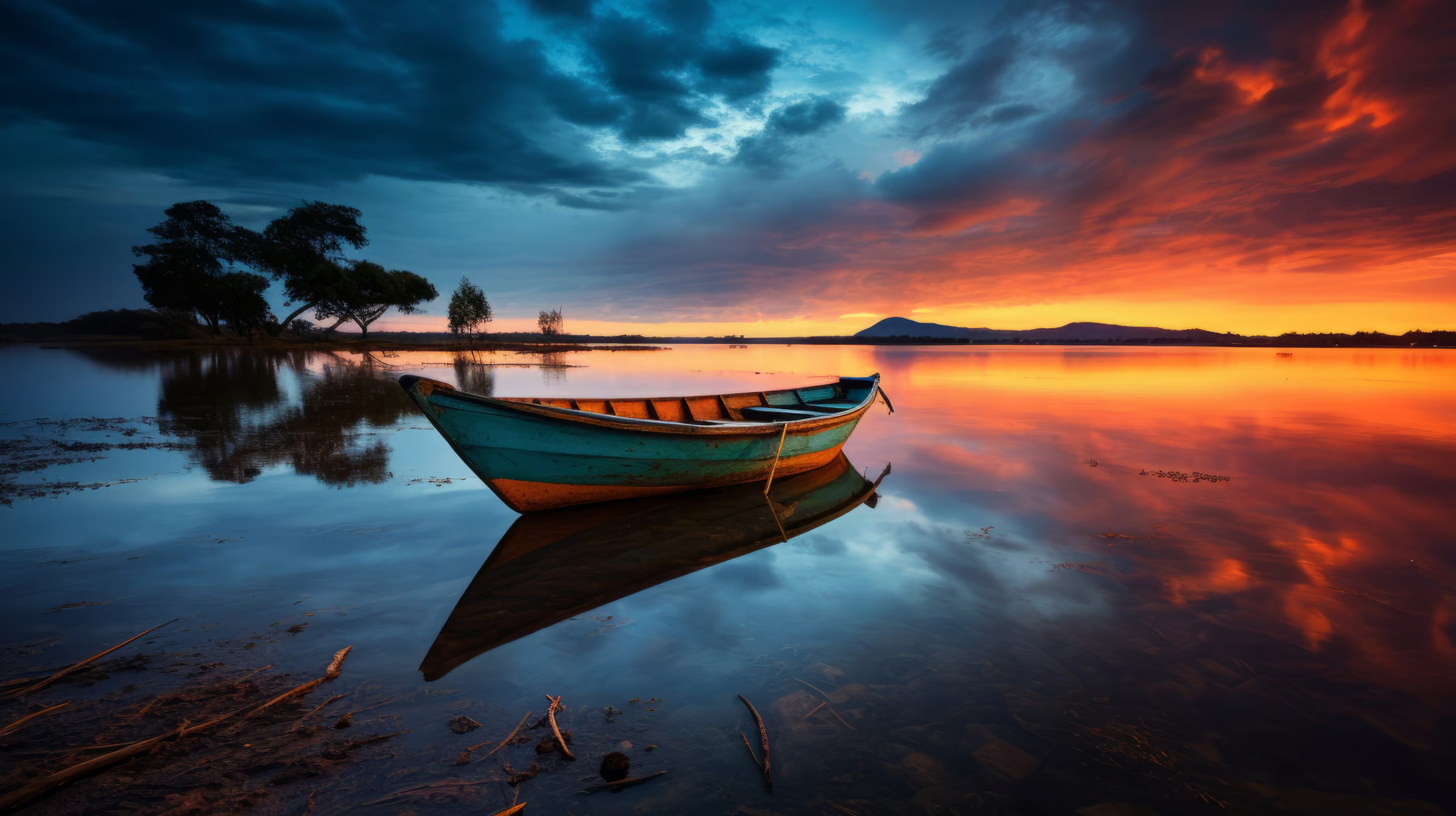
Every byte count is the size of the actual file our engine produced from the named source, the same bytes you would download, not an estimate. The reference photo is one of our own photographs, an iguana on a branch, and the camera photo is a real one too. Drop your own file into the tool above to rerun any of them. How we measure names the sources and the settings.
The camera photo at every cap
Cap
Result
Dimensions
Note
10 KB
8.4 KB
472×264
quality search, then a downscale
15 KB
12.7 KB
619×347
quality search, then a downscale
20 KB
16.7 KB
751×421
quality search, then a downscale
25 KB
20.3 KB
870×487
quality search, then a downscale
30 KB
24.3 KB
982×550
quality search, then a downscale
40 KB
32.2 KB
1194×669
quality search, then a downscale
50 KB
39.7 KB
1371×768
quality search, then a downscale
60 KB
56.6 KB
4964×2782
quality search alone
70 KB
65.6 KB
4964×2782
quality search alone
80 KB
75.4 KB
4964×2782
quality search alone
90 KB
86.1 KB
4964×2782
quality search alone
100 KB
97.3 KB
4964×2782
quality search alone
150 KB
142.1 KB
4964×2782
quality search alone
200 KB
194.8 KB
4964×2782
quality search alone
300 KB
292.8 KB
4964×2782
quality search alone
500 KB
497.7 KB
4964×2782
quality search alone
1 MB
996.5 KB
4964×2782
quality search alone
2 MB
1.9 MB
4964×2782
quality search alone
3 MB
2.6 MB
4964×2782
quality search alone
5 MB
2.6 MB
4964×2782
quality search alone
8 MB
2.6 MB
4964×2782
quality search alone
10 MB
2.6 MB
4964×2782
quality search alone
Source: source.jpeg, 9.8 MB at 4964×2782, the photograph the home page's demo uses, through every cap the network offers. Each row is the engine's real output.
The 50 KB jobs: passport photos, visa forms, exam portals
Fifty kilobytes is the internet's favourite bureaucratic number: passport and visa photo uploads, UPSC/SSC/IRCTC and banking exam forms, Aadhaar and PAN services, university applications. The pattern is always the same. A JPEG, a pixel range, and a hard KB ceiling the portal will not negotiate. This page is that workflow in one pass. Drop your photo. The 50 KB cap is already armed, and your output is guaranteed at or under the number, with the most quality the budget allows. If your portal also dictates dimensions, the crop tool's document presets cover that.
Can I convert an image to JPG and hit 50 KB in one step?
Yes. JPEG output is preselected, so a PNG, WebP, AVIF or HEIC file leaves as a JPG at or under 50 KB in the same pass, with no separate conversion first. The measured table above holds the photographic PNG that took that route.
Image compressor to 50 KB, photo compressor to 50 KB, resize image to 50 KB: one page
The forms that demand 50 KB do not agree on what to call the tool. Some say image compressor to 50 KB, some photo compressor to 50 KB, some resize image to 50 KB, some just 50 KB converter or JPG 50 KB. Indian portals usually name the size on its own, 50 KB photo size. They all describe one job: a file that comes out at or under 50 KB. This page does that job, with the cap already armed. Compress image to, in, under, below or less than 50 KB: same page, same guarantee, and the exact bytes printed beside the result.
What does “50 KB photo size” mean?
The file’s weight on disk, not its pixels: a JPG at or under 50 KB. When a portal also rules on pixels, it states them separately, in px or cm, and the crop tool’s presets cover that rule.
The dimension and target trade-off the slider tools never explain
Under the 50 KB cap our 9.8 MB camera photo had to come down to 1371×768 pixels to fit, at 39.7 KB, while our 576.8 KB reference photo kept all 1920×1280 pixels at 48.7 KB. Bytes pay for pixels, so the two levers trade directly. A tight cap on a huge image spends the whole budget holding pixels together. The same cap on a sensibly-sized image buys visible quality. That is why the engine’s escalation order is quality first, dimensions second. It is also why, for extreme targets, setting Max resolution yourself (in the same Advanced panel) is the pro move. A portal photo rarely needs more than ~1,500 px on its longest side. Freeing those bytes lets the quality search keep the face sharp instead of the noise. Our measured table above shows both regimes on real files.
ID photos, signatures, documents: the privacy defaults
This page’s 50 KB cap is set for passport photos, visa forms and exam portals. The files people compress to a government portal’s cap are the most sensitive files on the internet: passport photos, signatures, ID scans. The defaults here assume exactly that. We strip EXIF and GPS from every output, so a photographed document stops carrying where it was taken. We keep nothing: we process files and wipe them automatically, never archive, never reuse. You need no account to use this page, so no profile collects your uploads, and after a day no record names them. No page ranking for this search states any of this.
When 50 KB is the wrong tool
The portal wants under 10 KB?
Below the size field's 10 KB floor, photographic quality collapses. Crop tight and shrink dimensions with the resize tool first, then apply the smallest cap.
A screenshot or line art fighting a tiny cap?
Convert it to JPEG (or WebP) first. A photographic codec reaches small caps PNG structurally cannot.
No rule demands a size?
Use Auto instead. It usually lands smaller than you expect without betting quality on an arbitrary number.
The cap is already armed above. One drop settles most of these.
Q:Will the result be exactly 50 KB, or under it?
At or under, never over: that is the whole guarantee. The search maximises quality within the budget, so a result lands close beneath the cap when the image needs the room and further under when it does not. Under this page's 50 KB cap our 9.8 MB camera photo came back at 39.7 KB and our 576.8 KB reference photo at 48.7 KB. The readout under each result prints the exact bytes.
Q:Does reducing the dimensions help an image compress to 50 KB?
Enormously: pixels are what bytes pay for. Under this 50 KB cap our 9.8 MB camera photo had to come down from 4964×2782 to 1371×768 before any quality level fit, and landed at 39.7 KB. For a tight target, set Max resolution in Advanced settings yourself: it gives the quality search far more room to keep the face sharp. The engine shrinks a picture on its own only when the cap demands it.
Q:Should I use JPEG or PNG to reach 50 KB?
JPEG, almost always. Photographic content compresses several times smaller as JPEG, and portals overwhelmingly expect it: our 4.1 MB photographic PNG reached 48.7 KB as a JPEG under a 50 KB cap. PNG earns its bytes only for line art, screenshots and signatures with hard edges, and a photo saved as PNG may not reach 50 KB at all without the format change. This page preselects JPEG output; the format picker switches it.
Q:What happens if I compress an image already less than 50 KB?
You get your original bytes back when a re-encode cannot beat it and there is no metadata to strip: a cap is a ceiling, not a command to degrade a compliant file. Our EXIF-free 576.8 KB reference photo came back untouched under the 1 MB cap and every larger one. A file carrying EXIF always gets one stripped re-encode, because privacy outranks the byte count.
Q:Is resizing an image to 50 KB the same as compressing it to 50 KB?
On this page, yes: one job, one guarantee, whichever word you use. A resizer that promises 50 KB is doing what this page does, hitting a byte target, and it may reduce the pixels to get there. Changing only the pixel dimensions is a different job, and the resizer does that: it takes a width and a height and leaves the bytes to follow.
Q:What do "compress image in 50 KB", "compress image less than 50 KB", "50 KB converter" and "JPG 50 KB" mean?
The same thing portals ask for in their own words: a file that comes out as a JPG at or under 50 KB. This page is that converter. It preselects JPEG output, arms the 50 KB cap, and prints the exact bytes beside the result, so the words on the form and the file you upload finally agree.
Q:What size should a passport or visa photo be?
Most portals want a recent colour photo on a plain light background, as a JPEG, within a stated pixel range, under a KB cap that is very often 50 KB. The US DS-160 allows up to 240 KB. Check your portal's exact numbers. Then let the 50 KB cap guarantee the bytes while you match the pixels.
Q:Why do government forms demand 50 KB in the first place?
Legacy storage budgets and slow-connection accessibility. A portal serving millions of applicants keeps per-file limits tiny, so the system stays cheap and reachable from any connection. The limits long outlive the constraints. The portal enforces them anyway, so meeting the number exactly is the only move.
Q:If I compress an image to 50 KB as a JPG, will the portal accept it?
Almost always. You get a standard, plain JPEG: no exotic features, metadata stripped, dimensions untouched unless the cap forced a downscale. That is exactly the file profile upload validators expect. If a portal still rejects it, the stated pixel range is almost always the culprit, not the bytes.
Q:Can I compress an image to 50 KB without losing quality?
Some quality goes, and the engine makes it the least the number allows. Under this cap our 576.8 KB reference photo kept all 1920×1280 pixels at 48.7 KB. Our 9.8 MB camera photo could not fit at full size: the engine brought it to 1371×768 and landed at 39.7 KB. A portal photo at its stated pixel size is the easy case. The compare slider shows what the budget bought.
Q:How do I compress a passport photo to 50 KB?
Crop to the portal's pixel size first, then cap the bytes. A passport crop is small: our reference photo cropped to 413×531, the 35 by 45 mm size, came out at 39.6 KB at the engine's defaults, under 50 KB before any cap. Open Edit on the file's row, pick the passport preset or type the size, save, and the cap runs on the cropped file. Keep JPEG as the output, the format passport and visa portals name.
Q:Which PAN and exam forms want a 50 KB file?
Protean's PAN eSign route caps the photo and the signature at 50 KB each, 3.5 by 2.5 cm and 2 by 4.5 cm. IBPS's February 2026 EPFO guidelines put the photograph at 20 to 50 KB, 200×230 px preferred, and NTA's UGC-NET June 2026 bulletin puts the signature at 10 to 50 KB. Read your notice for the pixel rule and the floor, crop to the pixels, and let the cap hold the ceiling.