to

Convert PNG to AVIF

Convert PNG images to AVIF online. AVIF keeps transparency and usually produces the smallest file of any web format, which makes it a strong choice for heavy PNGs. Part of the image converter.

– / –

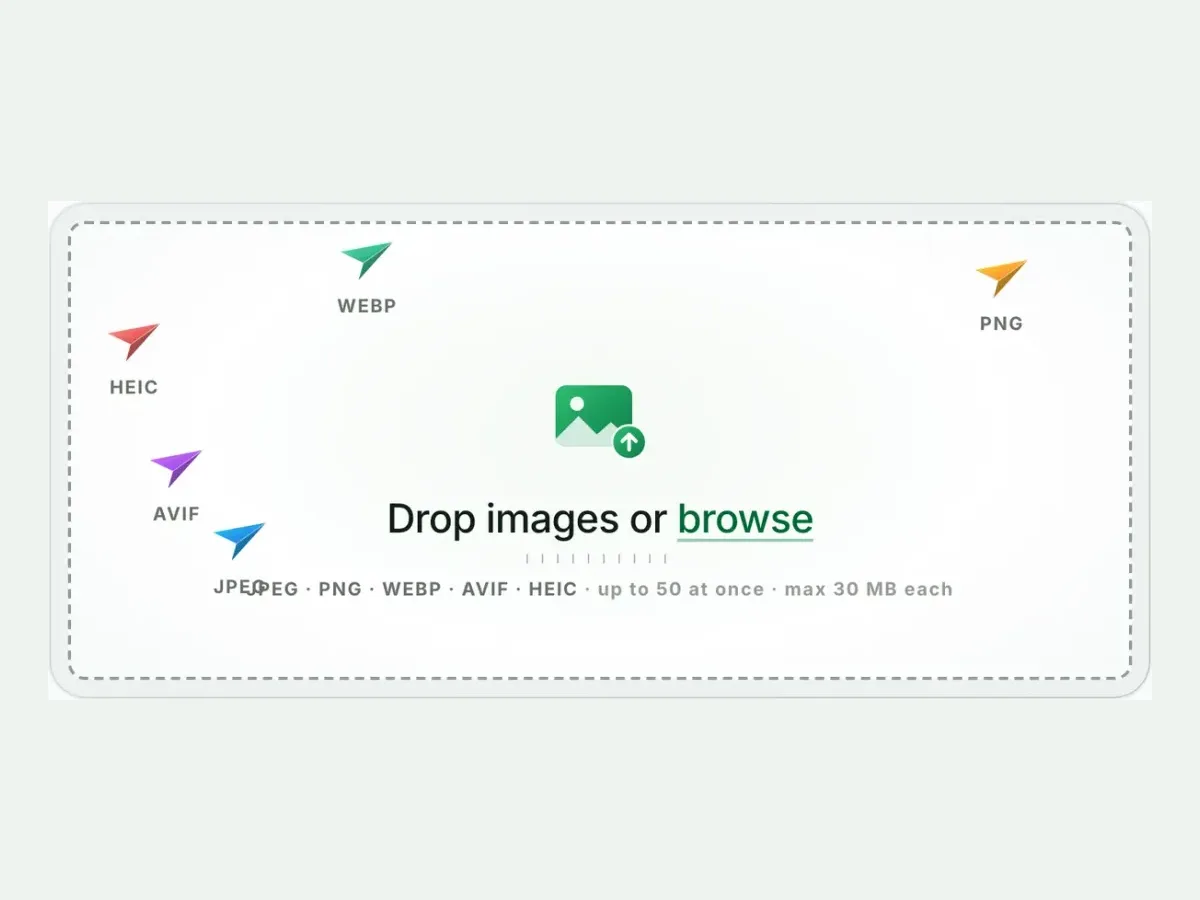
Drop images or browse

JPEG · PNG · WEBP · AVIF · HEIC · up to 50 at once · max 30 MB each

HEIC
PNG
JPEG
AVIF
WEBP
Advanced settings
SmallerAutoBetter

Auto tunes each image.

A hard cap for the number your form demands.

A floor for forms that refuse small files.

Max resolution

Empty side keeps the ratio. Never enlarges.

More image tools

Keep working on this image

Browse all image tools

One real file, before and after

PNG to AVIF converter, before: a woman in a straw hat lounging on a rattan chair in a green meadow, PNG, 1.7 MBPNG · 1.7 MB
PNG to AVIF converter, after: the same picture, AVIF, 45.9 KBAVIF · 45.9 KB
−97%
A real result from this exact operation: 1.7 MB in, 45.9 KB out. Drop your own file and the meter reports yours. The left half is a preview render; the byte counts are the real files’.

PNG to AVIF converter

How to convert PNG to AVIF in 4 steps

Free, in your browser, with no sign-up. Each step below is the real tool on this page.

  1. Drop your PNG files

    Up to 10 PNG files at once. AVIF is already picked.

    The Blinkimg drop box with AVIF picked as the output
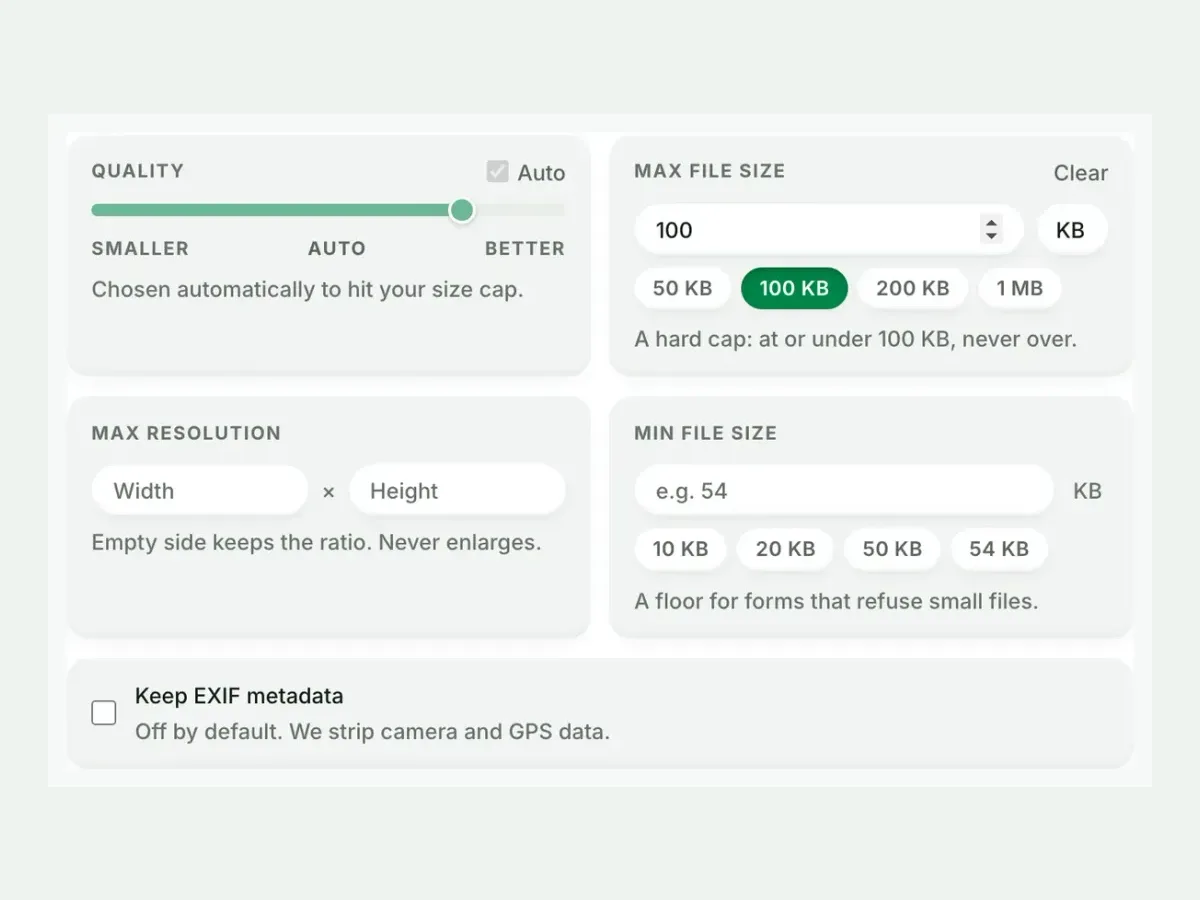
  2. Set a size, or not

    Auto picks the best AVIF setting. A size cap is never exceeded.

    Advanced settings with a 100 KB maximum file size set
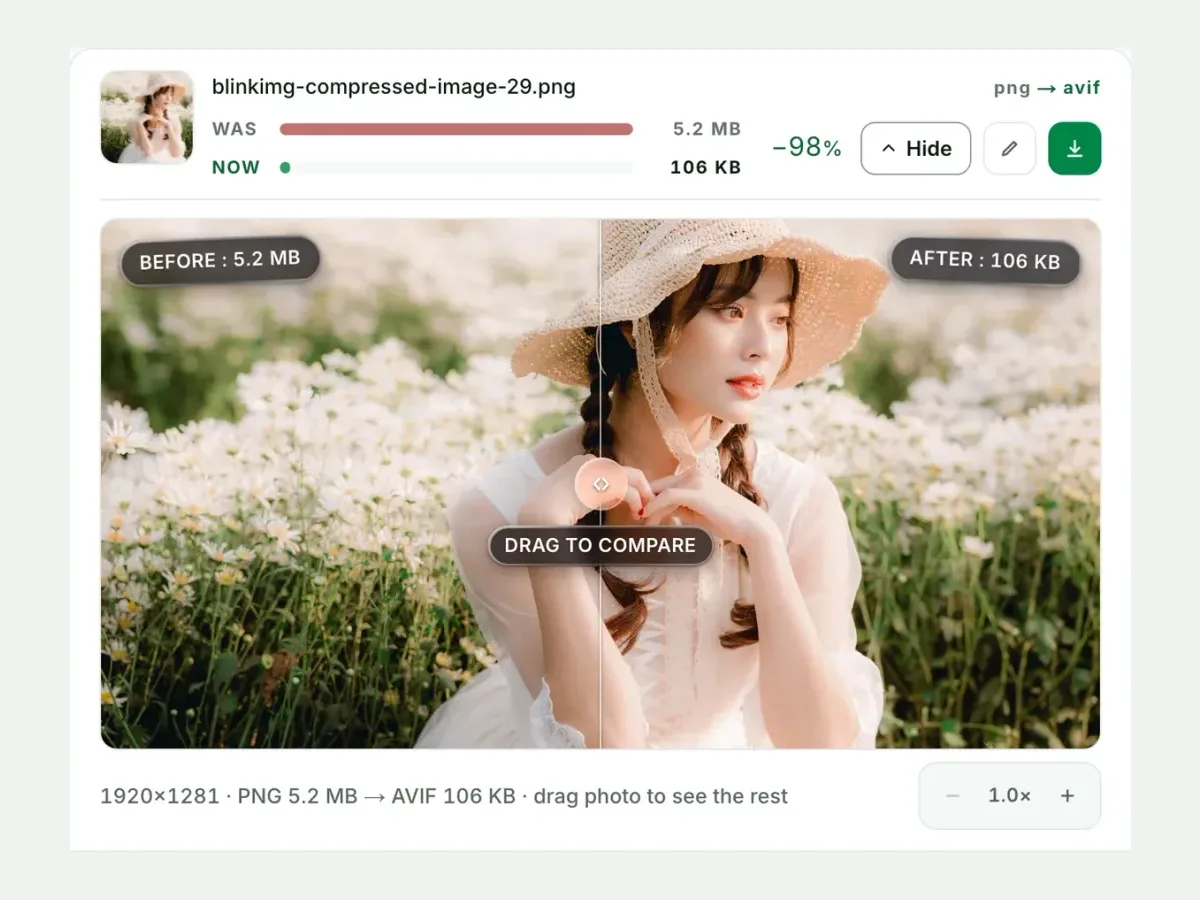
  3. Compare the result

    See each measured size, then drag the slider to check the look.

    A PNG beside its AVIF in the compare slider, with both sizes
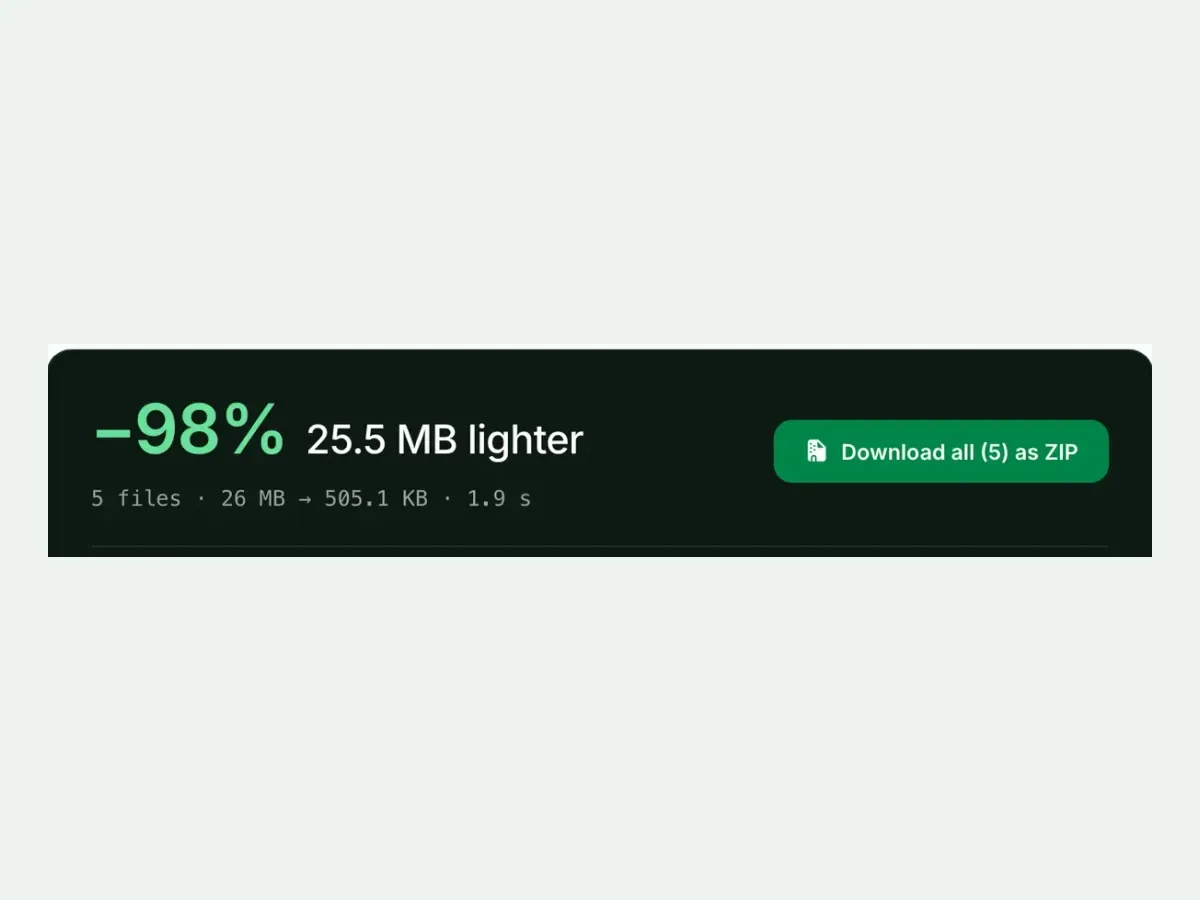
  4. Download one ZIP

    Take each file on its own, or all of them together in one ZIP.

    Five converted files with a Download all as ZIP button

Free, no sign-up

The best PNG to AVIF image converter for real photos

Up to 10 PNG files at once, every result measured to the byte, and nothing kept after you leave.

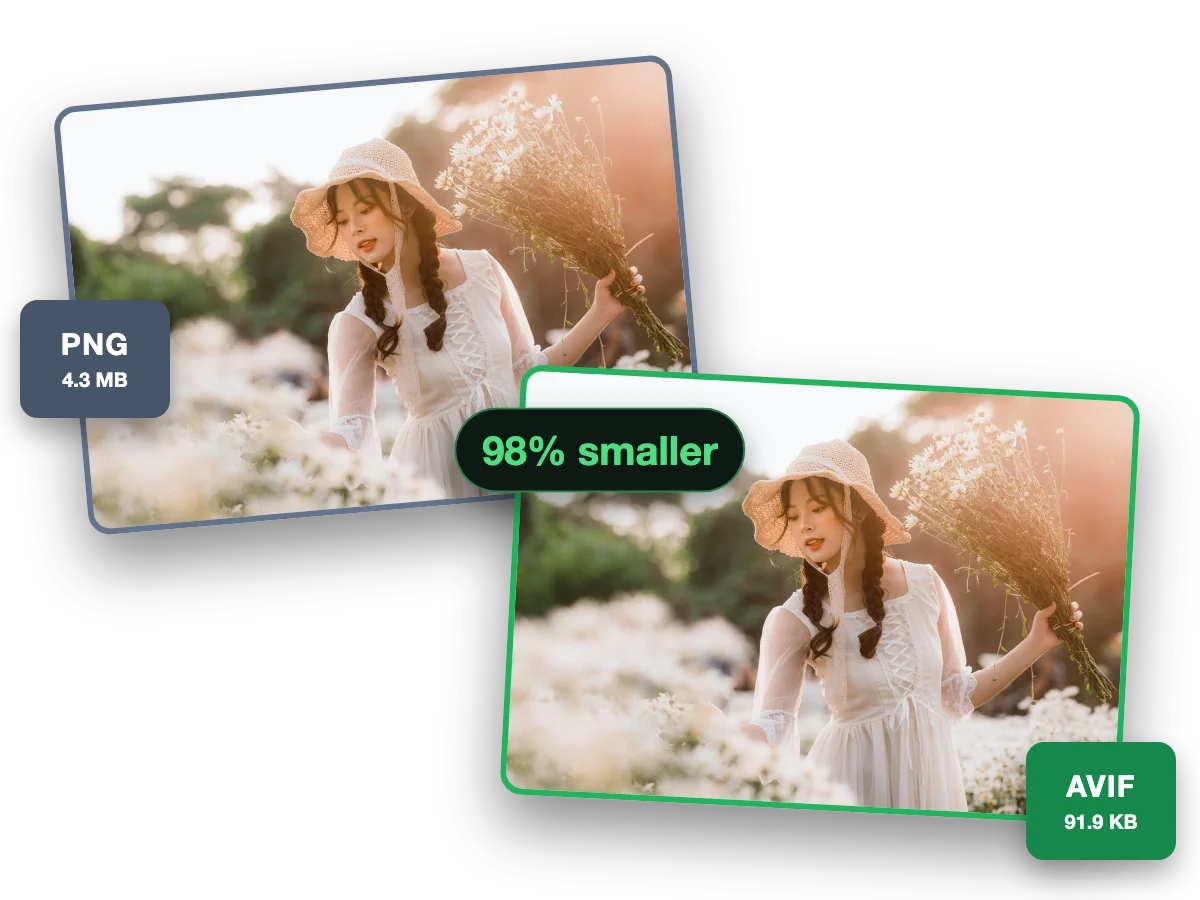
  1. One photo as a 4.3 MB PNG and as a 91.9 KB AVIF

    Fast and easy

    A fast, easy PNG to AVIF converter

    AVIF keeps transparency and cuts a PNG down hardest of any web format. This photo went from a 4.3 MB PNG to a 91.9 KB AVIF, 98% smaller.

Why this converter

A PNG to AVIF converter that shows its work

Every size on this page is a file the engine wrote, measured to the byte.

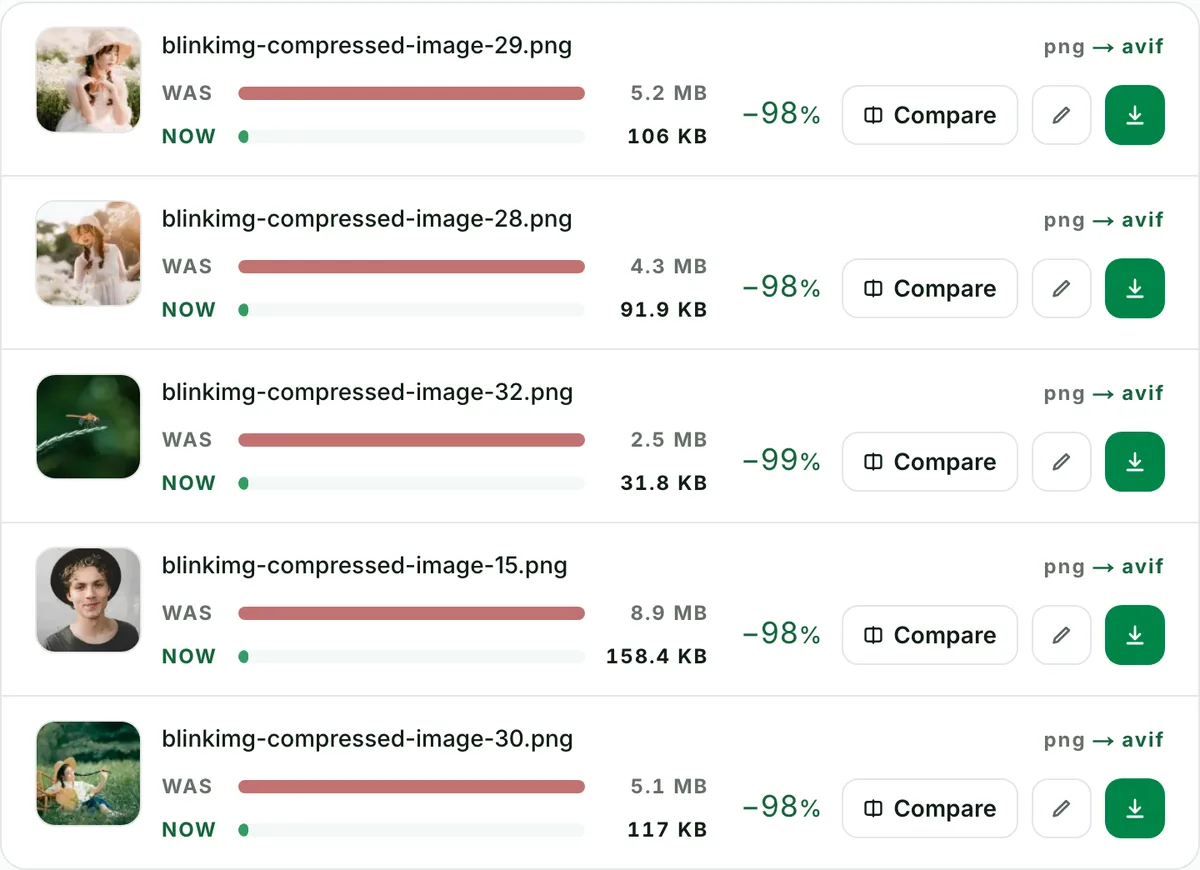
  1. Batch convert PNG to AVIF, ten at a time: the real tool on this page

    Batch

    Batch convert PNG to AVIF, ten at a time

    Convert up to 10 PNG files to AVIF in one run. Each file shows its own measured size, so you see what changed.

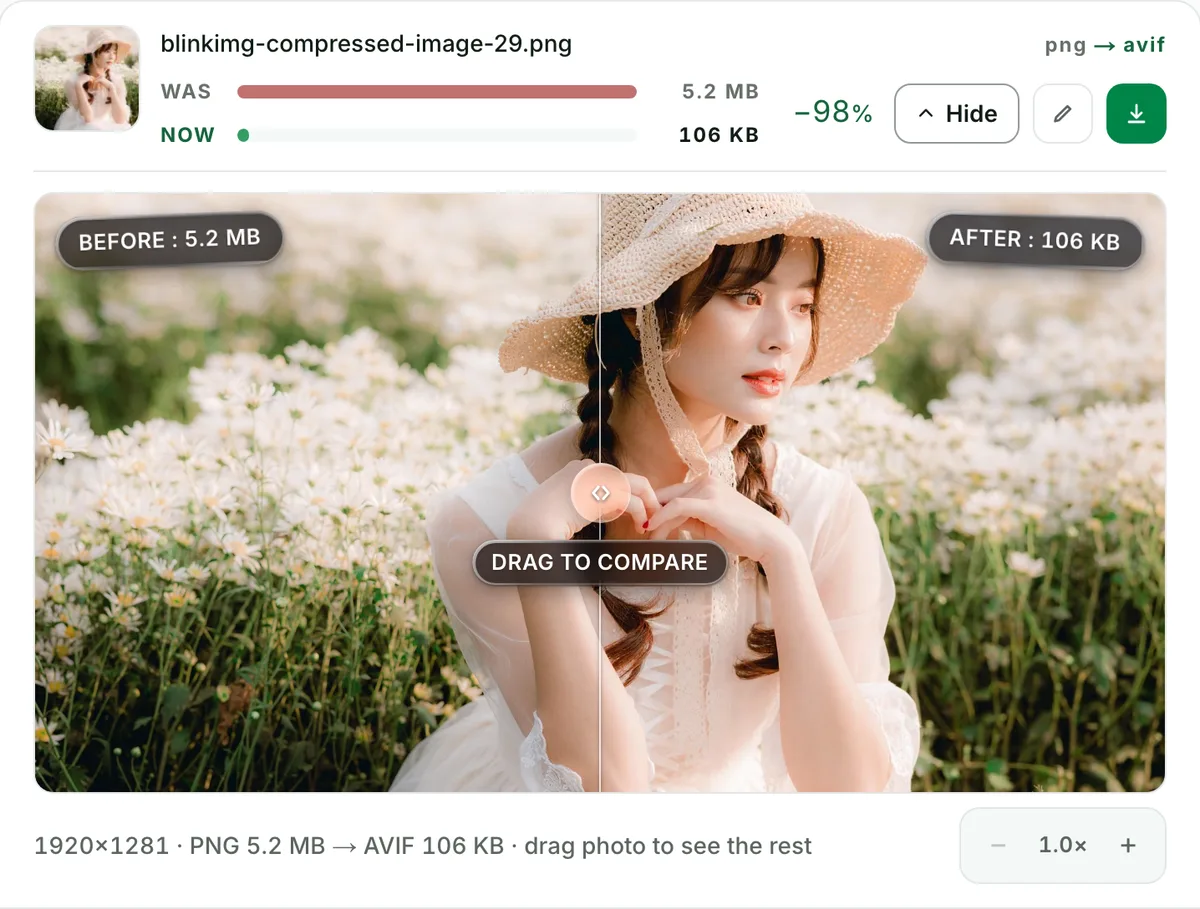
  2. PNG to AVIF converter with no change you can see: the real tool on this page

    Quality

    PNG to AVIF converter with no change you can see

    This photo went from a 5.2 MB PNG to a 106 KB AVIF. Check any file at full size before you keep it.

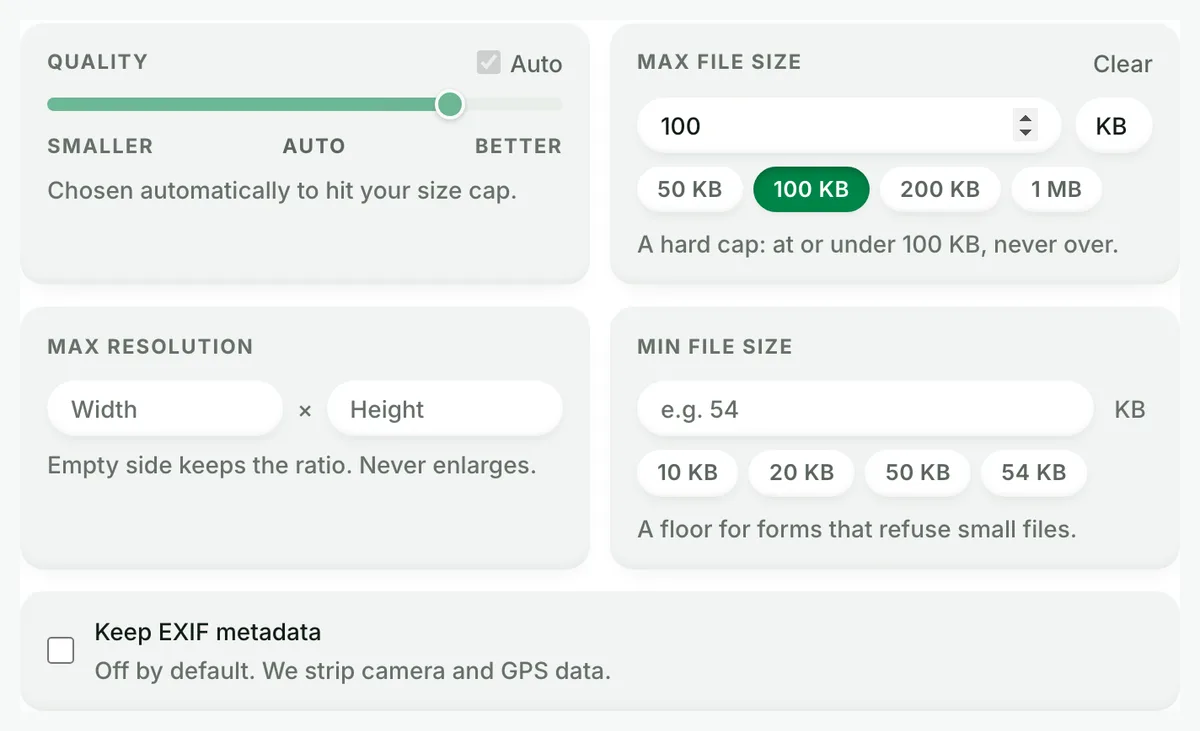
  3. Convert PNG to AVIF under 100 KB: the real tool on this page

    Exact size

    Convert PNG to AVIF under 100 KB

    Set a maximum size and the converter finds the best quality that fits. A hard cap: at or under it, never over.

    Compress image to 100 KB

What PNG to AVIF actually saves, measured

PNG is lossless. It faithfully stores every pixel, which is why photographic PNGs are enormous. AVIF stores what your eye actually uses. Two very different source files, same conversion:

SourcePNGAVIFWebPAVIF saves
Photograph4096.3 KB123.9 KB218.9 KB−97%
Flat-colour graphic7.4 KB0.8 KB1.3 KB−89%

Auto quality. Our reference photo, saved as PNG, is the dramatic case; flat art starts small and still drops 89%.

Every byte count is the size of the actual file our engine produced from the named source, the same bytes you would download, not an estimate. The reference photo is one of our own photographs, an iguana on a branch, and the camera photo is a real one too. Drop your own file into the tool above to rerun any of them. How we measure names the sources and the settings.

Can I actually use AVIF yet?

AVIF support in 2026. In the browser, about 95% of page views: Chrome 85+ (2020), Firefox 93+ (2021), Safari 16.1+ (2022), Edge 121+ (2024). Outside it, app by app: Windows 11 Photos with the free AV1 extension, macOS Preview from Ventura, GIMP natively, Photoshop from version 26.8.

Yes. Here is the support table the "works in all browsers" claims never come with: Chrome 85+ (2020), Firefox 93+ (2021), Safari 16.1+ (2022), Edge 121+ (2024). That covers about 95% of global page views. Outside browsers: Windows 11 Photos opens AVIF with the free AV1 extension, macOS Preview from Ventura, GIMP natively, Photoshop from version 26.8. For the last few percent, serve a fallback:

<picture>
  <source srcset="logo.avif" type="image/avif" />
  <source srcset="logo.webp" type="image/webp" />
  <img src="logo.png" alt="…" />
</picture>

Browsers take the first source they support. Nobody ever sees a broken image, and 95% of visitors get the smallest file.

Does transparency survive? (Yes, including soft edges)

A transparent PNG logo converted to AVIF with the checkerboard showing through both: the alpha channel survives, logos and cutouts, semi-transparent pixels, drop shadows, glows and anti-aliased edges included.

AVIF carries a full alpha channel, so this is the conversion that finally lets transparent assets shrink. Logos, product cutouts, UI elements and stickers keep their transparency at a fraction of PNG's size. Semi-transparent pixels survive too: drop shadows, glows, anti-aliased edges. That is exactly where naive converters band or fringe. Check any edge in the compare slider against the checkerboard.

Lossless PNG to lossy AVIF: what am I giving up?

Our 4096.3 KB reference photo PNG kept as the master and shipped as a 123.9 KB AVIF: bit-exact pixels are given up, the look at normal viewing is kept, and the AVIF can be made again from the PNG at any quality.

Bit-exactness, not appearance. The conversion is perceptually tuned: at Auto quality the AVIF is built to be indistinguishable at normal viewing, and the savings above are the reward. The honest workflow: keep the PNG as your master, ship the AVIF. You can regenerate the AVIF anytime, at any quality, from the untouched source. For screenshots where individual pixels are data (thin 1px lines, small text), inspect at 100% before committing, or leave those specific files as PNG.

Migrating a whole site's PNGs

Migrating a site's PNGs in three steps: drop 10 at a time, heroes and photos first (−97% on ours); download one ZIP with the filenames kept; upload to the CMS, WordPress 6.5 or later, or Shopify's CDN.

Drop 10 at a time, download one ZIP, upload to your CMS. The ZIP preserves filenames, so references keep matching. WordPress accepts AVIF uploads natively since 6.5. Shopify serves AVIF through its CDN. Hero images and photography give the headline wins (ours: −97%). Icons and flat art shrink 89% from an already-small base. Compressing rather than converting? Compress PNG keeps the format, and PNG to WebP is the middle rung of the fallback chain.

When to keep PNG

  • Archival masters and design sources?

    Keep PNG (or the original design file). Lossless is the point of a master; AVIF is the shipping format.

  • Pixel-perfect UI screenshots for documentation?

    If 1px lines and small text must be bit-exact, PNG is still the honest choice. Or verify AVIF at high quality in the slider first.

  • Uploading where AVIF is rejected?

    Some marketplaces and older CMSs still want PNG or JPG. Convert per destination; keep the source.

Questions, answered

Short answers specific to this page. The tool above settles most of them in a second.

How much smaller is AVIF than PNG?

Dramatically smaller for photos, and still a big drop for graphics. Our reference photo, saved as PNG, went from 4096.3 KB to 123.9 KB as AVIF (−97%). A flat-colour graphic went from 7.4 KB to 0.8 KB. PNG stores pixels losslessly. AVIF stores what your eye actually uses.

Can I actually use AVIF in 2026?

Yes. Roughly 95% of global browsers render it: Chrome 85+, Firefox 93+, Safari 16.1+, Edge 121+. The stragglers are pre-2021 browsers and some embedded webviews. For those, serve AVIF inside a picture element with a WebP or PNG fallback. Nobody sees a broken image.

Does AVIF support transparency like PNG?

Fully. AVIF carries an alpha channel, so logos, cutouts and UI assets keep their transparent backgrounds through the conversion. That is the decisive difference from JPG, which flattens transparency onto a solid colour. Semi-transparent edges and soft shadows survive too.

Is PNG to AVIF lossless?

By default, no. The huge savings come from perceptually-lossy AV1 encoding tuned to look identical at normal viewing. The pixels are no longer bit-exact. That matters for archival masters, not for display. Keep the PNG as your source of truth and ship the AVIF.

Does converting lose visible quality?

Not visibly at our Auto setting. Never take that on faith, though. Every conversion here ends with a before/after compare slider at 100% zoom, with the measured sizes pinned to each side. Fine text and hard edges are where compression shows first. Check those.

Should I convert my PNGs to AVIF or WebP?

AVIF, measured on the same files. Our reference photo PNG became 123.9 KB as AVIF vs 218.9 KB as WebP. The flat graphic came out 0.8 KB vs 1.3 KB. WebP wins only when a platform rejects AVIF uploads. WordPress and Shopify both accept AVIF.

How do I batch convert PNG files to AVIF?

Drop up to 10 PNGs into the tool: one run, one ZIP, filenames preserved, no signup. Mixed batches work too. PNGs, JPGs and HEICs can convert to AVIF together. Per-file measured savings appear in each row, so you can see exactly what the migration bought you.

How do I open an AVIF file after converting?

Every modern browser opens AVIF, and so do Windows 11 Photos (with the free AV1 extension), macOS Preview on Ventura and later, GIMP, and Photoshop from version 26.8. If a client or an older app rejects the file, keep serving them the PNG. Converting burns no bridges.

Will my screenshots with text stay sharp?

Usually, yes. Text is the hardest content for any lossy codec, and AVIF handles it far better than JPG. For pixel-perfect UI screenshots, pick lossless-leaning quality (80+) and inspect the compare slider at 100%. Or keep PNG for the handful of images where every pixel is data.

Why is AVIF encoding slower than WebP or JPG?

AV1 spends more compute searching for savings. That trade is what produces the smallest files on the web. Expect a couple of seconds per image, paid once. The bandwidth savings repeat on every page load. Batches encode in parallel server-side, so 10 files stay quick.

What happens to my files after converting?

We keep nothing. We process your files, wipe them automatically, and never archive them or use them for anything else. We strip metadata from outputs by default, and there is no account, so no profile collects your files. The free allowance is 300 images a day, counted live beside the tool.

Still have a question?

Ask us. A person reads it.

Contact us

Page updated

Related conversions

Every route in and out runs on the same engine and the same rules. Each card is its own page.

What people say

Every rating counts in the average, low ones too. We remove only spam, abuse and fakes.

Average rating

5.0

15 ratings, 6 written

  • 515
  • 40
  • 30
  • 20
  • 10

How did it go?

One tap. No account needed.

Filter:

Written reviews

    Ready when your file is

    Drop it in above. The meter reports the exact saving before you download anything.

    Get Pro