US passport photo requirements: size, smile, clothes
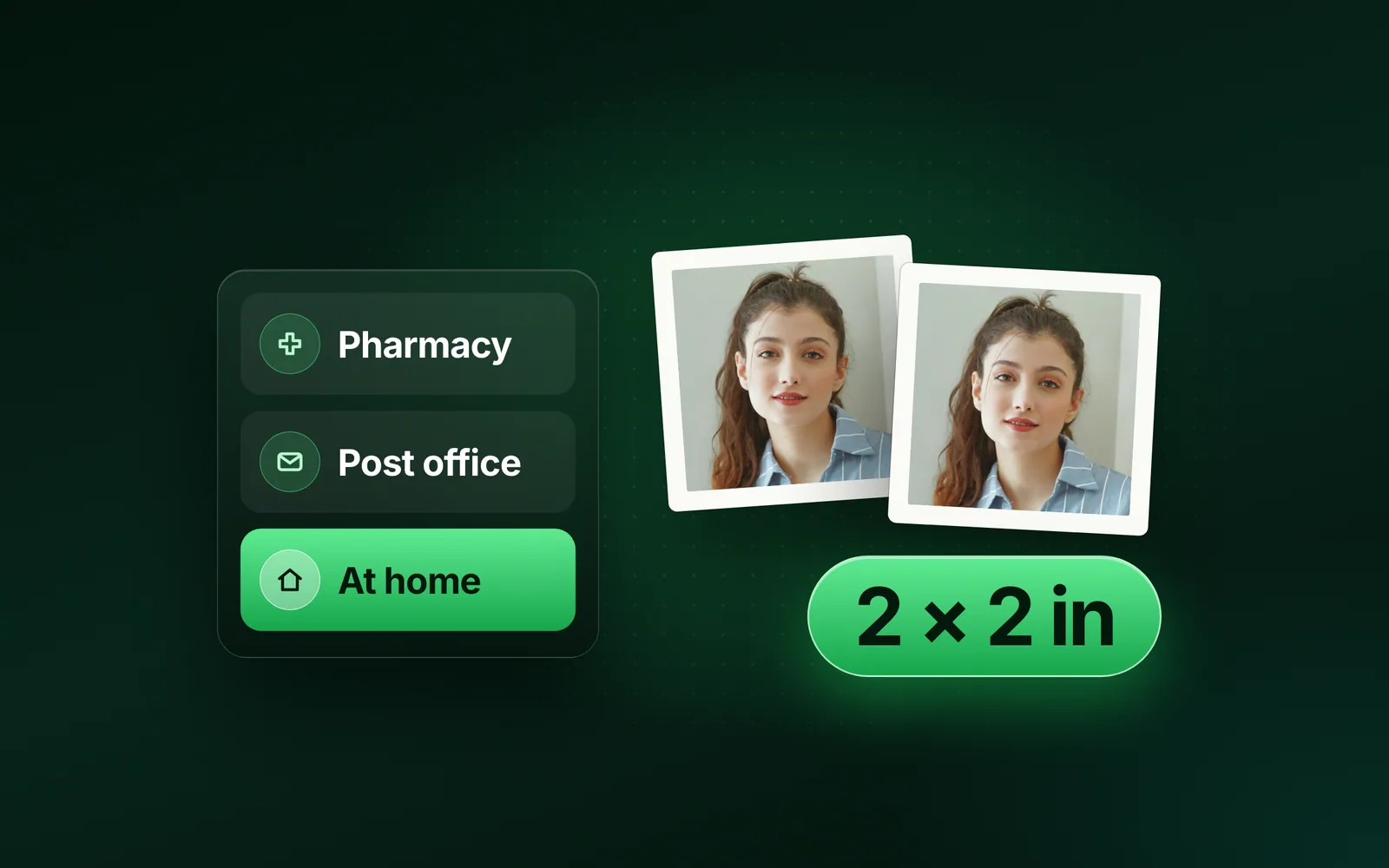
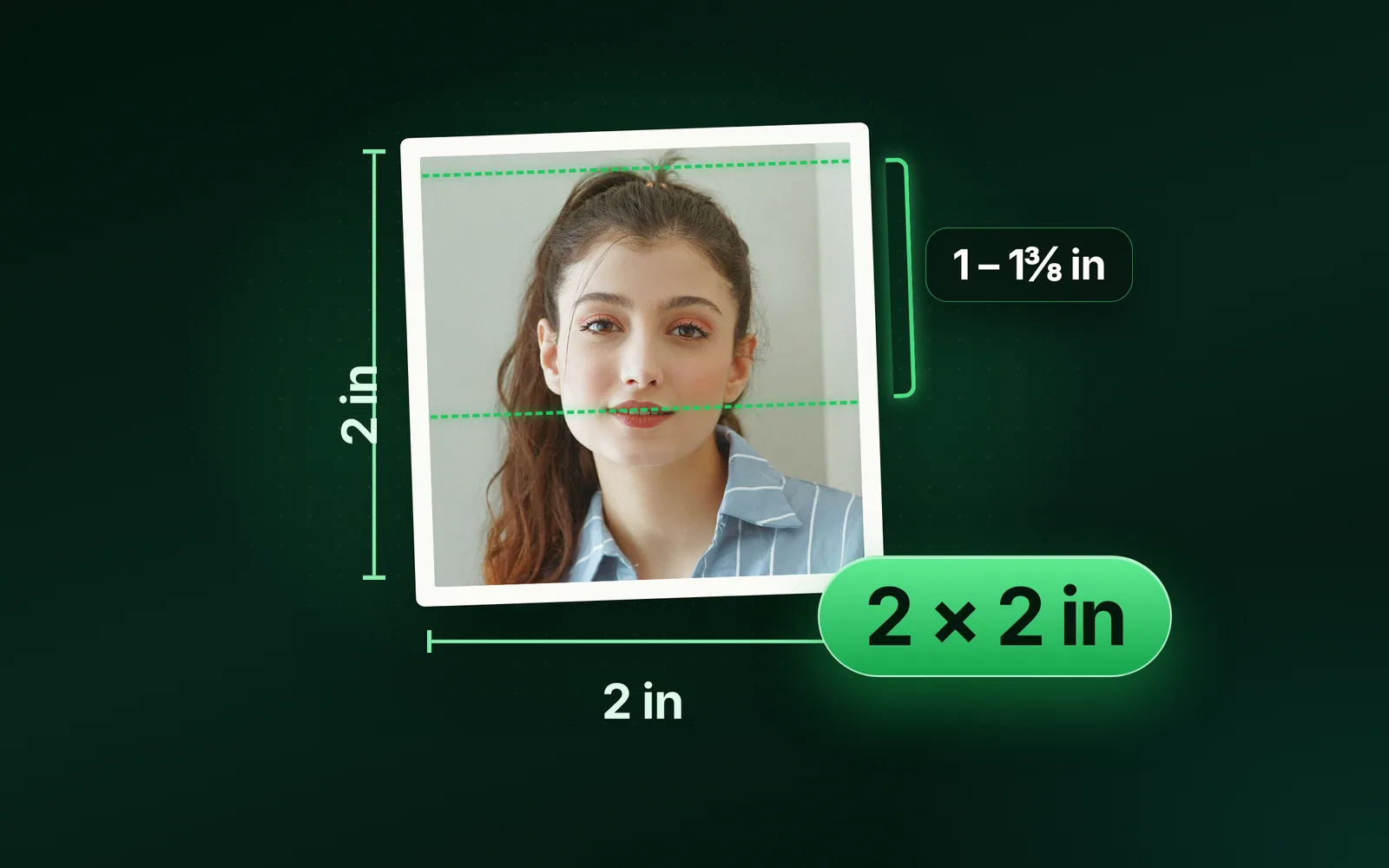
The US passport photo requirements start with one colour photo, 2 × 2 inches, taken in the last 6 months. Your head fills 1 to 1 3/8 inches of it, against plain white or off-white, with no glasses. You can smile with your mouth closed and wear everyday clothes, but not a uniform, camouflage or a hat. Here is every rule from the State Department’s own pages, plus what its staff manual and the online upload add. Part of the passport size photo.
By Sahadat HusainUpdated 19 min readSizes

What are the US passport photo requirements?
One colour photo taken in the last 6 months, 2 × 2 inches, with the head 1 to 1 3/8 inches from chin to crown, on a plain white or off-white background. Face the camera with both eyes open and your mouth closed, remove anything covering your face, and submit the original photo with no filters or edits. The law behind it is one sentence: 22 CFR 51.26 asks for photographs that “are a good likeness of and satisfactorily identify the applicant.”
| Rule | What the State Department says | Applies to |
|---|---|---|
| Colour and age | Submit 1 color photo taken in the last 6 months | Both routes |
| Size | 2 x 2 inches (51 x 51 mm), printed | Paper forms |
| Head | 1 to 1 3/8 inches (25 to 35 mm), chin to top of head | Paper forms |
| Face | Neutral expression, both eyes open, mouth closed | Both routes |
| Coverings | Nothing over the face, unless religious or medical | Both routes |
| Background | Plain white or off-white, no shadows, textures or objects | Both routes |
| Edits | The original, unedited photo, no filters or digital changes | Both routes |
| File | JPG, JPEG, PNG, HEIC or HEIF, 54 KB to 10 MB | Online renewal |
What size is a US passport photo, and where is the head measured?
2 × 2 inches, or 51 × 51 mm. The head measures 1 to 1 3/8 inches, 25 to 35 mm, from the bottom of the chin to the top of the head: half to just over two thirds of the frame’s height. The staff manual spells out what the public page leaves out. The top of the head means the head, “not the hairline or the applicant’s hair”, and the chin does not include facial hair. Your hair may run past the edges of the photo as long as your whole head shows.
The upper limit has a reason. The manual warns that a larger face “may make it impossible to crop the photograph to the correct size (45 mm. x 35 mm. as per ICAO specifications) for placement in the passport”, and may cause fish-eye distortion. So inside the book, your photo is cut to 45 × 35 mm, the same frame as a 35 × 45 mm photo. The Next-Generation Passport then prints it in black and white.
In pixels, 2 inches at 300 DPI is 600: the State Department’s own photo tool crops to exactly 600 × 600 and stamps the file at 300 DPI, so it prints at 2 × 2 inches.
Can you smile in a passport photo?
Yes, a natural smile with your mouth closed and both eyes open. The State Department’s photo page says so directly: “You can smile in your photo. Just make sure your eyes are open and your mouth is closed.” The online renewal page adds “Avoid showing teeth.” The staff manual allows “normal, unexaggerated smiles” and refuses unusual expressions and squinting. A child’s expression must be neutral, so the smile is for adults.
Some photo counters still say otherwise. CVS’s passport page reads “You can’t smile in Passport photos”; the State Department, which decides, says you can. The care over faces has a cause: when the Department banned glasses in 2016, it said the aim was to improve its facial recognition.
What to wear for a passport photo
Everyday clothes. No uniform, nothing that looks like one and no camouflage. No hat unless you wear it every day for religion or health. Glasses, headphones and face masks come off. Jewelry and piercings can stay if your face shows.
Glasses
Off. The State Department has refused photos with eyeglasses since November 1, 2016. Sunglasses, tinted glasses and glasses resting on your head fail too. The one exception is medical: include a signed note from your doctor. Clear contact lenses are fine, and tinted ones pass if they do not make the iris look larger or smaller. The US Embassy in France still carries an undated notice, read on 4 October 2026: in one year, more than 200,000 passport customers sent photos that could not be accepted, with eyeglasses the main reason.
Hats and head coverings
Only for religious or medical reasons, with a signed statement: that it is religious attire worn daily in public, or a doctor’s statement for medical use. The covering must leave your full face visible with no shadows, be one colour, and have no pattern or small holes. Hair clips, bobby pins and thin headbands that lie flat are fine. Wide headbands, scarves and bows are not.
Uniforms and camouflage
Not allowed. The manual gives the reason: to protect you from people “who may target U.S. citizens because of a real or perceived connection to U.S. or other military or law enforcement agencies.” It allows exceptions for children 15 and under.
Jewelry, makeup, hair and ears
Jewelry and facial piercings stay as long as they do not hide your face. No rule we read restricts everyday makeup; the manual refuses one-time face decorations, such as a team logo painted on for a game, and says tattoos need no cover. Hair must not cover your eyes. Your ears do not have to show. Take off headphones, and on the online renewal page’s advice, any ID badge or lanyard.
Shirt colour
No rule names a colour. This is advice, not a rule: the background must be white or off-white, so a white shirt can blend into it and lose the line of your shoulders. A mid or dark colour keeps your outline clear.
Background, lighting and shadows
The background must be white or off-white, “free of shadows, and plain without texture, objects, or lines.” The State Department’s tip for a coloured wall: “Use a white blanket or sheet to cover a non-white wall.” Stand several feet in front of it, as the upload page asks.
Light your face evenly. Overhead lights and lamps far to the side cast shadows, and the upload page suggests “a well-lit area with natural lighting”. Turn the flash off or down to avoid red eye; the Department refuses red eye painted over with an editing tool. If the photo comes out blue, change the camera’s white balance.
Do not fix a background with software. One of the Department’s refused examples is a background “cropped using a photo retouching tool, changing the outline of your head, face, and neck.” Retake the photo instead. In a wheelchair, part of the head support may show; include a note explaining why the background is not all white.
Passport photo examples: what passes and what fails
The State Department’s photo page marks its own example photos acceptable or not. A photo passes when it is centred, sharp, evenly lit and unedited, with the head the right size. These fail:
- Too close to the camera or too far away, so the head is outside the size band.
- Blurry, grainy or pixelated, or printed with visible printer dots.
- A background cut out with a retouching tool, or a face stretched to fit the frame.
- Red eye, or red eye painted over; a colour cast from a filter or the white balance.
- A copy made with an AI tool, even one that looks right. The Department says it checks every photo for that.
- Glasses on the face or resting on the head, a hat, or hair over an eye.
- An open mouth, a tilted head or closed eyes, except a baby’s.
- A blue, brick or window background.
One tip on that page confuses people: “Do not stretch or compress your image to resize it.” Compress means squeeze the shape there, not shrink the file. A crop that keeps the proportions, like the one the Department’s own tool makes, does neither.
Infant and baby passport photo rules
The baby must be alone in the photo, facing the camera, with a neutral expression and the full face visible, on a plain white or off-white background. Two things are easier than for adults. “It is okay if a baby’s eyes are not entirely open”, and the staff manual says “Head tilt is acceptable for infants”. A pacifier, a hand over the face or a parent in the picture fails.
Lay the baby on a white sheet
The State Department suggests a plain white or off-white sheet under the child. Our tip: shoot from directly above, with the phone parallel to the sheet.
Or cover a car seat with the sheet
Place the baby in the covered seat and shoot from the front, at the height of the face. The manual allows the head to be discreetly supported this way.
Keep the camera steady
For a baby who will not keep still, the Department’s tip is a shorter exposure time, a tripod, or the camera on a steady surface.
The Department names no age at which the eyes must open. It says a baby’s may be closed, and that “all other children must have their eyes open.”
Can you take your own passport photo at home?
Yes. The State Department lists “a friend or family member” as a source of passport photos, beside acceptance facilities and photo shops, and the online renewal takes a photo file you upload yourself. What a selfie gets wrong is the distance: the camera “should be several feet (1.2 m) away from you”, about 4 feet, and an arm’s length is closer than that. The renewal page said “No selfies” outright until its October 2025 rewrite.
How to take a passport photo at home, step by step
Set up a plain white wall
Cover a coloured wall with a white sheet, and stand several feet in front of it.
Put the camera about 1.2 m away, at eye level
On a shelf or a tripod, with a timer or a helper to press the shutter.
Light your face evenly
Daylight from a window in front of you works; no overhead light and no flash.
Take several shots
Glasses off, both eyes open, a neutral face or a closed-mouth smile.
Keep the original file
Upload it as it is for the online renewal. For a paper form, crop and print it.
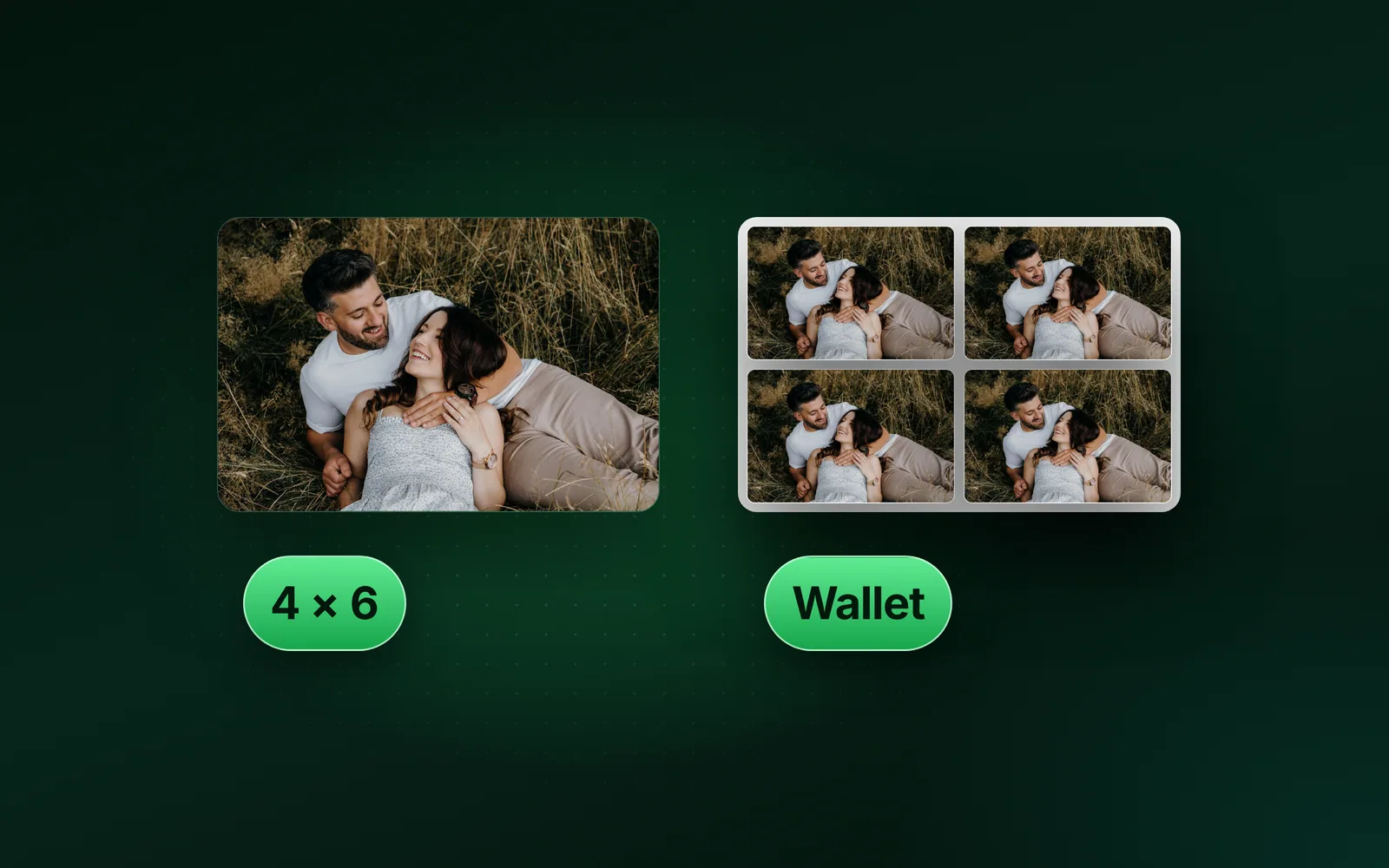
For a paper form, crop to 2 × 2 inches and print on matte or glossy photo paper, with no visible printer dots; a photocopy or a scan of a print fails. A 2x2 passport photo is 600 × 600 pixels at 300 DPI, which prints at exactly 2 inches. Do not sign it: the manual notes that signing “often causes creases or smudges”. A counter is the fallback, and the Post Office lists a $15.00 photo fee.
How to take a passport photo with an iPhone
Prop the iPhone at eye level about 1.2 m away, facing a plain white wall in even daylight. Use Photo mode with no filter, set the timer, leave room around your head, and upload the original file. The State Department also asks you to “set your camera to the highest quality setting” first.
Prop the phone at eye level
About 1.2 m from where you will stand, on a shelf or a tripod.
Choose Photo mode with the filter on Original
Apple’s guide turns a filter off by selecting Original. The State Department refuses beauty filters.
Set the timer
Tap Timer, then 3, 5 or 10 seconds, press the shutter and step into the frame.
Leave room around your head
The upload page says you can crop the photo when you upload it, so do not frame it tight.
Move the original, never a text
The State Department warns that sending the image by text message makes its quality worse. Use AirDrop or a cable.
The online renewal takes HEIC today, the format an iPhone saves on High Efficiency. The list has moved, though: the December 2025 page named HEIF but not HEIC, and March 2026 named HEIC again, so check the page on the day. For a print shop or an app that wants JPEG, convert a copy with HEIC to JPG, or set Settings, Camera, Formats to Most Compatible before you shoot.
Online renewal photo requirements: file type, 54 KB to 10 MB, no pixel size
A colour photo from the last 6 months, as a JPG, JPEG, PNG, HEIC or HEIF file between 54 KB and 10 MB, framed down to the shoulders, with no filters. The upload page has stated no pixel size since October 2025: you crop inside the application, and an employee reviews the photo after you apply.
Many guides print a different rule: 600 × 600 to 1200 × 1200 pixels, JPEG only, 240 kB at most. That is the visa photo for the DS-160, not the passport renewal. If a visa is what you need, a 600 × 600 passport photo is the square that form names.
How the upload rules changed
| Page version | The file rules it stated |
|---|---|
| December 2022, August 2023 | A compression ratio of 20:1 or less |
| June 2024 | JPEG only, at least 600 × 600, 54 KB to 10 MB, "No selfies" |
| October 2025 | JPG, JPEG, HEIC or HEIF, 54 KB to 10 MB, no pixel size |
| December 2025 | JPG, JPEG or HEIF |
| March 2026 | JPG, PNG, HEIC or HEIF |
| May 2026, current | JPG, JPEG, PNG, HEIC or HEIF, 54 KB to 10 MB |
Where the 54 KB floor comes from
The page does not say where 54 KB comes from, but the numbers line up, in our arithmetic. A 600 × 600 colour photo holds 1,080,000 bytes of raw colour, 3 a pixel. At the old 20:1 limit that is 54,000 bytes: 54 KB. The floor stops a photo squeezed too hard.
It catches real files. Our 2 × 2 preset turned a 9.8 MB test photo into a 600 × 600 JPEG of 35.0 KB at Auto: under the floor. The same crop at 1200 × 1200 weighed 103.7 KB, inside the window. And the window is no guarantee on its own: the test photo at Quality 10 weighed 80.8 KB, inside it, yet compressed 513 to 1.
- 600 × 600 crop35.0 KB
- Quality 149.0 KB
- The floor54.0 KB
- Quality 1080.8 KB
- 600 × 600, floor armed59.2 KB
- 1200 × 1200 crop103.7 KB
Our 2 × 2 passport photo page arms that floor. It opens with Min file size at 54 KB, and the engine raises quality until the file reaches it, the smallest setting that does. The same 600 × 600 crop came back at 59.2 KB: over the floor with more detail kept, not with empty bytes added. A photo too small to reach 54 KB at any quality is refused in words, with the fix: a larger size or a larger photo.
So upload the original, as the page asks. Our 9.8 MB test photo is under the 10 MB ceiling as it is, at 4 to 1. Compress only a file over 10 MB, and then keep its pixels. The State Department’s photo tool is not for this route either: “Do not use this tool if you are renewing your passport online.” If a portal still refuses the file, the checks behind a photo not uploading in an online form are the next stop.
Why passport photos get rejected, and what happens next
“Unacceptable photos are the number one reason why we put passport applications on hold,” the State Department says. The upload tool checks the basics as you go; then an employee reviews the photo and, if there is an issue, asks for a new one by letter or email. The staff manual gives you 90 days to act. After that, the application is denied, and neither the execution fee nor the application fee is refunded.
The Department’s photo tool for paper applications even checks the compression. In its code, a photo whose raw colour is 35 or more times its file size is flagged as “overly compressed”: for 600 × 600, any JPEG under about 30.9 KB, in our arithmetic.
If a photo fails, shoot again the same day rather than edit it, since editing is itself a reason to refuse. Then crop the new one to 2 × 2 inches and print it.
The guides
Questions
- Can you smile in a US passport photo?
- Yes, with your mouth closed. The State Department’s photo page says you can smile if your eyes are open and your mouth is closed, and its online renewal page adds "Avoid showing teeth." Exaggerated expressions and squinting fail. A child’s expression must be neutral, so the smile is for adults.
- What should you wear for a US passport photo?
- Everyday clothes. The State Department turns down a uniform, clothing that looks like a uniform, and camouflage. Hats and head coverings come off unless you wear them for religious or medical reasons and include a signed statement. Glasses, headphones and face masks come off too. Jewelry and facial piercings can stay if your face shows.
- Can you wear a white shirt in a passport photo?
- Yes. No State Department rule names a clothing colour; the bans are uniforms, camouflage, hats and glasses. The background must be white or off-white, though, so a white shirt can blend into it and lose the line of your shoulders. A mid or dark colour keeps your outline clear against the wall.
- Can you wear glasses in a passport photo?
- No. The State Department has refused photos with eyeglasses since November 1, 2016. It also turns down sunglasses, tinted glasses and glasses resting on your head. The only exception is medical, with a signed note from your doctor. Clear contact lenses are fine, and tinted ones pass if the iris keeps its real size.
- Can you wear a hat or head covering in a passport photo?
- Only for religious or medical reasons. Include a signed statement that it is religious attire worn daily in public, or a doctor’s statement for medical use. The covering must leave your full face visible with no shadows, be one colour, and have no pattern or small holes. A baseball cap, a wide headband or a bow comes off.
- Can you wear earrings or makeup in a passport photo?
- Yes. The State Department allows jewelry and facial piercings as long as they do not hide your face. No rule we read restricts everyday makeup. Its manual for passport staff refuses one-time face decorations, such as a team logo painted on for a game, and says tattoos need no cover. Filters and retouching are out.
- Do your ears have to show in a passport photo?
- No. The State Department’s manual for passport staff says the ears do not have to be visible. Your hair must not cover your eyes, and it may run past the edges of the photo as long as your whole head shows. The head is measured from the chin to the top of the head, not the top of the hair.
- Can you take your own passport photo at home?
- Yes. The State Department lists a friend or family member as a source of passport photos, and the online renewal takes a photo file you upload yourself. Stand several feet from the camera, about 1.2 m, in front of a plain white wall. An arm’s-length selfie is too close, so use a timer or a helper.
- How do you take a passport photo with an iPhone?
- Prop the iPhone at eye level about 1.2 m away, facing a plain white wall in even daylight. Use Photo mode with the filter set to Original, set the timer to 3, 5 or 10 seconds, and leave room around your head. Upload the original file, because the State Department warns that texting a photo lowers its quality.
- What are the photo requirements for online passport renewal?
- The State Department’s upload page asks for a colour photo from the last 6 months. Save it as JPG, JPEG, PNG, HEIC or HEIF, between 54 KB and 10 MB. Stand several feet from a white wall, frame down to your shoulders, and skip filters. You crop the photo inside the application, and an employee reviews it later.
- What pixel size does the online passport renewal photo need?
- None is stated. The State Department’s upload page names five file types and a 54 KB to 10 MB window. Its old minimum of 600 × 600 pixels went in the October 2025 rewrite. The 600 × 600 to 1200 × 1200 range in many guides is the visa photo’s. Upload the original and crop it in the application.
- What are the rules for a baby passport photo?
- The baby must be alone in the photo, facing the camera, with a neutral expression and the full face showing. A baby’s eyes may be partly or fully closed, and the staff manual allows head tilt for infants. Lay the baby on a plain white sheet or in a car seat under one. Keep pacifiers and hands off the face.
- Do passport photos have to be glossy or matte?
- Either works. The State Department asks for a photo printed on matte or glossy photo-quality paper, with no visible printer dots. A photocopy, a scanned print or a photo with holes, creases or smudges fails. Print it at 2 × 2 inches. You do not need to sign it; the manual notes that signing often creases or smudges a photo.
- What happens if your passport photo is rejected?
- Your application waits. The State Department calls unacceptable photos its number one reason for putting applications on hold. It sends a letter or email asking for a new photo, and its manual gives you 90 days to respond. After that, the application is denied, and neither the application fee nor the execution fee is refunded.