How to tell if an image is AI-generated, tested on 8 AI images
Content Credentials, metadata, watermarks and your own eyes each catch some AI images and miss others. Here is what each one found on 8 real AI images. Part of the AI image metadata remover.
By Sahadat Husain15 min readGuides

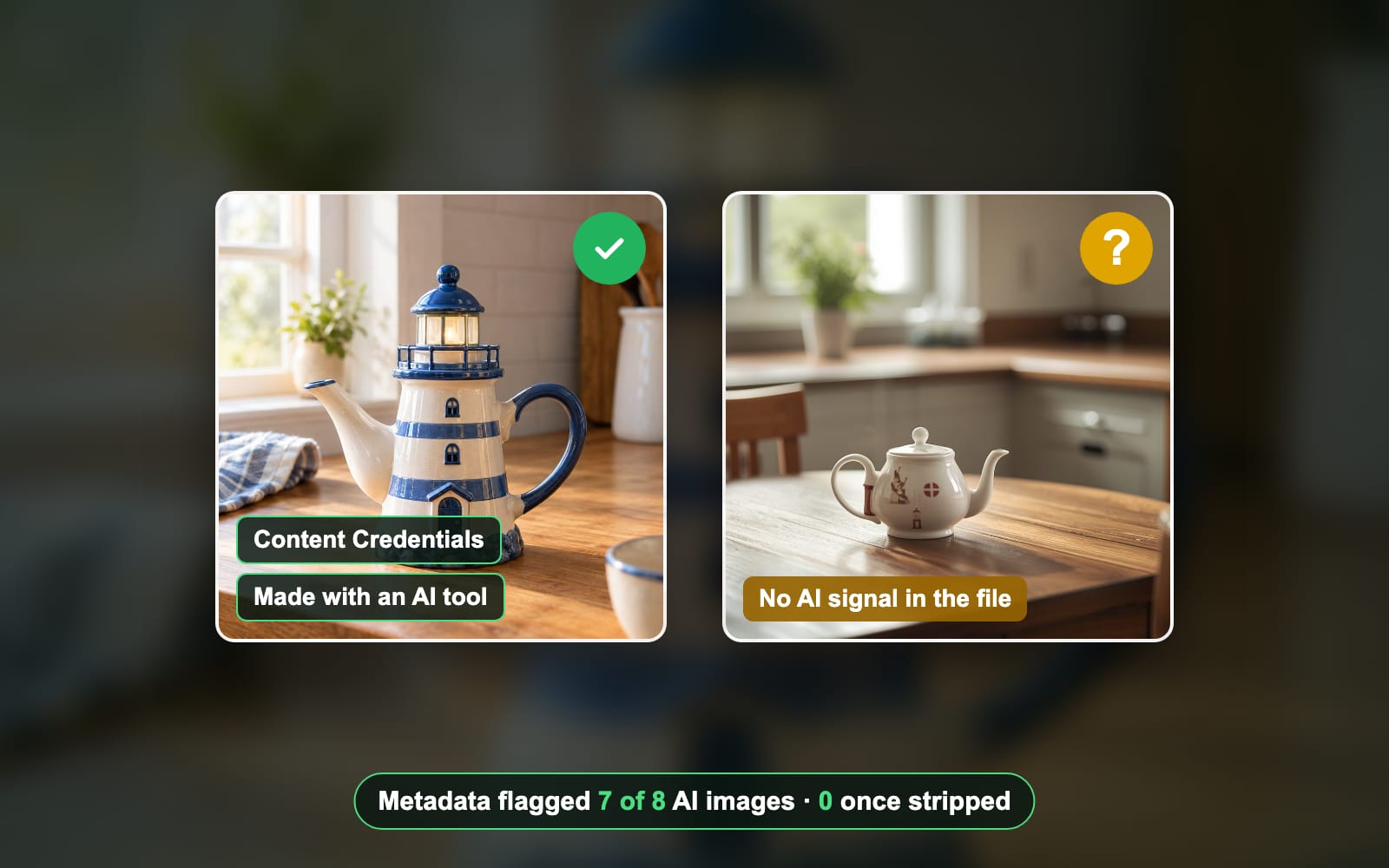
To tell if an image is AI-generated, check its provenance first and its looks last. Upload it to Content Credentials Verify, read its metadata, and ask the maker’s own watermark checker. Then run a reverse image search. We ran 8 real AI images through these checks. Metadata flagged 7 of them. Once we stripped the metadata, it flagged none.
What should you check first? A 6-step quick check
Start with the checks that can give a firm yes, and keep the guesswork for last. Here is our quick check, from the strongest signal to the weakest:
- Content Credentials. A signed C2PA record names the tool that made the picture.
- The metadata. A made-by-AI tag, a generator name or a saved prompt in the file.
- A watermark check. Google’s SynthID, read by the Gemini app, for images made with Google AI.
- Where it came from. A reverse image search finds the first post and the context.
- An AI detector. Hive or Illuminarty scores the pixels. A second opinion, never proof.
- How it looks. Hands, text, reflections and lighting. Useful, but easy to get wrong.
Always check the original file when you can get it. A screenshot or a re-upload to a chat app usually drops the metadata, so the first three checks have less to read.
How to check Content Credentials (C2PA)
Content Credentials are a signed record inside the file, built on the C2PA standard. The free Content Credentials Verify page from the Content Authenticity Initiative reads them. It read 4 of our 8 AI images: ChatGPT, Gemini, Google AI Studio and Ideogram.
Open Content Credentials Verify
Go to contentcredentials.org/verify. You need no account. The page takes JPEG, PNG, WebP, AVIF, HEIC and more.
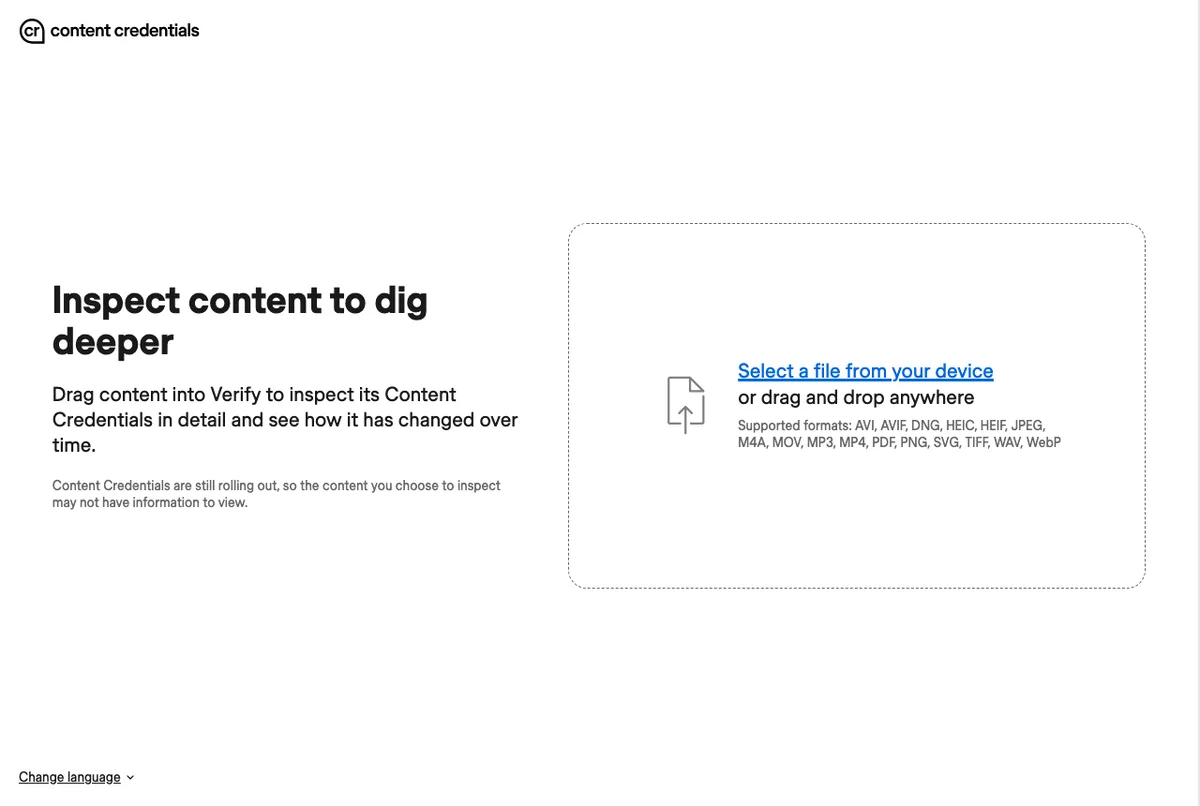
The start page, before a file is dropped. Drop the image and read the summary
Drop the file on the page. Our ChatGPT image showed “This image was generated with an AI tool”, issued by OpenAI, with the actions Created and Format converted.
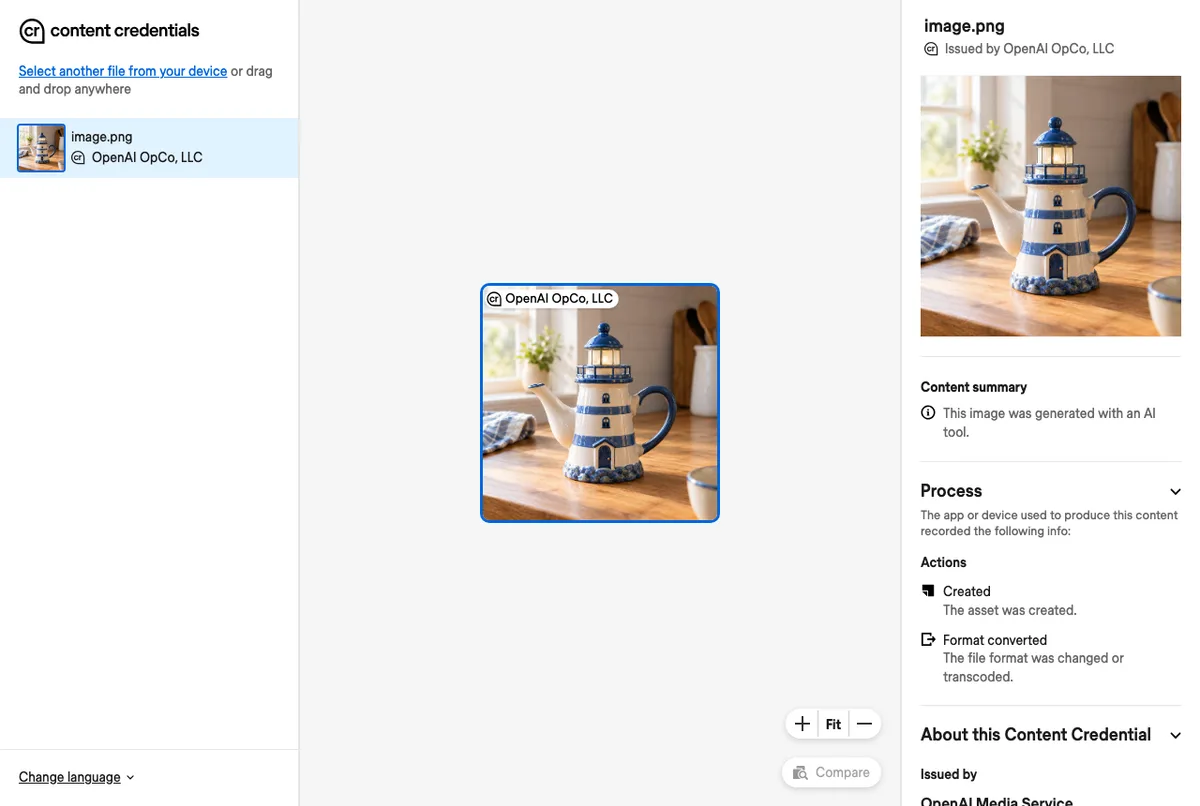
Our ChatGPT PNG: the summary names an AI tool and OpenAI as the issuer. Check who issued the credential
Read the Issued by line before you trust the summary. Our Ideogram file said it was made with an AI tool, but Verify flagged its issuer as Unrecognized. A credential is only as good as the signer behind it.
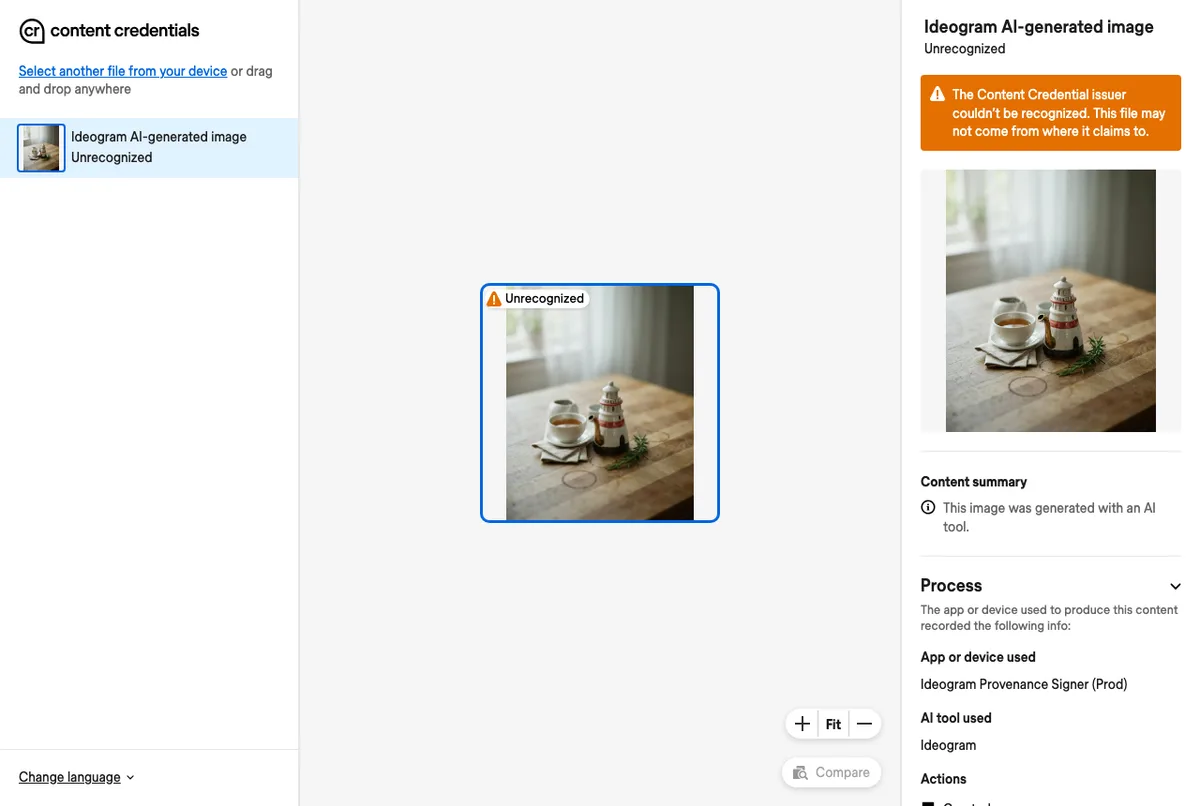
Our Ideogram JPG: an AI summary, with an Unrecognized issuer warning.
The other 4 files showed nothing in Verify. ComfyUI and both Meta files do carry AI fields, just not C2PA, and Verify reads only C2PA. Leonardo carried nothing at all.
How to check an image’s metadata for AI
Read the file with ExifTool, a free metadata reader, and look for three things. The IPTC field DigitalSourceType set to trainedAlgorithmicMedia, which the IPTC vocabulary defines as AI-made media. A C2PA record with a tool name. Or a saved prompt in a PNG. Here is what our 8 files carried:
| Made with | AI signals in the metadata | Content Credentials Verify |
|---|---|---|
| ChatGPT | C2PA (ChatGPT), made-by-AI tag | AI tool, issued by OpenAI |
| Gemini | C2PA (Google C2PA Core Generator Library), made-by-AI tag | AI tool, issued by Google |
| Google AI Studio | C2PA (Google C2PA Core Generator Library), made-by-AI tag | AI tool, issued by Google |
| Ideogram | C2PA (Ideogram), made-by-AI tag | AI tool, issuer Unrecognized |
| ComfyUI | saved prompt | Nothing shown |
| Meta AI | made-by-AI tag, Facebook ID | Nothing shown |
| Meta Muse | made-by-AI tag, publisher Meta | Nothing shown |
| Leonardo | None | Nothing shown |
AI images flagged, of 8
- Metadata check7 of 8
- Content Credentials Verify4 of 8
- Metadata, after stripping0 of 8
Here is the real run on two of our files. The ChatGPT image names its maker; the Leonardo image prints nothing:
% exiftool -ActionsSoftwareAgentName -Claim_Generator_InfoName -ActionsDigitalSourceType chatgpt.png
Actions Software Agent Name     : ChatGPT
Claim Generator Info Name       : OpenAI Media Service API
Actions Digital Source Type     : http://cv.iptc.org/newscodes/digitalsourcetype/trainedAlgorithmicMedia
% exiftool -ActionsSoftwareAgentName -Claim_Generator_InfoName -DigitalSourceType leonardo.jpg
%A real camera photo looks different. Our iPhone photo carried 150 tags, among them the make and model (Apple iPhone 12 Pro) and the lens, and no AI signal. Camera fields can be faked or removed too, so treat them as a hint, not proof. To see what else a photo carries, read how to remove EXIF data.
How to check for an invisible AI watermark
Ask the Gemini app. Google’s help page says to sign in at gemini.google.com and click Add files. Upload the image and ask “Is this AI-generated?”. Gemini looks for SynthID, the watermark Google puts in the pixels. The check works one file at a time, up to 100 MB, and about 10 images a day.
Read the answer carefully. Google says a detected watermark means Google AI made or edited the file, in whole or in part. “No watermark detected” only rules out Google AI; another tool may have made it. Google’s SynthID page says the mark is designed to survive cropping, filters and lossy compression.
Our files back that up. 3 of the 4 C2PA manifests declare a watermark: both Google files name SynthID, and the ChatGPT one records a watermark action. OpenAI’s help page says ChatGPT images carry SynthID too. So a ChatGPT or Gemini image can keep its watermark after its metadata is gone.
How to spot AI images by eye
Look at the parts generators still get wrong, and use what you find only as a hint. People are not good at this.
What generators still get wrong
- Text. Signs, labels and logos with letters that do not form words.
- Hands and small details. Extra or merged fingers, earrings that do not match, teeth that blur together.
- Physics. Reflections and shadows that point the wrong way, or a pattern that melts into the background.
- Objects that cannot work. A teapot with no handle, a door that leads nowhere.
- Too clean. Skin with no pores, perfect light everywhere, no noise in a dark corner.
What our 8 teapots showed up close
We zoomed into all 8 of our own AI images. 3 had a tell we could point at. The ComfyUI teapot has no handle and a lit candle inside. The Ideogram teapot has no handle either. The Leonardo pot is not a lighthouse at all, and its painted figure is garbled.

The other 5 looked clean to us, even zoomed in. ChatGPT, Gemini, Google AI Studio, Meta AI and Muse drew believable handles, windows and stripes. None of our images has hands or text, so those tells had nothing to show.
How well do people spot AI images?
Not much better than a coin toss. Microsoft’s AI for Good Lab studied its Real or Not quiz: about 287,000 image ratings by over 12,500 people. The study reports an overall success rate of 62%. People did best on portraits and worst on landscapes.
Use a reverse image search to find the source
Search for the image itself to find where it first appeared. A real news photo usually shows up on several sites, with a photographer’s name and a date. An AI image often traces back to one account, a prompt-sharing site or a post that already says it was AI-made.
TinEye
TinEye needs no account. Upload the image and it lists every page where it found a copy. We searched our ChatGPT teapot. TinEye found 0 matches after searching over 86.4 billion images. That is the honest answer for a new image: no history yet, which proves nothing either way.
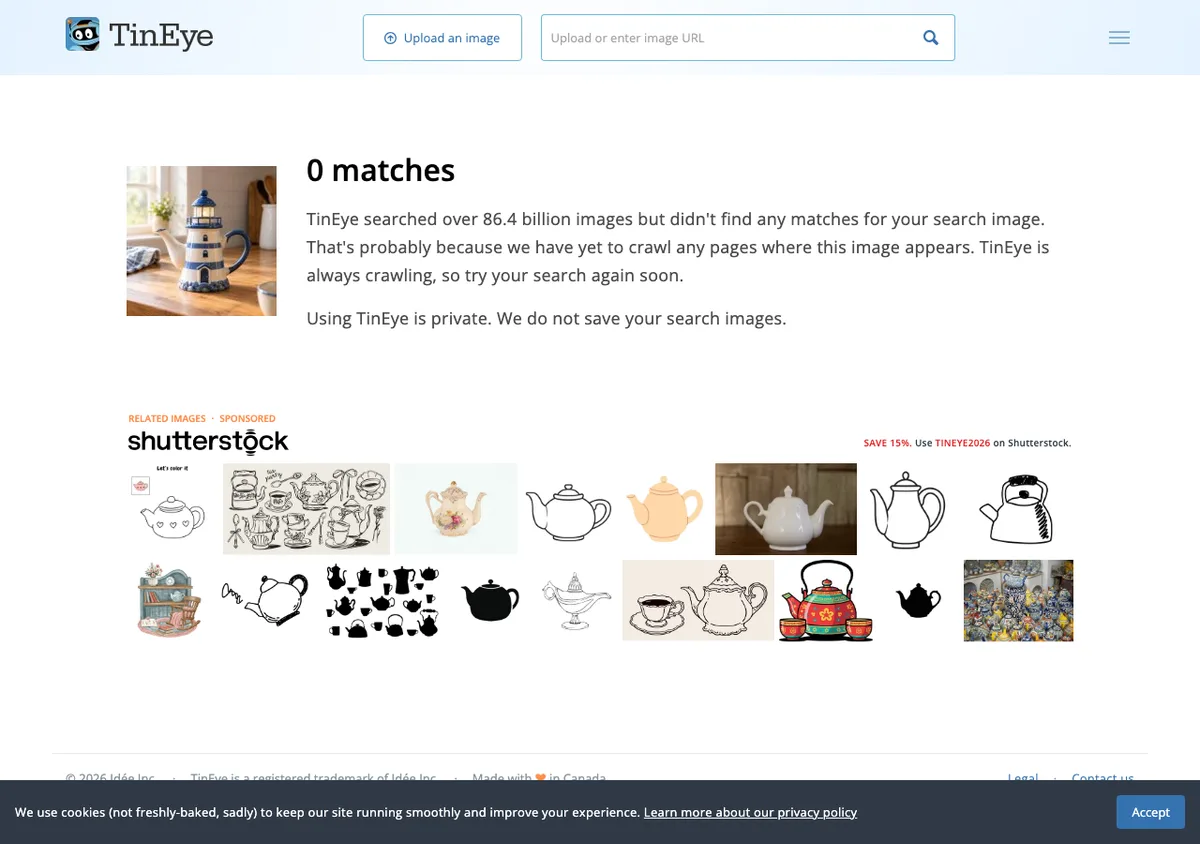
Google Lens and About this image
Google Lens searches by image too. Google’s help page says its About this image panel shows when Google may first have seen the image. It can also say whether the image was made or edited with AI. The feature is only in some regions. We could not test Lens here: the upload ran into a robot check.
Read around the image
Who posted it first, and when? Does the place, the weather and the event match the day? This is how fact-checkers work, and it still works when the file has been stripped and re-shared.
Are AI image detectors reliable?
Treat any AI image detector as a second opinion, not a verdict. A detector guesses from the pixels and gives a score. We ran our 8 AI images and 1 real photo through the 2 free detectors that need no account. They disagreed badly.
| File | Hive: likely AI-generated | Illuminarty: AI probability |
|---|---|---|
| ChatGPT | 99.9% | 19.1% |
| Gemini | 99.9% | 35.7% |
| Google AI Studio | 99.9% | 1.9% |
| Ideogram | 99.9% | 3.5% |
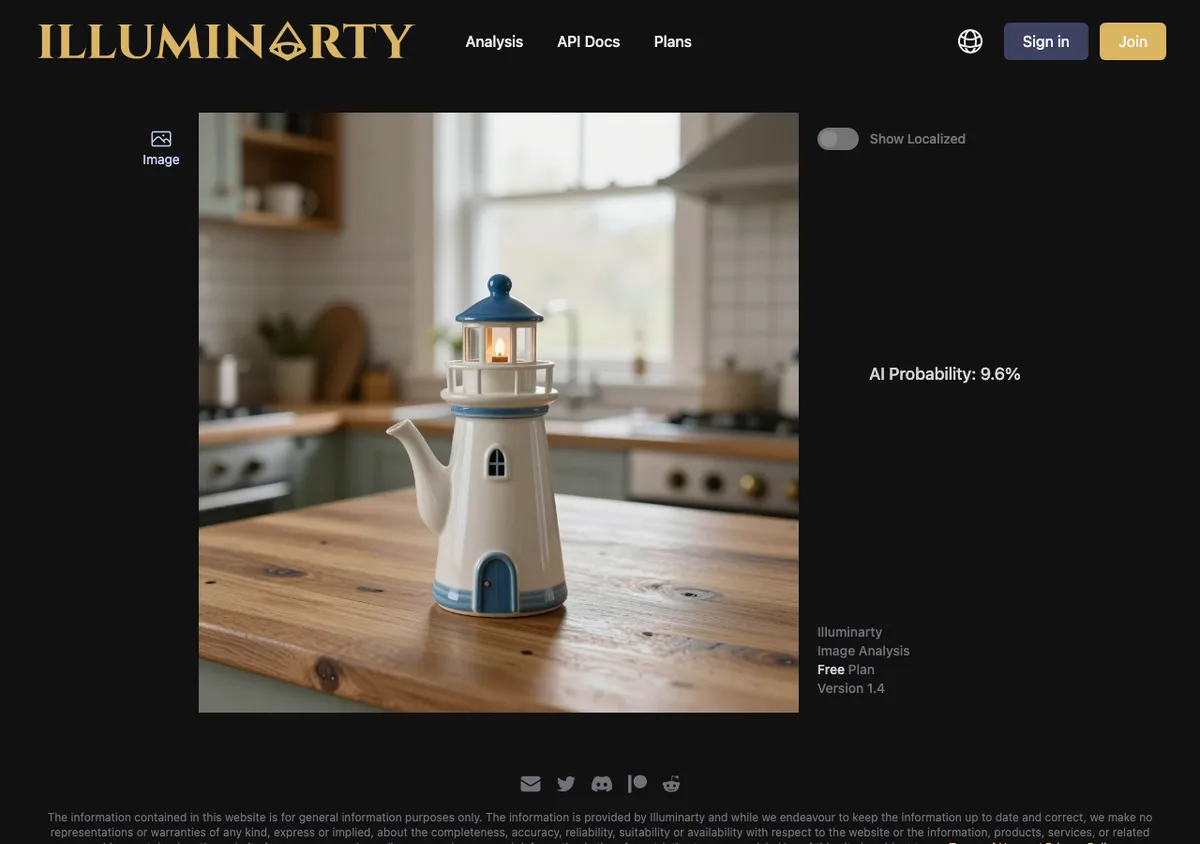
| ComfyUI | 99.9% | 9.6% |
| Meta AI | 99.9% | 5% |
| Meta Muse | 99.9% | 7.1% |
| Leonardo | 99.9% | 72.8% |
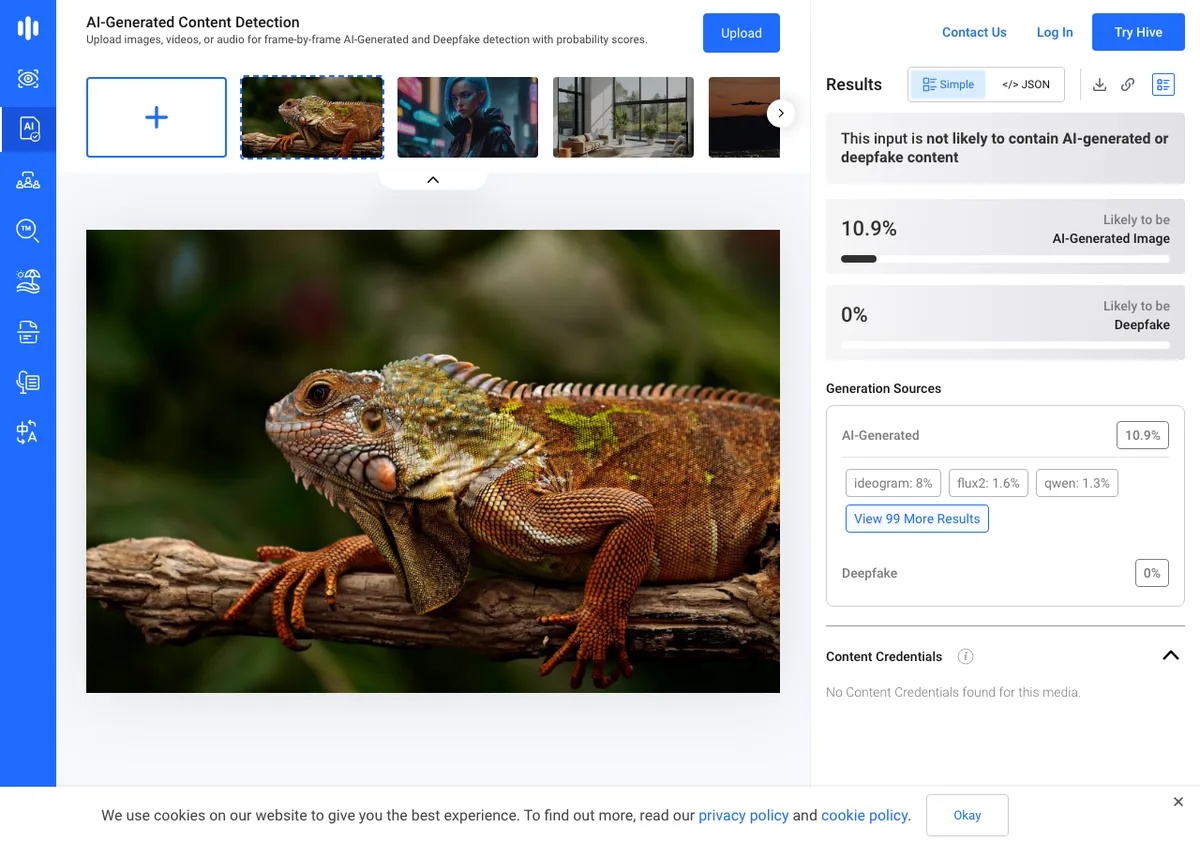
| Real photo (our iguana) | 10.9% (not likely) | 40.8% |
Hive caught all 8
Hive’s demo runs without signing in. It called all 8 AI files likely AI-generated, each at 99.9%. It even named the generator: “lucid” for our Leonardo Lucid Origin file, which carried no metadata. Our real photo scored 10.9%, marked not likely AI.
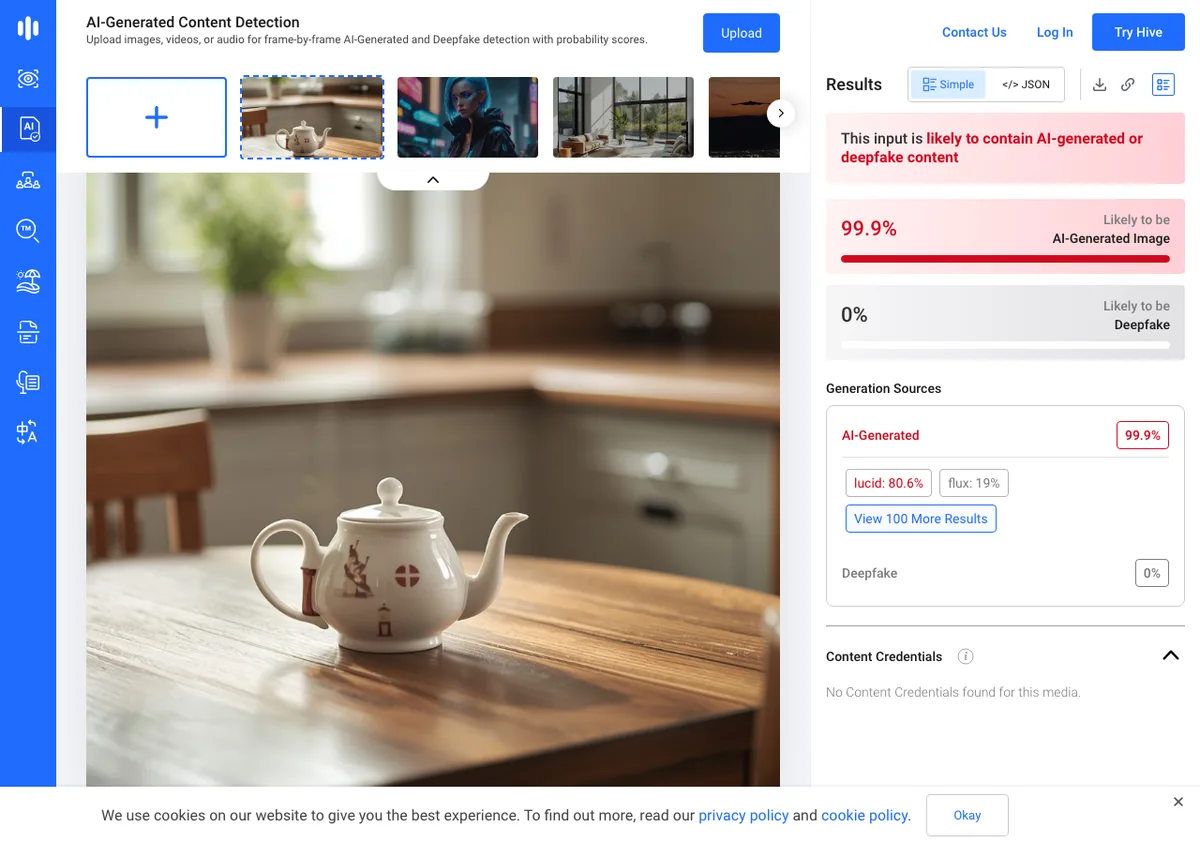
Illuminarty missed 7 of 8
Illuminarty’s free plan also runs signed out. It put only the Leonardo file over 50%, at 72.8%. The ComfyUI teapot with no handle scored 9.6%. Our real photo scored 40.8%, higher than 7 of the 8 AI images.
Detectors we could not test
AI or Not opened a Create Account form on the first upload, so we did not run it. Its maker claims 98.9% accuracy. Is It AI offers 3 free checks, but it held the Analyze button behind a robot check. Its maker claims 95%+ accuracy. Neither claim is ours, and our test of 2 other detectors shows how far scores can drift.
Meta says the same about its own labels. Its labeling post says it is “not yet possible to identify all AI-generated content”. It also says people can strip invisible markers. Ordinary edits such as compression and upscaling can change what a detector sees.
What it means when no check finds anything
It means you do not know yet. Our Leonardo image is AI-made, and it carried no signal in the metadata. Content Credentials Verify could not read it either:
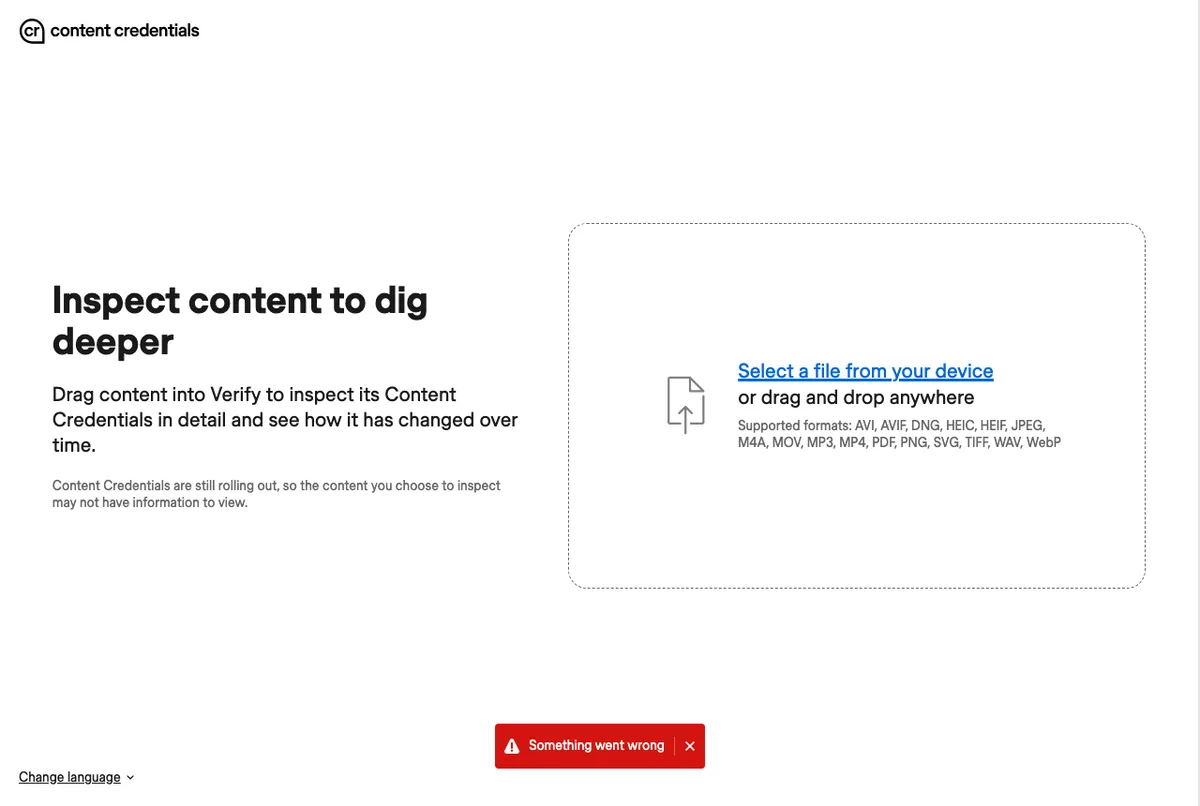
So go back to the source. Ask the person who shared the picture for the original file, and check where it was first posted. For school or a newsroom, write down which checks you ran and what each one found, and say plainly that the result is not certain.
How we tested
The files
- The AI images: 8 images the owner made on 24 October 2026 from one prompt, a lighthouse teapot. The tools: ChatGPT, Gemini, Google AI Studio, Ideogram, ComfyUI, Meta AI, Meta’s Muse and Leonardo. Every file as downloaded, unchanged. The same files as our guide to removing AI metadata.
- The real photo: one photo taken with an iPhone 12 Pro, saved as HEIC by the phone.
- The stripped copies: a copy of each AI image with ExifTool’s
-all=applied, read again the same way.
The checks
- Metadata: ExifTool 13.59 on 2026-10-26. A file counts as flagged when ExifTool prints one of 5 things: a C2PA store, trainedAlgorithmicMedia, a PNG prompt, a Facebook ID or a publisher.
- Content Credentials Verify: the public page at contentcredentials.org/verify, run in Chromium through Playwright on 2026-10-26, no account. A file counts when the page shows a credential. Every upload, here and below, was one of these test images.
- Detectors: Hive’s public demo and Illuminarty’s free plan (version 1.4), signed out, on 2026-10-26. Each read the 8 AI files and 1 real photo, the owner’s iguana, a 1920 × 1280 JPEG. We record Hive’s AI-generated score and Illuminarty’s AI probability as printed.
- Reverse search: TinEye on our ChatGPT file, no account, on 2026-10-26.
- Visual tells: our own crops of the 8 AI images, viewed at full size.
- The steps: the Verify steps are our own screenshots. The Gemini steps follow Google’s own help page.
Next step
Open Content Credentials Verify and drop the original file. Working with your own AI images? Read what an AI image metadata remover takes out of them.
Read the full guide: How to reduce image file size on any device.
Questions
- How can I tell if an image is AI-generated?
- Check provenance before looks. Upload the original to Content Credentials Verify, read its metadata with ExifTool, ask the Gemini app about a SynthID watermark, and run a reverse image search. Visual tells such as garbled text or odd hands come last. A positive signal is strong evidence; a missing one proves nothing.
- Is there a free way to check if an image is AI?
- Yes. Content Credentials Verify is free, needs no account and read 4 of our 8 AI images. ExifTool reads metadata for free. Hive’s demo and Illuminarty’s free plan score images signed out. TinEye searches for copies without an account. The Gemini app checks for SynthID with a signed-in Google account.
- Can metadata show that an image was made by AI?
- Often, yes. In our test, 7 of 8 real AI images carried a signal in the metadata: a C2PA record, the IPTC made-by-AI tag, a saved prompt or a Meta publisher field. The Leonardo image carried none. After one ExifTool command removed the metadata, none of the 8 showed any signal.
- What is Content Credentials Verify?
- Content Credentials Verify is a free page from the Content Authenticity Initiative that reads C2PA records inside a file. It shows who issued the record, whether an AI tool was used and the edit history. It reads only C2PA, so it showed nothing for our ComfyUI and Meta files, which use other AI fields.
- What does an Unrecognized issuer mean in Content Credentials?
- An Unrecognized issuer means the verify page could not match the signing certificate to a trusted list. Our Ideogram image showed it, with the warning that the file may not come from where it claims. The AI summary was still shown. Treat it as a weaker signal than a recognized issuer such as OpenAI or Google.
- Can Gemini tell if an image is AI-generated?
- Gemini can tell if Google AI made or edited an image. Sign in, upload the image and ask whether it is AI-generated; Gemini looks for the SynthID watermark. Google says no watermark only rules out Google AI, not other tools. The check takes one file at a time, up to 100 MB.
- What is SynthID?
- SynthID is an invisible watermark Google DeepMind puts in the pixels of images made with Google AI. Google says it is designed to survive cropping, filters and lossy compression. OpenAI says ChatGPT images carry it too. Because it sits in the pixels, removing the metadata does not remove it.
- Are AI image detectors accurate?
- They vary widely. On our 8 AI images, Hive flagged all 8 and Illuminarty put only 1 over 50%. Illuminarty scored our real photo higher than 7 of the AI images. Accuracy figures on detector sites are the makers’ own claims. Use a detector as a second opinion, never as proof.
- Is Hive’s AI detector free to use?
- Hive’s public demo ran without signing in during our test in October 2026. It flagged all 8 of our AI images at 99.9% and named the likely generator. Our real iguana photo scored 10.9%, marked not likely AI. Nine files on one day is not an accuracy figure, so treat it as one clue.
- Does a screenshot hide that an image is AI?
- A screenshot drops the metadata, so Content Credentials and the made-by-AI tag are gone. OpenAI says Content Credentials can be lost through a screenshot. A pixel watermark such as SynthID is designed to survive it. So always ask for the original file before you run a metadata check.
- If an image has no metadata, is it real?
- No. A file with no metadata tells you nothing about how it was made. Our Leonardo image is AI-made and carried no AI signal, and one ExifTool command removed every signal from our other 7 AI images. Check the source with a reverse image search and ask for the original.
- How do you spot AI images by eye?
- Look for text that does not form words, extra fingers, mismatched reflections and objects that cannot work. 3 of our 8 AI teapots showed a tell, such as a missing handle. The other 5 looked real. Microsoft’s study of its Real or Not quiz found people right 62% of the time.
- How does Instagram know an image is AI?
- Meta says it reads the AI information in the C2PA and IPTC standards, uses its own detection and asks people to disclose. In our test, a ChatGPT image got the AI content label on Instagram, and the same image with its metadata removed did not. Meta says it cannot yet identify all AI content.