PNG vs JPG: which is better for photos, screenshots and logos
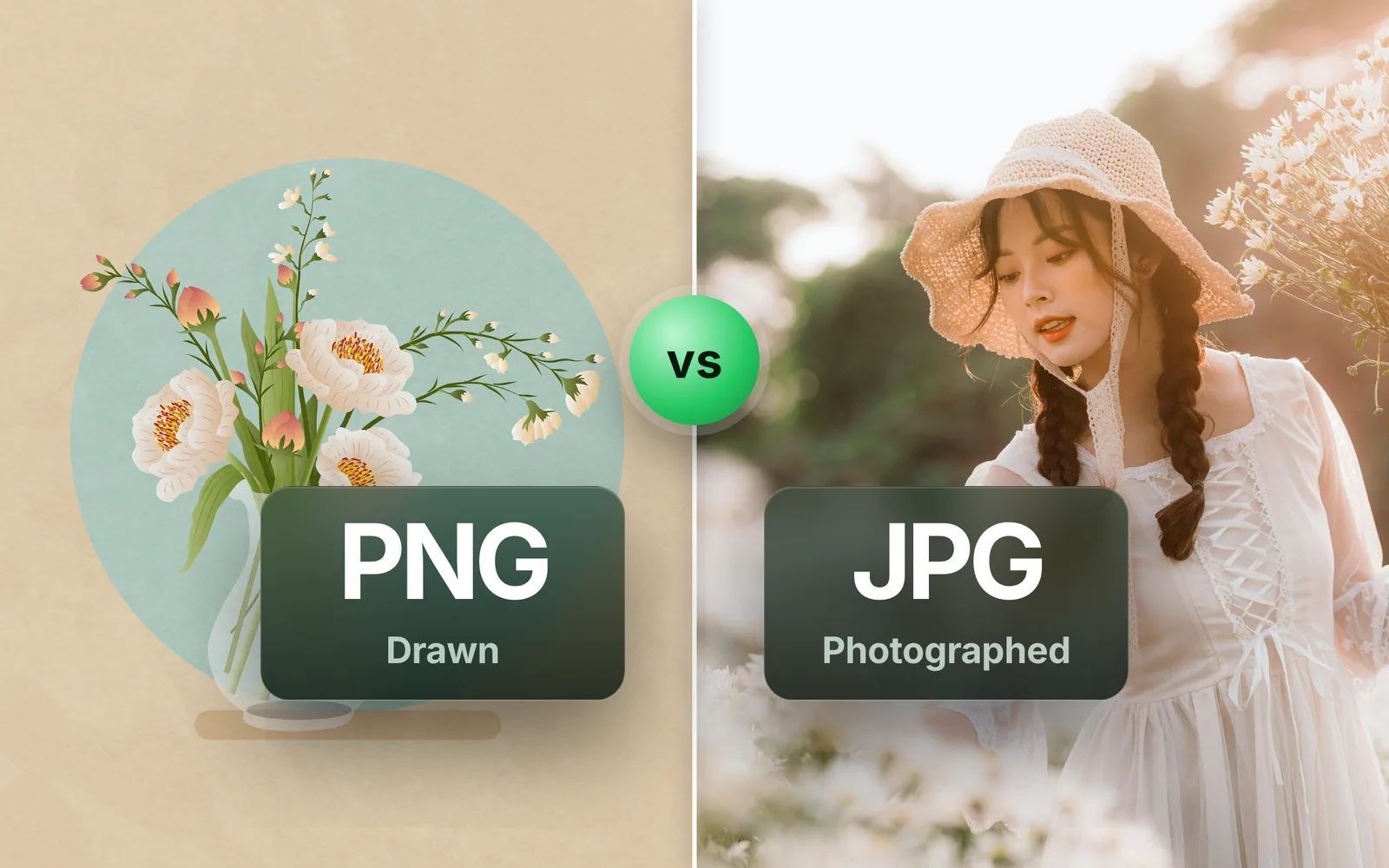
PNG vs JPG comes down to one rule: PNG for anything drawn, JPG for anything photographed. The bytes from real files show why it holds, what each mistake costs, and where WebP and AVIF take over. Part of the image converter.
By Sahadat HusainUpdated 9 min readFormats

PNG or JPG: the rule in one sentence
PNG for anything drawn, JPG for anything photographed. Screenshots, logos, charts, icons, text and anything with a transparent background are drawn. Photos, scans of photos and screenshots of photos are photographed. The two formats compress opposite kinds of image, and each is poor at the other’s. When a file is in the wrong one, the image converter turns it into the right one; the rest of this page is the bytes behind the rule.
What is the difference between PNG and JPG?
| PNG | JPG | |
|---|---|---|
| Compression | Lossless: every pixel kept | Lossy: detail the eye misses is dropped |
| Transparency | Yes, with soft edges | No |
| The PNG of our reference photo (4,096.3 KB) | 994.3 KB | 273.9 KB |
| A screenshot of our pricing page (a 1,121.1 KB PNG) | 213.1 KB | 193.2 KB |
| Text and hard edges | Sharp | Halos and smudging |
| Camera metadata | Rarely | Yes, EXIF and GPS |
| Largest image | 2,147,483,647 pixels a side | 65,535 pixels a side |
| Opens where | Everywhere | Everywhere |
Read the two byte rows first. The photo belongs in JPG: the PNG of our reference photo is 72% smaller as a JPG than as a compressed PNG. The screenshot is the other kind of image. As a JPG it is only 9% smaller, and the screenshot section explains what JPG does to its text, so it stays PNG. Which is why the answer is never one format for everything. JPG and JPEG are one format, by the way; the three-letter spelling is left over from old Windows file names, and JPEG to JPG only renames it.
The PNG of our reference photo
- PNG994.3 KB
- JPG273.9 KB
A screenshot of our pricing page
- PNG213.1 KB
- JPG193.2 KB
PNG or JPG for photos: the expensive mistake
The PNG of our reference photo is 4,096.3 KB, every pixel kept. Through PNG to JPG at the automatic quality it becomes 273.9 KB, 93% smaller, and 339.6 KB at quality 85. A PNG stores a picture pixel by pixel, and in a photo almost no two neighbouring pixels match exactly, so the PNG was spending most of its bytes recording those differences exactly. The compare slider shows what the JPG changed.
Keeping it a PNG and compressing it helps less than you would hope. The PNG compressor takes the same file to 994.3 KB at the automatic setting and 444.6 KB at quality 40, and both get there by reducing the number of colours, which a photo shows before a drawing does. A photo that arrived as a PNG wants to be a JPG.
PNG or JPG for screenshots: the ugly mistake
The other mistake costs looks more than bytes. JPG cuts a picture into 8 × 8 blocks, as the JPEG standard, ITU-T T.81, describes, and rounds away detail inside each block. Text, thin lines and flat colour are where that rounding shows, as halos around every edge. A screenshot of text or an interface is mostly those, so keep it as PNG, or use WebP or AVIF on your own site. Our screenshot of the pricing page shows the trade: as a JPG it was 193.2 KB, only 9% under the compressed PNG. A screenshot of a photo is a photo, and saves as JPG like one.
PNG vs JPG quality: what lossless really costs
A PNG at quality 100 in our tool is truecolour and lossless: every pixel exactly as it came in. That is the honest price of bit-exact output, and it is steep on a photo. The same photo saved as WebP, 611.2 KB, converted to PNG is 978.4 KB at the automatic setting, with the colours reduced, and 2,835.2 KB lossless. Choose lossless when the image is going to be edited again; choose the automatic setting when it is going to be looked at. Our post What is a PNG file opens a PNG chunk by chunk. The post also shows which PNGs keep every pixel at Auto.
A JPG, for its part, barely changes when it is saved again at the same quality: our quality-75 JPG was 253.3 KB after one save and 251.9 KB after ten. Saving at a lower quality, or after an edit, loses a little more each time, so export from the original.
PNG vs JPG for logos: transparency, the one thing JPG cannot do
JPG has no alpha channel. Convert a transparent PNG to JPG and the transparent area becomes a colour, white in our tool. If a logo or a cut-out has to sit on a coloured background or over a photo, it stays PNG, or becomes WebP or AVIF, both of which keep transparency at a fraction of the size.
PNG or JPG for printing, social media and email
- Printing. Send the print shop the format it names, at the full pixel size rather than a copy resized for a screen. A JPG keeps a photo small, a PNG keeps every pixel of a logo or line art, and the vector file a logo was drawn in stays sharp at any size.
- Social media. Upload a photo as a good JPG, and a logo or a text graphic as PNG so the edges start sharp.
- Email and forms. JPG for a photo: from our reference photo it made a file 72% smaller than the compressed PNG. PNG for a screenshot of a bug, a signature on white paper, or anything with text.
When the answer is neither: WebP and AVIF
On a web page you control, AVIF beats both old formats on every image we measured, and both new formats keep transparency. WebP came second each time, smaller than JPG on the photo, the screenshot and the flat art. The catch for both is where they open: every current browser, but not every mail client or old viewer, which is why they are for your own site and not for a file you send.
| Source | PNG | JPG | WebP | AVIF |
|---|---|---|---|---|
| Our reference photo, as supplied (a 576.8 KB JPG) | Bigger than the source | 273.9 KB | 218.9 KB | 123.9 KB |
| A screenshot of our pricing page (a 1,121.1 KB PNG) | 213.1 KB | 193.2 KB | 109.6 KB | 72.3 KB |
| Flat art (a 7.4 KB PNG) | 1.6 KB | 2.9 KB | 1.3 KB | 0.8 KB |
The whole comparison of the two new formats, with the case where the headline fails, is in AVIF vs WebP vs JPG.
Read the full guide: Best image format: JPG, PNG, WebP, AVIF, HEIC and GIF explained.
Questions
- Which is better, PNG or JPG?
- Neither in general: PNG for drawn images, JPG for photos. The 4,096.3 KB lossless PNG of our reference photo became a 273.9 KB JPG. For a screenshot of text, PNG keeps the letters sharp, because JPG rounds detail in 8 × 8 blocks and leaves halos.
- Is PNG better quality than JPEG?
- For drawings, yes: PNG keeps every pixel, so text, lines and flat colour stay sharp where JPEG adds halos. For photos, no visible difference at a sensible JPEG quality, and the PNG is many times larger. Quality follows the kind of image, not the format.
- Why is a PNG of a photo bigger than the JPG?
- A PNG stores pixels without loss, and a photo's fine detail gives it little to repeat. A JPG drops detail the eye misses instead. Blinkimg's engine at Auto cut our 1920 × 1280 reference photo to 256 colours as a PNG. That PNG still weighed 994.3 KB, 3.6 times the JPG at Auto.
- Does JPEG lose quality every time you save it?
- Barely, at the same quality. Our quality-75 JPG was 253.3 KB after one save and 251.9 KB after ten. Saving at a lower quality, or after an edit, loses a little more each time, so export once from the original rather than from the last copy.
- Does JPG support transparency?
- No. JPG has no alpha channel, so a transparent area becomes a solid colour when you convert, white in our tool. Keep a transparent logo or cut-out as PNG, or convert it to WebP or AVIF, which both keep transparency at a much smaller size.
- Is PNG or JPG better for printing?
- Use the format the print shop names. A high-quality JPG keeps a photo far smaller than a PNG, and a PNG keeps every pixel of a logo or line art; the vector file a logo was drawn in stays sharp at any size. Send the full-resolution file too, not a copy resized for a screen.
- Should I save as PNG or JPG?
- Ask what the image is. Anything drawn, such as a screenshot, a logo, a chart or text, saves as PNG. Anything photographed saves as JPG. If the image needs a transparent background, PNG. If it is going on your own website, AVIF or WebP beats both.
- Should I use PNG or JPG for a website?
- JPG for photos, PNG for logos and screenshots, and if you control the site, AVIF or WebP with a fallback. On our reference photo, a screenshot and a piece of flat art, AVIF was the smallest every time, and WebP beat JPG every time. Every current browser opens both.