Stamp size photo: the size in cm, in pixels, and how to make one
A stamp size photo is 2 × 2.5 cm, or 20 × 25 mm: 236 × 295 pixels at 300 DPI. Here are the sizes in cm, mm, inches and pixels, the one official rule we found, and real files measured. Part of the passport size photo.
By Sahadat Husain10 min readSizes

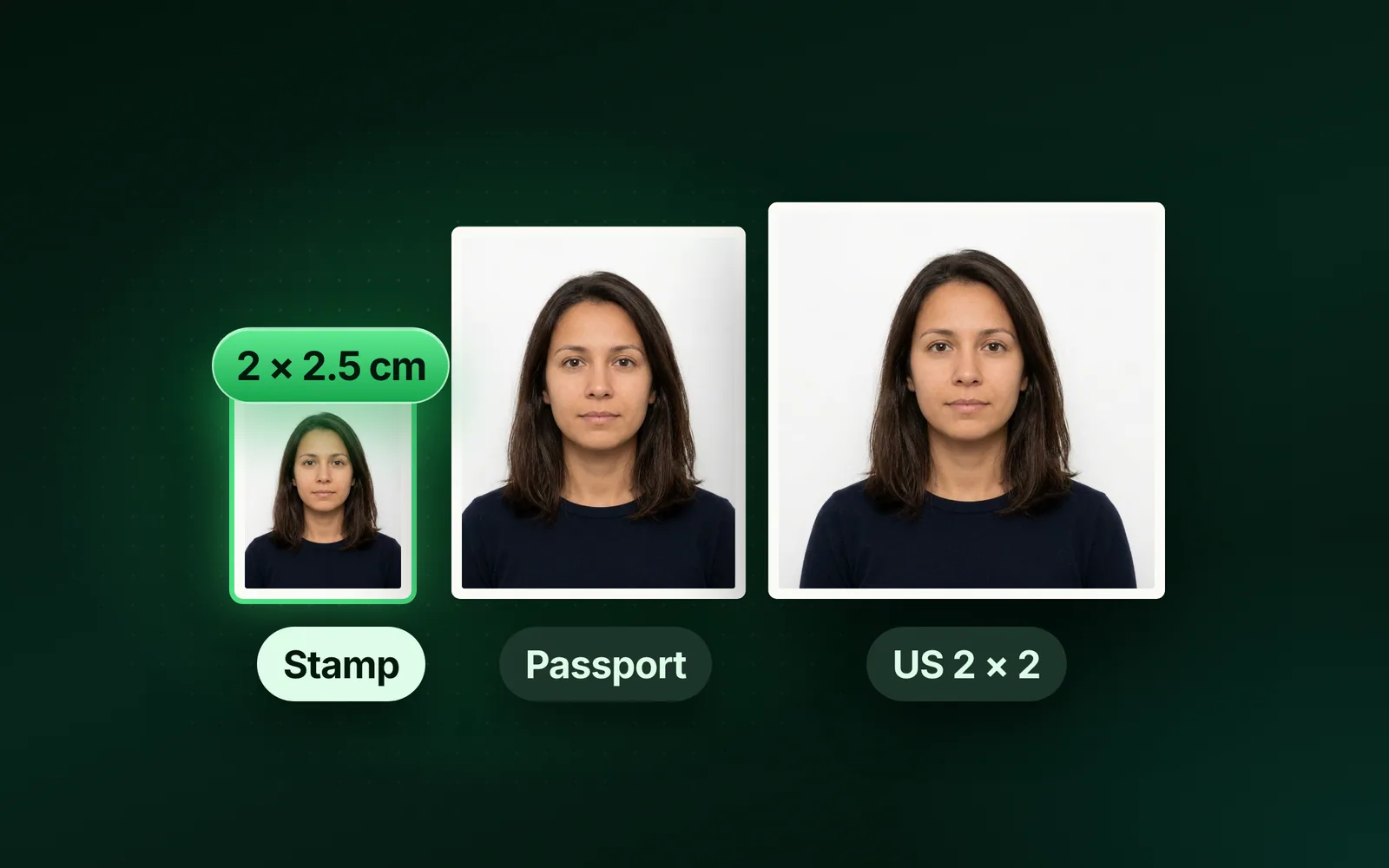
A stamp size photo is 2 × 2.5 cm: 2 cm wide and 2.5 cm tall, or 20 × 25 mm. At 300 DPI that is 236 × 295 pixels. In inches it is about 0.79 × 0.98 in.
The Election Commission of India uses that size. A 2016 press release from the Chief Electoral Officer, Tamil Nadu gives its rule for a candidate’s ballot paper photo: “stamp size 2 cm x 2.5 cm (two cm. in breadth and 2.5 cm. in height)”.
No single national rule covers every form, though. Some forms print their own box. If the form gives a size, use the form’s size.
Stamp size photo size in cm, mm, inches and pixels
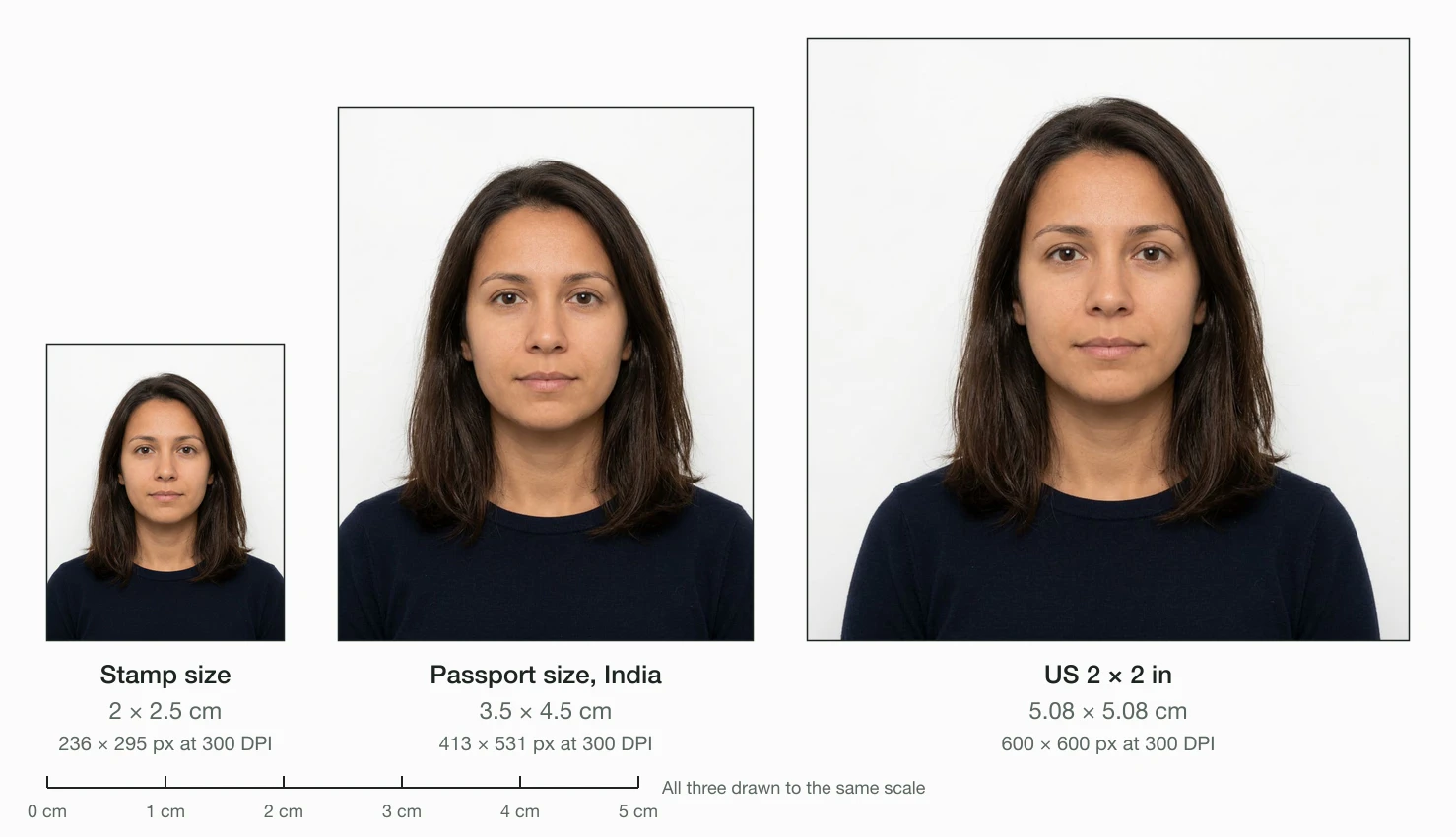
A stamp size photo is 2 × 2.5 cm, which is 20 × 25 mm. The table puts it next to the two photo sizes people mix it up with. We worked out the pixels as millimetres ÷ 25.4 × DPI, rounded.
| Photo | cm | mm | Inches | Pixels at 300 DPI | Pixels at 600 DPI |
|---|---|---|---|---|---|
| Stamp size | 2 × 2.5 cm | 20 × 25 mm | 0.79 × 0.98 in | 236 × 295 | 472 × 591 |
| Passport size (India) | 3.5 × 4.5 cm | 35 × 45 mm | 1.38 × 1.77 in | 413 × 531 | 827 × 1063 |
| US passport | 5.08 × 5.08 cm | 50.8 × 50.8 mm | 2 × 2 in | 600 × 600 | 1200 × 1200 |
Width comes first in every row. A stamp size photo is a portrait: taller than it is wide.
Is it 2 × 2.5 cm or 2.5 × 2 cm?
Both mean the same photo. Some sites write 2.5 × 2 cm, height first. The Election Commission’s wording settles it: 2 cm across and 2.5 cm tall.
What about 2.5 × 3 cm or 2.5 × 3.5 cm?
Some guides call 25 × 30 mm or 25 × 35 mm a stamp size too. We found no official page that says so. If your form shows one of those boxes, crop to that box instead.
Stamp size vs passport size photo
A passport size photo in India is 3.5 × 4.5 cm. A stamp size photo is 2 × 2.5 cm. So a passport photo holds about 3.1 times the area of a stamp photo.
- Stamp size: 2 × 2.5 cm, 236 × 295 px at 300 DPI, shape 4:5.
- Passport size (India): 3.5 × 4.5 cm, 413 × 531 px at 300 DPI, shape 7:9.
- US passport: 2 × 2 inches, 600 × 600 px at 300 DPI, a square. It is about 5.2 times a stamp.
You cannot glue a passport photo into a stamp box without trimming it. The shapes differ too, so a straight shrink leaves gaps. The US passport photo requirements cover the 2 × 2 rules in full.
Stamp size photo in pixels: 300 DPI or 600 DPI?
Use 300 DPI for print: 236 × 295 pixels. That is the usual print density. Some print shops ask for 600 DPI, which is 472 × 591 pixels for the same 2 × 2.5 cm.
DPI is only a label on the file. The pixels decide the print size. How to change the DPI of an image shows what the DPI tag does and does not change.
What we measured
We cut the site’s portrait photo to each size with sharp 0.35.5. Blinkimg’s engine then saved each one as a JPG at Auto. The stamp at 300 DPI came out at 14.1 KB. At 600 DPI it was 54.4 KB, over a 50 KB limit.
File size at 300 DPI (KB)
- Stamp size14.1 KB
- Passport size (India)43.5 KB
- US passport, 2 × 2 in67.6 KB
File size at 600 DPI (KB)
- Stamp size54.4 KB
- Passport size (India)166.4 KB
- US passport, 2 × 2 in259.2 KB
How to make a stamp size photo online
You make a stamp size photo by cropping to 2 × 2.5 cm at 300 DPI. The resize image in cm tool does it in one save:
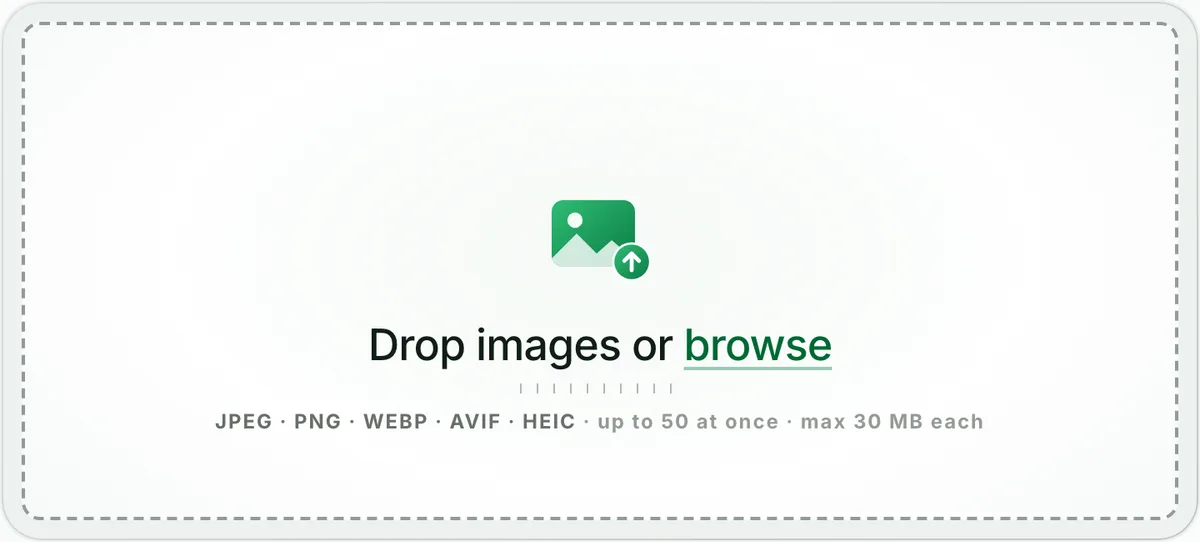
Drop the photo
Take a photo against a plain white or off-white wall, face to the camera. Open the resize image in cm page and drop it on the box. The editor opens on Crop.
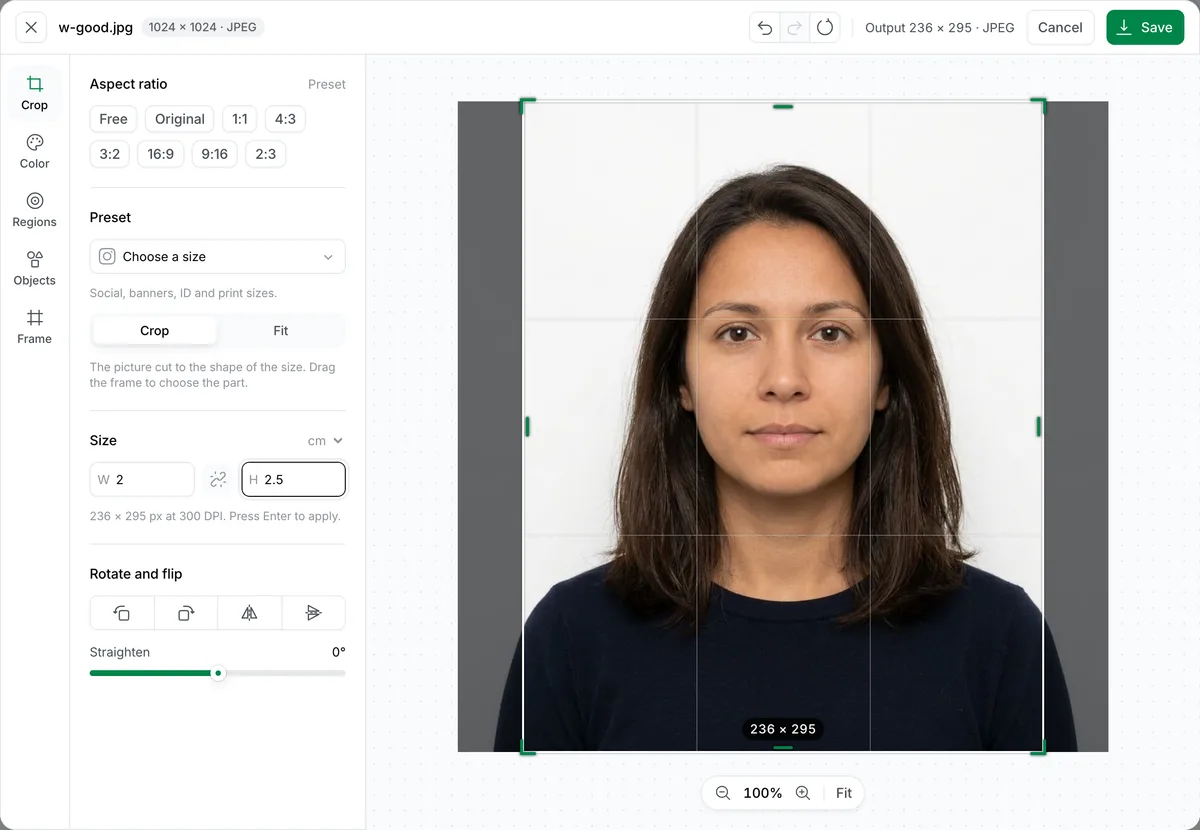
Type 2 and 2.5 under Size
Unlink the two sides with the chain button, type 2 in W and 2.5 in H, and press Enter. The line under the fields reads 236 × 295 px at 300 DPI. Drag the frame over your face and shoulders.
Save and download
Press Save. If the form caps the file, type the limit into Max file size first. Our 1024 × 1024 example came out at 6.1 KB.
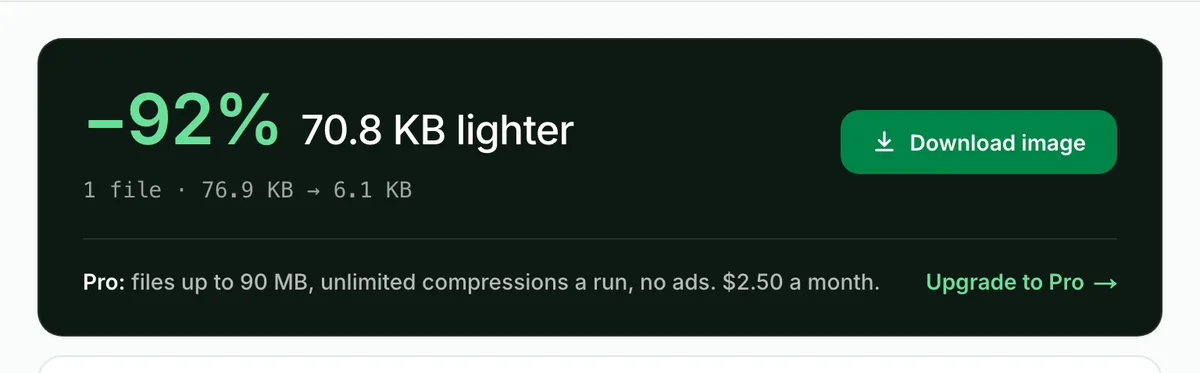
The saved JPG is exactly 236 × 295 pixels with its EXIF data removed. Print it, or upload it where a form asks for a stamp size photo.
How to make a stamp size photo in Word or on your phone
Word sets an exact print size in centimetres. Microsoft’s help page, Change the size of a picture, gives the steps on Windows:
- Insert the photo, then select it.
- Open the dialog box launcher in the Size group and clear Lock aspect ratio.
- Under Picture Format, type 2.5 cm in Height and 2 cm in Width.
Crop first, or the face stretches. Microsoft’s Crop a picture to fit in a shape page says to select the arrow under Crop on Picture Format, then drag the crop handles.
On a phone
A phone’s gallery app crops to a shape but not to centimetres. Open the resize image in cm page in your phone’s browser instead. The steps are the same, and the file saves to your downloads.
How many stamp size photos fit on one sheet?
A 4 × 6 inch photo print holds 21 stamp size photos with 2 mm gaps for cutting: 7 across and 3 down. Edge to edge, with no gaps, 30 fit.
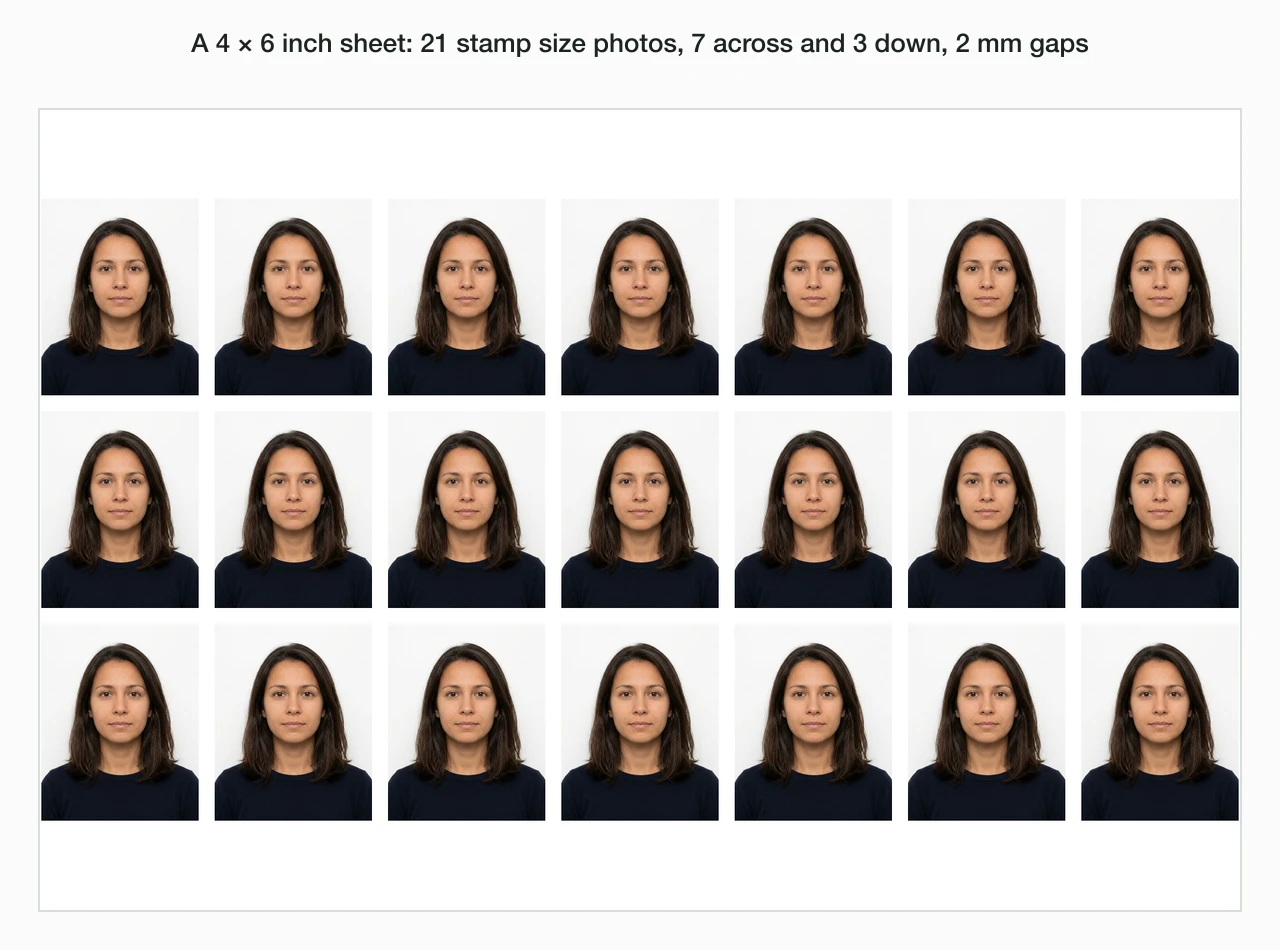
The 7 columns leave only 4 pixels spare on the long side. A printer that keeps a margin will drop a column, which leaves 18 photos.
| Sheet | Edge to edge | With 2 mm gaps | Passport size, 2 mm gaps |
|---|---|---|---|
| 4 × 6 in | 30 | 21 (7 × 3) | 8 |
| A4 | 112 | 99 (9 × 11) | 32 |
Print a sheet at 100% scale. “Fit to page” in a print dialog shrinks the photos below 2 × 2.5 cm.
Stamp size photo file size limits on online forms
A stamp size photo fits most form limits as it is. Our 300 DPI stamp was 14.1 KB at Auto, already under a 20 KB cap. Under a 20 KB cap the engine spent 19.7 KB, at a higher quality.
- Under 20 KB: 19.7 KB at 236 × 295 px.
- Under 10 KB: 9.9 KB, still 236 × 295 px.
- A passport size photo at 300 DPI: 43.5 KB, under 50 KB.
- A stamp at 600 DPI: 54.4 KB, over 50 KB.
Check the form’s own limit and its minimum. For a fixed cap, the compress image to 20KB tool hits it in one save. If the portal still refuses it, the photo not uploading in an online form guide covers the other reasons.
Read the full guide: US passport photo requirements and size, in inches and pixels.
Questions
- What is the stamp size photo size in cm?
- A stamp size photo is 2 × 2.5 cm: 2 cm wide and 2.5 cm tall. In millimetres that is 20 × 25 mm. The Election Commission of India uses this size for a candidate’s ballot paper photo. Some forms print a box of their own, so measure the box when there is one.
- What is a stamp size photo in pixels?
- A stamp size photo is 236 × 295 pixels at 300 DPI, the usual print density. At 600 DPI it is 472 × 591 pixels. The rule is millimetres divided by 25.4, times the DPI, rounded to a whole pixel. A form that states pixels wins over any of these numbers.
- What is a stamp size photo in inches?
- A stamp size photo is about 0.79 × 0.98 in, which many sites round to 0.8 × 1 inch. The exact size is 20 × 25 mm, and an inch is 25.4 mm. Print shops in India quote centimetres, so ask for 2 × 2.5 cm rather than inches.
- Is a stamp size photo the same as a passport size photo?
- No. A stamp size photo is 2 × 2.5 cm, while an Indian passport size photo is 3.5 × 4.5 cm. The passport photo has about 3.1 times the area, and its shape differs too. Crop a new photo for each size instead of shrinking one into the other.
- Is there an official stamp size photo standard in India?
- Not one that covers every form. The Election Commission of India sets 2 cm x 2.5 cm for a candidate’s ballot paper photo, as a 2016 Tamil Nadu press release quotes. Exam boards, banks and offices set their own boxes and file limits. Follow the form you are filling in.
- How do I make a stamp size photo online?
- Open a resize image in cm tool and drop your photo. Unlink the sides under Size, type 2 in W and 2.5 in H, and press Enter. Drag the frame over your face and shoulders, then save. The JPG comes out at 236 × 295 pixels, ready to print or upload.
- How do I make a stamp size photo in Word?
- Insert the photo and crop it to a portrait first. Then open the dialog box launcher in the Size group, clear Lock aspect ratio, and type 2.5 cm in Height and 2 cm in Width under Picture Format. Microsoft’s help page on changing the size of a picture gives these steps.
- How many stamp size photos fit on a 4x6 sheet?
- 21 stamp size photos fit on a 4 × 6 inch sheet with 2 mm cutting gaps, 7 across and 3 down. Edge to edge, 30 fit. A printer that keeps a margin drops one column, which leaves 18. Print at 100% scale so each photo stays 2 × 2.5 cm.
- How many stamp size photos fit on an A4 sheet?
- 99 stamp size photos fit on an A4 sheet with 2 mm gaps, laid out 9 across and 11 down at 300 DPI. Edge to edge, 112 fit. Home printers keep a margin, so expect fewer. Print at 100% scale, never fit to page.
- What file size should a stamp size photo be?
- It depends on the form, often 20 to 50 KB. Our stamp size photo at 300 DPI was 14.1 KB as a JPG at Auto, under a 20 KB cap without effort. At 600 DPI the same photo was 54.4 KB, so use 300 DPI when a form caps the file.
- Can I make a stamp size photo under 10 KB?
- Yes, at full size. Blinkimg’s engine saved our 236 × 295 stamp size photo at 9.9 KB under a 10 KB cap, without shrinking the pixels. The engine lowers JPG quality step by step until the file fits. Check the result at full size before you upload it.
- What background should a stamp size photo have?
- A plain white or off-white background is the safe choice. The Election Commission of India asks for white or off-white, a full face view, a neutral expression and eyes open, in colour or black and white. Other forms may differ, so read the form’s photo rules first.
- Is 2.5 × 3 cm a stamp size photo?
- Some guides call 25 × 30 mm or 25 × 35 mm a stamp size, but we found no official page that says so. The one official stamp size we read is 2 × 2.5 cm, from the Election Commission of India. When a form shows a different box, crop to that box.