Resize JPEG: change a JPG's size and keep it a JPG
Resize JPEG photos to the width and height you type, in pixels, cm, mm or inches, and get a JPG back: the output is set to JPG before you drop. Drop one and the editor opens on it; Save hands it back compressed. Our 9.8 MB test photo came out at 140.3 KB at 1920 pixels wide. Part of the image resizer.
Output format
– / –
Drop images or browse
JPEG · PNG · WEBP · AVIF · HEIC · up to 50 at once · max 30 MB each
HEIC
PNG
JPEG
AVIF
WEBP
Advanced settings1 on
SmallerAutoBetter
Auto tunes each image.
A hard cap for the number your form demands.
KB
A floor for forms that refuse small files.
Max resolution
×
Empty side keeps the ratio. Never enlarges.
A real resize, before and after
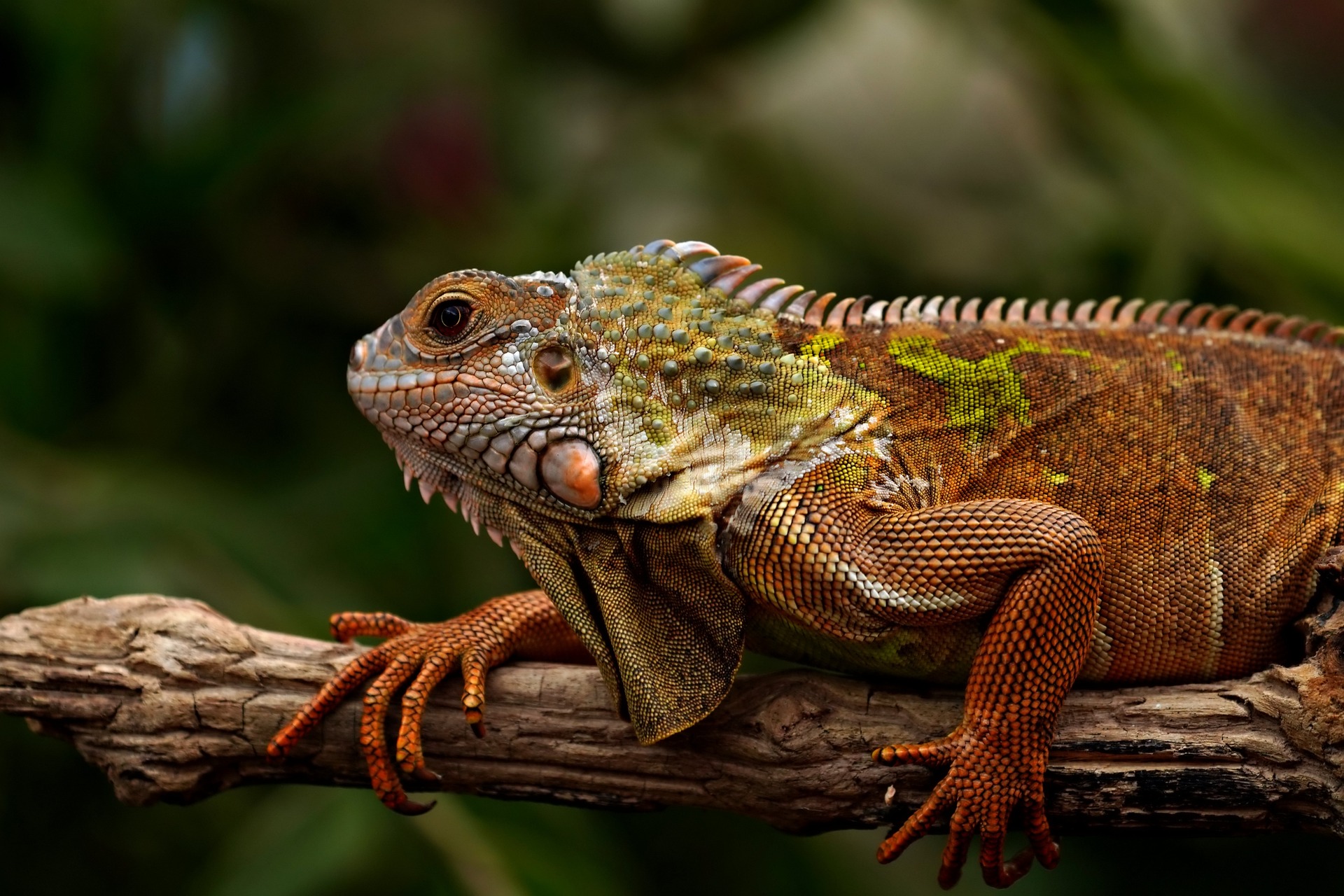
Original JPG · 576.8 KB
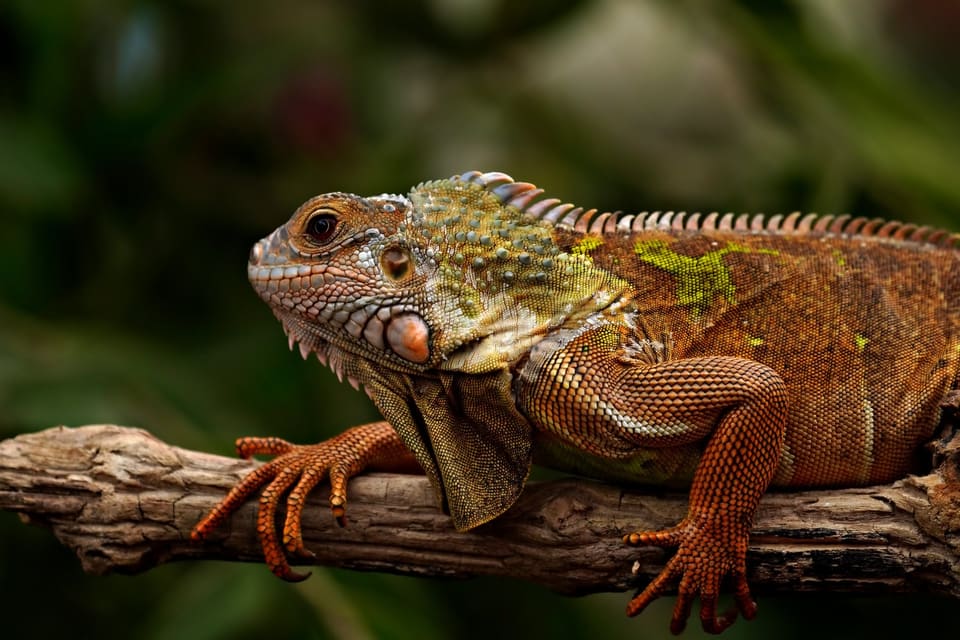
JPG at 960 px · 89 KB
−85%
This is the reference JPG actually resized by our engine and saved as a JPG. Drop your own and do the same.
How it works
Drop, resize, save
Three steps, no account. The file leaves smaller than it arrived.
01
Drop
Drop a JPG and the editor opens on it, the output already set to JPG.
02
Resize
Type a width × height with the sides linked, or tap a preset size.
03
Save
The JPG comes back at the new size, compressed and ready to download.
Does resizing a JPEG reduce its quality?
A resize is always a decode and a new encode. The JPEG standard calls its everyday mode lossy, and jpegtran, the libjpeg tool that transforms a JPEG without decoding it, has no scaling among its transforms. So a smaller JPEG is a new file: fewer pixels by design, and a little of the fine detail rounded away in the encode. Here the editor draws the new size in your browser. The editor sends a lossless PNG when one fits your plan’s limit. Our engine, the one behind the image compressor, writes the final JPG. Its own resize took our 9.8 MB camera photo to 140.3 KB at 1920 pixels wide.
How do I resize a JPEG for email?
Resize to about 1920 pixels wide, the width of a full-HD screen, and a photo stops being the reason an email bounces. Our camera photo went from 9.8 MB to 140.3 KB. Gmail’s limit for a personal account is 25 MB, and above it Gmail swaps the attachment for a Drive link; Outlook.com’s is 25 MB. Classic Outlook allows 20 MB for internet accounts such as Gmail or Outlook.com and offers Resize large images when I send this message, without saying what size it picks. At 1280 pixels wide, a comfortable size for a screen in an email, the same photo was 73.6 KB.
How do I increase a JPG's size: in pixels or in KB?
Both go up together, and pixels are the lever. Quality adds some: type a number into Min file size and the engine raises quality until the file reaches it, never padding it with empty bytes. Our 200 × 200 square weighed 8.1 KB at Auto and came back at 10.4 KB against a 10 KB floor. Past what the pixels hold, a larger size in Custom size is the way: our 1920 × 1280 photo of 576.8 KB doubled to 3840 × 2560 and weighed 712 KB, 23% more, and a little softer.
A form with a floor wants one or the other. India’s e-Visa takes a square JPEG of 10 KB to 1 MB: our 150 × 150 square weighs 5 KB, under the floor, and Min file size lifted it to 10 KB. 400 × 400 at 27.5 KB passes as it is. The 400 × 400 page opens on that square.
How do I resize a JPG to 50 KB, 100 KB or 200 KB?
That is a byte target, and it has its own control: set Max file size in Advanced before you save, and the JPG comes back at or under the number, at the size you typed. The search for the highest quality that fits runs on our engine. The pages for the common numbers arrive with the cap armed: compress image to 50 KB, compress image to 100 KB and compress image to 200 KB. A smaller width first makes a low cap easier to meet with a good picture.
How do I resize a JPEG on a Mac, Windows, an iPhone or Android?
Every system has a route and a catch; the steps are the vendors’ own pages. The editor above works the same in any browser on all four.
Device
App
Where
The catch
Mac
Preview
Tools, Adjust Size
tick Resample image, or the pixels stay as they were
Mac
Photos
File, Export, the Size menu
exports a copy; the original stays
Windows
Paint
Home tab, Resize
save as JPEG to keep the format
Windows, a folder
PowerToys Image Resizer
right-click, Resize with Image Resizer
a separate install; a JPEG quality setting
iPhone
Shortcuts
a shortcut with the Resize Image action
a HEIC photo needs converting to JPG for this page
Android, Samsung
Gallery
Edit, More options, Resize
percentages only, never larger than the original
Mac: Apple's Preview and Photos User Guides. Windows: Microsoft's Paint page and Microsoft Learn's PowerToys Image Resizer page. iPhone: Apple's Shortcuts User Guide. Android: Samsung UK's Gallery support page. As read in September 2026; each vendor's page wins.
How do I resize a JPG for printing, like 8.5 × 11?
Type the print size in inches or centimetres into Custom size: the editor converts at 300 DPI, the resolution a print counter assumes. A US Letter page, 8.5 × 11 inches, becomes 2550 × 3300 pixels. A camera photo is a different shape from a Letter page, so the frame crops, and you drag it to keep what matters. The resize image in inches page has the other print sizes, and the 4x6 photo size page the most printed one.
What does a JPG photo resize save?
The camera photo at three widths, and the small reference photo halved and doubled, each saved as JPEG at Auto. Pixels decide the size: the 1920-wide copy keeps 15% of the camera’s pixels and weighs 1.4% of its bytes.
File
Resized to
Pixels kept
Size
source.jpeg
1920 × 1076
15%
140.3 KB
source.jpeg
1280 × 717
6.6%
73.6 KB
source.jpeg
800 × 448
2.6%
35.2 KB
photo.jpg
960 × 640
25%
89 KB
photo.jpg
3840 × 2560
400%
712 KB
Sources: source.jpeg, the camera photo (9.8 MB at 4964 × 2782), resized by the engine's own resize, and photo.jpg (576.8 KB at 1920 × 1280), halved the same way and doubled the way the editor did it: drawn larger, sent at quality 92, then encoded. Quality 92 was the editor's step before 5 October 2026. Every row a JPEG at Auto.
Every byte count is the size of the actual file our engine produced from the named source, the same bytes you would download, not an estimate. The reference photo is one of our own photographs, an iguana on a branch, and the camera photo is a real one too. Drop your own file into the tool above to rerun any of them. How we measure names the sources and the settings.
Can I resize many JPEGs at once?
Yes, on the compressor. Pick JPG as the output, open Advanced and type the width into Max resolution, then drop up to 50 photos. Each comes back no wider than that, as a JPG, in one ZIP with the file names kept, and a photo already smaller is left at its size rather than enlarged. The editor on this page takes one photo at a time, because an exact size or a crop is a decision per picture. Either way we keep nothing: the photos are processed and wiped automatically, with their EXIF and GPS stripped by default.
Is JPG the same as JPEG?
Yes: one format, two spellings. JPEG is the name of the standard, and .jpg is the three-letter extension older Windows versions needed, so resize JPEG, resize JPG and a JPEG resizer are one job, the one above. The page takes either and saves .jpg. The JPEG to JPG page covers the rename, which changes nothing inside the file.
When the JPG resizer is the wrong tool
A logo or a screenshot?
Keep it a PNG: the PNG resizer keeps the transparency and the sharp edges a JPG would blur.
Fewer KB, same pixels?
The JPG compressor lowers the bytes and keeps the size, with the same Max file size.
Only part of the photo?
Crop it: the crop image page cuts to a ratio or an exact size.
Short answers specific to this tool. Try it above and the editor settles the rest.
Q:How do I resize a JPEG image?
Drop it here: the editor opens on it with the output already set to JPG. Open Custom size, type the width and height in pixels, cm, mm or inches with the sides linked, and press Apply. Save hands the JPG back at the new size, compressed. For a size with a KB limit, set Max file size in Advanced first.
Q:Does resizing a JPEG reduce its quality?
A little, and in two ways. A smaller JPEG holds fewer pixels, which is the point. And a resize is always a decode and a new encode, because a JPEG cannot be scaled without one, so each pass loses a little detail. Resize once, from the original. Our 9.8 MB camera photo came to 140.3 KB at 1920 pixels wide.
Q:How do I resize a JPEG without losing quality?
Start from the original, not a copy already resized or sent through a chat app, and resize once to the size you need. Shrinking is the safe direction. Keep the quality high if you save more than once: the libjpeg guide warns that loss accumulates over repeated cycles. For no change at all, keep the original; every resize re-encodes.
Q:How do I resize a JPEG for email?
Resize the photo to about 1920 pixels wide and it stops being the problem: our camera photo went from 9.8 MB to 140.3 KB. Gmail's limit for a personal account is 25 MB, with a Drive link above it, and Outlook.com's is 25 MB. Classic Outlook allows 20 MB for internet accounts and offers Resize large images when sending.
Q:How do I increase the size of a JPG in KB?
Two ways. Min file size in Advanced settings raises quality until the file reaches your number, never padding it: our 200 px square came back at 10.4 KB against a 10 KB floor. Past what the pixels hold, add pixels: our 1920 × 1280 photo doubled weighed 712 KB, 23% more. India's e-Visa wants 10 KB to 1 MB; our 150 px square reached that floor at 10 KB.
Q:How do I make a JPEG bigger without it going blurry?
You cannot add detail that was never captured, so a larger JPEG is always a little softer, more so the further it is stretched. Keep the step small, start from the largest original you have, and view the result at 100% before you send it. A print lab or a form that asks for more pixels usually accepts a modest enlargement.
Q:How do I resize a JPEG on a Mac?
In Preview: Tools, Adjust Size, then type a width and height with Resample image ticked, the steps in Apple's Preview User Guide. Without Resample image, a change to the resolution alone leaves a JPG's pixels as they were, and the file stays the same size. In Photos, File, Export lets you choose a size for the exported JPEG.
Q:How do I resize a JPEG in Paint on Windows?
Open the photo in Paint, choose Resize on the Home tab, as Microsoft's Paint page describes, set the new size and save it as JPEG. For a folder of photos, Microsoft's PowerToys Image Resizer adds Resize with Image Resizer to the right-click menu, with a JPEG quality setting and an option never to enlarge.
Q:How do I resize a JPEG on my iPhone or Android phone?
In the browser: open this page, tap the drop zone, pick the photo and type the size. On an iPhone, Apple's Shortcuts has a Resize Image action; an iPhone HEIC photo needs converting to JPG first. Samsung's Gallery resizes by percentage under Edit, More options, Resize, and never larger than the original, on Samsung's support page.
Q:How do I resize a JPG to 50 KB, 100 KB or 200 KB?
Set Max file size in Advanced before you save, and the JPG comes back at or under that number, never over, at the size you typed. Or open the page for the number: compress image to 50 KB, 100 KB or 200 KB arrive with the cap armed. A smaller width makes a low cap easier to meet with good quality.
Q:How do I resize a JPG to 8.5 x 11 for printing?
Type 8.5 and 11 in inches into Custom size: the editor converts at 300 DPI, so the JPG comes out 2550 × 3300 pixels. A camera photo is a different shape from a Letter page, so the frame crops; drag it to keep what matters. The resize image in inches page lists the other print sizes, 4 × 6 among them.
Q:How do I batch resize JPEGs?
On the compressor: pick JPG as the output, open Advanced and type a width into Max resolution, then drop up to 50 photos. Each comes back no wider, as a JPG, in one ZIP, and a smaller photo is left at its size rather than enlarged. The editor on this page takes one photo at a time.
Q:Why is my JPEG file so large?
Because it has more pixels than any screen shows. A phone or camera photo is often 12 megapixels or more; ours is 4964 × 2782 and 9.8 MB. At 1920 pixels wide it keeps 15% of those pixels and weighs 140.3 KB. Resize first, then let the encoder do the rest.
Q:Is JPG the same as JPEG?
Yes: one format, two spellings. JPEG is the standard and .jpg the three-letter extension older Windows versions required, and a .jpeg file renamed .jpg is the same file. This page takes either and saves .jpg. The JPG to JPEG page covers the rename, which changes nothing inside the file.