How to copy an image URL in any browser or phone
To copy an image URL, right-click the picture and choose Copy image address, or Copy Image Link in Firefox. On a phone, open the image in a new tab and copy the address bar. Then check which file you got: the same picture gave us three. Part of the image compressor.
By Sahadat Husain13 min readGuides

How to copy an image URL on a computer
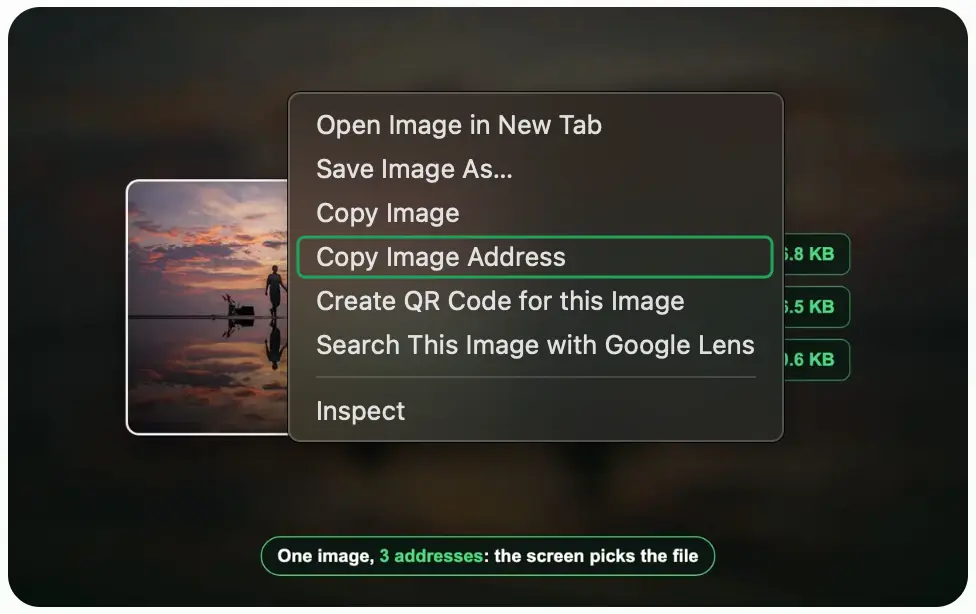
Right-click the image and choose the item with “address” or “link” in it. Chrome calls it Copy image address, Firefox Copy Image Link, Edge Copy image link and Safari Copy Image Address. On a Mac trackpad, click with two fingers or hold Control as you click. Then paste with Ctrl+V, or Command-V on a Mac.
| Browser | Copies the URL | Copies the picture, not the URL | Source |
|---|---|---|---|
| Chrome (Windows, Mac, ChromeOS) | Copy image address | Copy image | Chromium strings |
| Edge | Copy image link | Copy image | Microsoft Edge team |
| Firefox | Copy Image Link | Copy Image | Firefox strings |
| Safari on a Mac | Copy Image Address | Copy Image | Safari 18.6 strings |
| Chrome on Android | none: Open image in new tab | Copy image | Chromium strings |
| Chrome on iPhone | none: Open Image in New Tab | Copy Image | Chromium strings |
| Safari on iPhone | none for a plain image | Copy | WebKit strings |
Google Chrome
Right-click the picture and choose Copy image address. On Windows the item reads in lower case; on a Mac, Chrome writes it as Copy Image Address. Both strings sit in Chrome’s own Chromium menu strings.
Microsoft Edge
Right-click the picture and choose Copy image link. Edge is built on Chromium but renames the item; the Edge team’s own post calls it Copy image link. Plain Copy link appears only when the picture sits inside a link, and it copies the page that link opens.
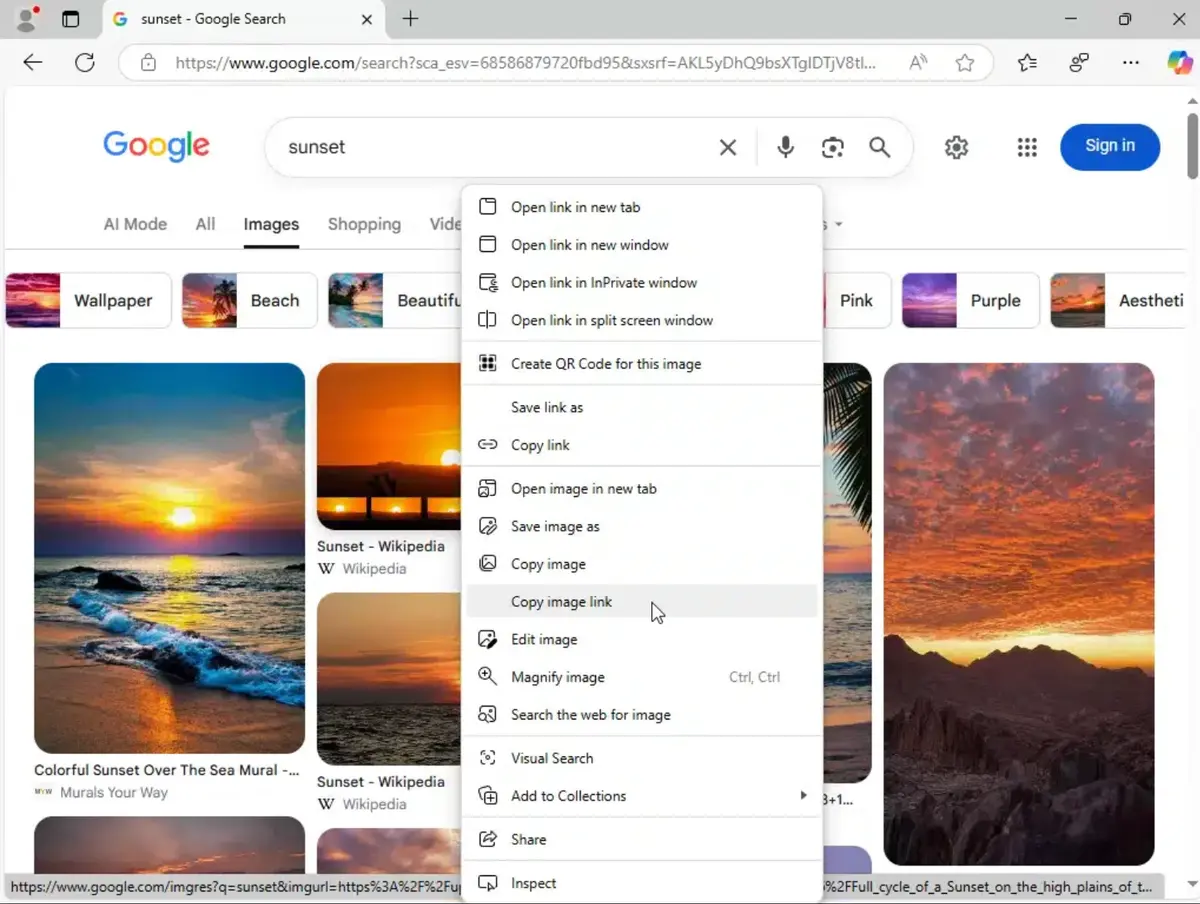
Mozilla Firefox
Right-click the picture and choose Copy Image Link. The label is “link” in Firefox, not “address”, so a search for the Chrome wording finds nothing. Firefox’s menu strings list it beside Copy Image and Open Image in New Tab.
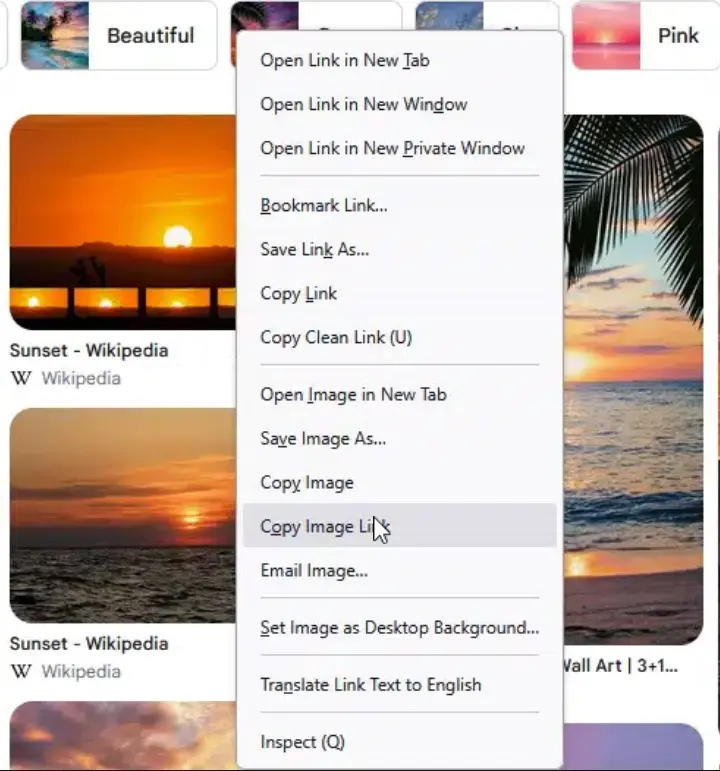
Safari on a Mac
Control-click the picture and choose Copy Image Address. Several guides say Safari has no such item. The Safari 18.6 on our Mac ships it in its menu strings. Apple’s Safari guide lists the save items in the same menu: Save Image to “Downloads”, Save Image As and Add Image to Photos.
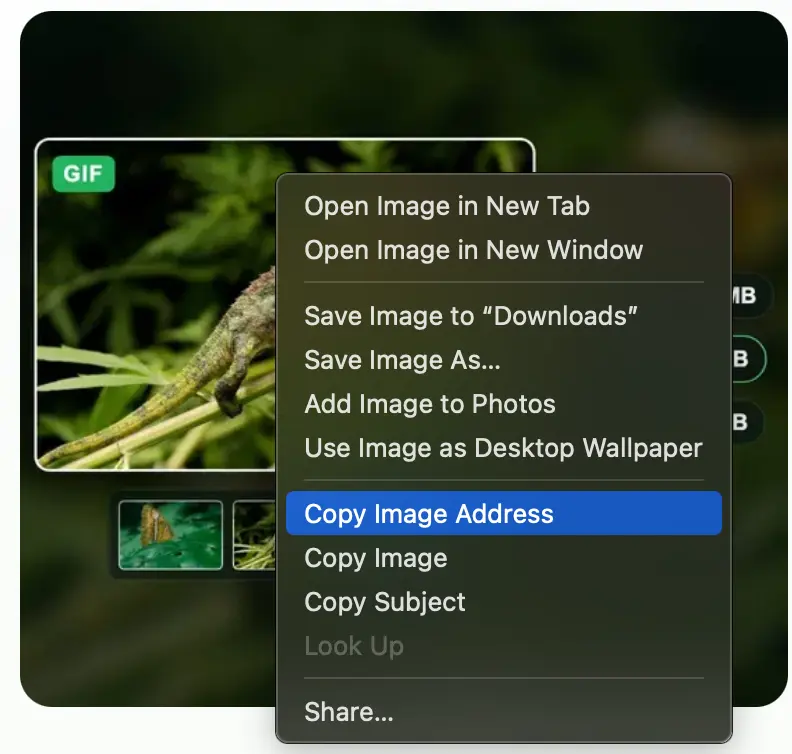
How to copy an image link on iPhone
Safari on iPhone has no copy-address item for a plain picture. Touch and hold the picture and the menu offers Save to Photos and Copy. Copy puts the picture on the clipboard, not its URL. When the picture sits inside a link, Copy Link appears too, and it copies the page the link opens. Those are the labels in WebKit, the engine Safari runs on.
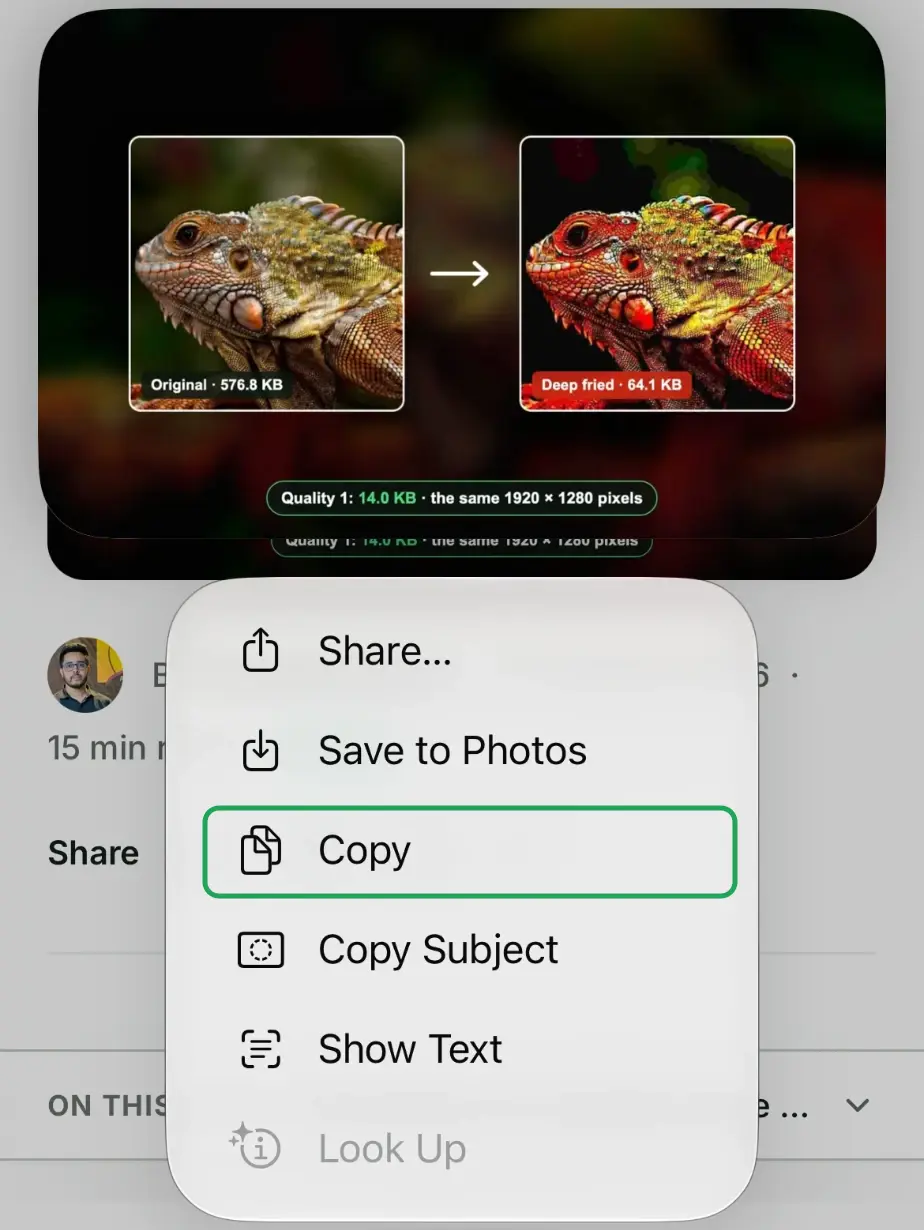
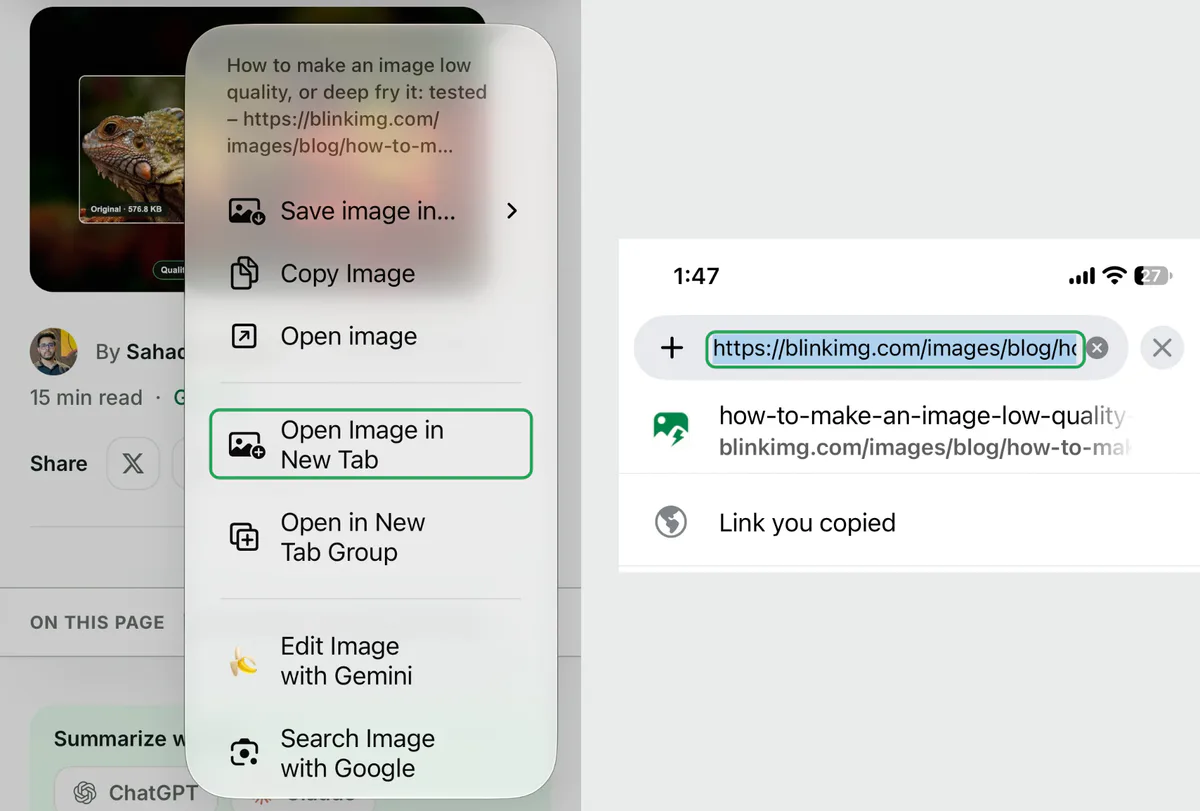
To get the address on an iPhone, use Chrome. Touch and hold the picture, tap Open Image in New Tab, then tap the address bar in the new tab and copy the URL. That address is the image file itself.
How to copy an image address on Android
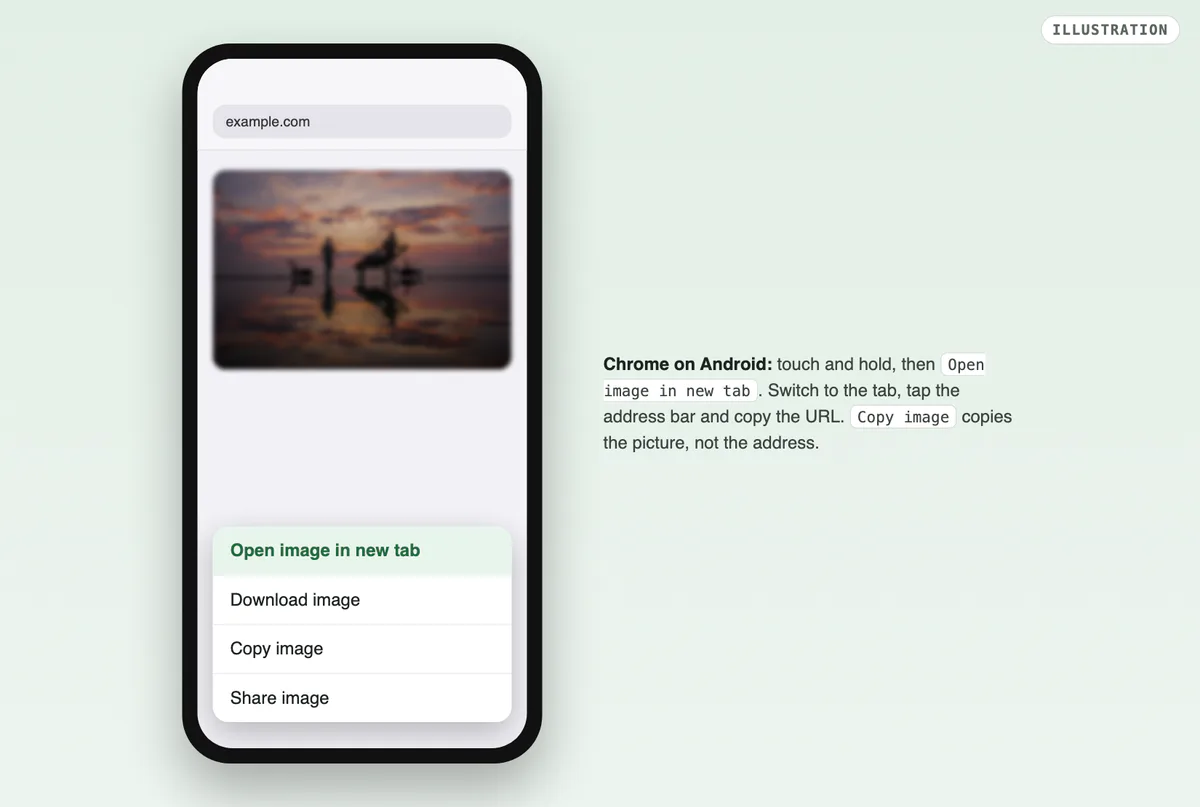
Touch and hold the picture in Chrome, tap Open image in new tab, then copy the new tab’s address. Chrome on Android has no Copy image address item. Its menu strings hold Open image in new tab, Download image, Copy image and Share image for a picture. Copy link address is there only for a picture inside a link, and it copies the link.
How to get an image URL from Google Images
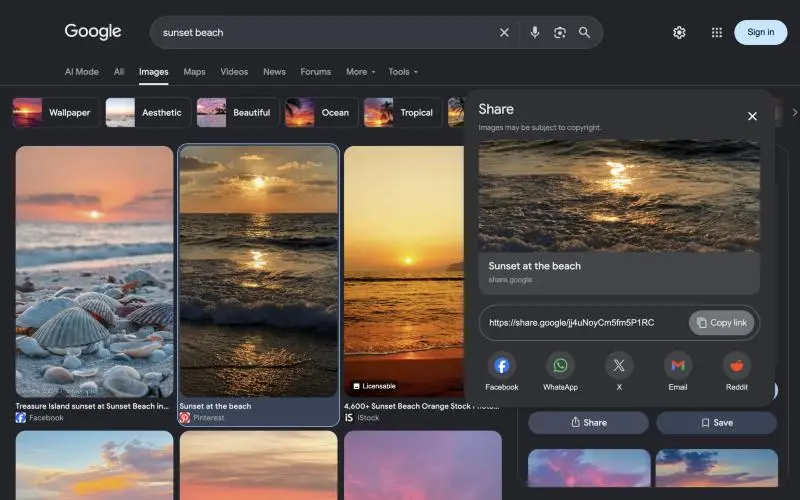
Click the picture first, then right-click the large preview and copy its address. The preview loads the website’s own file, so the address points to that site. Do not copy from the small pictures in the grid. Those are Google’s thumbnails, not the photo.
We counted them for our guide to downloading an image from Google. Of 70 grid pictures, 24 were written into the page as data: addresses, 8 were thumbnails on Google’s gstatic server, and 38 were still blank placeholders. Copy the address of any of them and you get one of those three, never the photo’s own file.
To share the result instead of the file, use Google’s own link. Click a result, then Share in the side panel, and click Copy link. Google Search Help still puts Share under More; our test page had its own Share button. That link starts with https://share.google/ and opens Google’s page, not the image file.
Which address did you copy? We tested 7 kinds of image
One picture, 3 different files
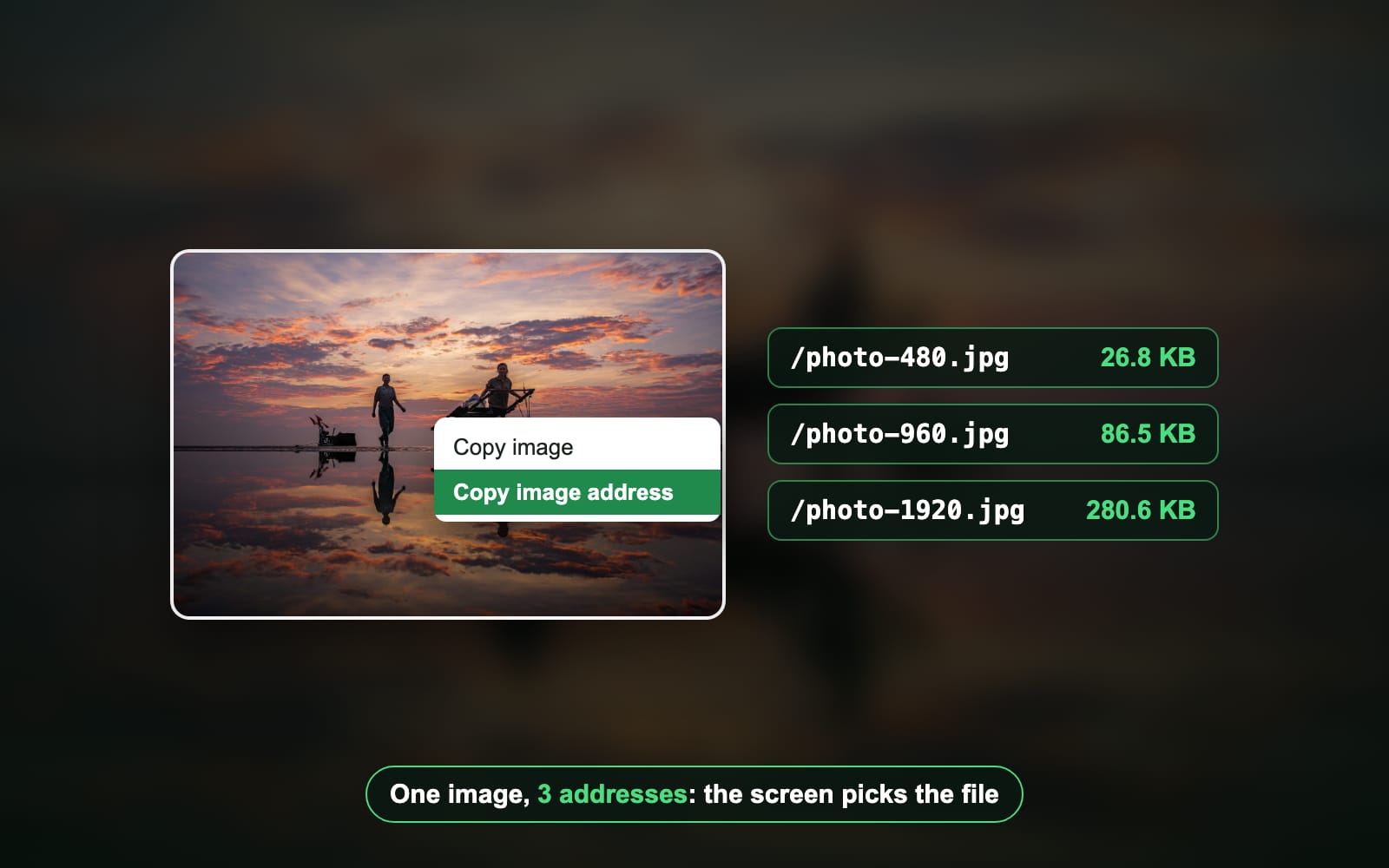
The address you copy is the file the browser chose for your screen. We built a test page and opened it in Chromium, Firefox and WebKit. One photo sat in a srcset, the HTML list that offers one picture at several widths. On a small phone, every engine loaded the 480-pixel file. On a 3x phone, every engine loaded the 1920-pixel file. The page’s HTML named the 960-pixel file the whole time.
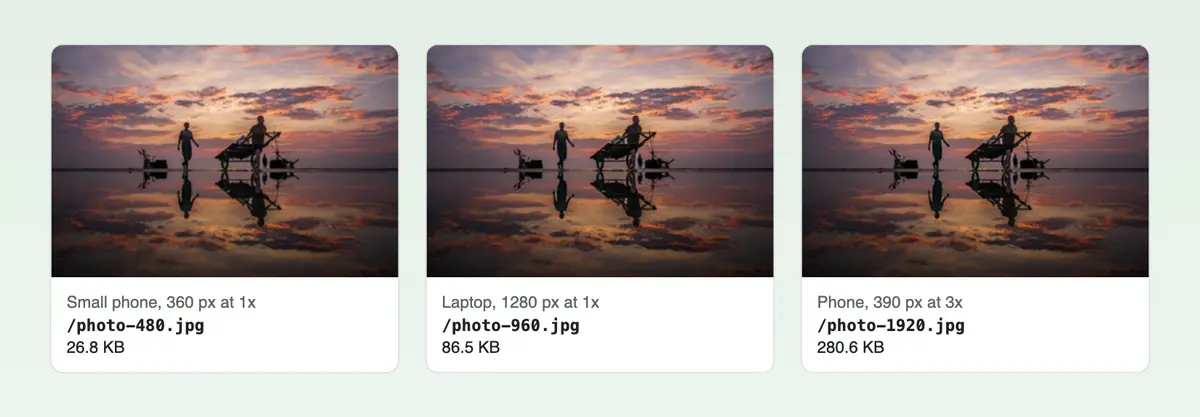
The file as the page serves it, KB
- 480 × 32026.8 KB
- 960 × 64086.5 KB
- 1920 × 1280280.6 KB
The same file through Blinkimg at Auto, KB
- 480 × 32021.1 KB
- 960 × 64067.4 KB
- 1920 × 1280216.7 KB
So two people who copy the same picture can paste different URLs. The phone at 3x got a file 10 times the bytes of the small phone's. That matters when you paste the address into a form, an email or a chat that loads the file.
What each kind of image gives you
| Kind of image on the page | What you copy | What to do |
|---|---|---|
| A picture with a srcset | The width your screen loaded | Fine for a link; it may be the small or the large file |
| A <picture> with AVIF and WebP | The .avif file (33.6 KB), not the 86.5 KB JPEG | Convert it if your app wants JPG |
| A CSS background | No image item: the pointer is over a box | Open Inspect and read the background-image url |
| A picture inside a link | Two addresses: the image and the page | Pick the image item, not Copy link |
| A data: picture | 1,219 characters for a 64-pixel thumbnail | Not a web address; save the picture instead |
| A blob: picture | blob: plus a random ID | Works only in that tab; save the picture instead |
| A script-lazy picture before you scroll | A 78-character blank GIF | Scroll to it, wait, then copy |
The <picture> row surprises people most. All 3 engines picked the AVIF over WebP and JPEG. The copied URL ends in .avif, and some apps refuse it. Native lazy images, the loading="lazy" kind, were safe: their address was the real file before they had loaded. Only script-run lazy loading hid the file behind a placeholder.
Why is there no Copy image address option?
The browser shows the item only when the pointer is over an image element. These are the cases where it is not:
- The picture is a CSS background. In our test, the element under the pointer was a plain box, with no image inside it, in all three engines. Right-click shows the page menu.
- A layer covers the picture. Galleries and shops often put a clear box on top to stop saving. You right-click the box, not the picture.
- The site replaces the menu. A page can block the right-click menu with a script.
- You are on a phone. Android Chrome, Chrome on iPhone and Safari on iPhone have no address item. Open the image in a new tab, as shown above, and copy that tab’s address.
The fix on a computer is Inspect. Right-click the picture, choose Inspect, and the developer tools open on the element. An image shows its address in src. A background shows it in the background-image line of the styles. Right-click that address in the tools to open or copy it.
Copy the address with JavaScript
In the Console tab of the same tools, one line copies the address for you. Use currentSrc, not src. Our srcset test showed why: src holds the fallback file, while currentSrc holds the file the browser chose for your screen, such as /photo-480.jpg on a small phone.
// The first image on the page. Change the selector to pick another.
const img = document.querySelector('img');
copy(img.currentSrc || img.src);

// In your own page code, outside the Console:
await navigator.clipboard.writeText(img.currentSrc || img.src);Check the address before you paste it
- Paste it into a new tab. The picture alone should load. A whole page means you copied a link, not the image.
- Read the end. A .jpg, .png, .webp, .avif or .gif ending is a file. Many CDN addresses end in a question mark and settings instead, such as a width. Those still work.
- An animated GIF keeps moving. Its address points to the whole animation, as our guide on how to save a GIF shows.
- Some links expire. Signed URLs from cloud storage carry a time limit in the address. They stop working after it.
- Making the picture clickable? Paste the address into an image link. Our guide on how to hyperlink an image has the HTML.
How we tested
- The photo: a 1920 × 1280 sunset from Blinkimg’s own photography set, saved as JPEG at 480, 960 and 1920 pixels wide, and as AVIF and WebP at 960 by Blinkimg’s engine (version 10).
- The page: a local test page with a srcset image, a <picture>, a CSS background, a linked image, a data: image, a blob: image and two lazy images, on 2026-10-28.
- The browsers: Playwright’s Chromium, Firefox and WebKit at five screens: 360 px at 1x, 390 px at 2x and 3x, 1280 px at 1x and 2x. The browser’s right-click menu cannot be scripted. We read the DOM’s own record instead: currentSrc on an image, the computed background, and the element under the pointer.
- The menus: labels from Chromium’s and Firefox’s menu strings, the Safari 18.6 and WebKit strings, Microsoft’s Edge team and Google Search Help, read on 2026-10-28. Google’s grid counts come from our Google download test of 2026-10-06.
- Compression: each JPEG through Blinkimg’s engine at Auto, compared byte for byte.
Read the full guide: How to reduce image file size on any device.
Questions
- What is an image URL?
- An image URL is the web address of one picture file, such as a JPG, PNG, WebP or AVIF. Opened in a browser tab, it shows the picture alone, without the page around it. You paste it into a forum, a form or an email to point at the file instead of attaching it.
- What is the difference between Copy image and Copy image address?
- Copy image puts the picture itself on the clipboard, so pasting it into a chat drops in the picture. Copy image address copies the text of its web address. Every major browser shows both items side by side in the right-click menu. Pick the address item when a form or a message wants a link.
- How do I copy an image link on iPhone?
- Safari on iPhone has no address item for a plain picture: touch and hold gives Save to Photos and Copy, and Copy copies the picture. Use Chrome on iPhone instead. Touch and hold the picture, tap Open Image in New Tab, then copy the URL from that tab’s address bar.
- How do I copy an image address on Android?
- In Chrome on Android, touch and hold the picture and tap Open image in new tab. Switch to the new tab, tap the address bar and copy the URL. Chrome on Android has no Copy image address item; Copy image copies the picture, and Copy link address appears only for linked pictures.
- How do I get the URL of an image from Google Images?
- Click the picture so the large preview opens, wait for it to sharpen, then right-click the preview and copy its address. The grid pictures are Google’s thumbnails or data addresses, not the file. For a link to Google’s own result page, choose More, then Share, and copy the share.google link.
- Why is there no Copy image address option?
- The pointer is not over an image element. The picture may be a CSS background, a clear layer may cover it, or the site may replace the menu with a script. Right-click and choose Inspect: the developer tools show the address in the src or background-image line.
- Why does my copied image URL end in .webp or .avif?
- The site offered several formats and your browser picked the newest one it can show. In our test, a picture with AVIF, WebP and JPEG sources gave an AVIF address in Chromium, Firefox and WebKit. If an app refuses the file, convert it to JPG before you upload it.
- Why is my copied image URL so long?
- It is probably a data address: the picture’s bytes written into the page as text. It starts with data:image. In our test, a 64-pixel thumbnail took 1,219 characters. It is not a web address at all, so save the picture or open the original page and copy from there.
- What is a blob image URL?
- A blob URL starts with blob: and points to a picture held in that browser tab’s memory, usually one a script made or fetched. It works only in that tab while it stays open. Pasted anywhere else, it shows nothing. Save the picture itself, or find the file it came from.
- Why does the same image give different URLs on different devices?
- Many sites list one picture at several widths, and the browser loads the one that fits the screen. In our test, a small phone copied the 480-pixel file at 26.8 KB and a 3x phone the 1920-pixel file at 280.6 KB. Each browser copies the file it loaded.