How to make a PNG file smaller: 5 fixes, measured
To make a PNG file smaller, cut it to 256 colours, shrink its pixels, or save a photo as JPG, WebP or AVIF. Which fix wins depends on what is in it: we measured all five on a photo, a screenshot and a cutout. Part of the image compressor.
By Sahadat Husain8 min readGuides

Why is my PNG file so large?
A PNG is large because it keeps every pixel exactly, and a photo has millions of them. Our 2,427 × 3,640 flower photo held 110,536 different colours. Saved as a PNG, it came to 21.4 MB. The same photo as a JPG was 1.4 MB.
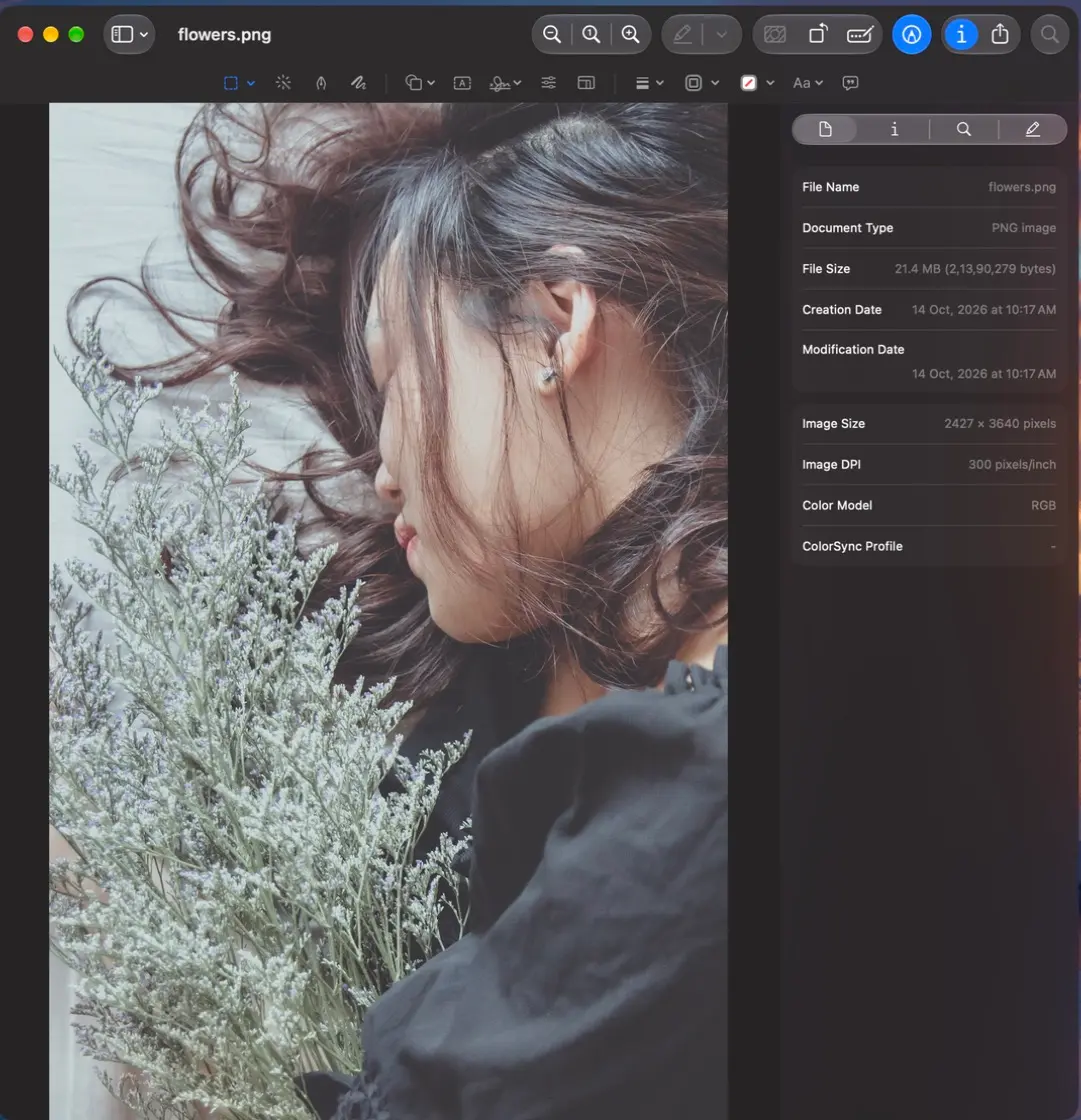
PNG is lossless: it never throws a pixel away, so it can only shrink what repeats. A screenshot repeats a lot, with flat white and a few text colours. A photo hardly repeats at all. So three things make a PNG big: many pixels, many colours, and a save that did not try hard.
How to make a PNG file smaller: 5 fixes, measured
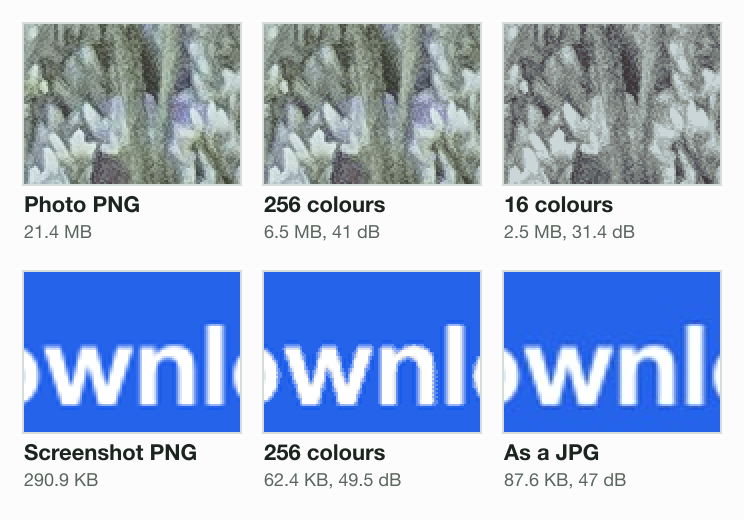
We ran every fix on three PNGs that tend to come out large: a photo, a screenshot at Retina size and a photo cut out on a see-through background. Here is what each fix did, with how far the pixels moved in dB (higher is closer; in our crops, the 40 dB files were hard to tell from the source).
Photo, 2,427 × 3,640
- PNG as saved21.4 MB
- Lossless re-save16.2 MB
- 256 colours6.5 MB
- WebP1.7 MB
- AVIF857.3 KB
- JPG1.4 MB
Screenshot, 2,400 × 1,260
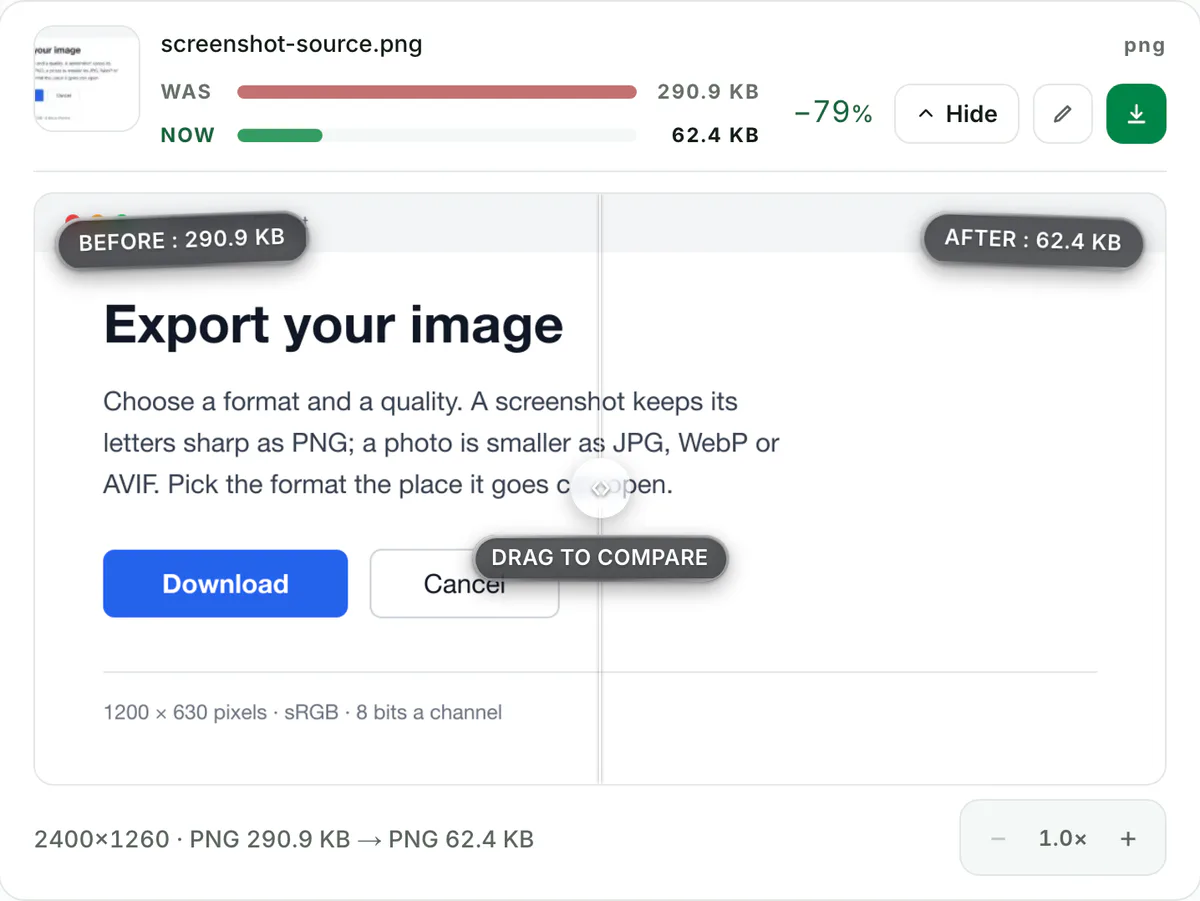
- PNG as saved290.9 KB
- Lossless re-save277.5 KB
- 256 colours62.4 KB
- WebP50.3 KB
- AVIF37.8 KB
- JPG87.6 KB
Cutout, 1,200 × 2,133
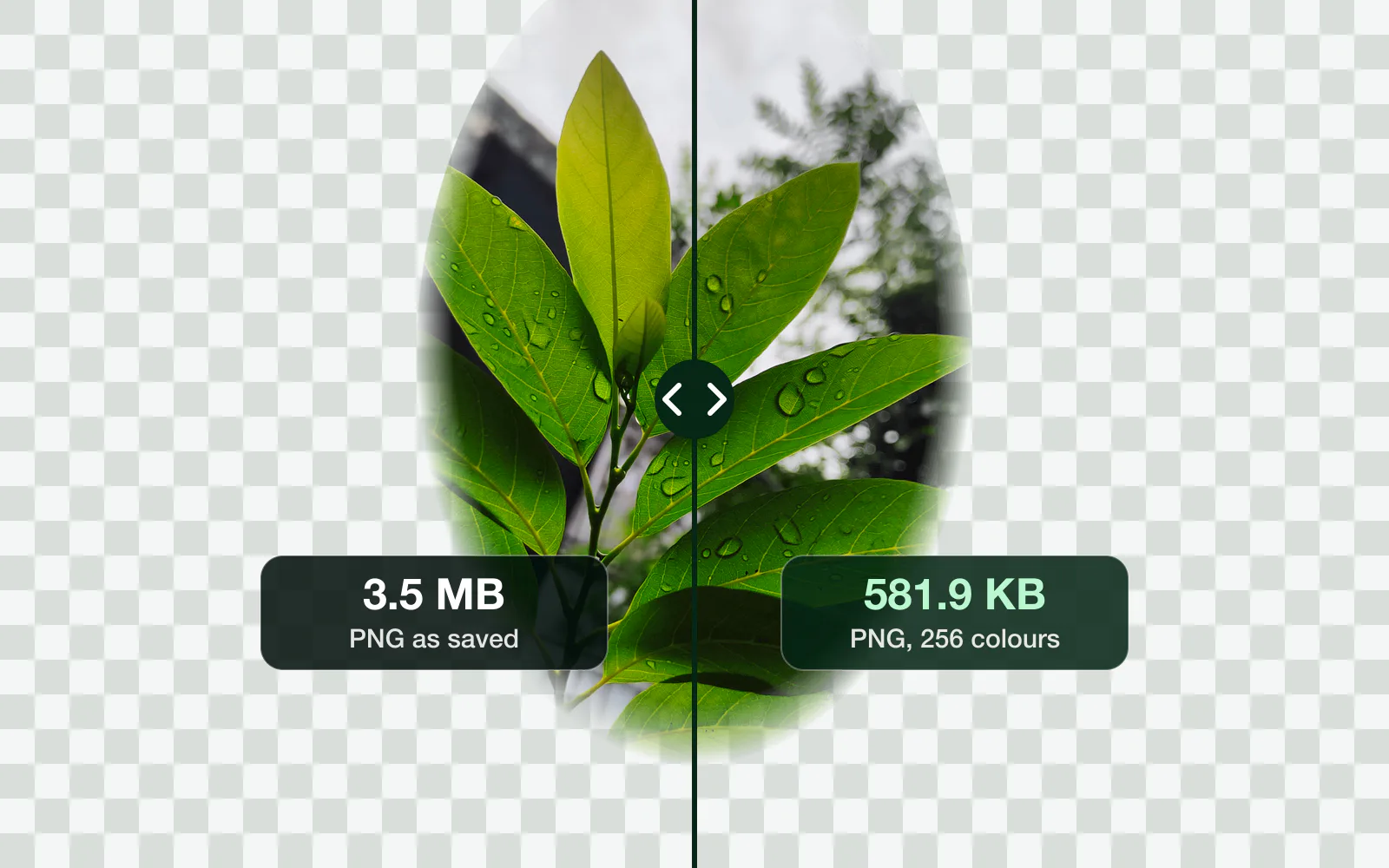
- PNG as saved3.5 MB
- Lossless re-save2.3 MB
- 256 colours581.9 KB
- WebP147.0 KB
- AVIF88.7 KB
1. Re-save it losslessly
A lossless re-save packs the same pixels tighter, and changes nothing you can see. Our photo went from 21.4 MB to 16.2 MB, 24% smaller. The cutout lost 34%. The screenshot, already tight, lost 5%. Safe, but rarely enough.
2. Cut it to 256 colours
This is the fix that moves the most, and the one most PNG compressors use. The file keeps a palette of 256 colours and maps every pixel to the nearest one. The screenshot went from 290.9 KB to 62.4 KB at 49.5 dB. The photo went to 6.5 MB at 41 dB, and it is still a PNG. A cutout keeps its transparency at 256 colours too.
3. Make it fewer pixels
Half the width and height is a quarter of the pixels. At 256 colours, the photo at 1,214 × 1,821 came to 1.5 MB. Shrink it to the size it will be shown at, not smaller; the PNG resizer keeps it a PNG.
4. Convert a photo to JPG, WebP or AVIF
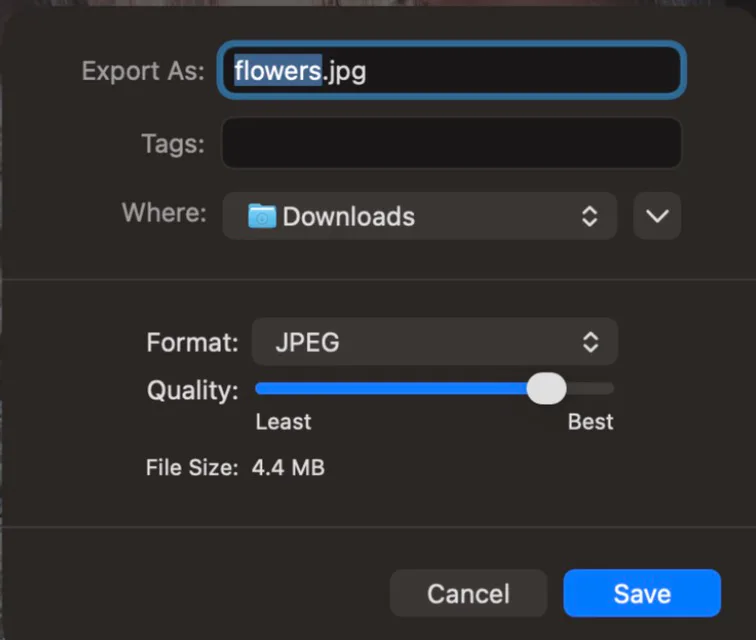
When the picture is a photo with no transparency, PNG is the wrong format. The flower photo was 1.4 MB as a JPG, 1.7 MB as WebP and 857.3 KB as AVIF. That is 15 times smaller than the PNG for the JPG alone.
A screenshot is the opposite case. As a JPG it came to 87.6 KB, bigger than the 62.4 KB 256-colour PNG, and blurrier at the letters. Keep screenshots as PNG; the PNG vs JPG guide covers the rest of that choice.
5. Keep transparency in WebP or AVIF
A cutout cannot become a JPG, because JPG has no transparency. WebP and AVIF keep it. Our cutout was 3.5 MB as a PNG, 147.0 KB as WebP and 88.7 KB as AVIF, with the soft edge intact. Use the PNG to WebP converter when the place it goes accepts WebP.
Which fix to use for your PNG
Must the file stay a PNG?
- Yes
256 colours, then a lossless re-save
Our screenshot: 290.9 KB to 62.4 KB.
- No
Does it have see-through parts?
- Yes
WebP or AVIF
Our cutout: 3.5 MB to 147.0 KB as WebP.
- No
Is it a photo?
- Yes
JPG, WebP or AVIF
Our photo: 21.4 MB to 1.4 MB as a JPG.
- No
Keep PNG at 256 colours
A JPG made our screenshot 87.6 KB, bigger and blurrier.
- Yes
- Yes
How to reduce PNG file size without losing quality
Without losing a single pixel, two fixes work: a lossless re-save, and lossless WebP if the file may change format. Lossless WebP made our photo 9.9 MB and the screenshot 156.9 KB, every pixel identical. For anything smaller, 256 colours is the change you are least likely to see.
How to make a PNG smaller in Photoshop, on a Mac and in Windows
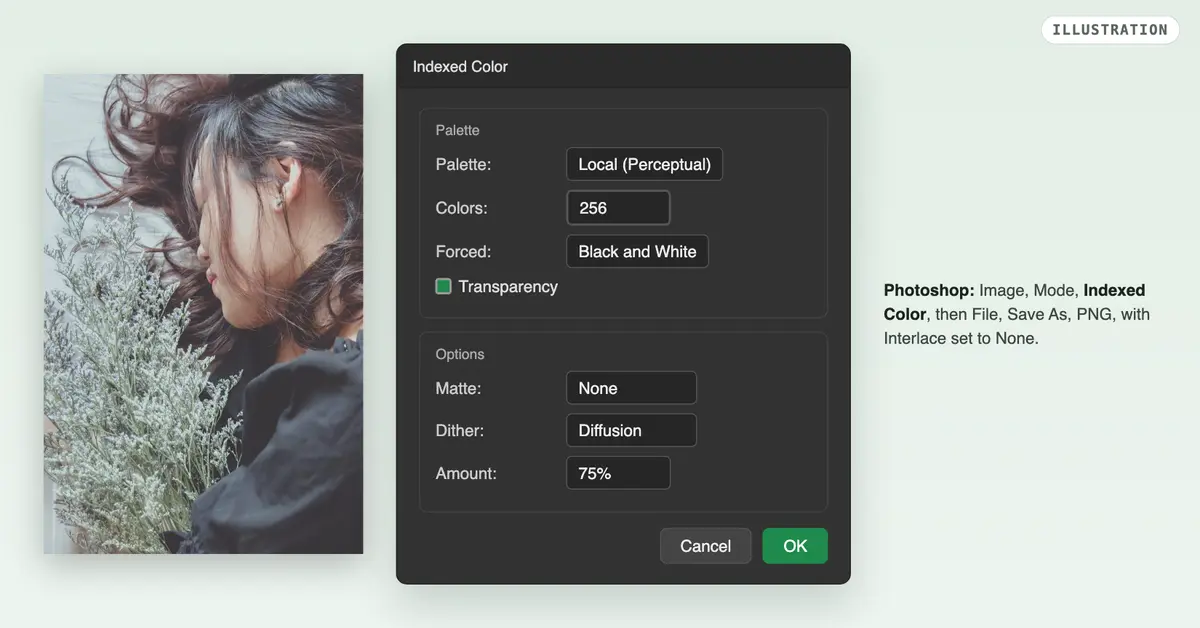
- Photoshop: choose Image, Mode, Indexed Color to cut the colours, then File, Save As, and PNG. Pick None for Interlace: interlacing “increases file size”, Adobe’s help page says.
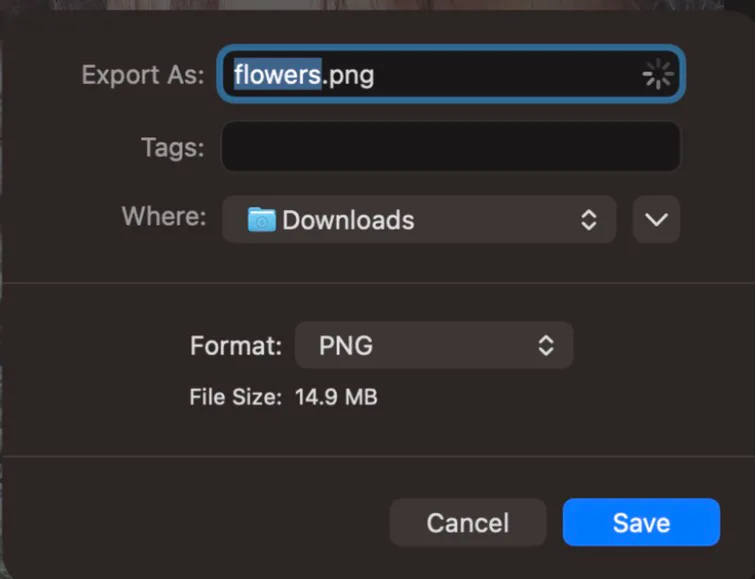
- Mac: Preview has no PNG compression setting. Choose Tools, then Adjust Size, to make it fewer pixels, Apple’s Preview guide shows.
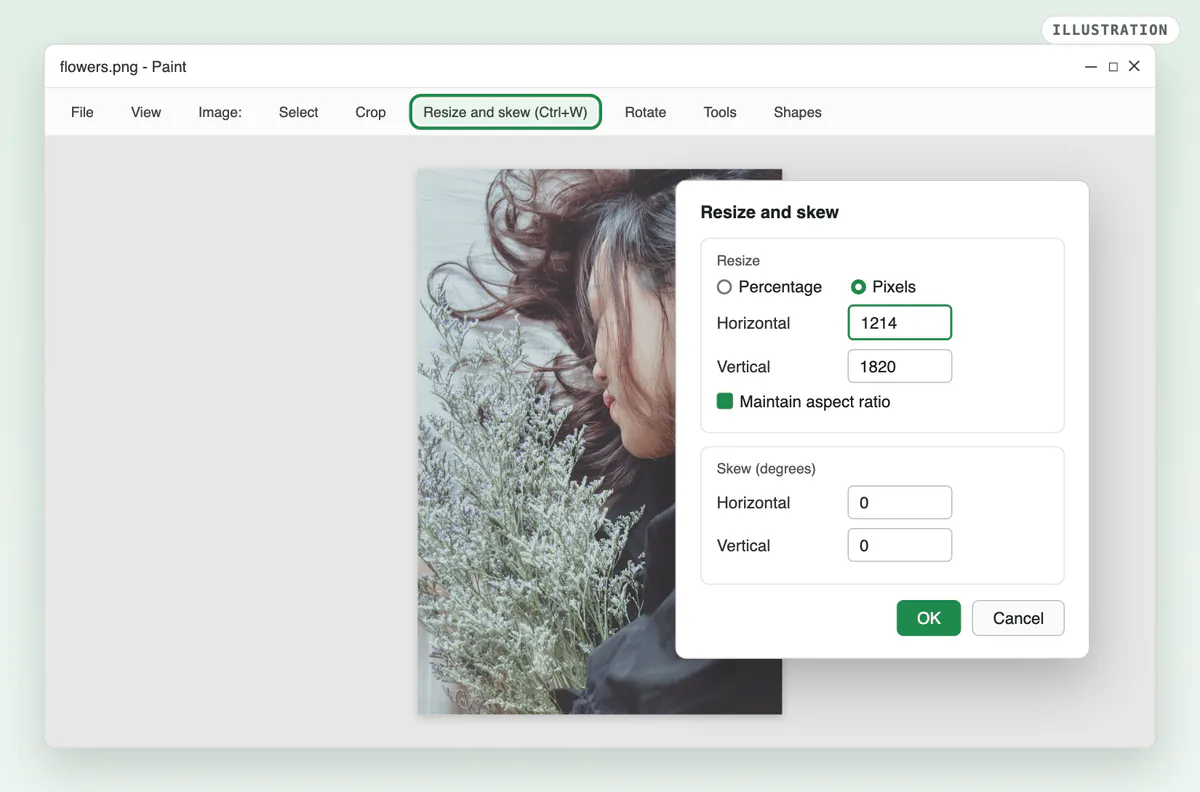
- Windows: Paint can also only resize. Open the PNG, press Ctrl+W, choose Pixels and a smaller width, then save.
- Any browser: drop it into the PNG compressor. It cuts the file to 256 colours and re-saves it, and keeps the transparency.
Need it under a set size, such as 100 KB for a form? Set Max file size, and the engine finds the quality that fits; the 100 KB compressor opens on it.
How we tested
- The PNGs: trnghieuphotos’s flower photo from Pixabay, saved as a PNG at 2,427 × 3,640; a screenshot of a settings card we drew at 2,400 × 1,260; and nataraj_07’s leaf from Pixabay, cut into a soft oval on a see-through background at 1,200 × 2,133.
- The fixes: Blinkimg’s engine, version 9, made every file but lossless WebP, which sharp 0.35.4 made; measured 2026-10-14.
- The score: PSNR against the PNG as saved, in dB. For the cutout, each colour is weighted by how visible it is, so a hidden colour under a clear pixel does not count. How we measure covers the rest.
Read the full guide: How to reduce image file size on any device.
Questions
- Why is PNG so big?
- PNG is lossless: it stores every pixel exactly and only shrinks what repeats. A photo barely repeats, so its PNG is huge. Our 2,427 × 3,640 flower photo was 21.4 MB as a PNG and 1.4 MB as a JPG. A screenshot repeats far more, so its PNG stays small.
- How do I reduce PNG file size without losing quality?
- Re-save it losslessly, which packs the same pixels tighter: our photo went from 21.4 MB to 16.2 MB. Lossless WebP goes further with every pixel identical. For a much smaller file, 256 colours changes the picture least: our screenshot scored 49.5 dB.
- How can I compress a PNG file for free?
- Drop it into a free online PNG compressor. It cuts the file to 256 colours, keeps the transparency and gives back a PNG. Photoshop does the same with Image, Mode, Indexed Color. Preview on a Mac and Paint on Windows can only make the PNG fewer pixels.
- Does compressing a PNG reduce its quality?
- A lossless re-save changes nothing. Cutting it to 256 colours changes a little: our photo scored 41 dB, which is hard to see. Going to 16 colours did hurt, at 31.4 dB, with grey, blotchy flowers. Stop at 256 colours for a photo.
- Should I convert a PNG to JPG to make it smaller?
- Only for a photo with no transparency. Our photo was 15 times smaller as a JPG. A screenshot came out bigger as a JPG, 87.6 KB against 62.4 KB at 256 colours, with soft letters. A JPG also fills see-through areas with white.
- Can a smaller file keep PNG transparency?
- Yes, two ways. A 256-colour PNG keeps it: our cutout went from 3.5 MB to 581.9 KB. WebP and AVIF keep it too and go further, to 147.0 KB and 88.7 KB. Only JPG drops it, so never use JPG for a cutout or a logo.
- How can I reduce the size of a PNG file to 5 MB?
- Set a size cap instead of guessing: a compressor with a Max file size field finds the setting that fits under 5 MB. Our 21.4 MB photo came to 6.5 MB at 256 colours, still over, and to 1.5 MB at half the width and height.
- How can I resize a PNG file?
- Open it in a PNG resizer, type the new width with the sides linked, and save it as a PNG. Paint on Windows does it with Ctrl+W, and Preview on a Mac with Tools, Adjust Size. Halving the width and height leaves a quarter of the pixels, so the file shrinks a lot.