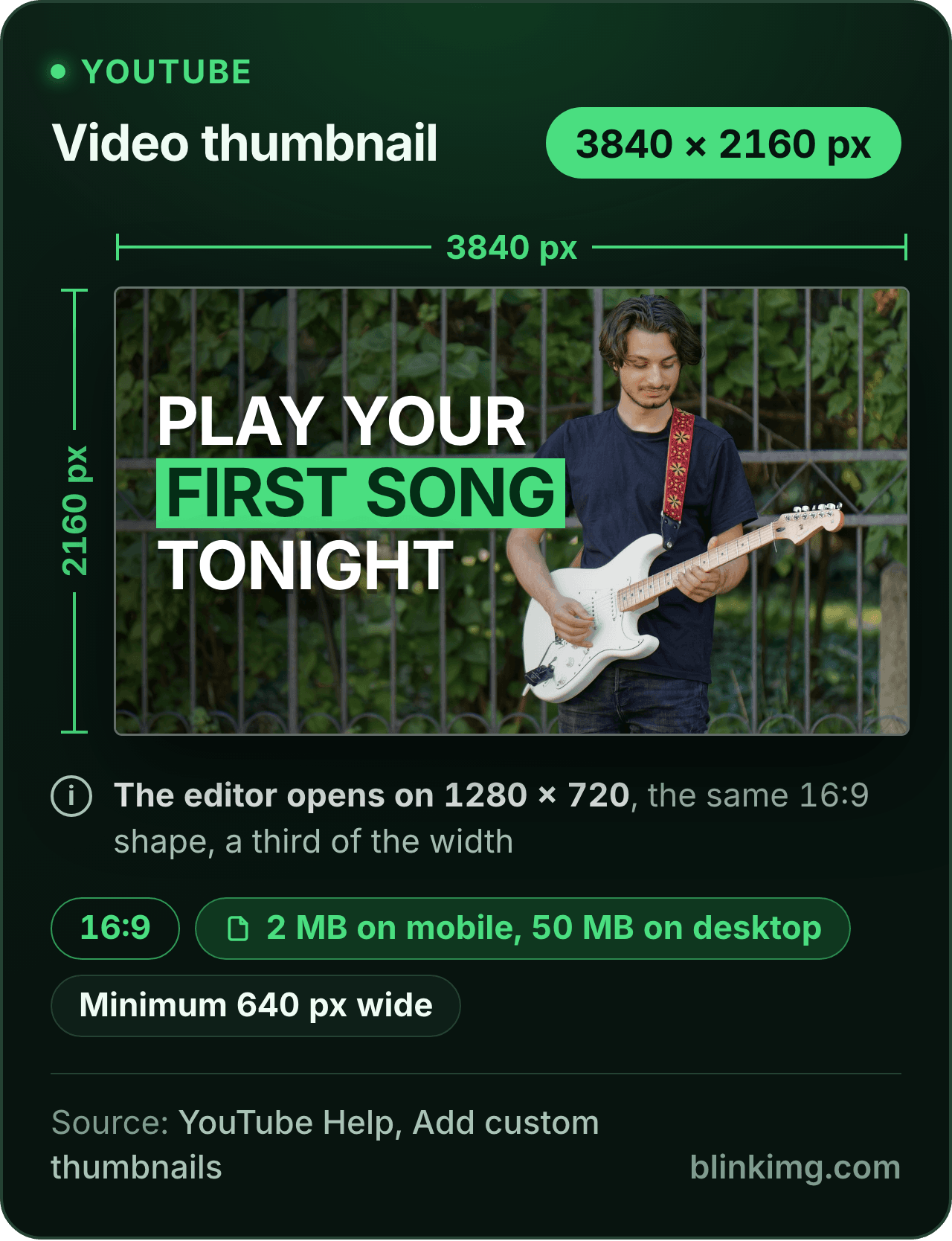
The editor opens on 1280 × 720, the 16:9 YouTube thumbnail size every creator knows, cropped to the shape. YouTube's help page now recommends 3840 × 2160 and caps a phone upload at 2 MB; both are one setting away. Part of the social media image resizer.
YouTube thumbnail size in 2026
Video, recommended
3840 × 2160 px, 16:9YouTube Help
Shorts, recommended
2160 × 3840 px, 9:16YouTube Help
Minimum
640 px wide for videos, 640 px tall for ShortsYouTube Help
File size
2 MB on mobile, 50 MB on desktopYouTube Help
This page opens on
1280 × 720 px, 720pYouTube Help, resolution table
Output format
– / –
Drop images or browse
JPEG · PNG · WEBP · AVIF · HEIC · up to 50 at once · max 30 MB each
HEIC
PNG
JPEG
AVIF
WEBP
Advanced settings1 on
SmallerAutoBetter
Auto tunes each image.
A hard cap for the number your form demands.
KB
A floor for forms that refuse small files.
Max resolution
×
Empty side keeps the ratio. Never enlarges.
Presets
Every named size, one editor
The same editor, the size already pressed. Pick the document or the platform.
Paste this line into your page’s HTML. The picture links back here, the credit our CC BY 4.0 licence asks for.
<a href="https://blinkimg.com/resize-image-for-youtube-thumbnail"><img src="https://blinkimg.com/images/size-guides/resize-image-for-youtube-thumbnail.png" alt="A YouTube video thumbnail drawn at 3840 × 2160 pixels, the 16:9 size YouTube recommends, with a guitarist and a bold title. Chips give the 2 MB limit on mobile and 50 MB on desktop and the 640-pixel minimum width; the editor opens on 1280 × 720, the same shape." width="640" height="834" style="max-width:100%;height:auto"></a>
The size, exactly
1280 × 720 px, in every unit a form states it in
Millimetres and inches at 300 DPI, the print resolution the portals assume.
What Save exports
1280 px
720 px
1280 × 720 px
Pixels
1280 × 720 px
Millimetres
108.4 × 61 mm
Inches
4.27 × 2.4 in
Ratio
16:9
Fit
cropped to the shape
Metadata
EXIF and GPS stripped
The rules, with their sources
Recommended
3840 × 2160 px for videos; 2160 × 3840 for Shorts
YouTube Help, Add custom thumbnails
Minimum
640 px wide for videos; 640 px tall for Shorts
YouTube Help, Add custom thumbnails
Ratio
16:9 for videos, 9:16 for Shorts, 1:1 for podcast playlists
YouTube Help, Add custom thumbnails
File size
2 MB on mobile for video thumbnails, 10 MB for podcasts; 50 MB on desktop
YouTube Help, Add custom thumbnails
Formats
Image formats such as JPG or PNG
YouTube Help, Add custom thumbnails
1280 × 720
720p in YouTube's resolution table; no longer on the thumbnail page
YouTube Help, Video resolution and aspect ratios
Each rule as it read on its source when we checked it in September 2026. The source’s own page wins over this card.
Source: photo.jpg, 576.8 KB at 1920×1280, through the preset this page opens on (the centre cropped to the ratio and scaled to the size), then the engine at its defaults. The row is the real output.
Every byte count is the size of the actual file our engine produced from the named source, the same bytes you would download, not an estimate. The reference photo is one of our own photographs, an iguana on a branch, and the camera photo is a real one too. Drop your own file into the tool above to rerun any of them. How we measure names the sources and the settings.
The sizes
Which YouTube thumbnail size does the resizer export?
1280 × 720 when it opens, 1920 × 1080 with one tap, and 3840 × 2160 typed in, all 16:9.
YouTube’s help page on custom thumbnails now recommends 3840 × 2160 for videos, with a minimum width of 640 pixels. For YouTube’s rules, the smaller copies it serves and the banner, read our guide to what size is a YouTube thumbnail. Here the choice rests on your source’s width. Three 16:9 sizes, one step apart:
1
1280 × 720: the preset
720p in YouTube’s video resolution table. The YouTube tile in the Social group, pressed when the page opens. Right for a screenshot or any source under 1,920 wide.
2
1920 × 1080: Full HD
1080p in the same table. The Full HD tile in the Banners group. Right for a source at least 1,920 wide: most phone photos, any camera photo.
3
3840 × 2160: the recommendation
What the help page asks for. Type it in the Custom size box. Right only for a source at least 3840 wide; anything smaller is enlarged to reach it and looks soft.
Answered
How do I resize an image to 1280 × 720?
Drop it and drag the frame.
The YouTube tile is already pressed, so a 16:9 frame at 1280 × 720 sits over the picture; move it to the subject, pull a corner to change how much of the photo it takes, and tap Save. The export is exactly 1280 × 720, from any JPG, PNG, WebP or AVIF, for a thumbnail or for anything else that wants 720p. The rule for choosing between the three sizes is the source’s own width: a preset exports its pixels whatever you drop, so a source narrower than the preset is enlarged. Our 1920 × 1280 reference photo is reduced: its 16:9 crop is 1920 × 1080, scaled down to 1280 wide in the measured row above. A camera photo, like our 4964-pixel-wide camera reference, is reduced the same way, which is the safe direction.
Answered
Why does YouTube reject my thumbnail upload?
Because it fails one of the three checks on YouTube’s custom-thumbnail help page.
The width: at least 640 pixels for a video thumbnail, at least 640 tall for a Shorts one. The bytes: under 2 MB when you upload from a phone (10 MB for a podcast thumbnail), under 50 MB from a computer. The format: an image format such as JPG or PNG. A phone photo passes the width by a mile and fails the bytes; a screenshot cropped tight fails the width; a HEIC straight from an iPhone is not a format the page names. One save here settles all three: the preset sets the pixels, Max file size caps the bytes, and the picker gives you JPEG or PNG.
Answered
How do I keep a thumbnail under 2 MB on a phone?
Open Advanced settings, type 2 MB into Max file size or tap the 1 MB chip, and save: the export lands at or under the number, never over.
The 2 MB cap is the one that bites, because it applies to the phone upload most creators make; the same page allows 50 MB from a computer. Most thumbnails never touch it. Our 1920 × 1280 reference photo came back at 137.6 KB at 1280 × 720, saved once through the engine at its defaults. Our 4964 × 2782 camera photo, larger than 3840 × 2160, came to 2.6 MB as a JPEG at quality 95, over the cap. With Max file size at 2 MB, our engine brought it to 1.9 MB with every pixel kept. The same photo saved as a PNG came to 3.7 MB. A photo belongs on JPEG, the editor’s own output; flat art with text saved as PNG from the picker stays small. The compress image to 2 MB page arms the cap by itself for a thumbnail that is already the right size.
Answered
What happens if my photo is not 16:9?
It is cropped or fitted; it is never stretched.
Crop is the default: the 16:9 frame sits over the photo and you choose the band it keeps. For a 4:3 phone photo that means losing a strip at the top and the bottom; for a portrait, keeping a wide slice from the middle. The Crop / Fit switch under the tiles offers the other route. Fit puts the whole photo inside 1280 × 720 on a fill colour: a 3:4 portrait gets bands of 370 pixels at each side, a square 280. Pick the fill to match the art or the dark player behind it. Either way the export is 16:9 at exactly 1280 × 720, and the thumbnail shows the same picture on every screen.
Answered
What is the YouTube profile picture size, and the channel logo size?
A square of up to 15 MB in JPG, GIF, BMP or PNG, and 800 × 800 pixels is a safe size: that one file is the YouTube profile picture, the channel logo and what viewers call the PFP.
YouTube’s channel branding help page gives no upload size: it says the picture renders at 98 × 98, allows up to 15 MB and refuses animated GIFs. 800 × 800 is the largest copy of a channel picture YouTube’s Data API lists, so a square that size has pixels to spare. YouTube shows it as a small circle, so keep the subject centred and large; fine detail and text vanish. Type 800 × 800 into the size field above, or use the square preset, and the crop holds the shape.
Answered
What is the YouTube Shorts thumbnail size, and the podcast one?
2160 × 3840 for a Short, at 9:16 with a minimum height of 640 pixels, and 1:1 for a podcast playlist, both from the same help page.
The IG/FB story tile gives you 1080 × 1920, the 9:16 shape well above the minimum height, and the Custom size box takes 2160 × 3840 when the source is that tall. For a podcast thumbnail tap the IG/FB post tile, a 1080 × 1080 square. The byte rules differ too: 2 MB for a video thumbnail from a phone, 10 MB for a podcast one, 50 MB for all of them from a computer.
Be sure first
When is the YouTube thumbnail resizer the wrong tool?
Channel art, not a thumbnail?
That is the banner: 2560 × 1440 with a safe area in the middle, on its own page.
The source is narrower than 1,280 pixels?
The preset enlarges it. Type its own width at 16:9 instead, anything from 640 up, and keep every pixel real.
Text and arrows to add?
The Objects tab adds text, arrows and a badge; for a full layout, design it at 16:9 first, then bring the finished image here to size and cap.
The size is already pressed above. One drop settles most of these.
Q:How do I resize an image to 1280 × 720?
Drop the image into the thumbnail resizer: the editor opens with the YouTube tile pressed, a 16:9 frame at 1280 × 720 drawn over the picture. Drag the frame to the part you want, then tap Save. The export is exactly 1280 × 720, optimised once. For 1920 × 1080 tap Full HD; for 3840 × 2160 type it in the Custom size box.
Q:Can I resize any image to 1280 × 720, even if it is not for a YouTube thumbnail?
Yes. The preset is a size, not a platform rule: any JPG, PNG, WebP or AVIF comes out at exactly 1280 × 720, cropped to 16:9 or fitted whole on a fill. A slide, a stream overlay, a 720p wallpaper or a video poster frame all use the same size. The only YouTube-specific part of the page is the copy.
Q:Why should I resize an image for a YouTube thumbnail?
Because YouTube checks three things a raw photo often fails: the ratio, which its help page says should be 16:9 for videos; the width, at least 640 pixels; and the bytes, 2 MB on a phone. A phone photo is 4:3 and several megabytes. One save here fixes the shape, sets the pixels and lands the file under the cap.
Q:Can I add text to a thumbnail before I save it?
The Objects tab adds text, arrows or a badge over the photo before you save, all inside the 1280 × 720 frame. Keep the words few and large: YouTube's Data API serves copies of a thumbnail as small as 120 × 90. For a full layout, design it at 16:9 first, then bring the finished image here to size it.
Q:Which size should I pick: 1280 × 720, 1920 × 1080 or 3840 × 2160?
Pick by your source's width, because a preset exports its pixels whatever you drop. Under 1,920 pixels wide, keep the 1280 × 720 preset. From 1,920 wide, tap Full HD for 1920 × 1080. From 3840 wide, type 3840 × 2160, the size YouTube recommends. All three are 16:9 and above the 640-pixel minimum width.
Q:Why does YouTube reject my thumbnail upload?
Usually one of the three limits on YouTube's help page: the image is narrower than 640 pixels, the file is over 2 MB on a phone (50 MB from a computer), or the format is not an image format such as JPG or PNG. Resize to 1280 × 720, set Max file size to 2 MB, and save as JPEG or PNG.
Q:Does the resizer stretch a photo that is not 16:9?
The resizer never stretches a photo; it crops or fits it. With Crop, the default, a 16:9 frame sits over the photo and you drag it to the part you want. With Fit, the whole photo sits inside 1280 × 720 on a fill colour, with bands of 370 pixels beside a 3:4 portrait.
Q:What file formats does YouTube accept for thumbnails?
Image formats such as JPG or PNG, in the words of YouTube's help page on custom thumbnails. The editor keeps your file's format, and the format picker by the drop zone offers PNG outright. Choose PNG for flat colours and crisp text, JPEG for a photo, and skip WebP and AVIF for this upload.
Q:Why does the resizer open on 1280 × 720?
1280 × 720 is the 16:9 size most creators know, twice YouTube's 640-pixel minimum width, and the largest copy of a thumbnail YouTube's Data API lists. Most screenshots can fill it without being enlarged. YouTube's help page now recommends 3840 × 2160, so type that in the Custom size box when your source is that wide.
Q:How do I make a Shorts thumbnail with the resizer?
Tap the IG/FB story tile for 1080 × 1920, the 9:16 shape YouTube recommends for a Short, well above the 640-pixel minimum height. When your source is tall enough, type 2160 × 3840 in the Custom size box, YouTube's recommended size. For a podcast playlist, which takes a 1:1 thumbnail, tap the IG/FB post tile instead.
Q:How big is a YouTube thumbnail in cm or inches?
It has no real size in cm or inches. A thumbnail is drawn on screens in pixels, so an inch or centimetre figure changes nothing YouTube receives. A 300 DPI conversion exists for a template that insists on one. Work in pixels: 1280 × 720 as a minimum comfortable size, 3840 × 2160 when the source allows it, always 16:9.
Q:How do I get a thumbnail under 2 MB?
Open Advanced settings, type 2 MB into Max file size or tap the 1 MB chip, and save: the export lands at or under the number, never over. Most thumbnails do not need the cap; our reference photo came back at 137.6 KB at 1280 × 720. The 2 MB rule applies to phone uploads; a computer is allowed 50 MB.
Q:What is the YouTube PFP and logo size?
The channel logo is the profile picture viewers call the PFP. YouTube's help page sets no upload size: the picture renders at 98 × 98, as a JPG, GIF, BMP or PNG of up to 15 MB, no animated GIF. 800 × 800, the largest copy YouTube's Data API lists, is a safe square. Press the 1:1 tile, then type 800.
Q:Do you keep my thumbnail?
No. We keep nothing: files are processed and wiped automatically, never archived and never used for anything else. Saving strips EXIF metadata, GPS location included. The thumbnail you download is yours, at the size you set, with no account, no watermark and no charge for the resize.